[Android] How to Send Files From Android Phone to PC, Mac, and TV
1001 TVs makes it easy to wirelessly transfer files from your Android phone to a PC, Mac, or TV — no cables, no hassle. Whether you’re sharing photos, videos, music, or documents, the process is fast, simple, and secure. Here’s how to get started.
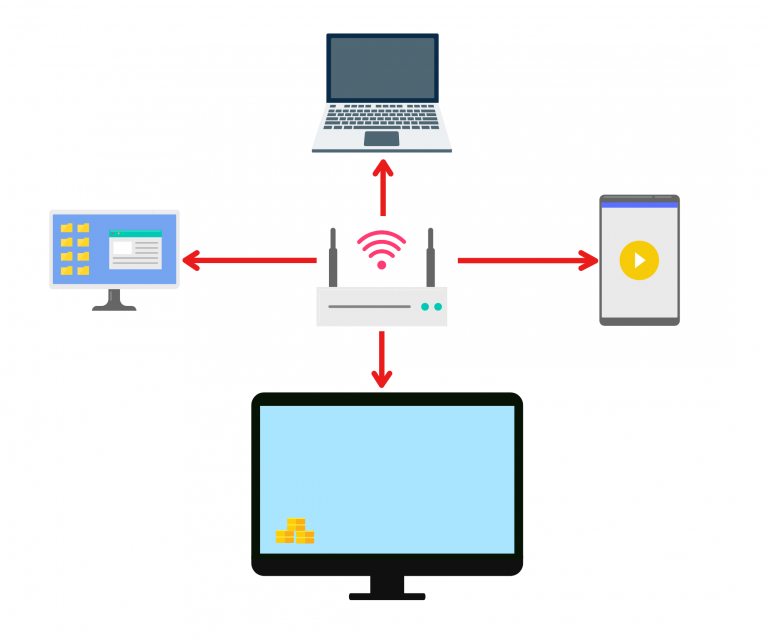
1. ئوخشاش Wi-Fi غا ئۇلاڭ:
ئىككى ئۈسكۈنىڭىزنىڭ ئوخشاش Wi-Fi تورىغا ئۇلانغانلىقىغا كاپالەتلىك قىلىڭ.
(A 5G band Wi-Fi connection is recommended for the best performance.)
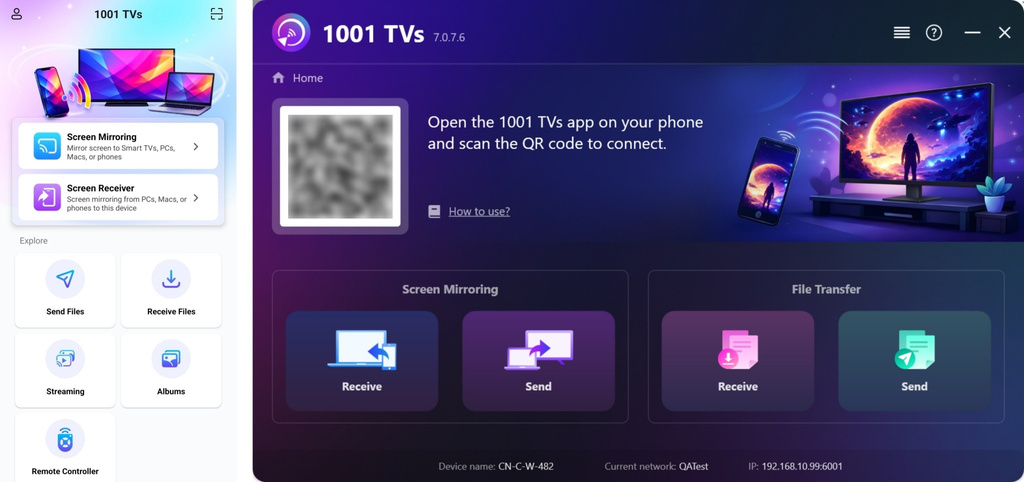
2. Install and Open 1001 TVs on both devices
📥 كومپيۇتېر ئەپلىرى: چۈشۈرۈش Microsoft دۇكىنى
تەپسىلىي قەدەملەر ئۈچۈن، تۆۋەندىكىگە قاراڭ كومپيۇتېر ئورنىتىش قوللانمىسى.
📥 Mac ئەپ: App Store دىن چۈشۈرۈڭ
📥 تېلېۋىزىيە ئەپ دېتالى: تېلېۋىزورىڭىزغا 1001 TVs نى قانداق ئورنىتىش كېرەك
📱 ئاندروئىد ئەپ: Google Play دىن چۈشۈرۈڭ
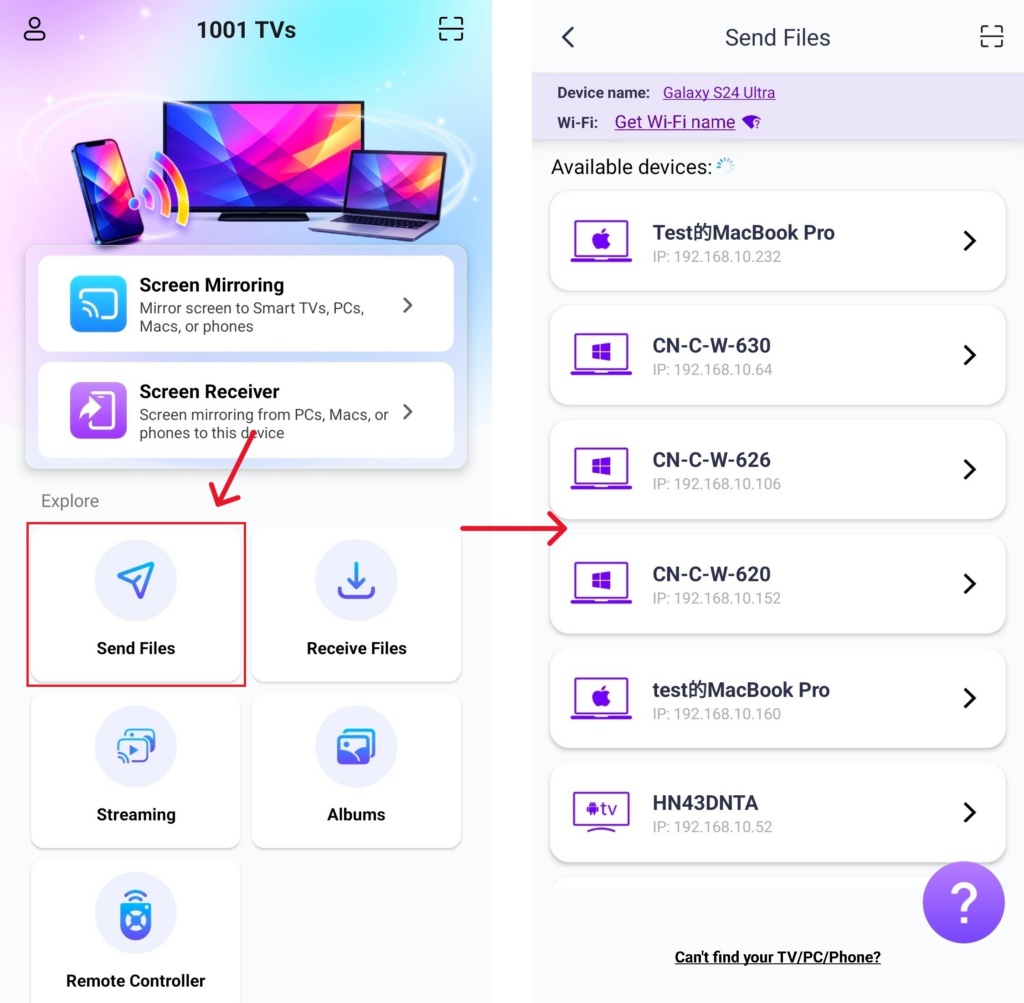
3. Start Pairing
قويۇپ بېرىش 1001 TVs تېلېفونىڭىزدا چېكىڭ ھۆججەتلەرنى ئەۋەتىش.
Select your target device from the list (e.g., your PC/Mac/TV).
Note: The target device must be online to receive files. If it appears offline, please check your network connection. You can still view files already received on your PC/Mac/TV at any time.
On your receiving device, confirm the pairing.
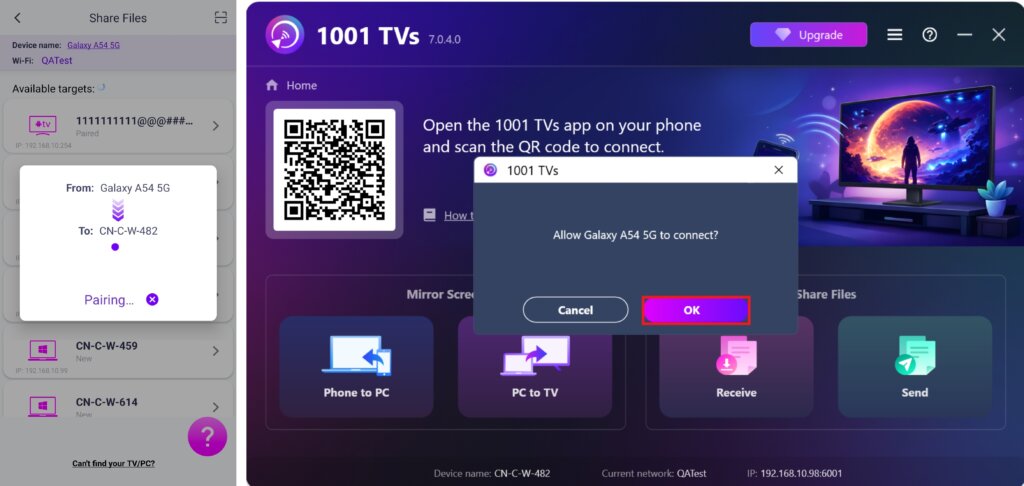
6. نىشان ئۈسكۈنىنى تاپالمىدىڭىزمۇ؟ كودنى سىكانىرلاپ جۈپلەشنى سىناپ بېقىڭ
ئەگەر ئۈسكۈنىڭىز تىزىملىكتە كۆرۈنمىسە، سىز قىلالايسىز QR كودىنى سىكانىرلاڭ displayed on your Mac/PC/TV screen for quick pairing.
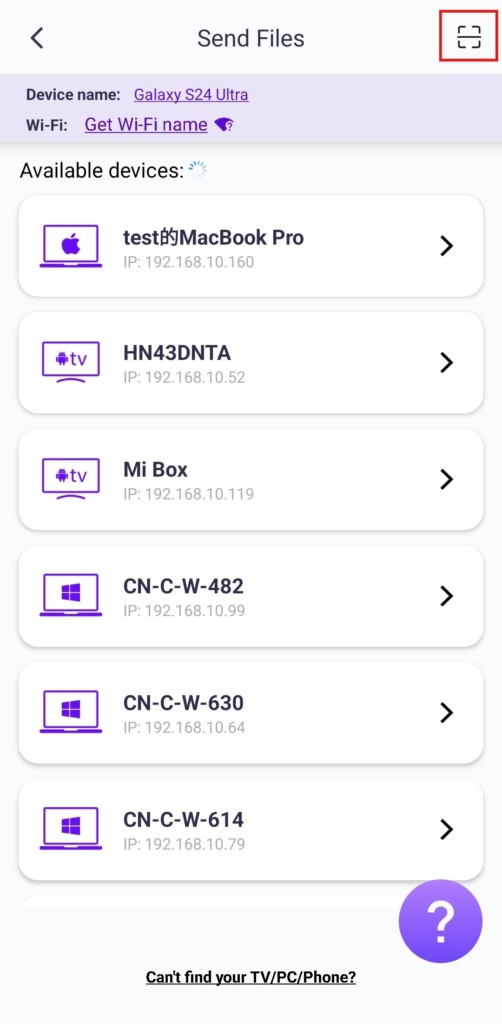
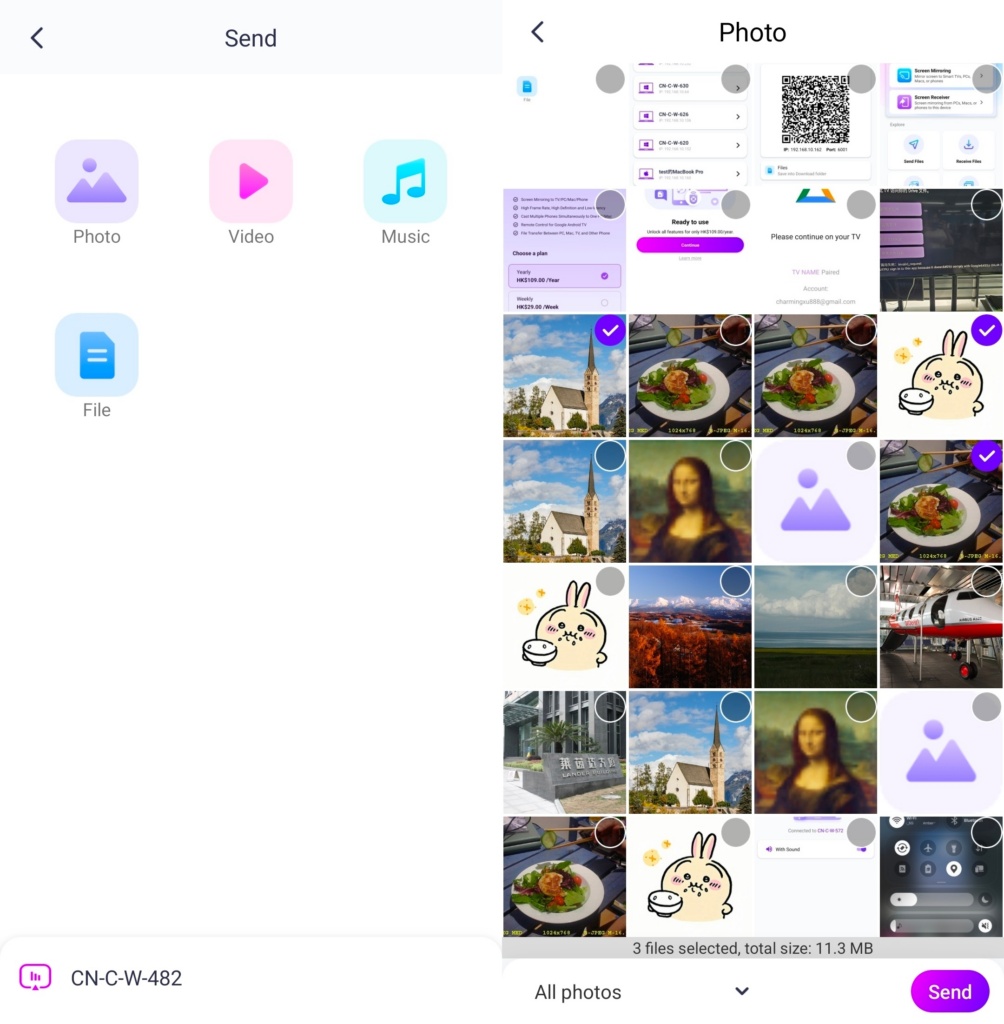
4. Select files to send
On your phone, choose the files you want to send.
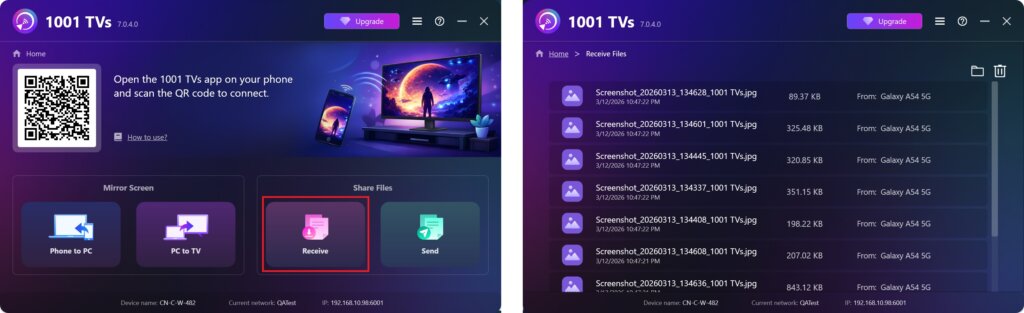
5. Received Files – Where to Find
1) For PC/Mac
چېكىڭ Receive on your PC/Mac to see all incoming files.
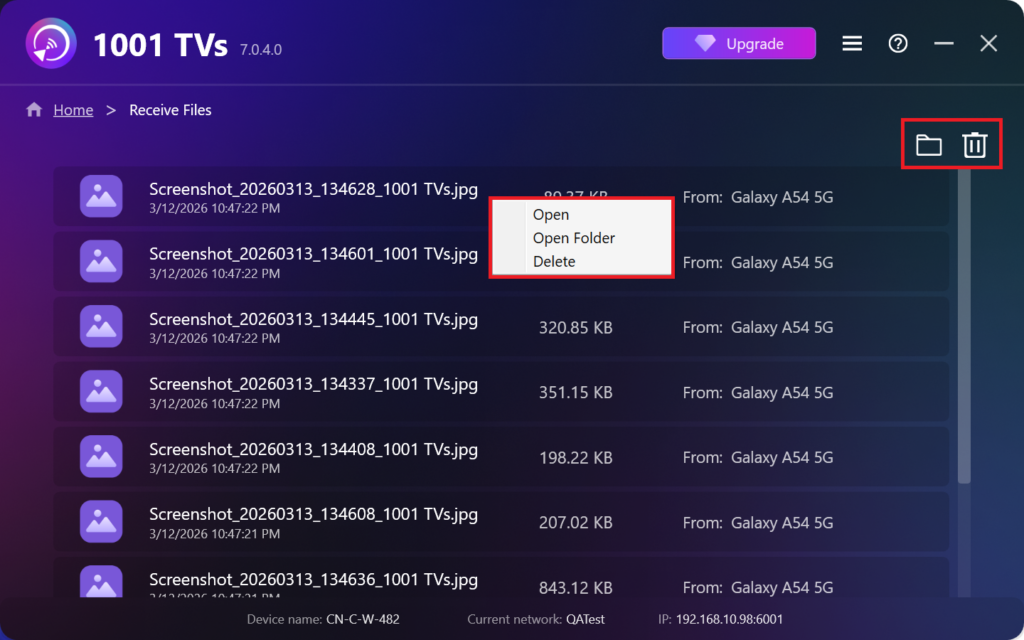
- Open View the received files – چېكىڭ ياكى right-click ۋە “نى تاللاڭ“Open Folder” to to view all files from that specific device (e.g., iPhone 12123).
- Locate them in Finder (Mac) or File Explorer (Windows) – Click the folder icon in the top‑right to access all device folders.
- Delete options – Right‑click a file and select “Delete” to remove it individually, or click the trash icon in the top‑right to delete all received files at once.
2) For TV
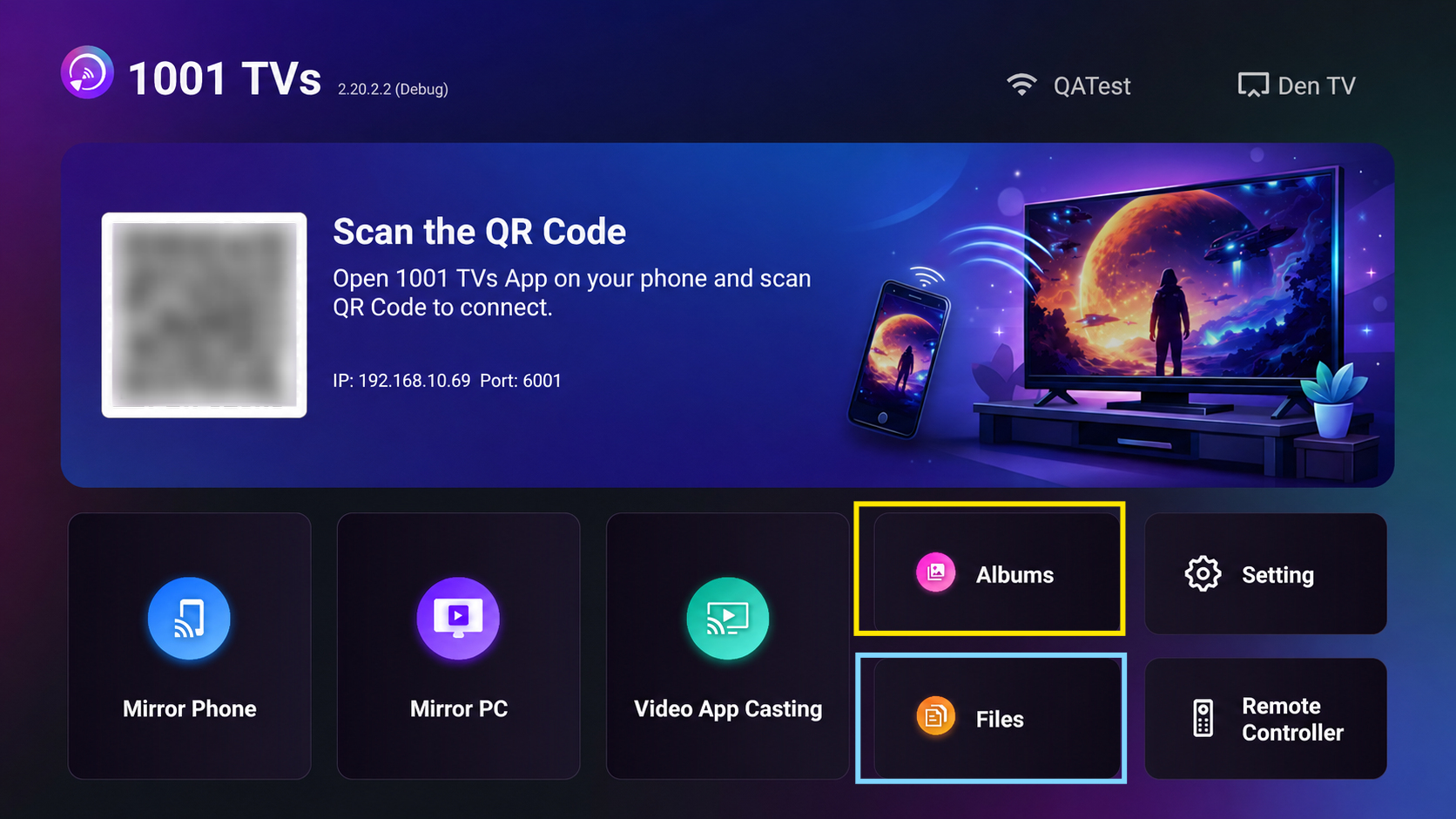
- يول باشلاڭ ھۆججەتلەر, you can see the received files. To delete a single file, long-press the OK button on your TV remote control to select the desired file, and then press “جەزملەش” to delete it.
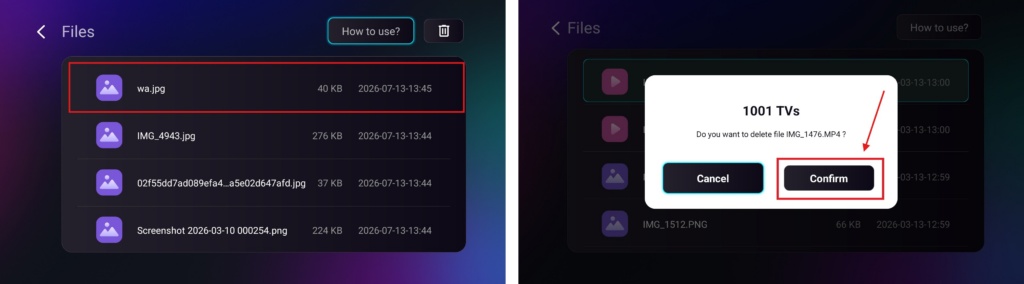
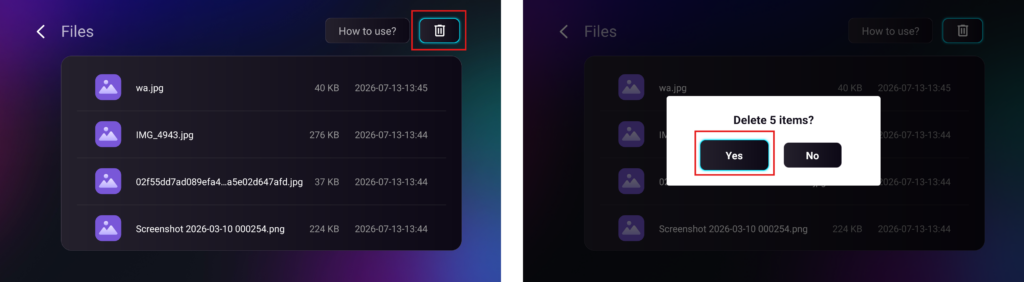
To delete all files at once, click the trash button, then press “Yes” to confirm.
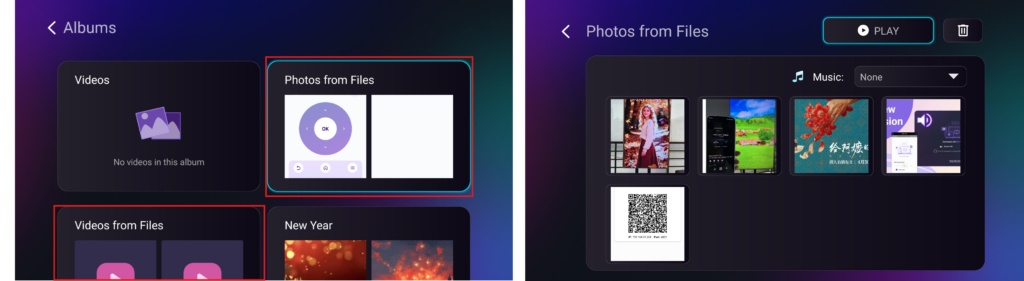
- يول باشلاڭ Albums > Photos/Videos from Files page to view your received photos and videos. They can be deleted using the same method as Files, or you can play them as a slideshow.
بىلەن 1001 TVs, ، سىز ھۇزۇرلىنالايسىز سىمسىز، يۇقىرى سۈرئەتلىك ھۆججەت يوللاش ئۈسكۈنىلەرىڭىز ئارىسىدا ھەر ۋاقىت، ھەر قانداق جايدا! 🚀
ھازىر 1001 TVs نى ئېلىڭ
📥 كومپيۇتېر ئەپلىرى: چۈشۈرۈش Microsoft دۇكىنى
تەپسىلىي قەدەملەر ئۈچۈن، تۆۋەندىكىگە قاراڭ كومپيۇتېر ئورنىتىش قوللانمىسى.
📥 Mac ئەپ: App Store دىن چۈشۈرۈڭ
📥 تېلېۋىزىيە ئەپ دېتالى: تېلېۋىزورىڭىزغا 1001 TVs نى قانداق ئورنىتىش كېرەك
📱 ئاندروئىد ئەپ: Google Play دىن چۈشۈرۈڭ

Read More
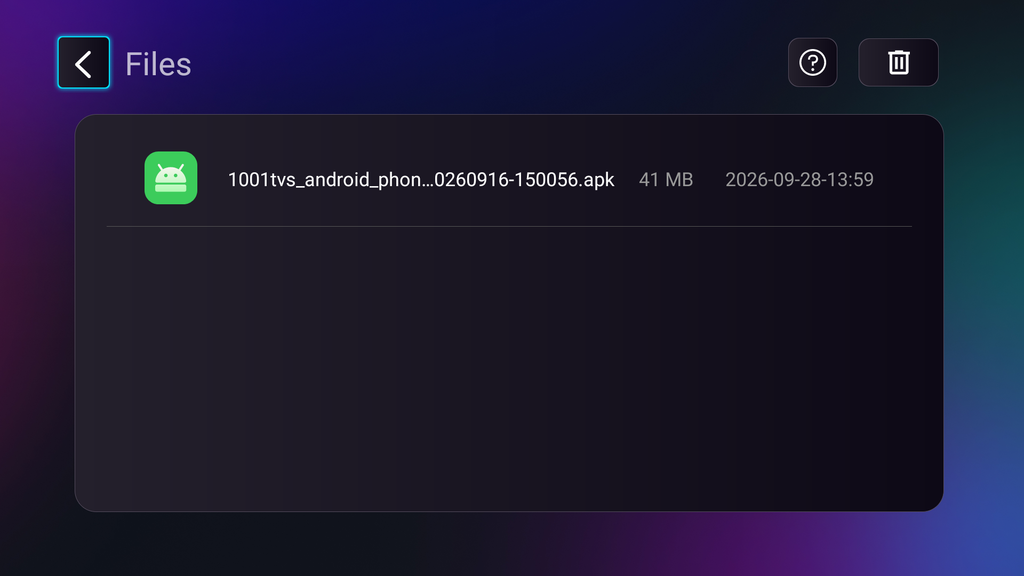 TV APK Installation Guide: How to Send and Install APK Files on TV from Your PC or Mac via Wi-Fi
Got an APK file on your phone, PC or Mac that you want to run on your TV? With 1001 TVs, you can send…
TV APK Installation Guide: How to Send and Install APK Files on TV from Your Phone via Wi-Fi
Got an APK file on your phone or PC that you want to run on your TV? With 1001 TVs, you can send APK…
TV APK Installation Guide: How to Send and Install APK Files on TV from Your PC or Mac via Wi-Fi
Got an APK file on your phone, PC or Mac that you want to run on your TV? With 1001 TVs, you can send…
TV APK Installation Guide: How to Send and Install APK Files on TV from Your Phone via Wi-Fi
Got an APK file on your phone or PC that you want to run on your TV? With 1001 TVs, you can send APK…

