How to fix disconnections issue for Android device?
ئېكران ئەينىكىنى ئىشلەتكەندە، توك تەڭشىكى، ئەپ ئىجازەتلىرى ياكى تور مەسىلىلىرى قاتارلىق سەۋەبلەر تۈپەيلىدىن ئۈزۈلۈپ قېلىشلار يۈز بېرىشى مۇمكىن. بۇ ئۈزۈلۈپ قېلىشلار ئادەمنى بىئارام قىلىشى مۇمكىن، ئەمما ئەينىكىنى ئىشلىتىش جەريانىڭىزنىڭ راۋان ۋە ئۈزۈلمەسلىكى ئۈچۈن قىلالايدىغان ئاددىي قەدەملەر بار.
ئېكران ئەينىكى جەريانىدا ئۈزۈلۈپ قېلىشنىڭ ئالدىنى ئېلىش ئۈچۈن تۆۋەندىكى قەدەملەرگە ئەمەل قىلىڭ:
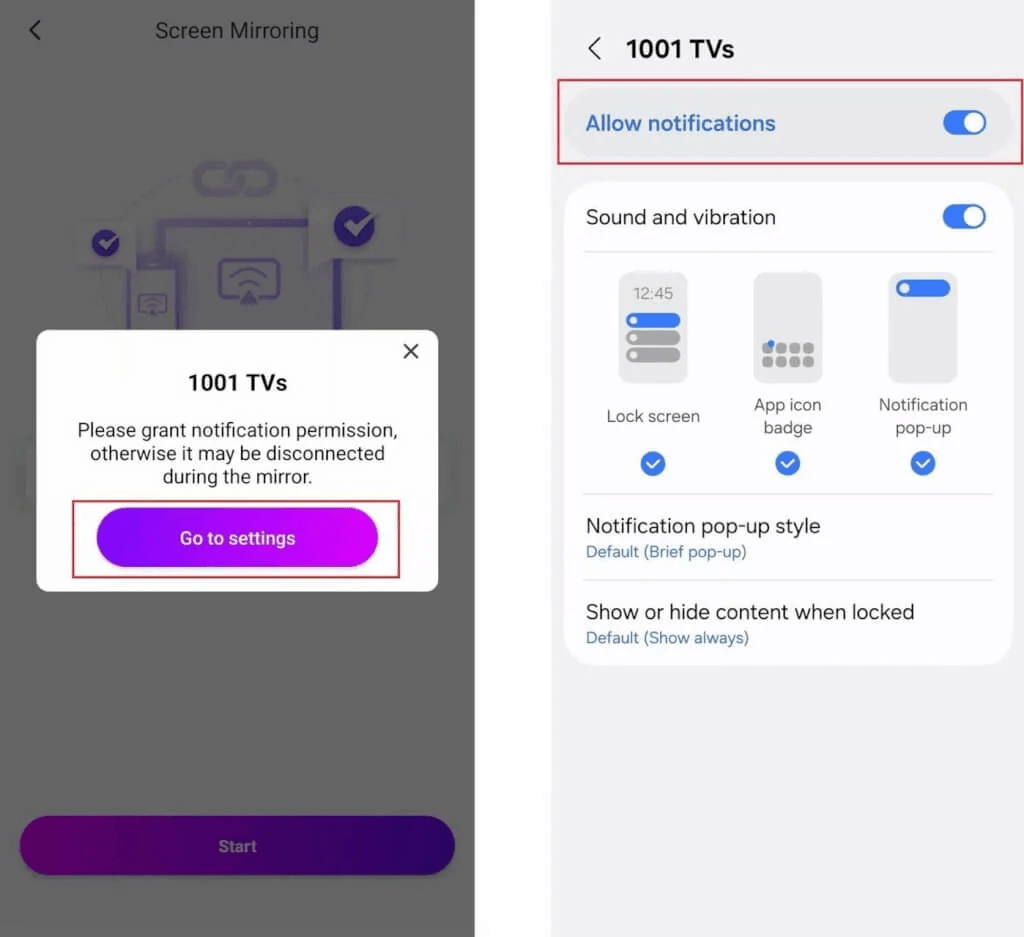
1. Check App Notifications
Make sure 1001 TVs appears in your notification bar.
If not, go to Settings and enable notifications for the app.
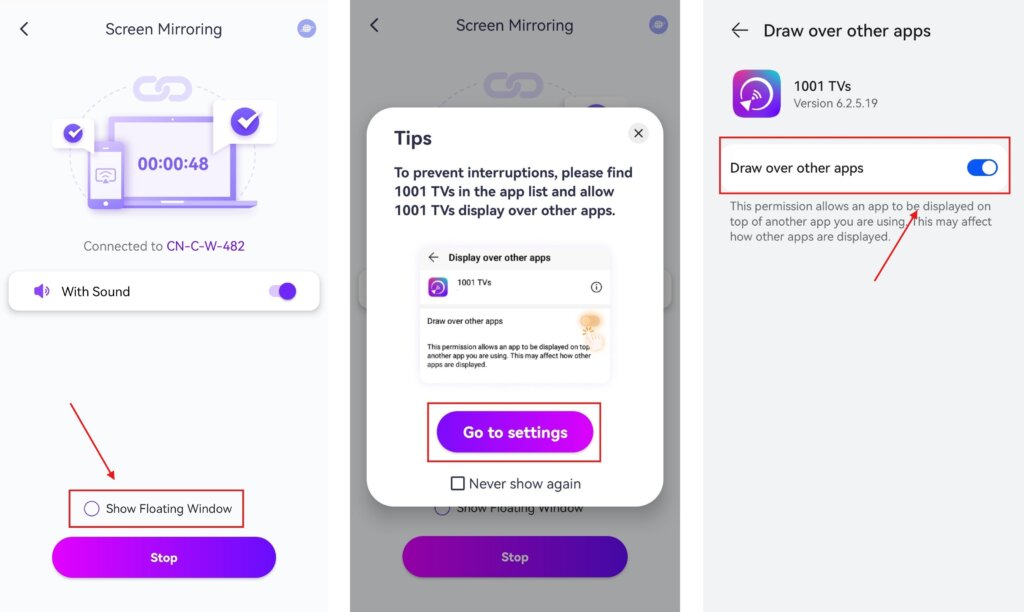
2. لەيلىمە كۆزنەك ئىجازىتىنى قوزغىتىش
Grant floating window permission in تەڭشەكلەر and enable floating window on the screen mirroring page.
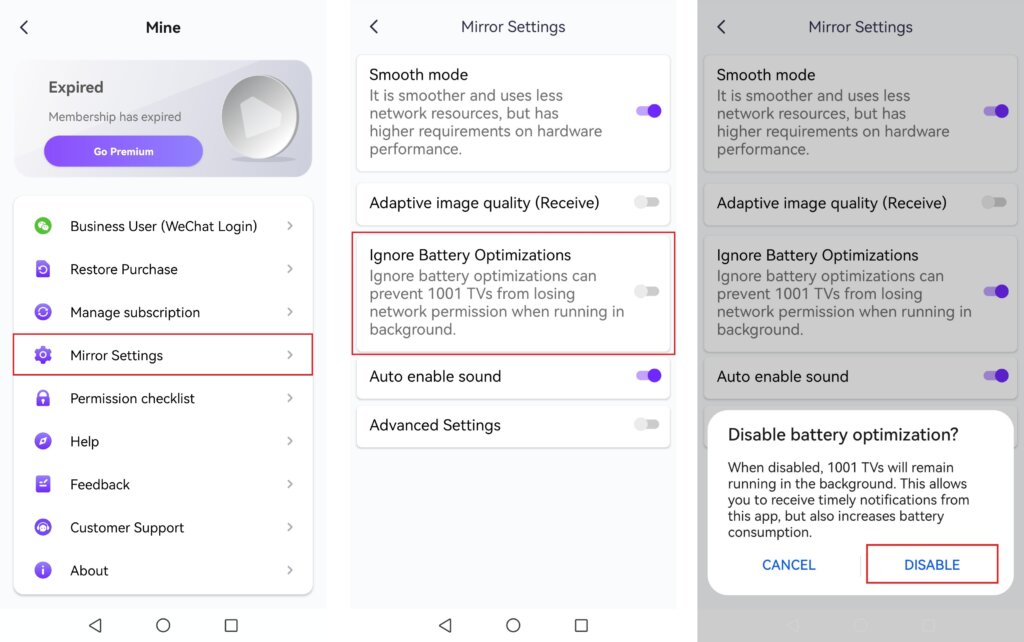
3. Disable Battery Optimization
In the 1001 TVs app, turn on “Ignore Battery Optimization” to keep the app running in the background.
4. Keep Your Phone Charged
تېلېفونىڭىزنىڭ كەم دېگەندە 70% باتارېيەسى ياكى ئەينەك كۆرسىتىش جەريانىدا ئۇنى توكقا ئۇلاپ قويۇڭ.
5. Adjust Power Settings
ئۈچۈن Huawei users: Keep the application running in the background.
6. Check and Improve Network Connection
- If using Wi-Fi, connect to a strong 5GHz signal تېخىمۇ ياخشى ئىقتىدار ئۈچۈن.
- Restart your router, phone, computer, or TV if necessary.
- ئىشلىتىڭ wired connection for better stability when connecting to a PC or TV.
بۇ قەدەملەرگە ئەمەل قىلىش ئارقىلىق، سىز ئېكران ئەينىكىنىڭ راۋان ۋە ئۈزۈلمەس ئىشلىتىلىشىگە كاپالەتلىك قىلالايسىز!🚀

Read More
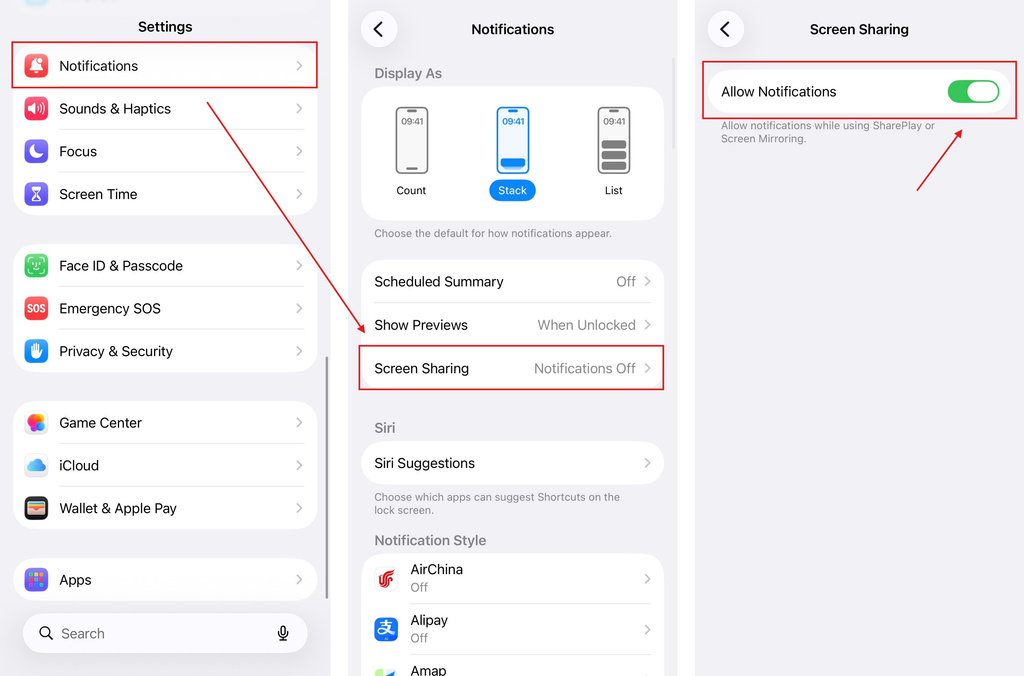 iOS: How to Fix Missing App Notifications During Screen Mirroring
Why Notifications Are Missing When you mirror your iPhone screen, notifications from other apps may not appear on the mirrored screen. This can happen…
iOS: How to Fix Missing App Notifications During Screen Mirroring
Why Notifications Are Missing When you mirror your iPhone screen, notifications from other apps may not appear on the mirrored screen. This can happen…
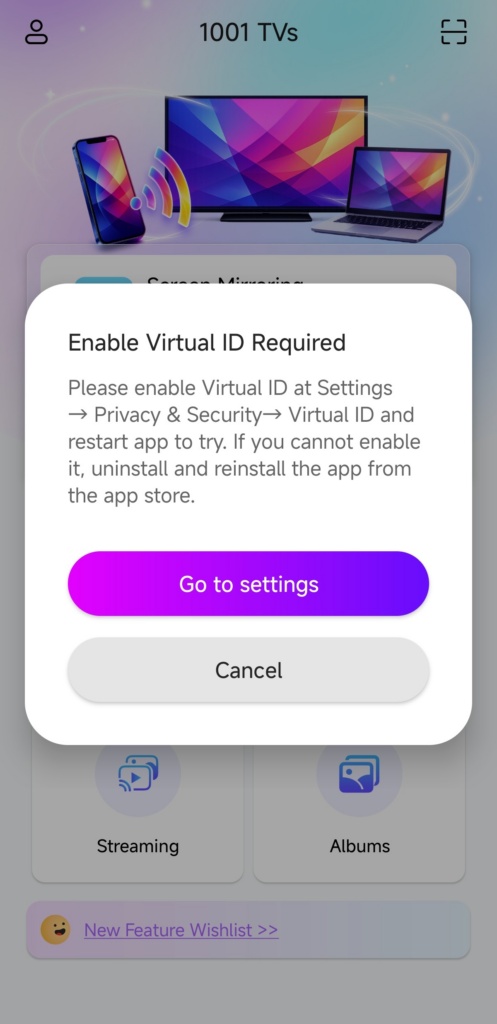 How to Fix the Enable Virtual ID Required Pop-Up
If you're using a Xiaomi or Redmi phone or tablet, you might see a pop-up that says "Enable Virtual ID Required" when you launch…
How to Fix the Enable Virtual ID Required Pop-Up
If you're using a Xiaomi or Redmi phone or tablet, you might see a pop-up that says "Enable Virtual ID Required" when you launch…

