วิธีสตรีมไฟล์มีเดียจากโทรศัพท์ไปยังทีวี
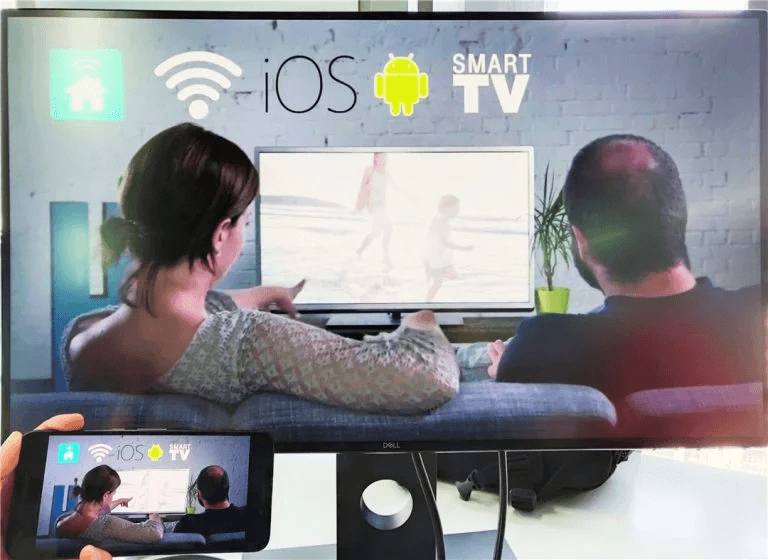
ด้วย 1001 TVsคุณสามารถสตรีมได้อย่างง่ายดาย รูปภาพ, วิดีโอ, และเพลง จากโทรศัพท์ของคุณไปยัง สมาร์ททีวี. ทำตามขั้นตอนง่าย ๆ เหล่านี้เพื่อเริ่มต้น:
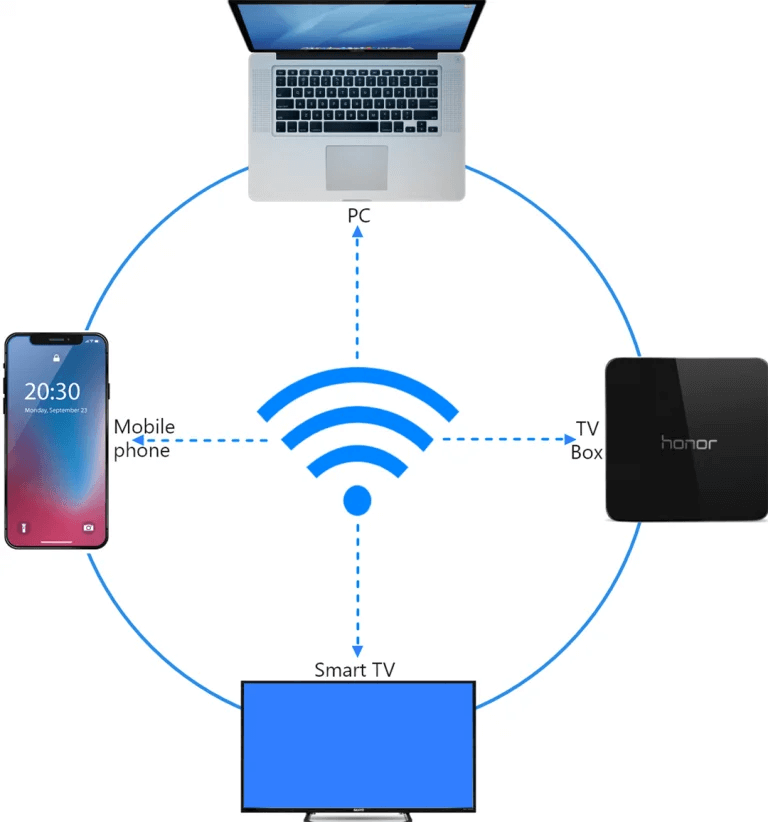
1. เชื่อมต่อกับเครือข่าย Wi-Fi เดียวกัน
ตรวจสอบให้แน่ใจว่า โทรศัพท์และโทรทัศน์ เชื่อมต่อกับ เครือข่าย Wi-Fi เดียวกัน.
💡 เคล็ดลับ: แนะนำให้ใช้การเชื่อมต่อ Wi-Fi ความถี่ 5GHz เพื่อประสิทธิภาพที่ดีที่สุด.
หากไม่มี Wi-Fi คุณสามารถใช้ได้เช่นกัน ฮอตสปอตส่วนตัว.
2. ค้นหาและเชื่อมต่อกับทีวีของคุณ
1) ติดตั้งและเปิด 1001 TVs แอป.
📥 แอปทีวี: วิธีติดตั้ง 1001 TVs บนทีวีของคุณ
📱 แอป iOS: ดาวน์โหลดจาก App Store
📱 แอป Android: ดาวน์โหลดจาก Google Play
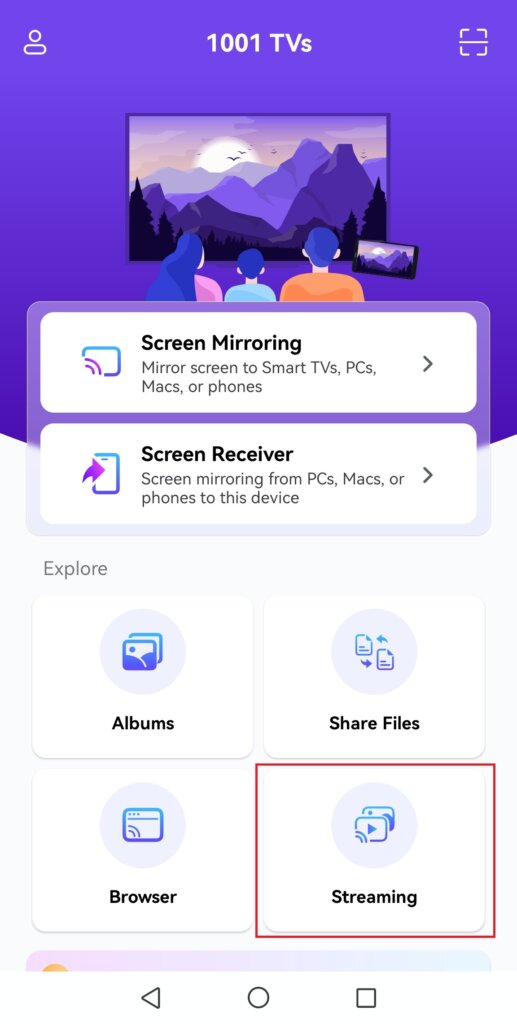
2) แตะ “สตรีมมิ่ง”, จากนั้นแตะไอคอนรีเฟรชเพื่อค้นหาอุปกรณ์ที่พร้อมใช้งาน.
สมาร์ททีวีและกล่องทีวีส่วนใหญ่รองรับการสตรีมและจะปรากฏโดยอัตโนมัติเมื่อเชื่อมต่อกับเครือข่ายเดียวกัน.
3) เลือกทีวีของคุณจากรายการอุปกรณ์
หมายเหตุ: แม้ว่าคุณจะสามารถค้นหาบริการ DLNA ที่ติดตั้งไว้ล่วงหน้าบนทีวีของคุณได้ แต่เราขอแนะนำให้ติดตั้งแอป 1001 TVs บน Android TV ของคุณเพื่อประสบการณ์ที่ดีกว่าพร้อมรายละเอียดที่สมบูรณ์ยิ่งขึ้น.
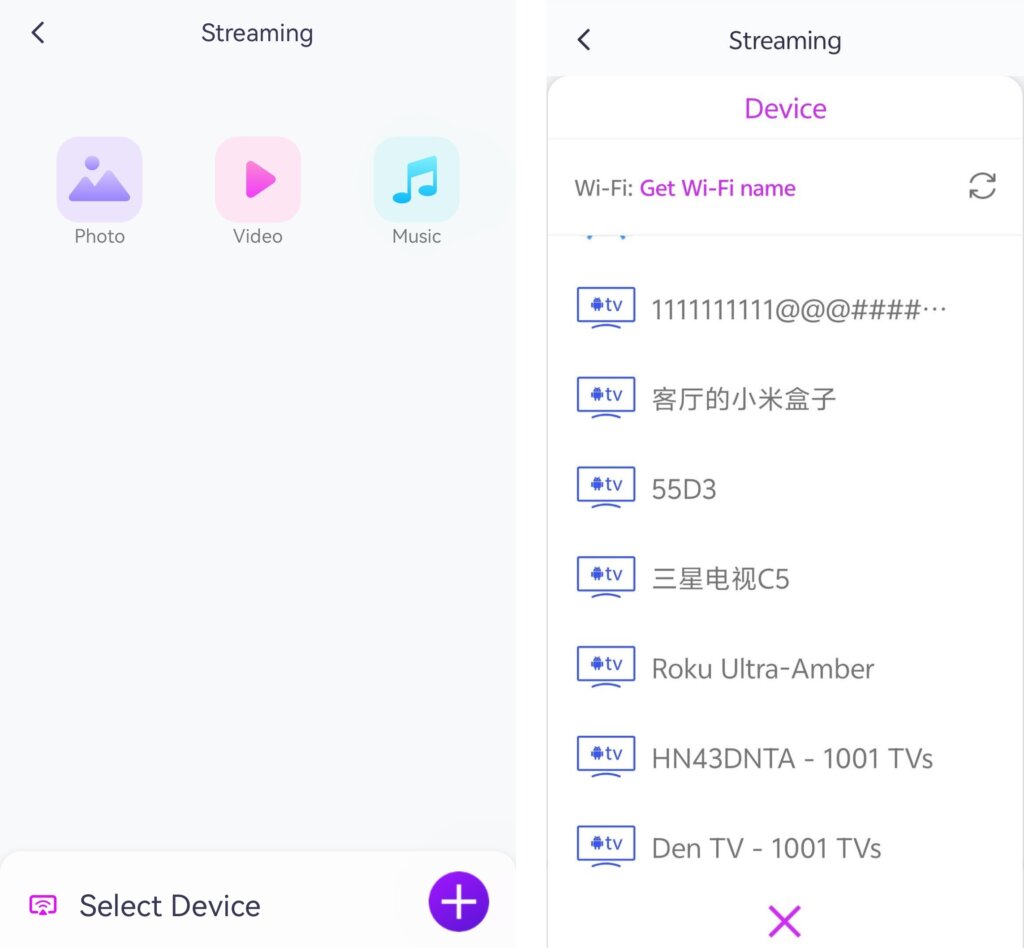
4) เลือกสิ่งที่คุณต้องการสตรีม:
• รูปภาพ: แตะ เล่น เพื่อเริ่มสไลด์โชว์ คุณสามารถปรับความเร็วของสไลด์โชว์ได้ในตั้งค่า.
• วิดีโอ: เลือกวิดีโอหนึ่งรายการหรือมากกว่าเพื่อเล่นต่อเนื่องพร้อมเสียง.
• ดนตรี: เล่นเพลงโปรดของคุณได้โดยตรงบนทีวีของคุณ
3. สตรีมสื่อไปยัง Windows Media Player บนคอมพิวเตอร์ของคุณ
ต้องการสตรีมไปยังคอมพิวเตอร์ Windows ของคุณแทนหรือไม่? คุณสามารถใช้ Windows Media Player เป็นปลายทางสตรีมของคุณได้.
1) เปิด Windows Media Player (รุ่นเก่า) บนคอมพิวเตอร์ของคุณ
2) คลิก “กระแส” และเปิดใช้งาน “อนุญาตให้ควบคุมเครื่องเล่นของฉันจากระยะไกล”
• หากนี่เป็นครั้งแรกที่คุณใช้คุณสมบัตินี้ คุณอาจต้องเปิดการสตรีมมีเดียก่อน.
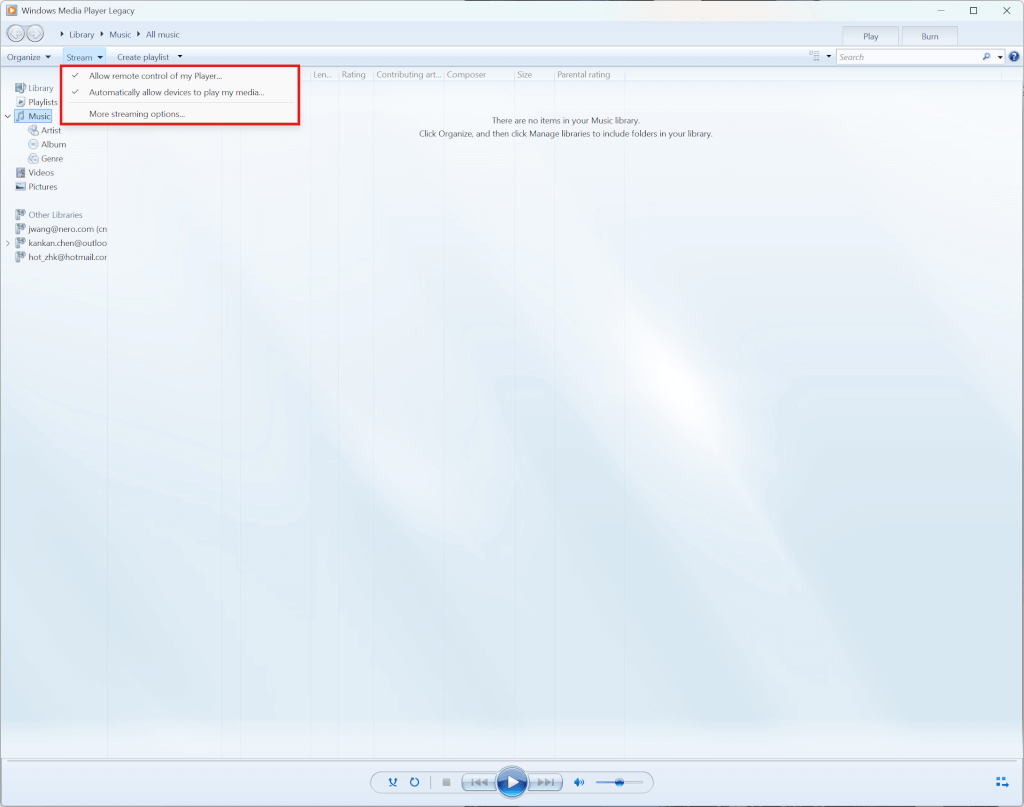
3) ใน 1001 TVs, รีเฟรช รายการอุปกรณ์ และเลือก พีซี.
4)เริ่มสตรีมไฟล์มีเดียของคุณไปยังคอมพิวเตอร์ของคุณได้เลย!
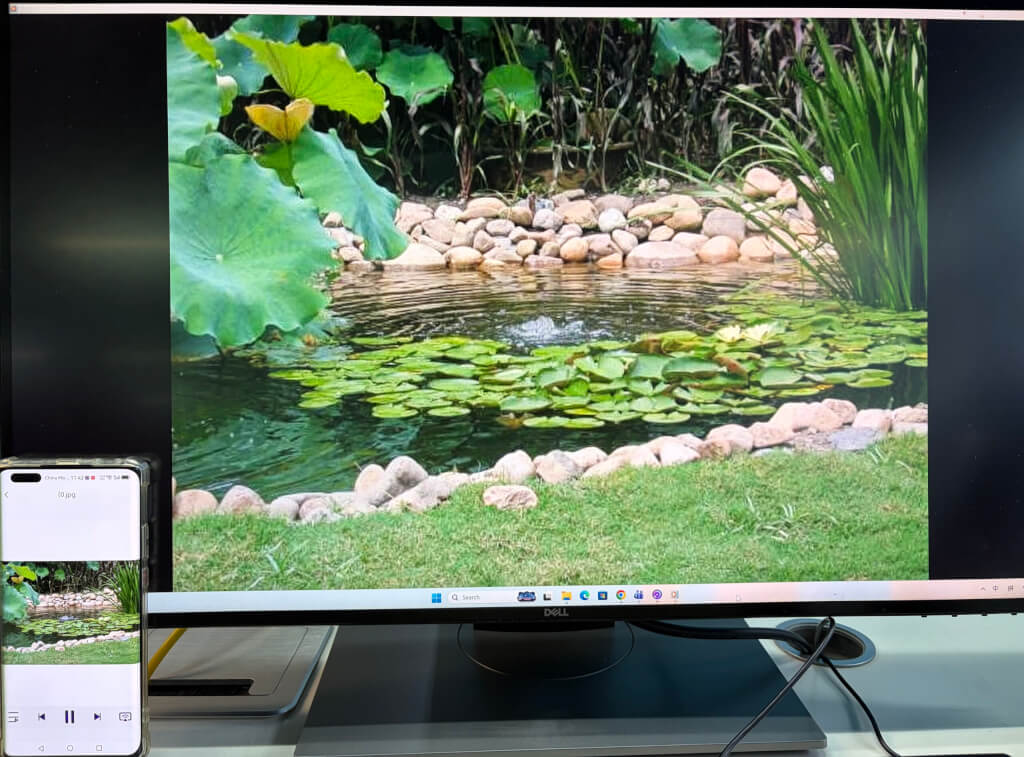
ตอนนี้คุณพร้อมแล้วที่จะเพลิดเพลินกับสื่อของคุณบน หน้าจอใหญ่ขึ้น กับ 1001 TVs! 🎬📺🎵
รับ 1001 TVs ตอนนี้!
📥 แอปทีวี: วิธีติดตั้ง 1001 TVs บนทีวีของคุณ
📥 แอปพลิเคชันสำหรับพีซี: ดาวน์โหลดจาก Microsoft Store
สำหรับขั้นตอนโดยละเอียด โปรดดูที่ คู่มือการติดตั้ง PC
📱 แอป iOS: ดาวน์โหลดจาก App Store
📱 แอป Android: ดาวน์โหลดจาก Google Play
ลองใช้ตอนนี้และเพลิดเพลิน การสตรีมสื่อที่ไร้รอยต่อ! 🚀

อ่านเพิ่มเติม
 คู่มือการติดตั้ง APK บนทีวี: วิธีส่งและติดตั้งไฟล์ APK บนทีวีจาก PC หรือ Mac ผ่าน Wi-Fi
มีไฟล์ APK บนโทรศัพท์มือถือ คอมพิวเตอร์ หรือ Mac ที่คุณต้องการเปิดบนทีวีหรือไม่? ด้วย 1001 TVs คุณสามารถส่ง...
คู่มือการติดตั้ง APK บนทีวี: วิธีส่งและติดตั้งไฟล์ APK บนทีวีจากโทรศัพท์ผ่าน Wi-Fi
มีไฟล์ APK ในโทรศัพท์หรือคอมพิวเตอร์ของคุณ และต้องการเปิดใช้งานบนทีวีใช่ไหม? ด้วย 1001 TVs คุณสามารถส่งไฟล์ APK...
คู่มือการติดตั้ง APK บนทีวี: วิธีส่งและติดตั้งไฟล์ APK บนทีวีจาก PC หรือ Mac ผ่าน Wi-Fi
มีไฟล์ APK บนโทรศัพท์มือถือ คอมพิวเตอร์ หรือ Mac ที่คุณต้องการเปิดบนทีวีหรือไม่? ด้วย 1001 TVs คุณสามารถส่ง...
คู่มือการติดตั้ง APK บนทีวี: วิธีส่งและติดตั้งไฟล์ APK บนทีวีจากโทรศัพท์ผ่าน Wi-Fi
มีไฟล์ APK ในโทรศัพท์หรือคอมพิวเตอร์ของคุณ และต้องการเปิดใช้งานบนทีวีใช่ไหม? ด้วย 1001 TVs คุณสามารถส่งไฟล์ APK...

