Como espelhar o iPhone no Mac através de USB
A funcionalidade de espelhamento de ecrã com fios para dispositivos iOS já está disponível! Basta ligar o iPhone ou iPad ao Mac através de um cabo.
Não é necessário descarregar o 1001 TVs para o seu iPhone ou iPad!
Em três passos simples
1. Instale e abra o 1001 TVs no seu MacBook
📥 Mac App: Descarregar da App Store
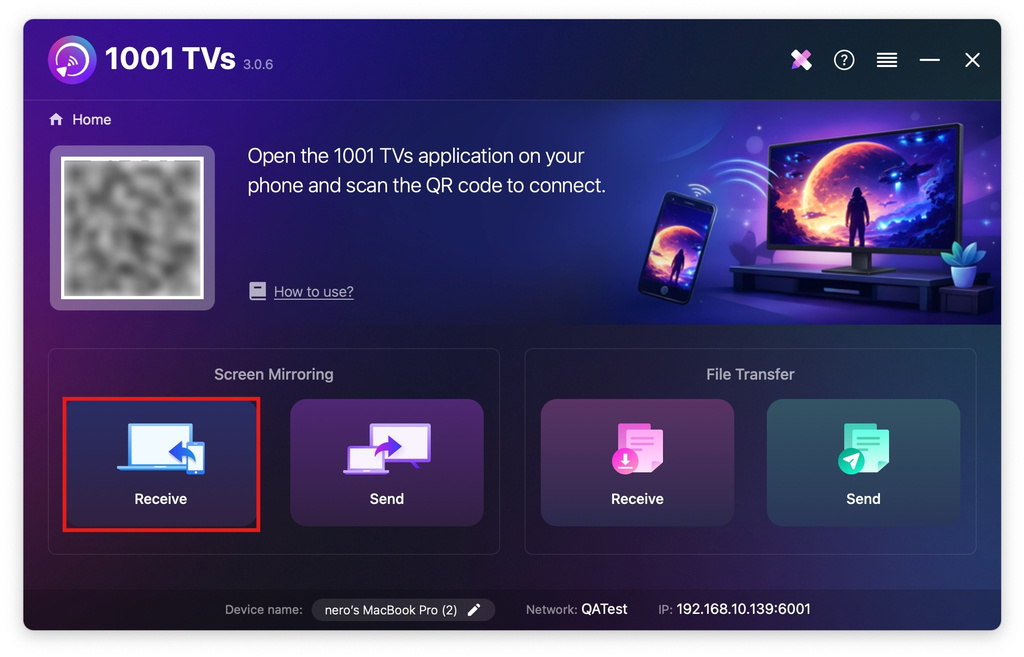
Clicar "Receber".
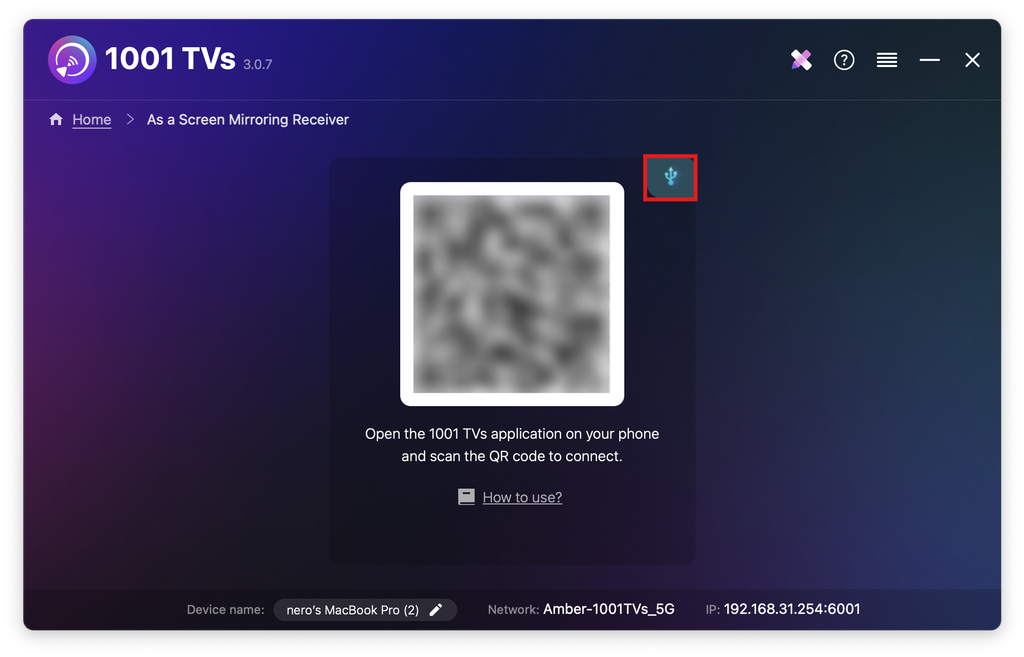
Toque no ícone do cabo.
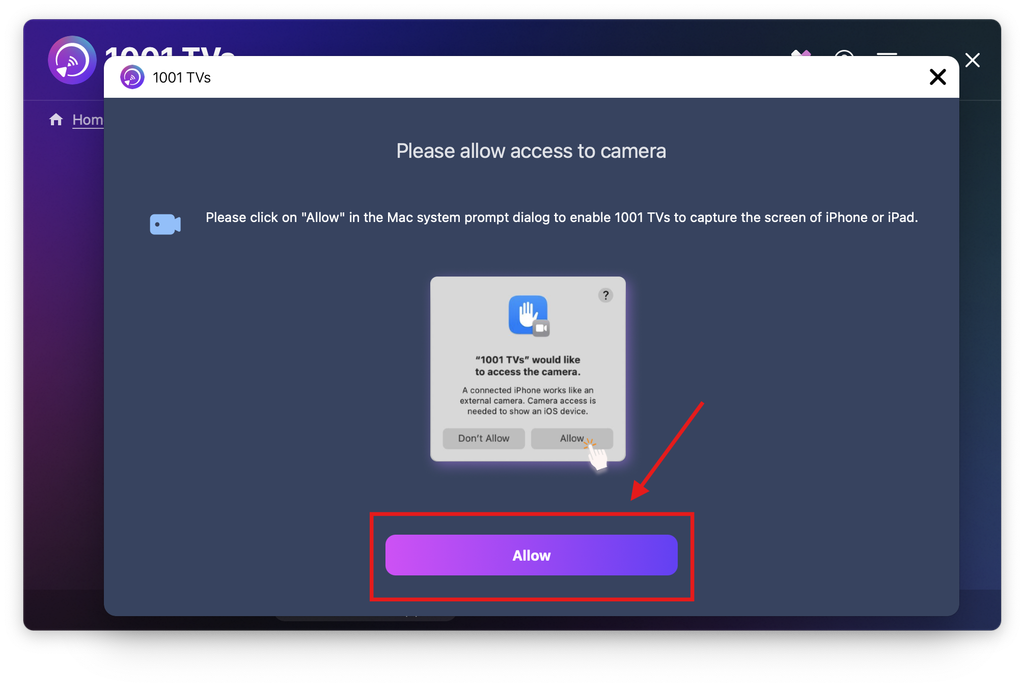
Quando aparecer a janela pop-up de permissão, clique em “Permitir” para conceder acesso e garantir uma utilização normal.
Aparecerá o seguinte ecrã.
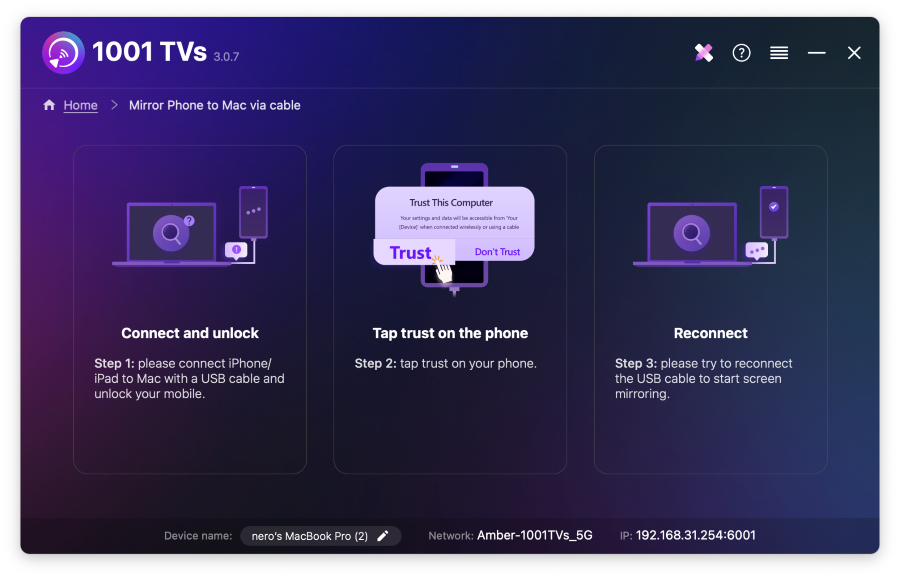
2. Ligue o seu iPhone/iPad ao Mac através de um cabo
Aparecerá uma mensagem de permissões no iPhone/iPad - selecione "Confiança" para permitir uma funcionalidade correta.
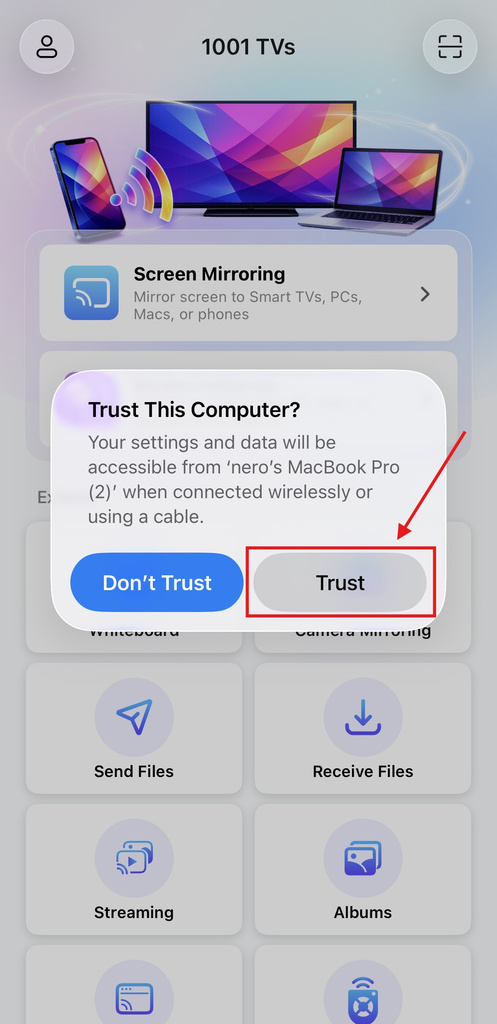
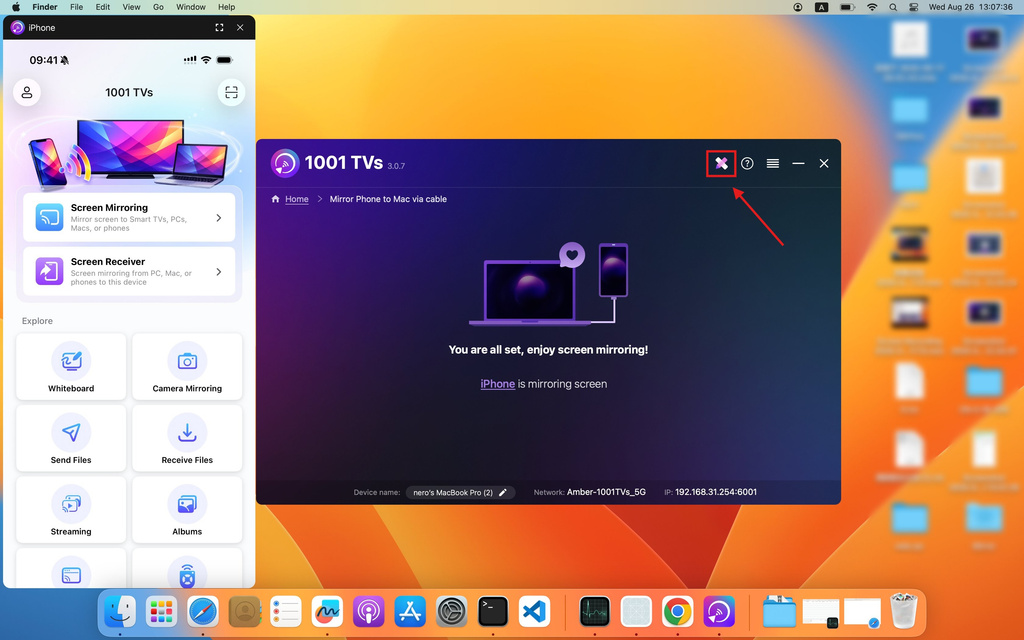
Desligue e volte a ligar o cabo. Se a operação for bem-sucedida, a interface aparecerá como se pode ver abaixo.
Clique no botão ícone de anotação para abrir o menu de ferramentas.
3. Ajustar as definições de espelhamento
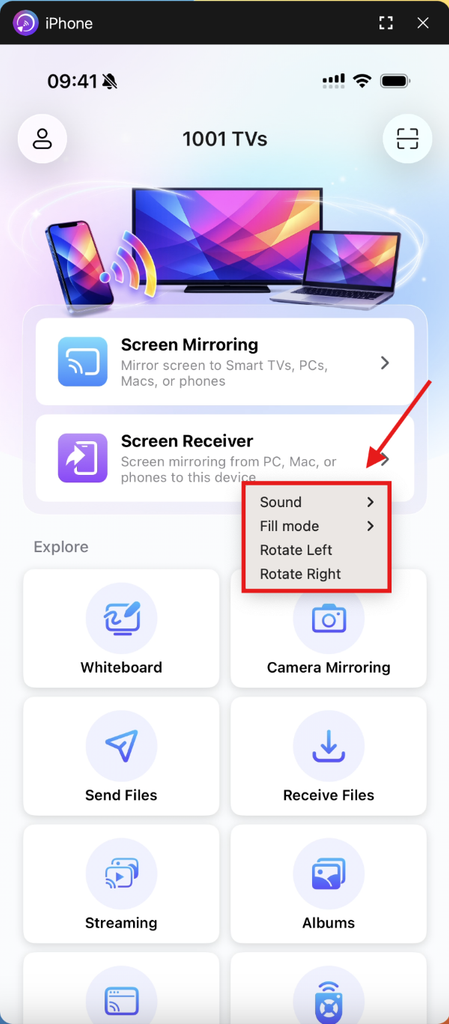
Clique duas vezes no ecrã espelhado para aceder a Som, Modo de preenchimento, e Rotação.
Notas:
Carregamento de espelhamento de ecrã em curso - por favor, não ligue nem desligue o cabo de dados durante este período para evitar interrupções.
Se tiver problemas como uma falha de espelhamento ou uma mensagem de “sem sinal”, tente as seguintes soluções:
- Voltar a ligar o cabo de dados.
- Reinicie o 1001 TVs no seu MacBook.
- Reinicie o seu MacBook.
Obter 1001 TVs agora!
📥 Mac App: Descarregar da App Store

Ler mais
 Nova configuração: não aparecem mais janelas pop-up quando a duplicação de ecrã termina
Quando espelha o ecrã do PC numa televisão e interrompe a sessão com o comando da televisão, a janela do 1001 TVs volta a aparecer...
Nova configuração: não aparecem mais janelas pop-up quando a duplicação de ecrã termina
Quando espelha o ecrã do PC numa televisão e interrompe a sessão com o comando da televisão, a janela do 1001 TVs volta a aparecer...
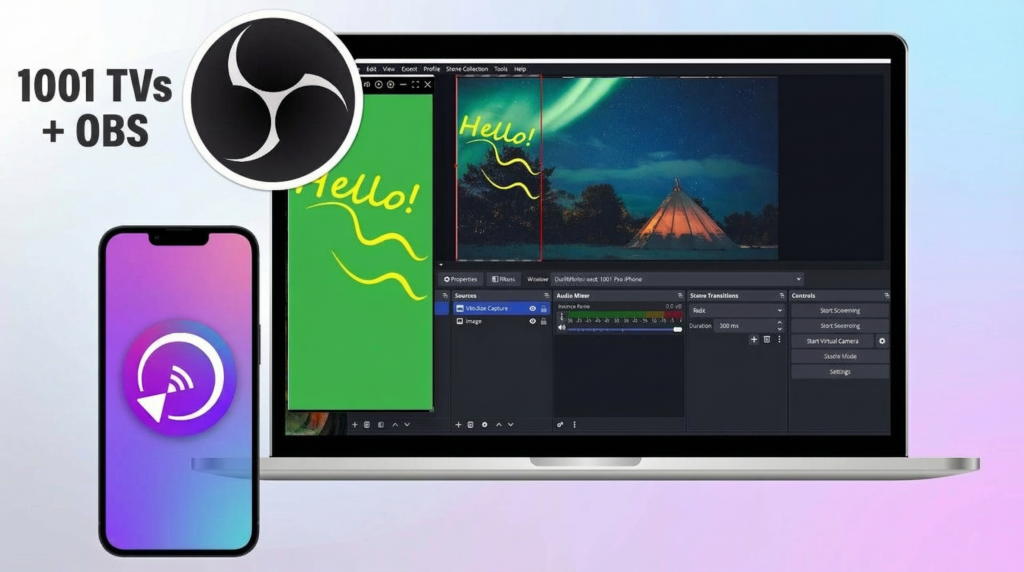 Como capturar o espelhamento de ecrã no OBS (Android e iPhone)
Queres gravar o espelhamento do ecrã no OBS para jogos no telemóvel, tutoriais ou conteúdos ao vivo? Com o 1001 TVs, podes espelhar facilmente o ecrã do teu telemóvel...
Como capturar o espelhamento de ecrã no OBS (Android e iPhone)
Queres gravar o espelhamento do ecrã no OBS para jogos no telemóvel, tutoriais ou conteúdos ao vivo? Com o 1001 TVs, podes espelhar facilmente o ecrã do teu telemóvel...

