
Android 15+의 새로운 기능: 단일 앱을 1001 TVs로 전송
Vivo X200 시리즈와 같은 Android 15 이상 디바이스는 이제 강력한 새 기능을 지원합니다. 단일 앱 캐스팅.
다음 항목으로 테스트했습니다. 1001 TV를 사용해본 결과 매우 유용하다는 것을 알게 되었습니다. 작동 원리는 다음과 같습니다! 📸
단일 앱 캐스팅은 어떻게 사용하나요?
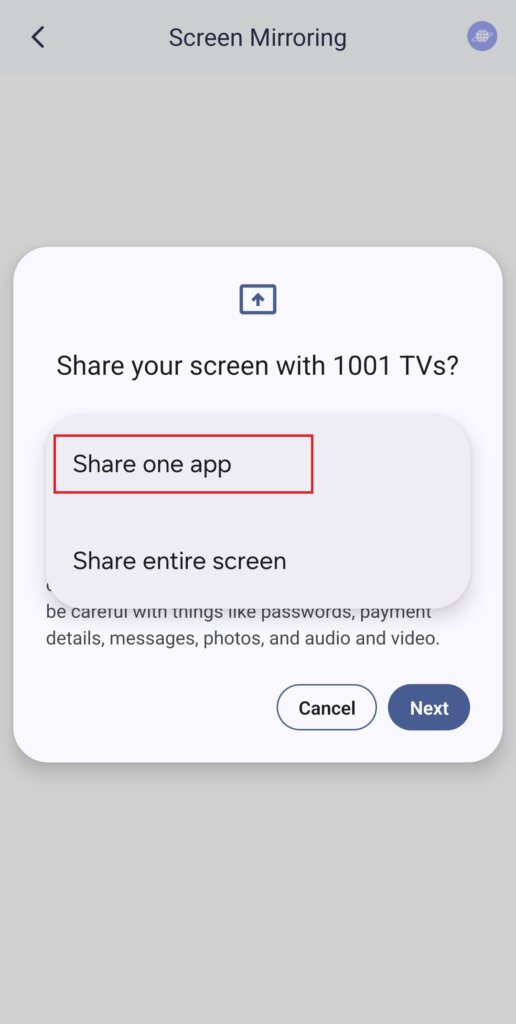
1️⃣ “하나의 앱 공유” 모드를 선택합니다.
(일반 화면 미러링의 경우 “전체 화면 공유'를 선택할 수도 있습니다).
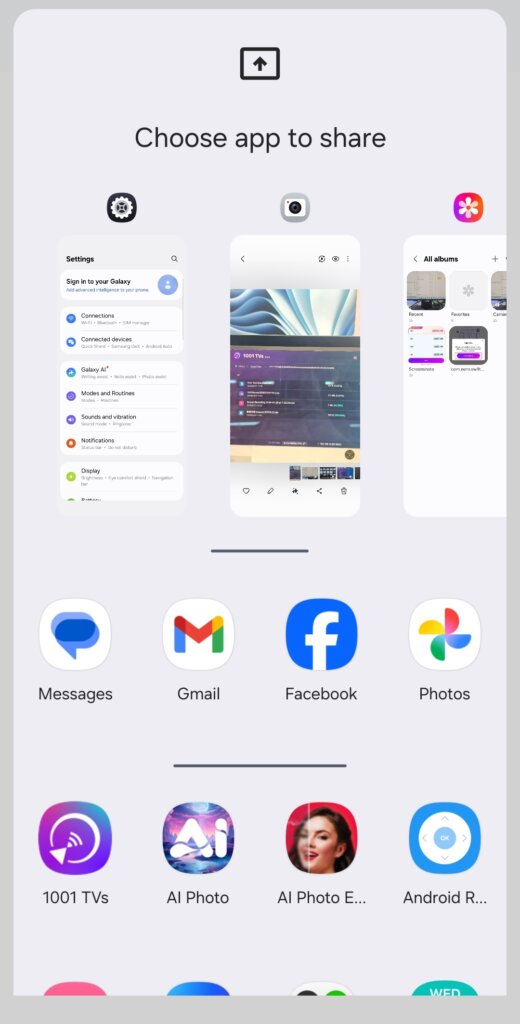
2️⃣ 전송할 앱을 선택합니다:
- 상단 섹션: 현재 열려 있는 앱의 미리 보기를 표시합니다.
- 하단 섹션: 아직 열리지 않은 앱이 나열됩니다(예: Tiktok). 하나를 선택하면 자동으로 실행됩니다.
3️⃣ 캐스팅 시작!
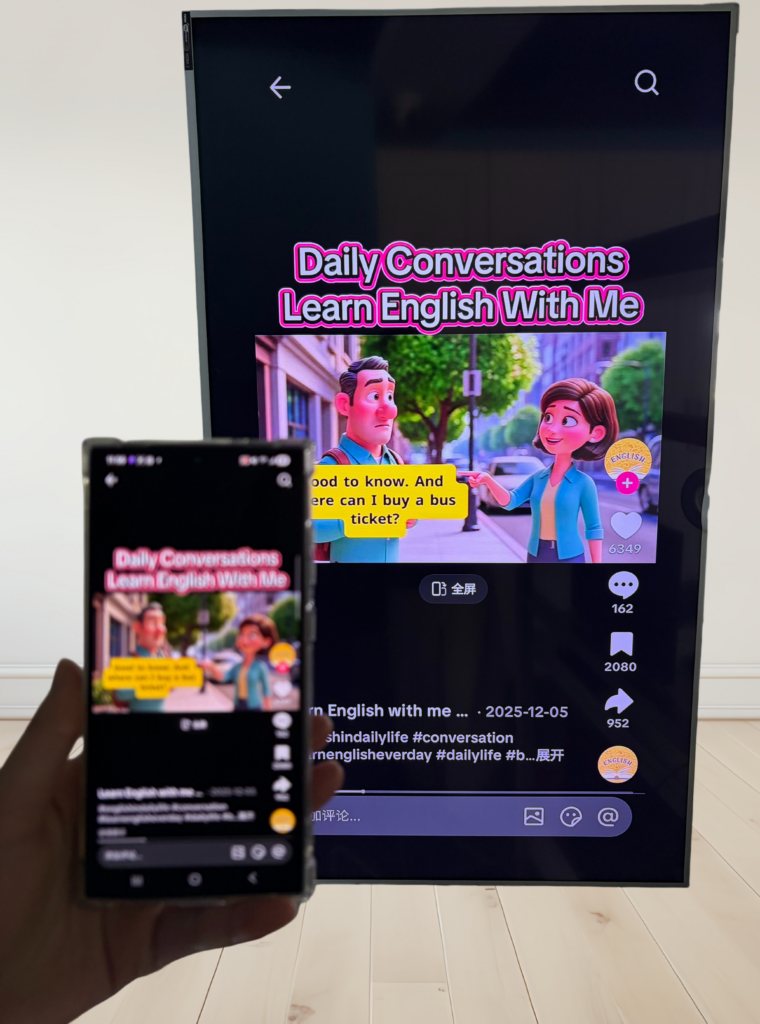
TV 또는 PC에 다음과 같이 표시됩니다. 만 선택한 앱만 공개하고 다른 모든 앱은 비공개로 유지합니다.
개인 정보를 보호하고 어색한 순간을 피하세요!
💡 다른 앱으로 전환하면 새 활동이 표시되는 대신 캐스트 화면이 일시 정지되어 개인 정보를 보호합니다.
이 상황을 상상해 보세요: 피터가 프레젠테이션을 하고 있는데 친구가 갑자기 “오늘 밤 파티에 가자!”라는 문자를 보냈습니다. - 모든 사람이 볼 수 있도록 큰 화면에 팝업이 뜬다고 상상해 보세요. 이런!😱
싱글 앱 캐스팅을 사용하면 그런 일은 일어나지 않습니다!
캐스트 앱으로 돌아올 때까지 화면이 정지된 상태로 유지되다가 원활하게 재개됩니다.
안드로이드 15 이상의 휴대폰을 사용 중이신가요? 지금 사용해보세요! 🎉