TV APK Installation Guide: How to Send and Install APK Files on TV from Your Phone via Wi-Fi
Got an APK file on your phone that you want to install and run on your TV?
With 1001 TVs, you can now send APK files from your phone to your TV via Wi-Fi and install them directly — no cables, no USB drives, no hassle. It’s fast, simple, and completely wireless.
Here’s how to get started.

1. Install and Open 1001 TVs on both devices
📺 TV alkalmazás: Az 1001 TVs telepítése a tévére
📥 iOS alkalmazás: Letöltés az App Store-ból
📥 Android alkalmazás: Letöltés a Google Play-ről
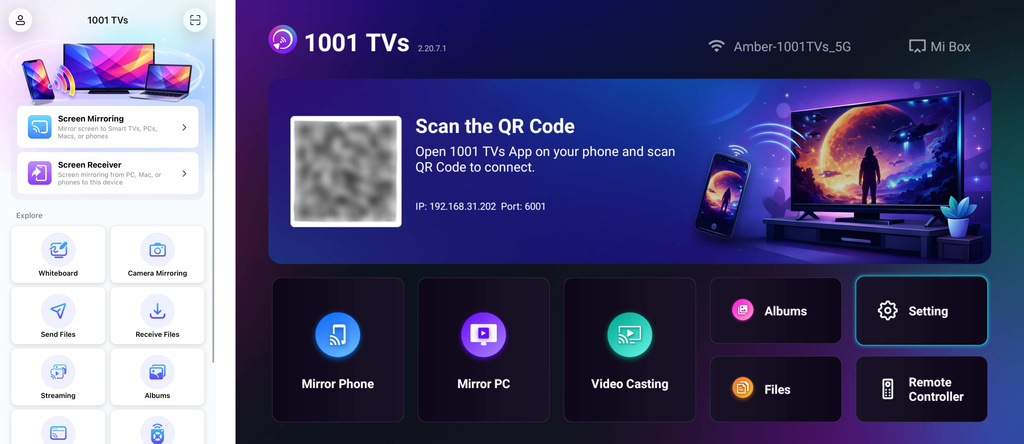
2. Connect to the Same Wi-Fi:
Győződjön meg róla, hogy mindkét eszköze ugyanahhoz a Wi-Fi hálózathoz csatlakozik.
(A legjobb teljesítmény érdekében 5G sávú Wi-Fi kapcsolat ajánlott.)
3. Send APK File to TV
Indítsa el a oldalt. 1001 TVs app on your phone and tap Fájlok küldése.
Select your target TV from the device list, or scan the QR code displayed on your TV screen.
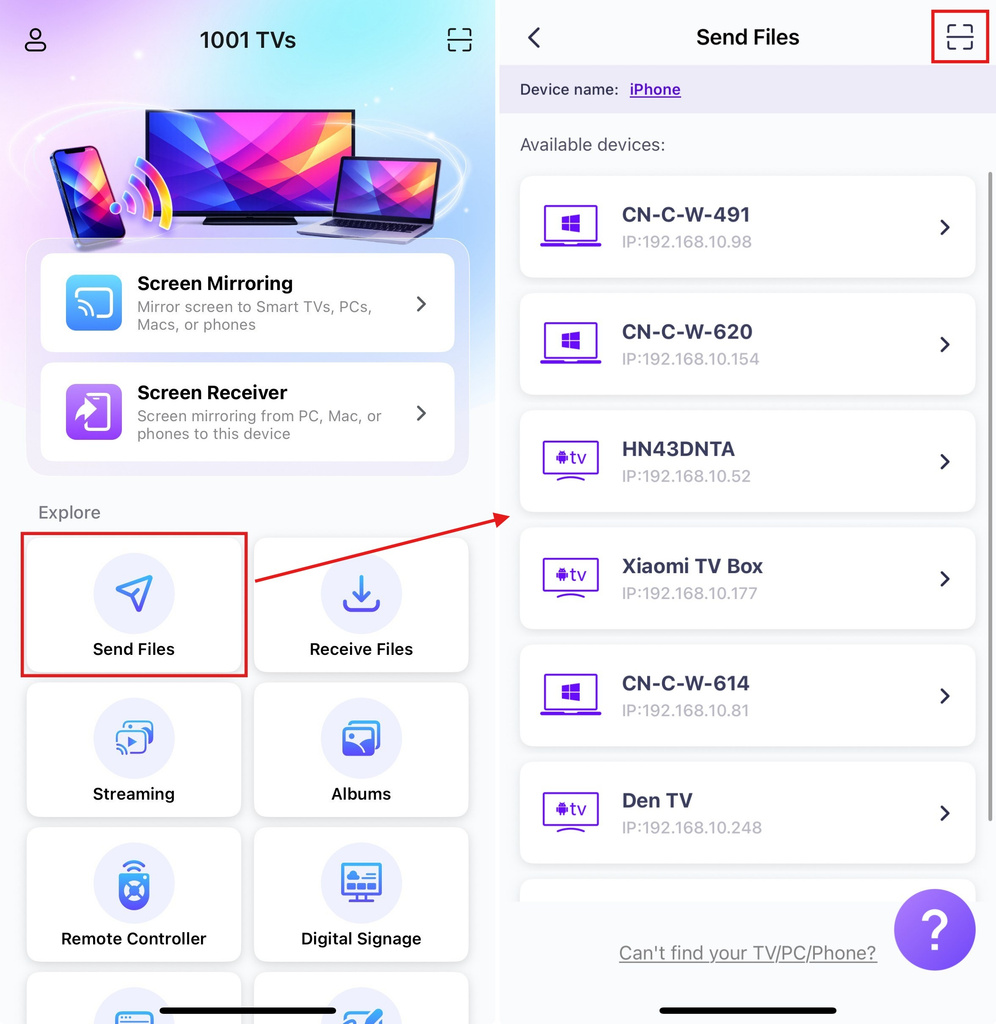
On the TV, confirm the pairing.
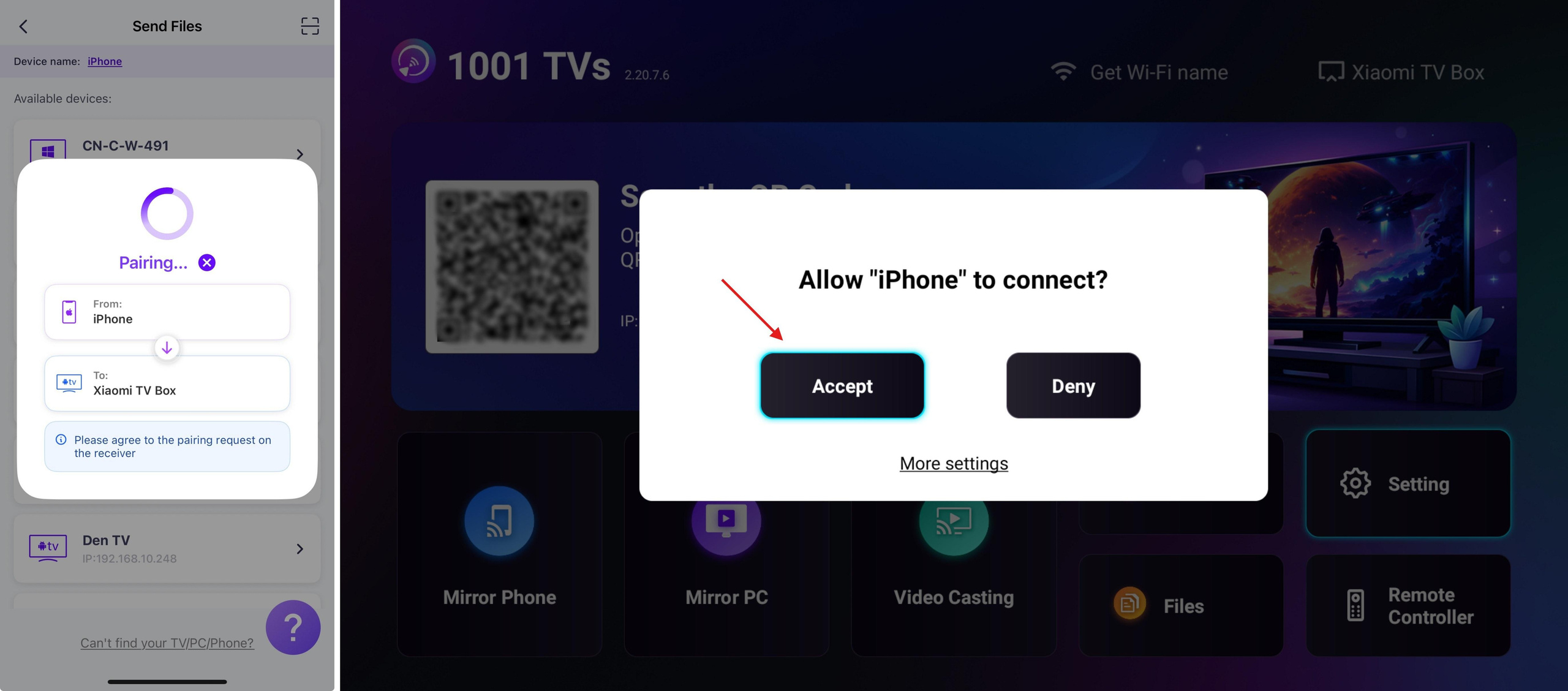
On your phone, select the APK file you want to send.
4. Install APK on TV
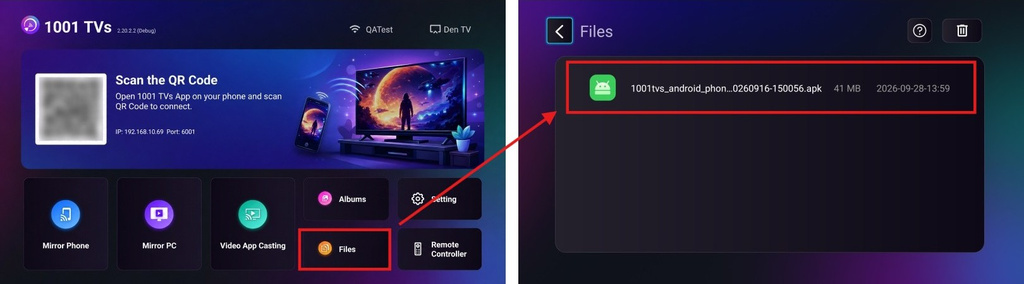
Using your TV remote, open Fájlok and select the APK file you want to install.
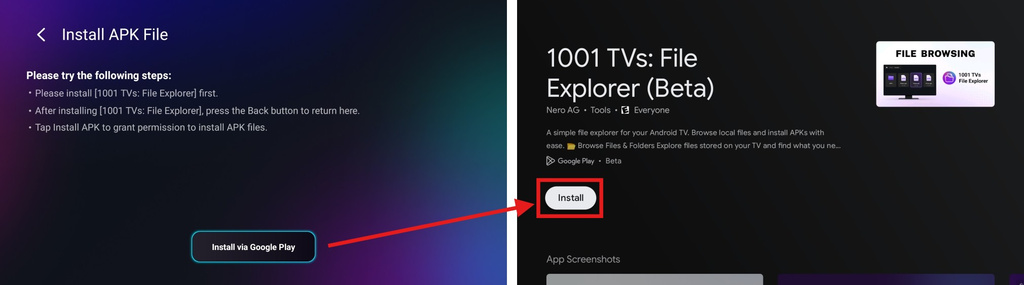
Válassza ki a címet. Install via Google Play and complete the installation.
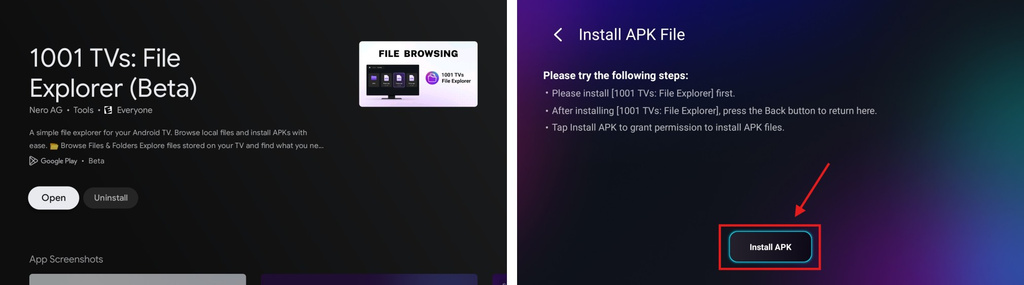
Once finished, press the Vissza button on your remote to return to the previous page. (There’s no need to open 1001 TVs – File Explorer.)
The button below will now change to Install APK. Select it to go to the app install permission page.
Engedélyezze a 1001 TVs – File Explorer to install unknown apps (your APK file)
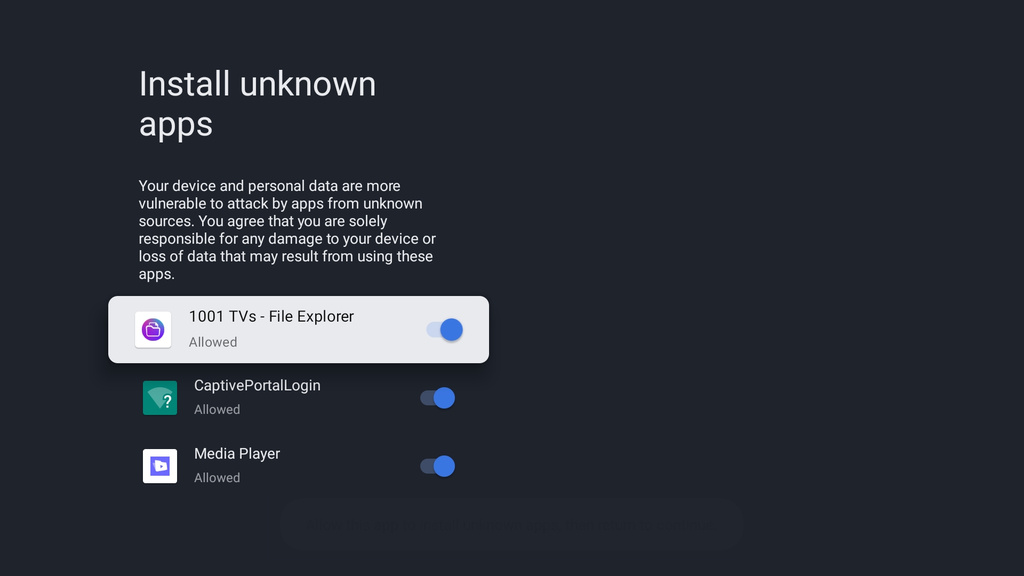
Press the Vissza button, then select Telepítse a to install your APK.
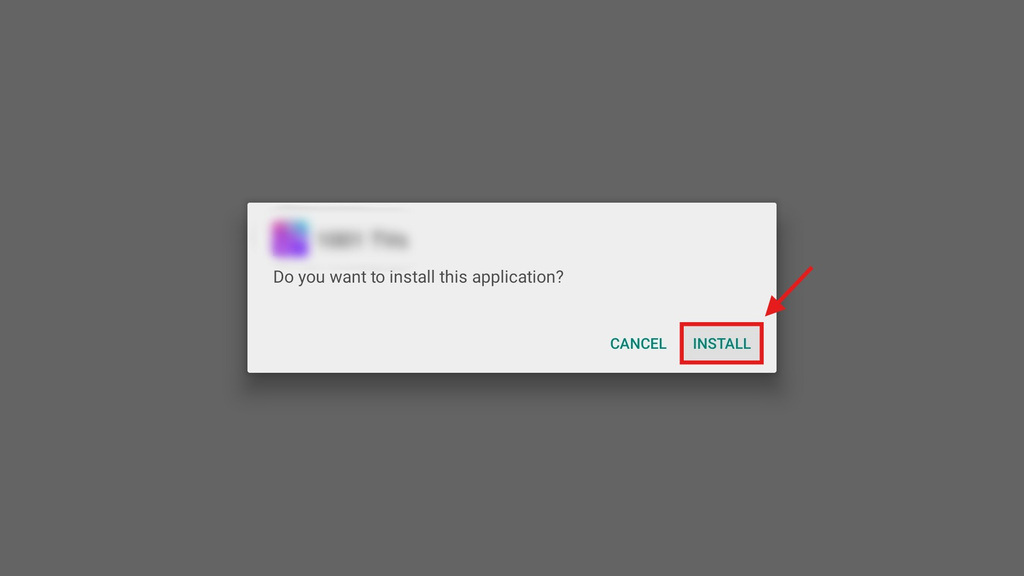
5. Installation Complete
Your APK is now ready to use on your TV. Just open it from your TV’s app list and start enjoying it on the big screen. 🚀
1001 TVs provides a simple, cable-free way to send and install APK files from your phone to your TV over Wi-Fi.
Szerezd meg az 1001 TVs most
📺 TV alkalmazás: Az 1001 TVs telepítése a tévére
📥 iOS alkalmazás: Letöltés az App Store-ból
📥 Android alkalmazás: Letöltés a Google Play-ről
Disclaimer
- Users are solely responsible for the content they choose to install. This app only invokes the system PackageInstaller to perform installations. It does not store, distribute, or provide downloads of any APK files.
- Bundling and distributing this installer (1001 TVs: File Explorer) with infringing content is strictly prohibited.

További információk
 Hogyan lehet fájlokat egyszerre több eszközre elküldeni a számítógépről (számítógép, telefon, tévé, táblagép)
Az 1001 TVs legújabb Windows-verziójával (v7.0.8.5) a számítógéped mostantól fájlokat küldhet több eszközre is – tévékre, táblagépekre, telefonokra vagy más eszközökre...
Hogyan lehet fájlokat egyszerre több eszközre elküldeni a számítógépről (számítógép, telefon, tévé, táblagép)
Az 1001 TVs legújabb Windows-verziójával (v7.0.8.5) a számítógéped mostantól fájlokat küldhet több eszközre is – tévékre, táblagépekre, telefonokra vagy más eszközökre...
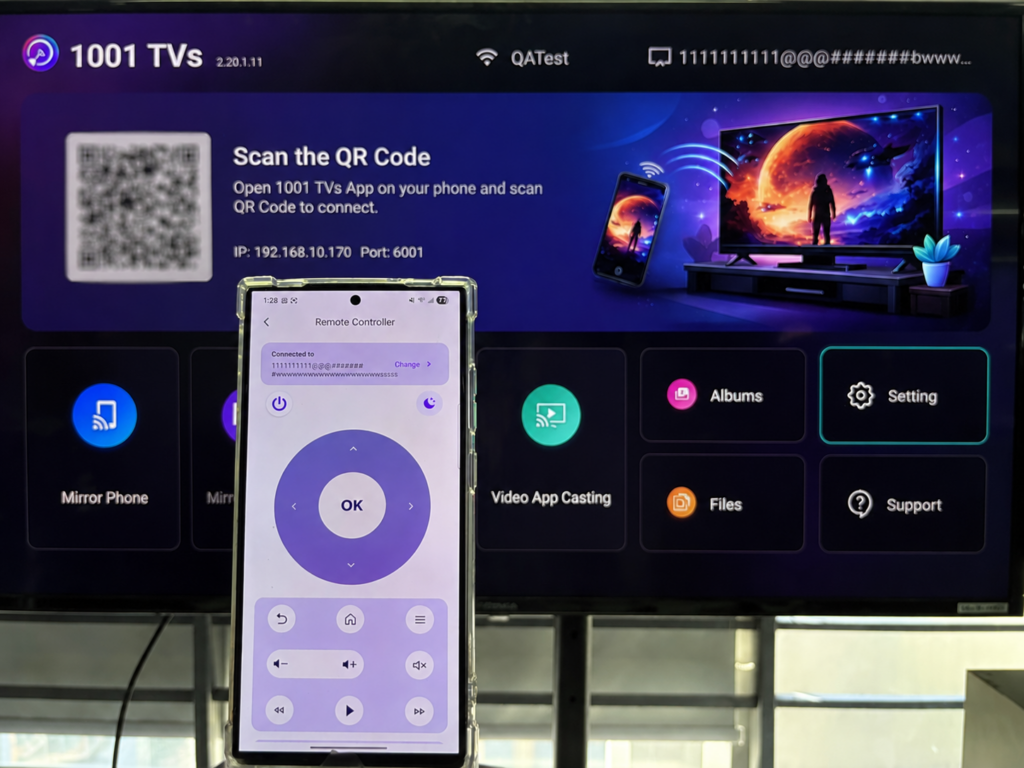 Hogyan használhatja telefonját távirányítóként az Android TV számára?
Szeretnéd vezérelni az Android TV-det, videókat nézni vagy alkalmazások között böngészni anélkül, hogy a távirányítót kellene keresned? A 1001 TVs segítségével okostelefonodat….
Hogyan használhatja telefonját távirányítóként az Android TV számára?
Szeretnéd vezérelni az Android TV-det, videókat nézni vagy alkalmazások között böngészni anélkül, hogy a távirányítót kellene keresned? A 1001 TVs segítségével okostelefonodat….

