TV APK Installation Guide: How to Send and Install APK Files on TV from Your Phone via Wi-Fi
Got an APK file on your phone that you want to install and run on your TV?
With 1001 TVs, you can now send APK files from your phone to your TV via Wi-Fi and install them directly — no cables, no USB drives, no hassle. It’s fast, simple, and completely wireless.
Here’s how to get started.

1. Install and Open 1001 TVs on both devices
📺 App TV: Come installare l'1001 TVs sul televisore
📥 App iOS: Scarica da App Store
📥 Applicazione Android: Scarica da Google Play
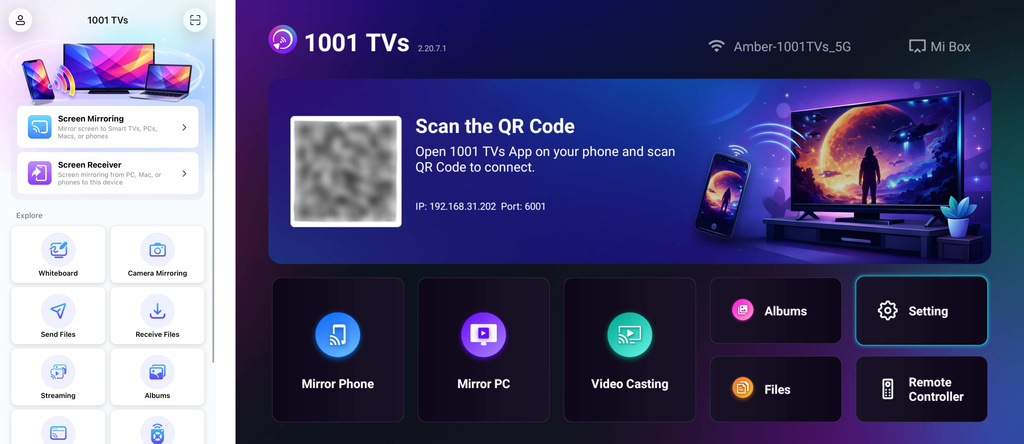
2. Connect to the Same Wi-Fi:
Assicuratevi che entrambi i dispositivi siano collegati alla stessa rete Wi-Fi.
(Per ottenere le migliori prestazioni si consiglia una connessione Wi-Fi con banda 5G).
3. Send APK File to TV
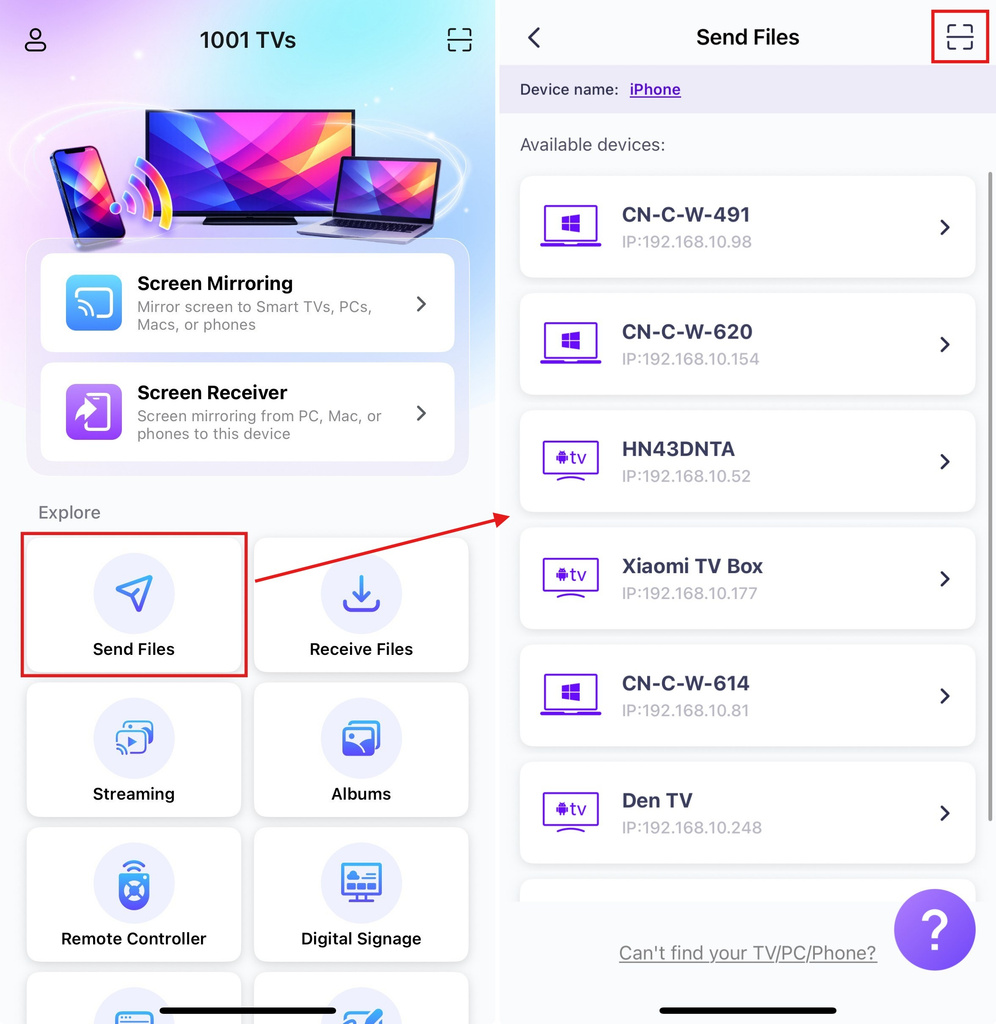
Lancio 1001 TVs app on your phone and tap Invia i file.
Select your target TV from the device list, or scan the QR code displayed on your TV screen.
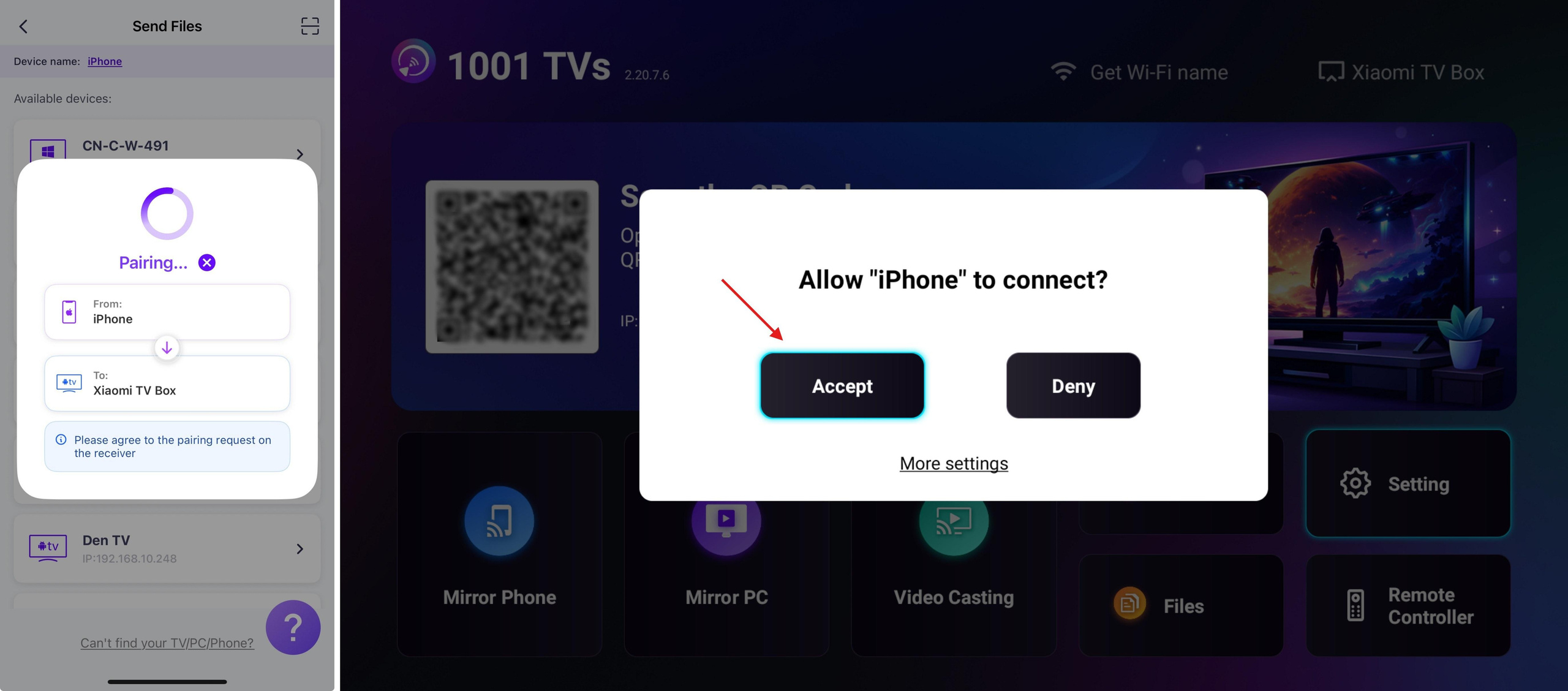
On the TV, confirm the pairing.
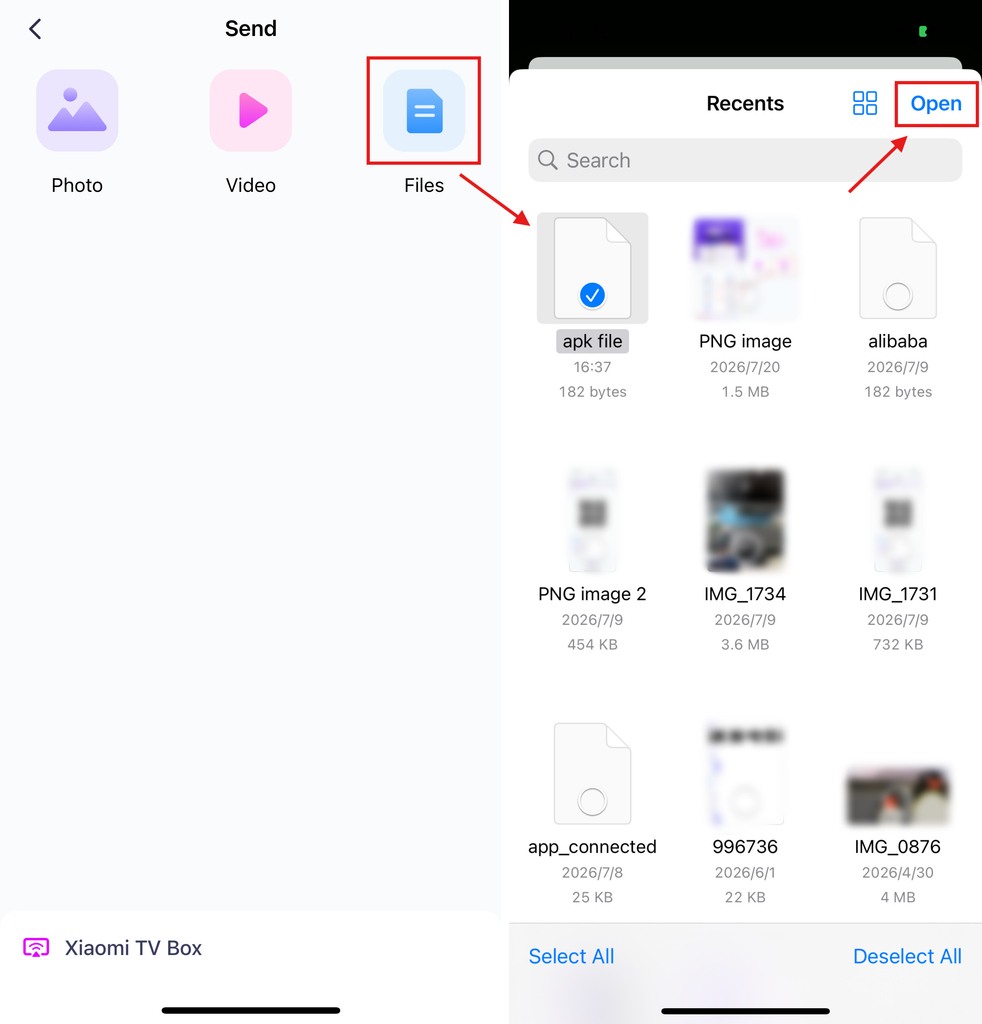
On your phone, select the APK file you want to send.
4. Install APK on TV
Using your TV remote, open File and select the APK file you want to install.
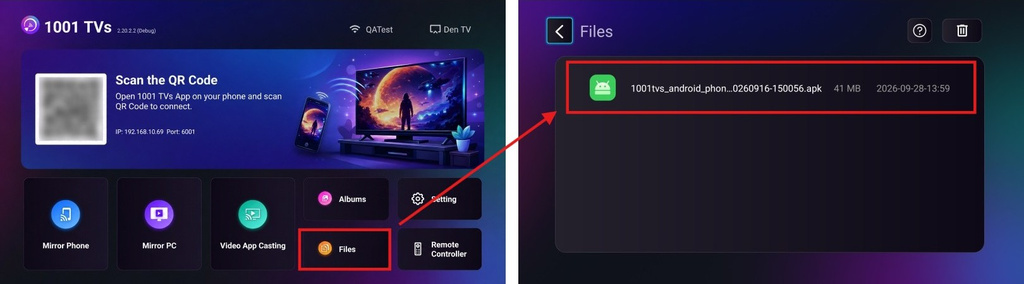
Selezionare Install via Google Play and complete the installation.
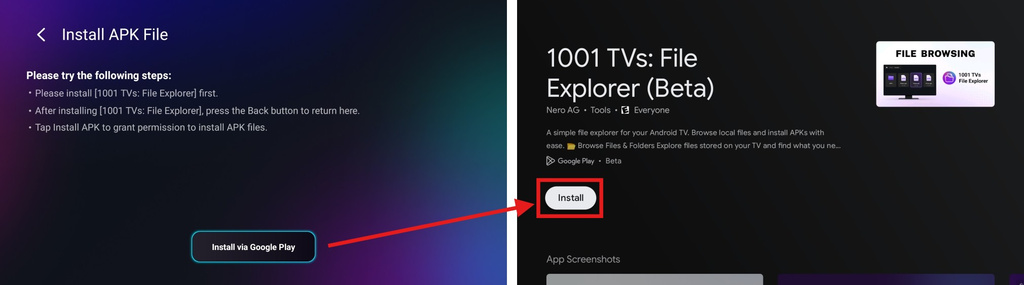
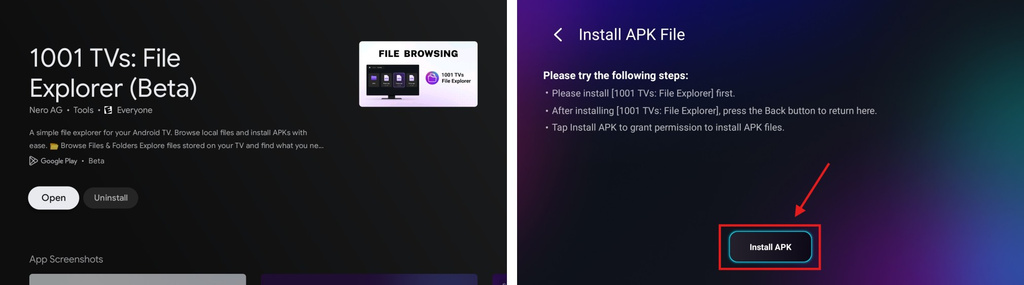
Once finished, press the Indietro button on your remote to return to the previous page. (There’s no need to open 1001 TVs – File Explorer.)
The button below will now change to Install APK. Select it to go to the app install permission page.
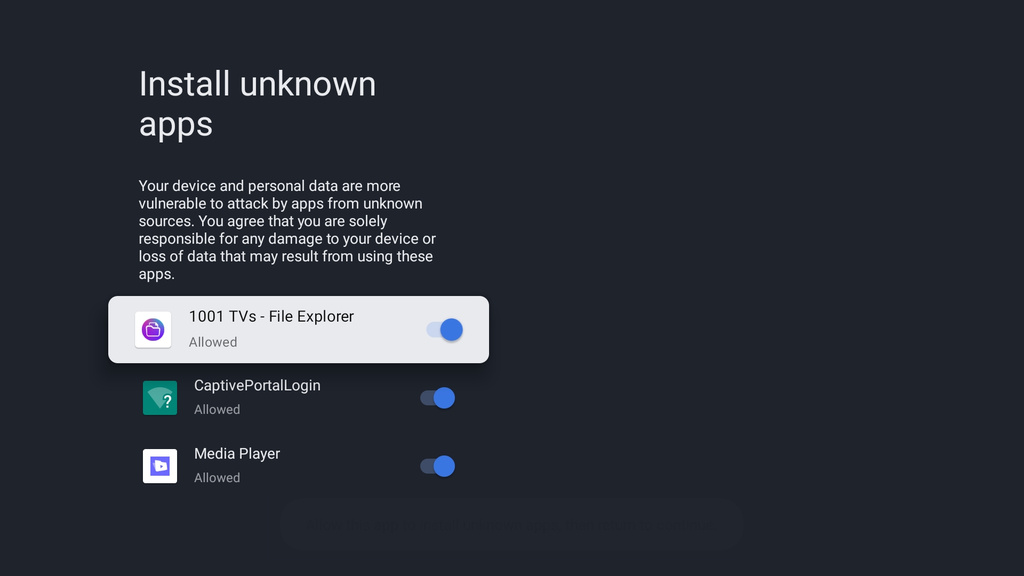
Consentire 1001 TVs – File Explorer to install unknown apps (your APK file)
Press the Indietro button, then select Installare to install your APK.
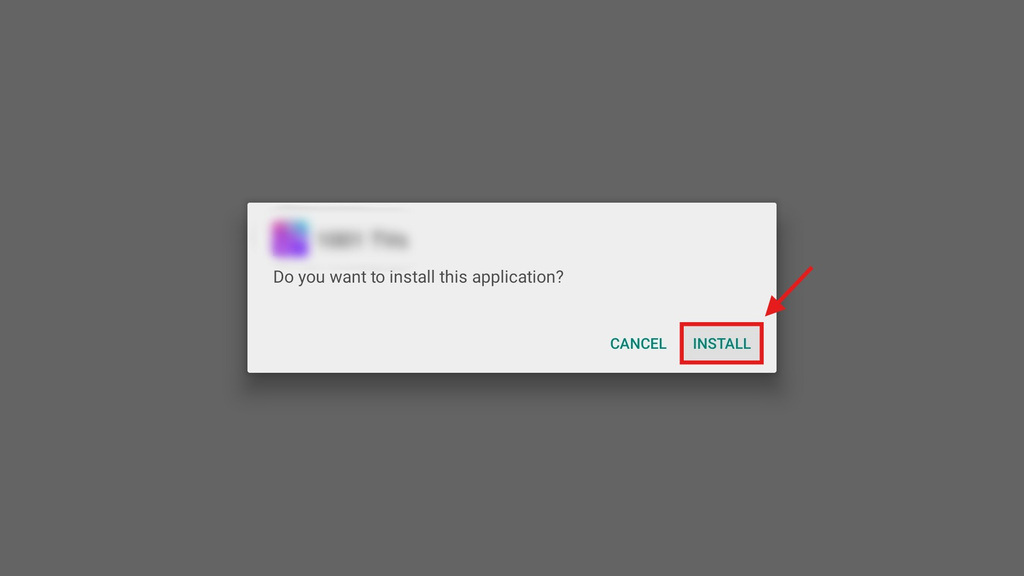
5. Installation Complete
Your APK is now ready to use on your TV. Just open it from your TV’s app list and start enjoying it on the big screen. 🚀
1001 TVs provides a simple, cable-free way to send and install APK files from your phone to your TV over Wi-Fi.
Ottieni ora 1001 TVs
📺 App TV: Come installare l'1001 TVs sul televisore
📥 App iOS: Scarica da App Store
📥 Applicazione Android: Scarica da Google Play
Disclaimer
- Users are solely responsible for the content they choose to install. This app only invokes the system PackageInstaller to perform installations. It does not store, distribute, or provide downloads of any APK files.
- Bundling and distributing this installer (1001 TVs: File Explorer) with infringing content is strictly prohibited.

Leggi di più
 Come inviare file dal PC a più dispositivi contemporaneamente (PC, telefono, TV, tablet)
Con l'ultima versione per Windows di 1001 TVs (v7.0.8.5), il tuo PC può ora inviare file a più dispositivi: TV, tablet, telefoni o altri PC...
Come inviare file dal PC a più dispositivi contemporaneamente (PC, telefono, TV, tablet)
Con l'ultima versione per Windows di 1001 TVs (v7.0.8.5), il tuo PC può ora inviare file a più dispositivi: TV, tablet, telefoni o altri PC...
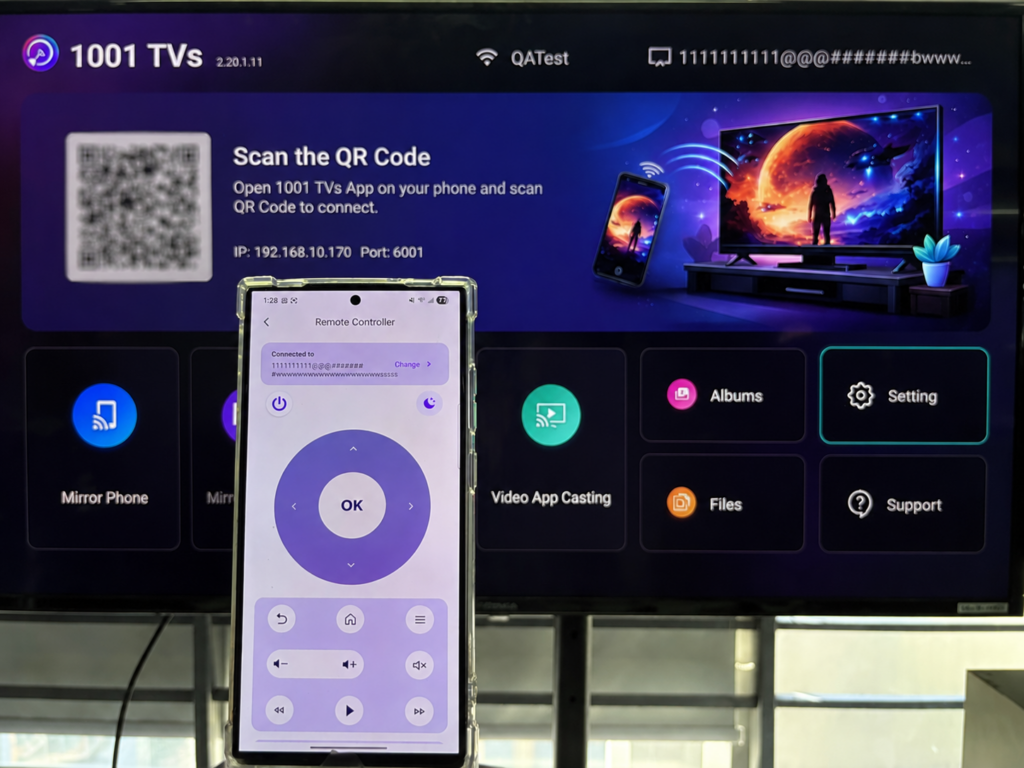 Come utilizzare il telefono come telecomando per Android TV
Vuoi controllare la tua Android TV, guardare video in streaming o sfogliare le app senza dover cercare il telecomando? Con 1001 TVs, puoi trasformare il tuo smartphone in...
Come utilizzare il telefono come telecomando per Android TV
Vuoi controllare la tua Android TV, guardare video in streaming o sfogliare le app senza dover cercare il telecomando? Con 1001 TVs, puoi trasformare il tuo smartphone in...

