How to fix disconnections issue for iOS device?
If your phone’s screen mirroring stops because it automatically locks, it can be annoying. Luckily, you can easily change a setting to stop this from happening.
Just follow these steps to adjust the auto-lock setting and keep your casting going without interruptions:
1. Open “Settings“.
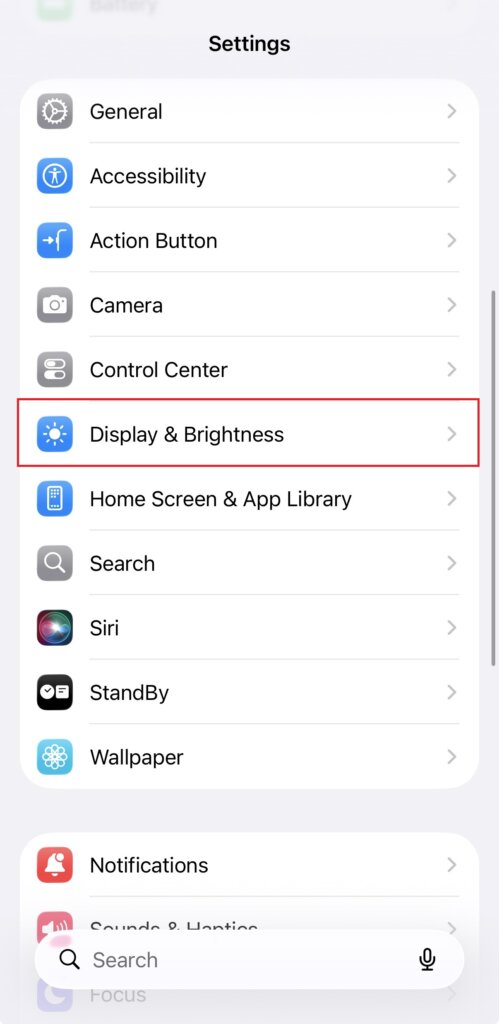
2. Tap “Display & Brightness“.
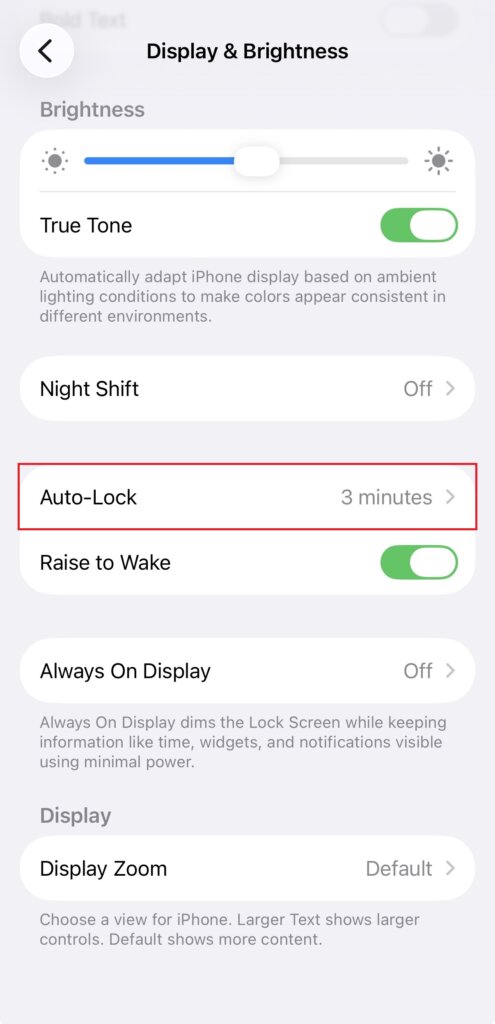
3. Tap “Auto-Lock“.
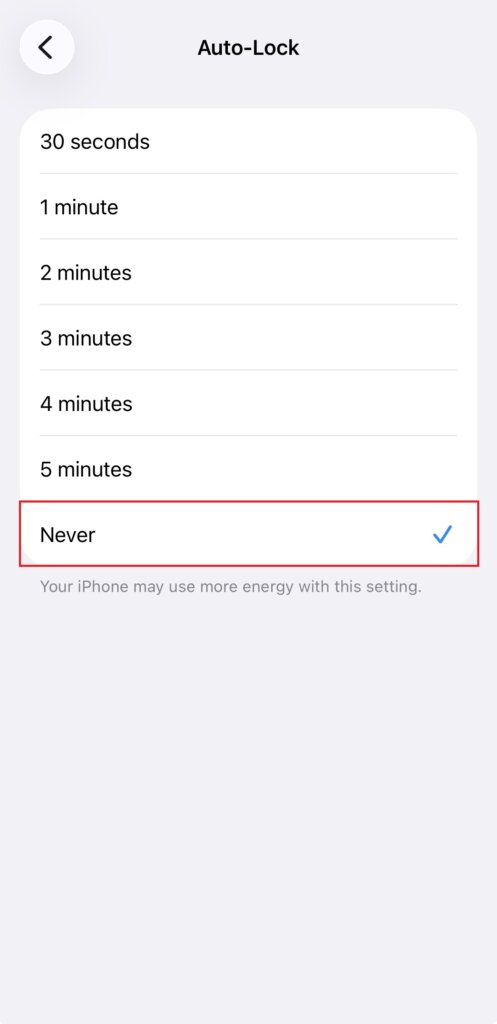
4. Select [Never] for the Auto-Lock setting.
Note: This solution also applies when using a browser that locks the screen or when casting the screen on a Tesla.
By following these steps, you can enjoy seamless screen mirroring without interruptions! 🎉

Read More
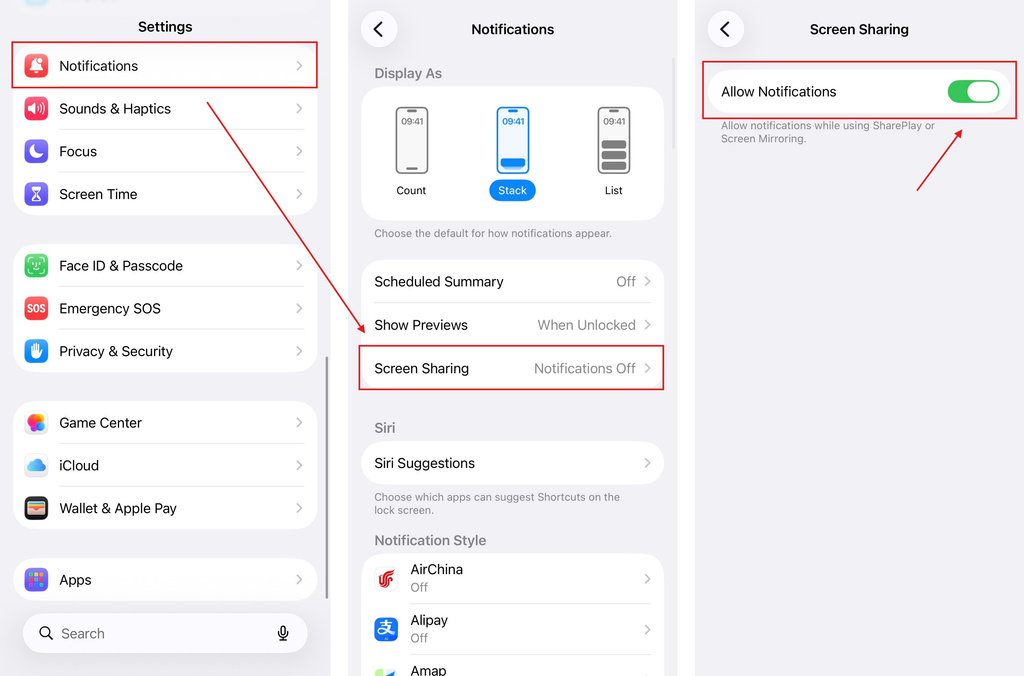 iOS: How to Fix Missing App Notifications During Screen Mirroring
Why Notifications Are Missing When you mirror your iPhone screen, notifications from other apps may not appear on the mirrored screen. This can happen…
iOS: How to Fix Missing App Notifications During Screen Mirroring
Why Notifications Are Missing When you mirror your iPhone screen, notifications from other apps may not appear on the mirrored screen. This can happen…
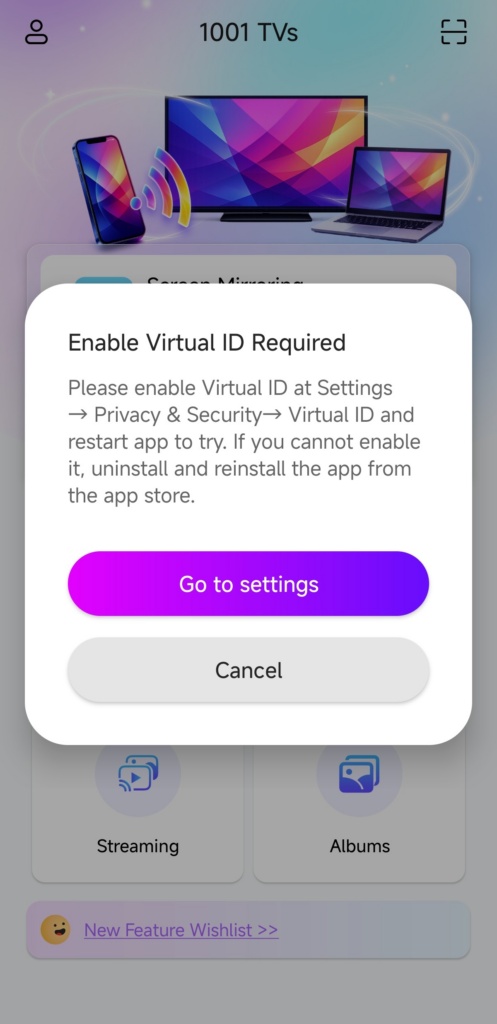 How to Fix the Enable Virtual ID Required Pop-Up
If you're using a Xiaomi or Redmi phone or tablet, you might see a pop-up that says "Enable Virtual ID Required" when you launch…
How to Fix the Enable Virtual ID Required Pop-Up
If you're using a Xiaomi or Redmi phone or tablet, you might see a pop-up that says "Enable Virtual ID Required" when you launch…

