Unlock All Premium Features: How to Get a Membership
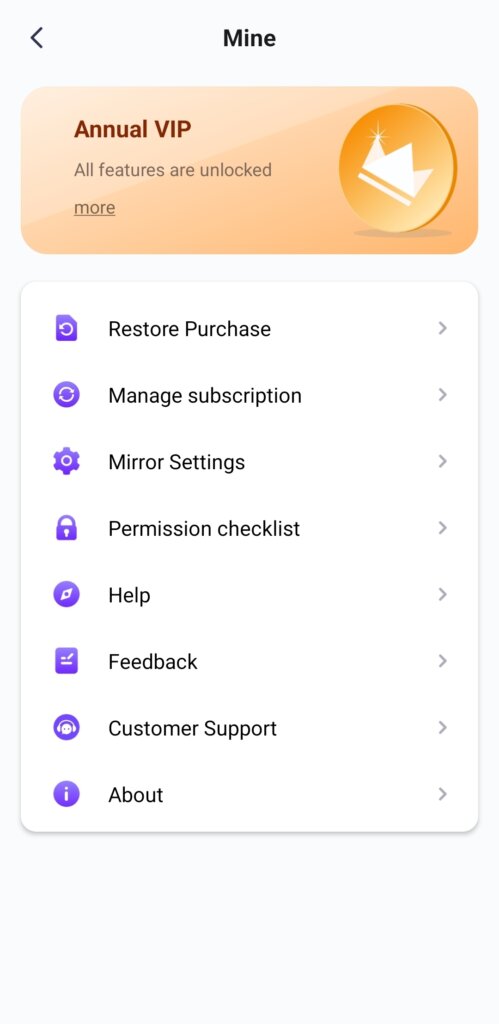
🎁 Try Before You Buy
No Ads, Ever
We do not have any ads. The official version of 1001 TVs is 100% ad-free. You will never see any ads, regardless of whether you are on a free trial or a paid subscription.
Flexible Free Trial
All features are available for a free trial. Try them out first — we’re confident you’ll find our experience better than built-in solutions.
There is no fixed 15-minute or 3-day limit.
💎 Premium Plans for Individuals & Enterprises
We offer Premium plans for individual users and volume licensing for enterprises.
❓ How Payment Works
After your free trial expires, you can subscribe to a Premium plan.
We do not force pre-payment or push early upselling. Simply enjoy the free trial first, and only purchase if you find it meets your needs.
We offer weekly, monthly, yearly, and lifetime membership options for iOS and Android devices. Yearly and lifetime options for Windows PC and Mac.
Paid membership is required only on the sender side after the trial.
🔄 Subscription Sharing
Your subscription or in-app purchase is not shared between Windows PC, Mac, and Phone.
However, sharing works within the same account ecosystem.
If you log in with the same Apple ID on several iOS devices, the subscription or in-app purchase can be shared on each iOS device.
The same applies to Android devices with the same Google Account, Windows devices with the same Microsoft Account, and Mac devices with the same Apple ID.
✨ Here’s exactly what you’ll unlock:
If you paid on iPhone / Android Phone:
- Unlimited screen mirroring to TV / PC / Mac / phone / tablet
- High frame rate, high definition, and low latency
- Screen mirroring to PC / Mac without watermark
- Cast multiple devices at the same time to one PC / Mac — phones, computers, and tablets
- Unlimited file transfer to PC, Mac, TV, tablet, and other phones
- More features, including video casting, TV Albums, and TV remote control
If you paid on PC / Mac,
- Unlimited screen mirroring to TV / PC / Mac / phone / tablet
- High frame rate, high definition, and low latency
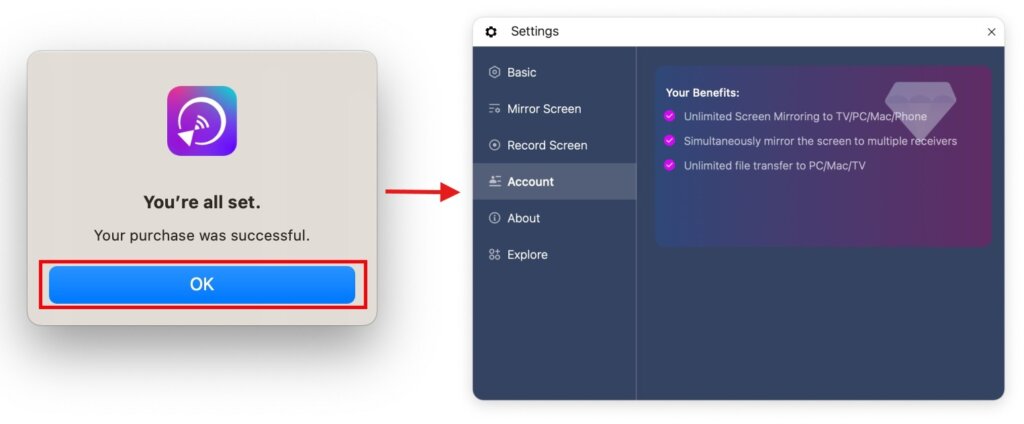
- Mirror your PC / Mac screen to multiple receivers at the same time — TVs, phones, computers, and tablets
- Unlimited file transfer to PC, Mac, TV, tablet, and other phones
- Send files to multiple devices at the same time — computers, TVs, phones, and tablets
Click here to explore all features of 1001 TVs.
👤 Personal In-App Purchasing Guides
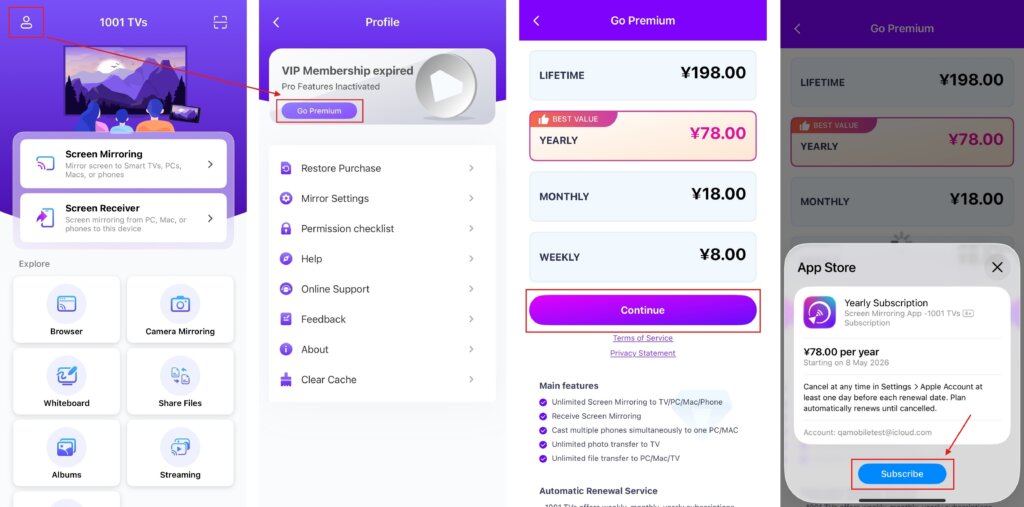
For iPhone users:
Tap the top-left Profile icon, then tap Go Premium.
Choose your preferred membership plan and complete the payment in App Store.
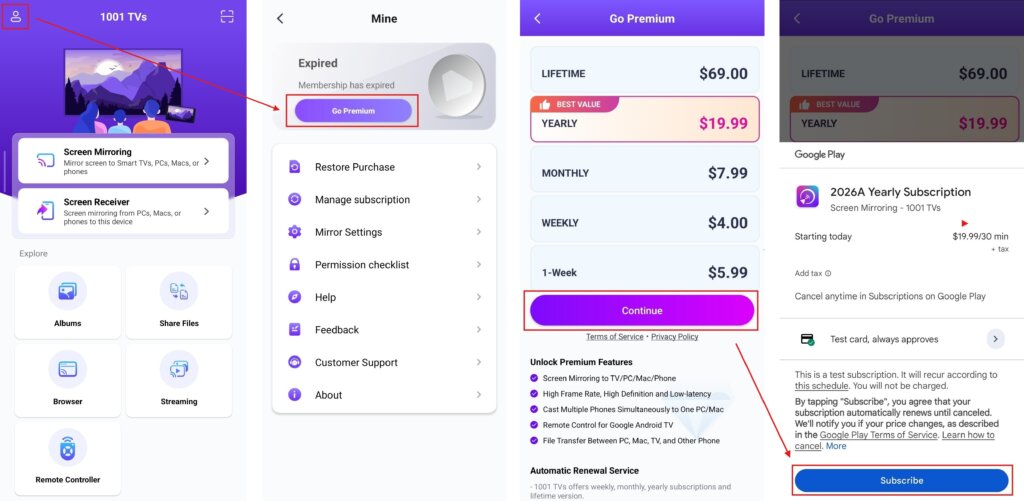
For Android users:
Tap the top-left Mine icon, then tap Go Premium.
Choose your preferred membership plan and complete the payment via Google Play Store.
For Windows PC / Mac users:
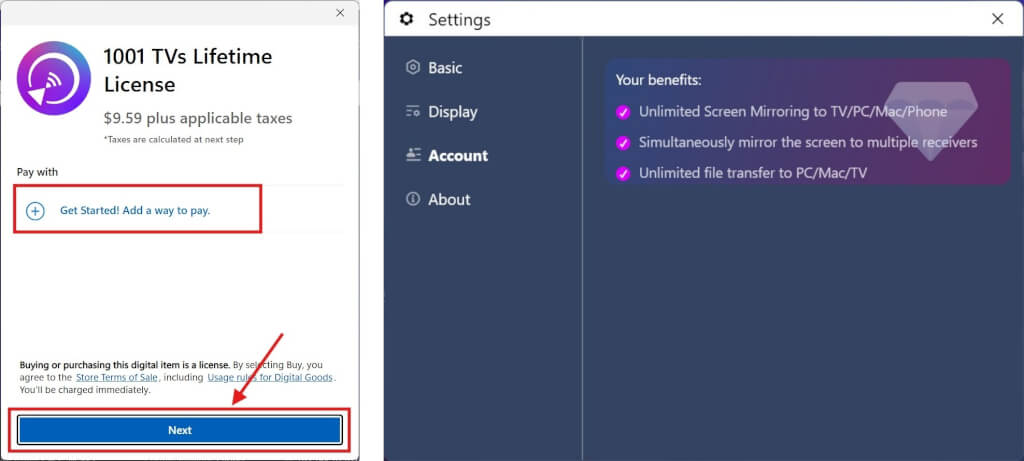
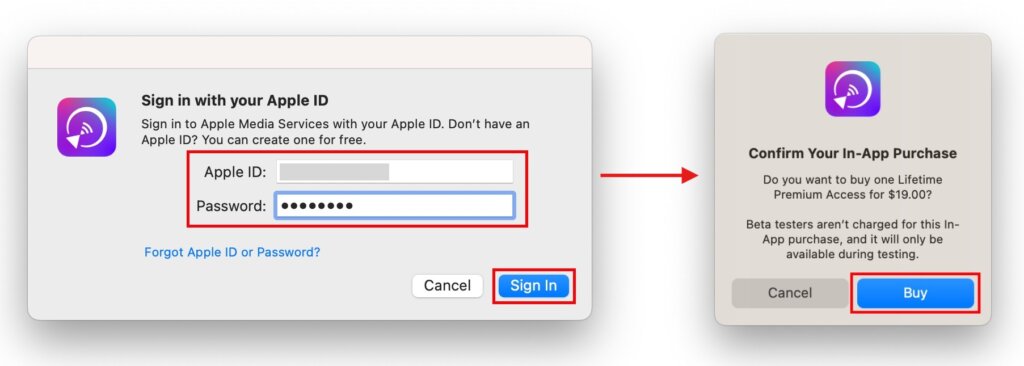
Click Upgrade > Continue on the main interface of your PC / Mac.
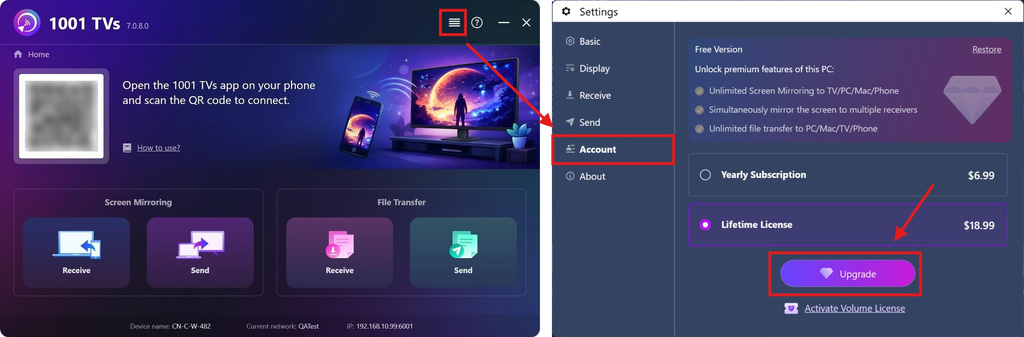
PC: Complete the payment in Microsoft Store.
Mac: Complete the payment in App store.
🏢 For Volume License Purchasing
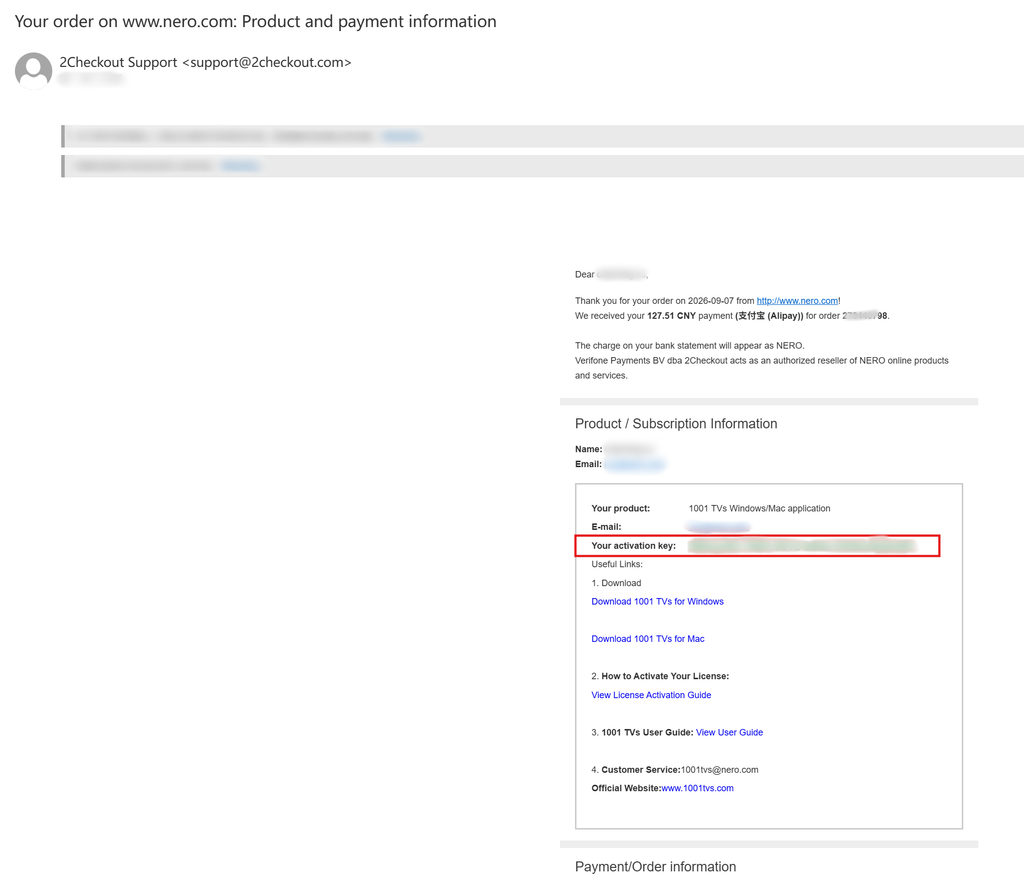
Please visit the 2Checkout website:
https://store.nero.com/order/checkout.php?PRODS=54178147&QTY=1&CART=1&CARD=2&ORDERSTYLE=nLW0oJTfpnQ=
For license activation, please see the guide:
The prices above are for reference only.
⭐ Feel free to contact us at: 1001tvs@nero.com

Read More
 For Enterprise Members: How to Activate a Volume License
This guide is for customers who wish to purchase and activate a volume license for 1001 TVs membership on PC / Mac. 1. For…
For Enterprise Members: How to Activate a Volume License
This guide is for customers who wish to purchase and activate a volume license for 1001 TVs membership on PC / Mac. 1. For…
 How to Redeem Code for 1001 TVs
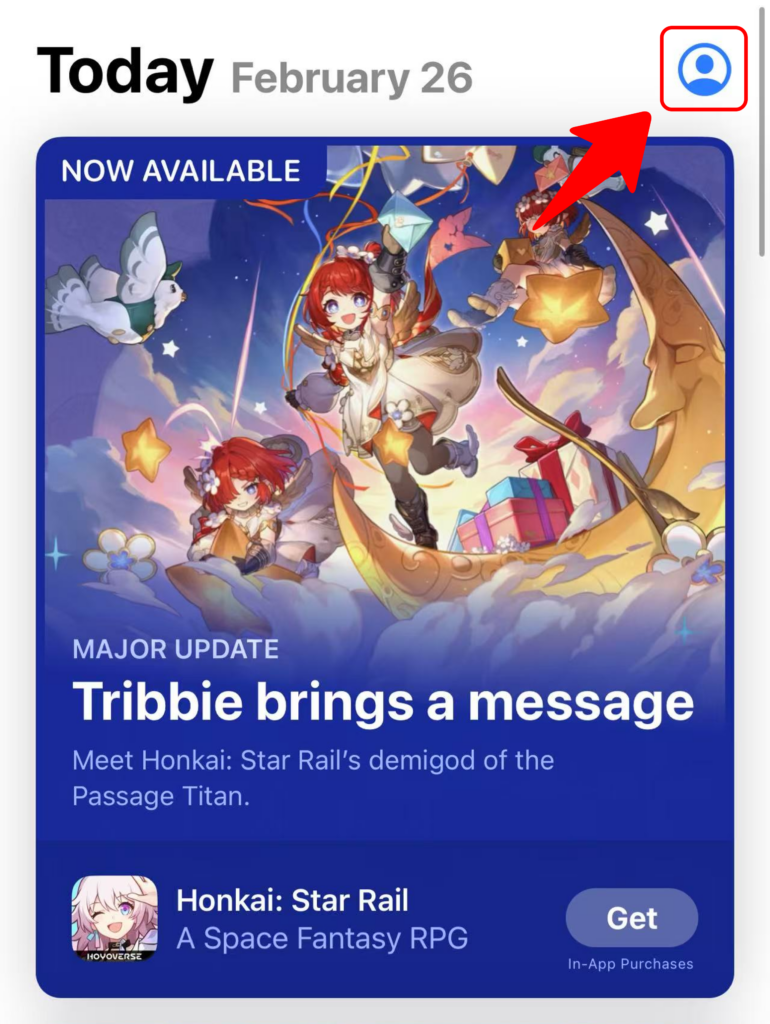
Redeem on App Store (iPhone/iPad) 1️⃣ Open the App Store app on your iPhone or iPad. 2️⃣ Tap the login button or your profile…
How to Redeem Code for 1001 TVs
Redeem on App Store (iPhone/iPad) 1️⃣ Open the App Store app on your iPhone or iPad. 2️⃣ Tap the login button or your profile…

