
[iOS] ئايفوننى Mac قا قانداق ئەينەك قىلىش
1. ئوخشاش Wi-Fi نى ئۇلاڭ:
iPhone ۋە Mac تېلېفونىڭىزنىڭ ئوخشاش Wi-Fi تورىغا ئۇلانغانلىقىغا كاپالەتلىك قىلىڭ. (ئەڭ ياخشى ئۈنۈم ئۈچۈن 5G بەلباغلىق Wi-Fi ئۇلىنىشى تەۋسىيە قىلىنىدۇ.)
2. 1001 TVs نى ئورنىتىڭ ۋە ئېچىڭ
iPhone ۋە Mac كومپيۇتېرىڭىزغا 1001 TVs قاچىلىغانلىقىڭىزغا كاپالەتلىك قىلىڭ.
📥 Mac نەشرى: App Store دىن چۈشۈرۈڭ
📱 iOS نەشرى: App Store دىن چۈشۈرۈڭ
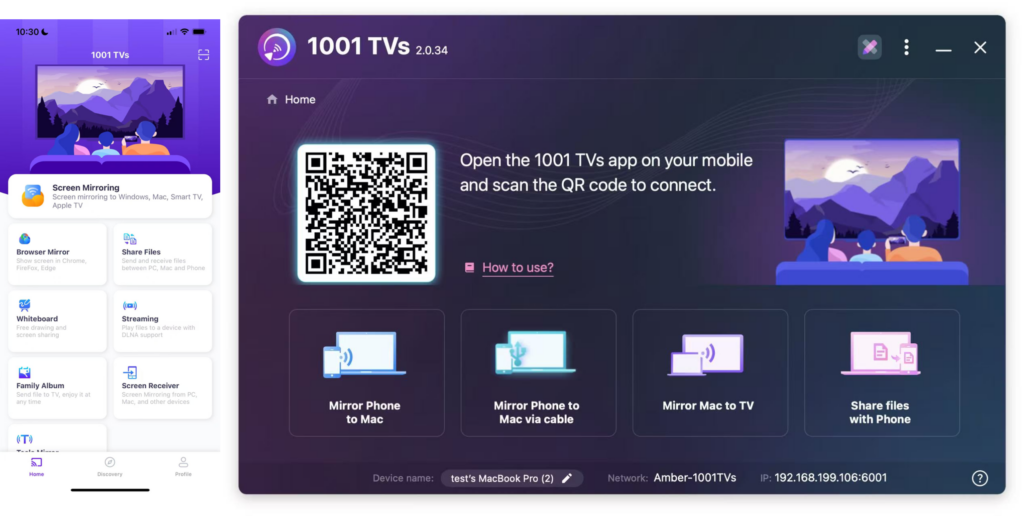
3. ئېكران ئەينىكىنى قوزغىتىش
باشلاشنىڭ ئۈچ خىل ئۇسۇلى بار:
1) QR كودىنى سىكانىرلاڭ
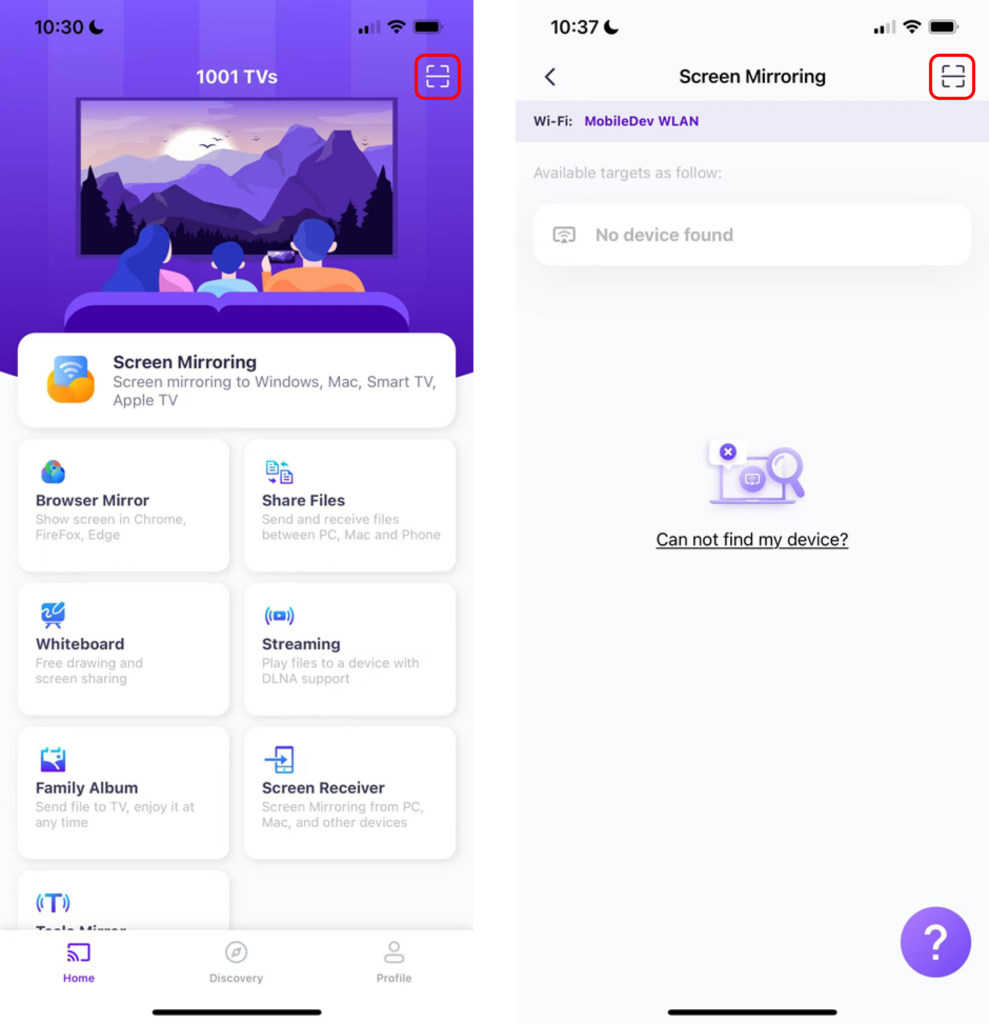
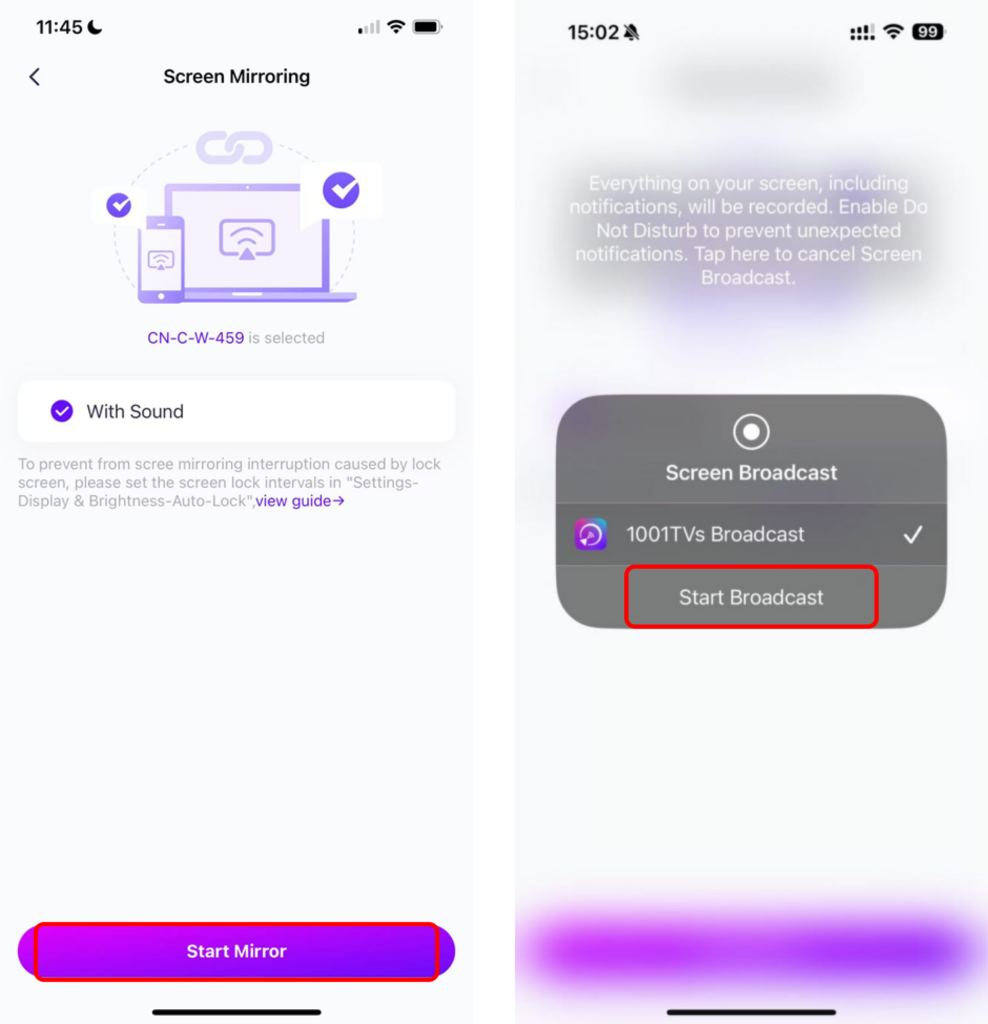
سىز QR كودىنى بىۋاسىتە باش بەتتىن ياكى “نى تاللىغاندىن كېيىن» سىكانىرلىيالايسىز.“ئېكران ئەينىكى”تاللاش.».
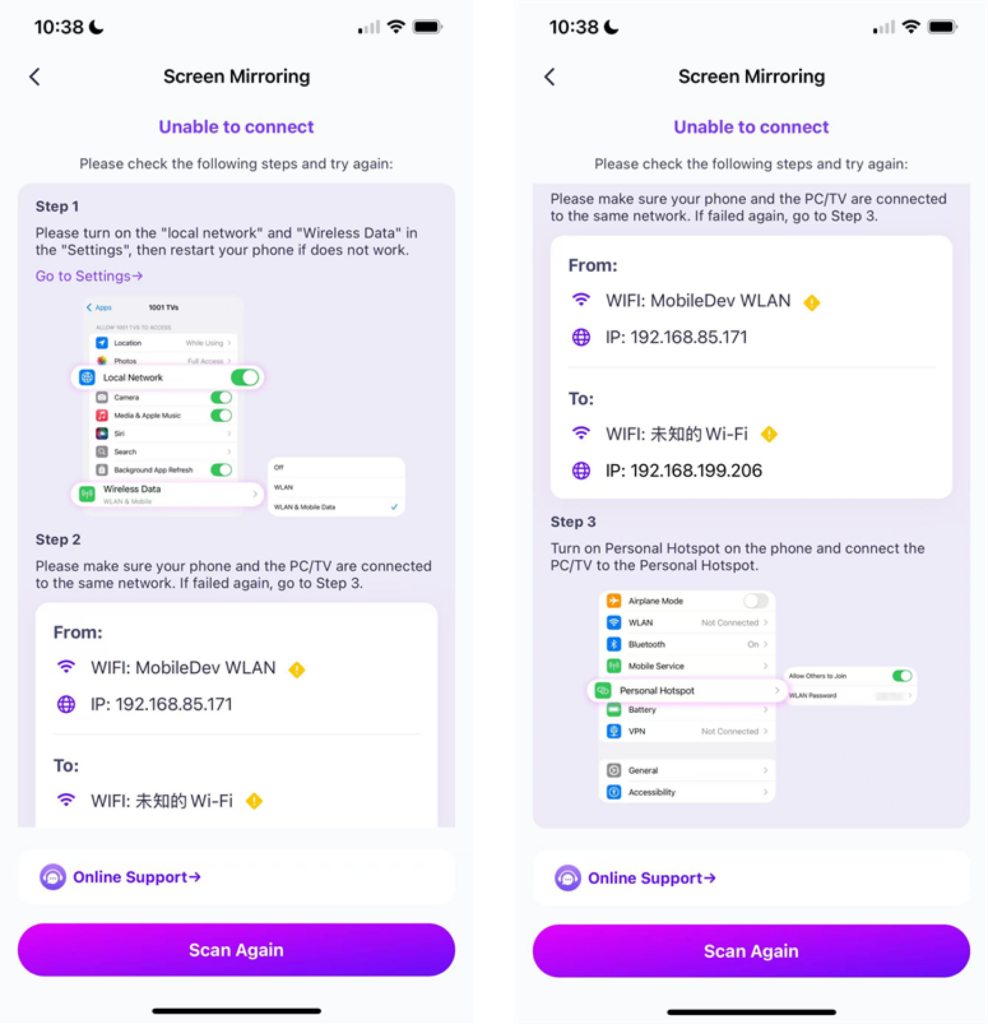
ئەگەر ئۇلىنىش مەغلۇپ بولسا، تۆۋەندىكى كۆرۈنمە يۈز كۆرۈنىدۇ.
ئەگەر ئۇلىنىش مۇۋەپپەقىيەتلىك بولسا، سىز ئەينەك كۆرسىتىش كۆرۈنمە يۈزىنى كۆرىسىز.
“نى چېكىڭ»ئەينەكنى باشلاش”➜“تارقىتىشنى باشلاڭ”
2) يېقىن ئەتراپتىكى ئۈسكۈنىلەرنى تاللاڭ
1001 TVs ئەقلىي ئىقتىدارلىق تېلېۋىزورلار، تېلېۋىزور قۇتىلىرى ۋە ئوخشاش Wi-Fi تورىغا ئۇلانغان كومپيۇتېرلار قاتارلىق ئۈسكۈنىلەرنى ئاپتوماتىك بايقىيالايدۇ.
پەقەت تارقىتىشنى خالايدىغان ئۈسكۈنىڭىزنى تاللاڭ.
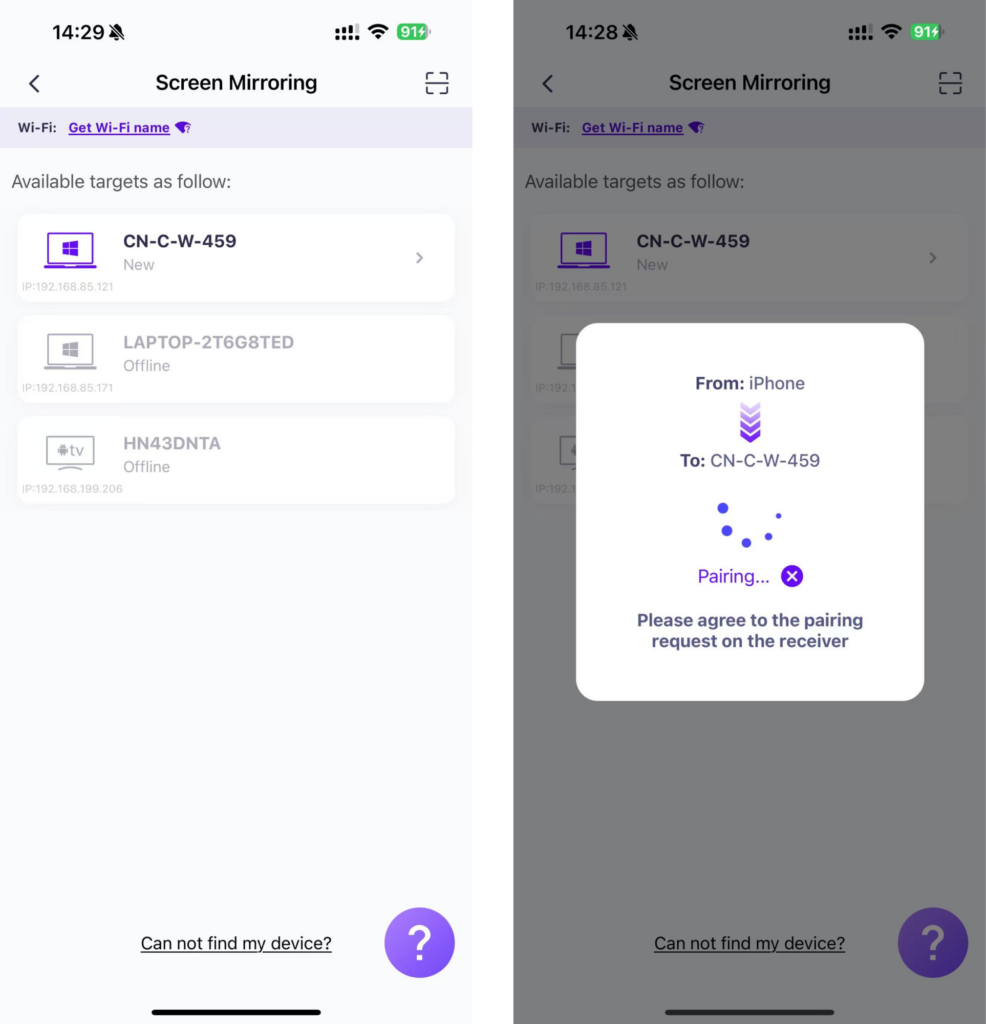
“نى چېكىڭ»ئەينەكنى باشلاش”➜“تارقىتىشنى باشلاڭ”
3) ئەينەك ئېكراننى تور كۆرگۈچكە ئايلاندۇرۇش
تەكشۈرۈشتىن ئۆتۈش 1001 TVs–[iOS] ئېكراننى iPhone دىن تور كۆرگۈچكە قانداق ئايلاندۇرۇش (Chrome)
1001 TVs نى ھازىر چۈشۈرۈڭ
📥 Mac نەشرى: App Store دىن چۈشۈرۈڭ
📱 iOS نەشرى: App Store دىن چۈشۈرۈڭ