
1001 TVs ئۈچۈن كودنى قانداق ئىشلىتىش كېرەك
App Store دىن (iPhone/iPad) سېتىۋېلىڭ
1️⃣ ئېچىڭ ئەپ دۇكىنى ئەپنى iPhone ياكى iPad ئۈسكۈنىڭىزدە ئىشلىتىڭ.
2️⃣ چېكىڭ كىرىش كۇنۇپكىسى ياكى سىزنىڭ پروفىل رەسىمى ئېكراننىڭ ئۈستى تەرىپىدە.
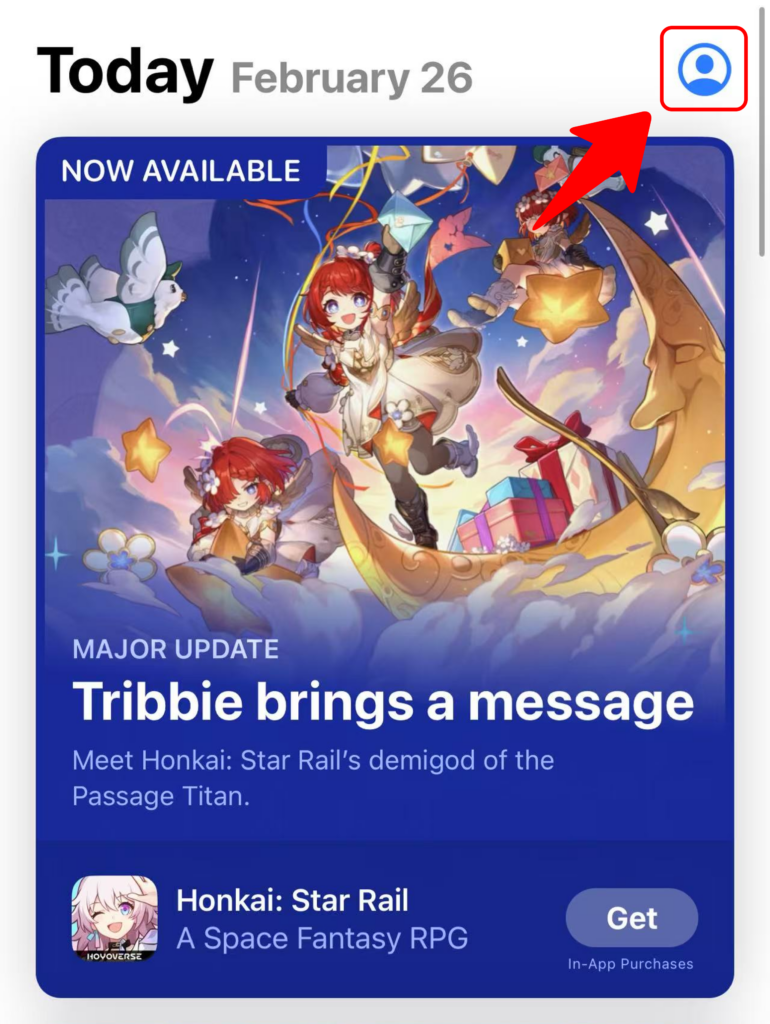
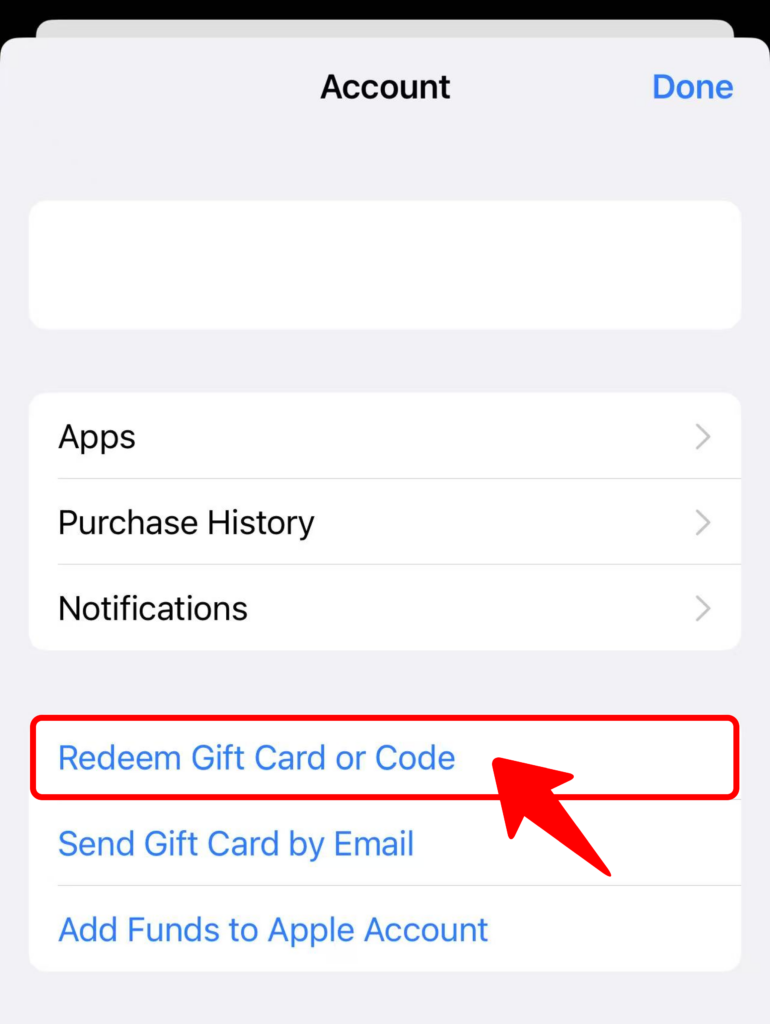
3️⃣ تاللاڭ “سوۋغات كارتىسى ياكى كودنى قايتۇرۇۋېلىڭ” .
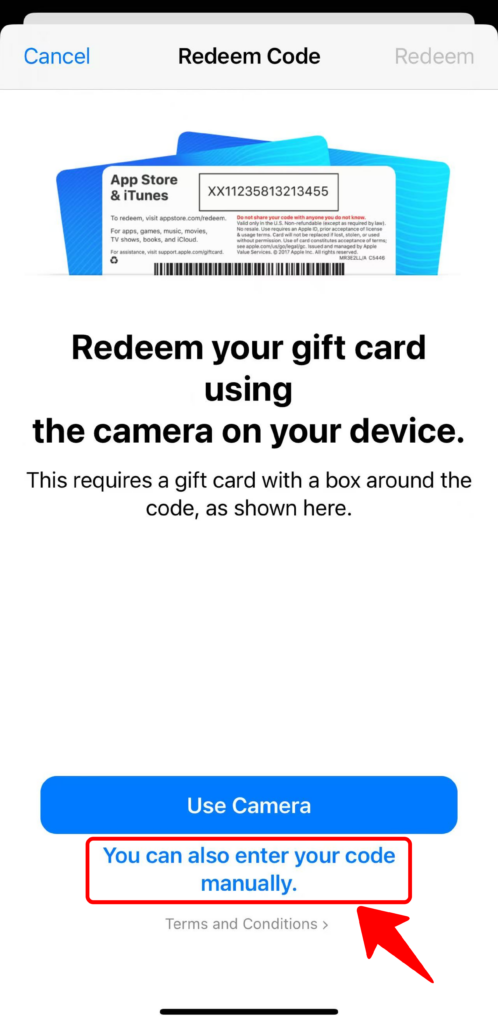
4️⃣ چېكىڭ “سىز كودىڭىزنى قولدا كىرگۈزسىڭىزمۇ بولىدۇ” .
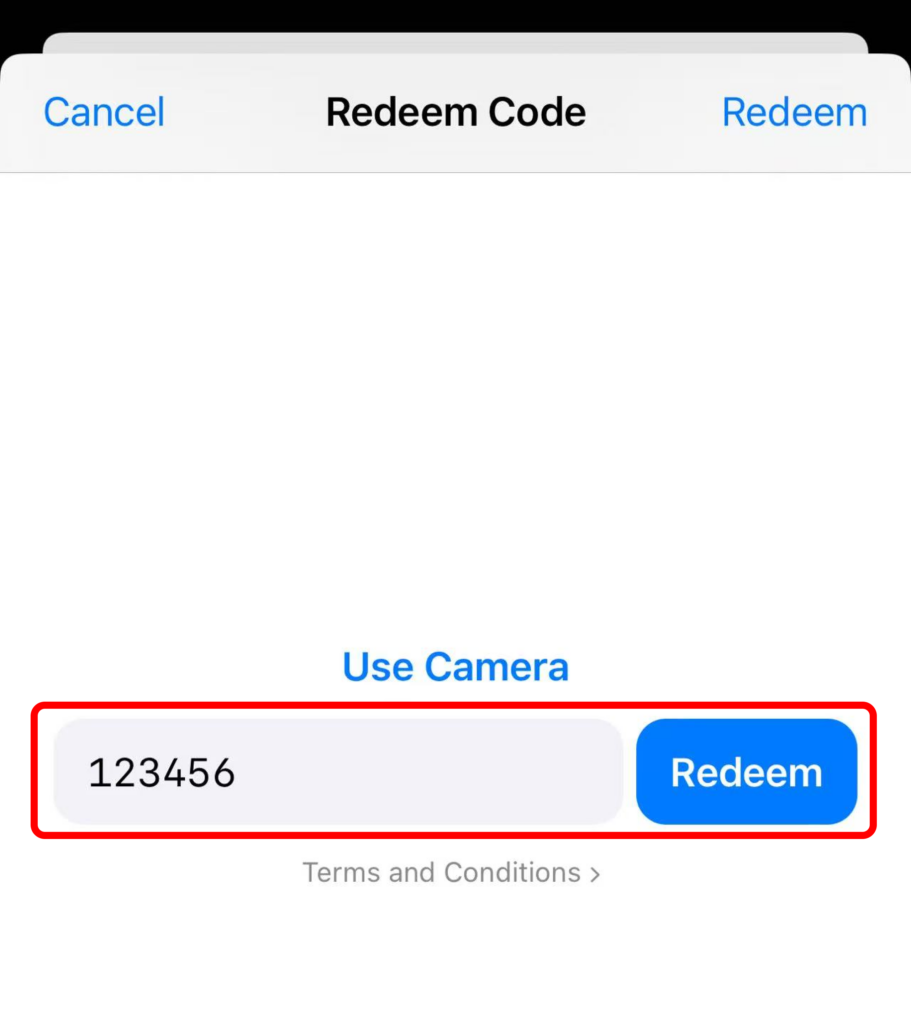
5️⃣ كودىڭىزنى كىرگۈزۈڭ ۋە چېكىڭ “قايتۇرۇۋېلىڭ” .
Google Play (ئاندروئىد) دا ئىشلىتىش
1️⃣ ئېچىڭ Google Play ئاندروئىد ئۈسكۈنىڭىزدىكى ئەپ.
2️⃣ چېكىڭ پروفىل سىنبەلگىسى ئۈستۈنكى ئوڭ بۇلۇڭدا.
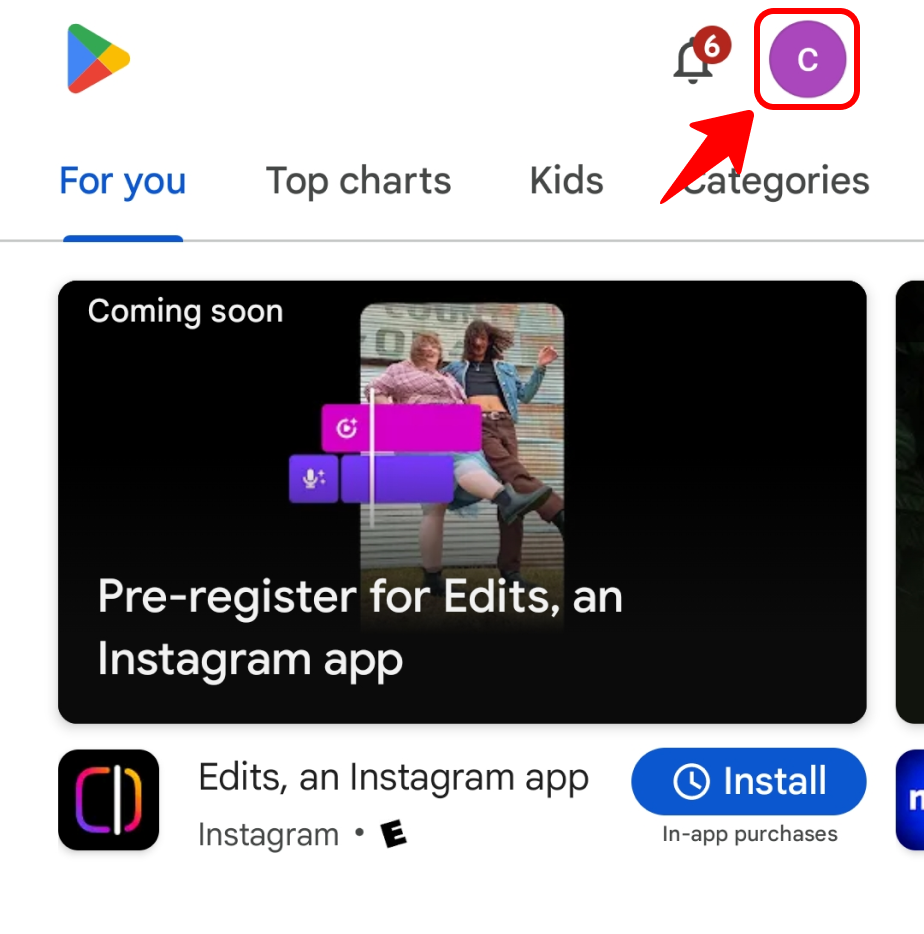
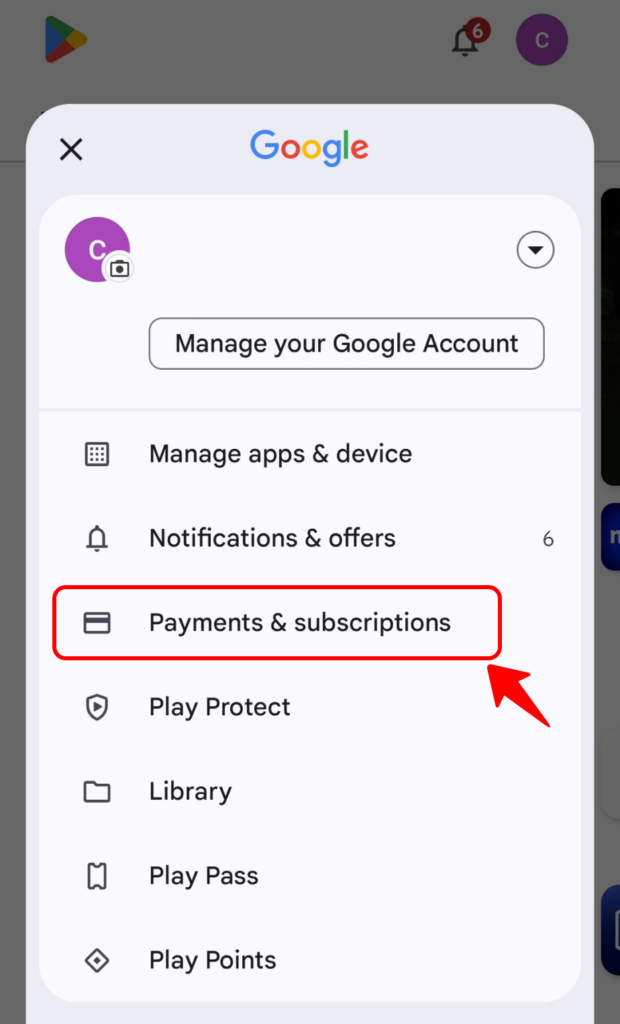
3️⃣ غا كىرىڭ “تۆلەملەر ۋە مۇشتەرىلىكلەر” ۋە تاللاڭ “كودنى ئىشلىتىش”.
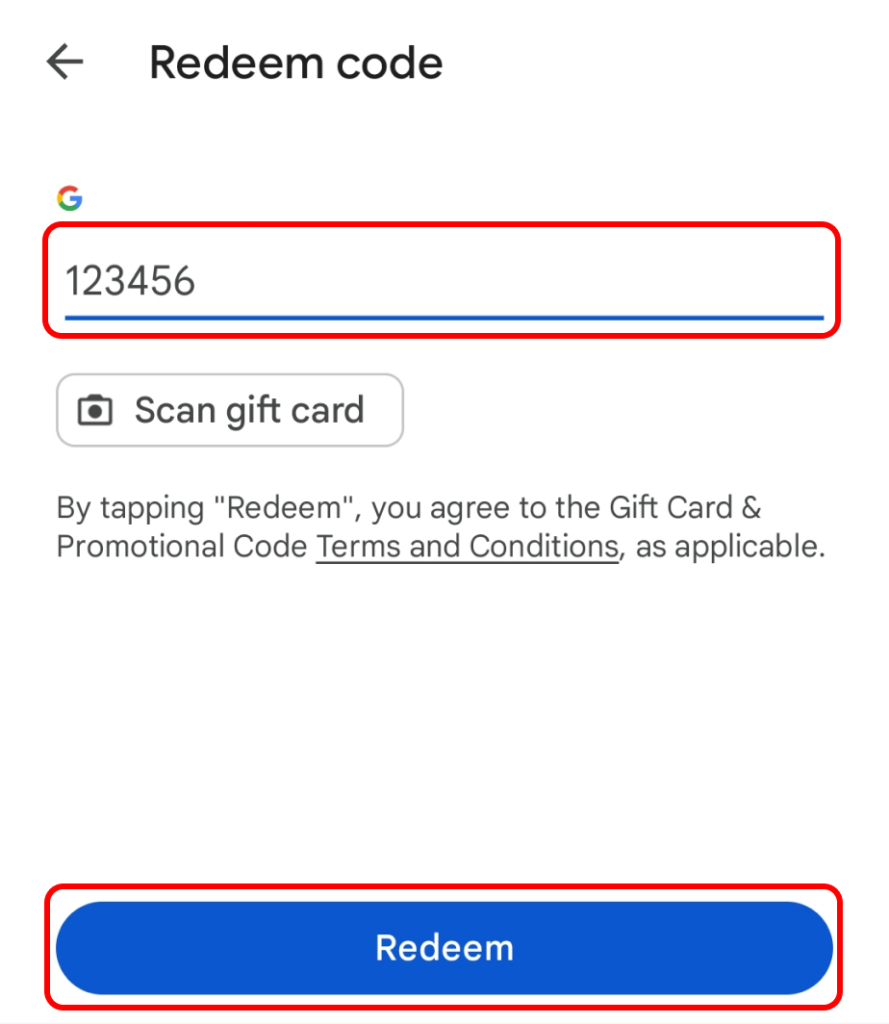
4️⃣ ئۆزىڭىزنىڭكىنى كىرگۈزۈڭ ئىشلىتىش كودى ۋە چېكىڭ “قايتۇرۇۋېلىڭ” .
🎊 ھەممىسى تەييار!
ساياھەت قىلىشىڭىزغا خۇشاللىق تىلەيمەن! 🚀💡