
TV Auto-Accept Mirroring – No Popups
If you always have to pick up your TV remote to approve every screen mirroring request, it can get annoying fast.
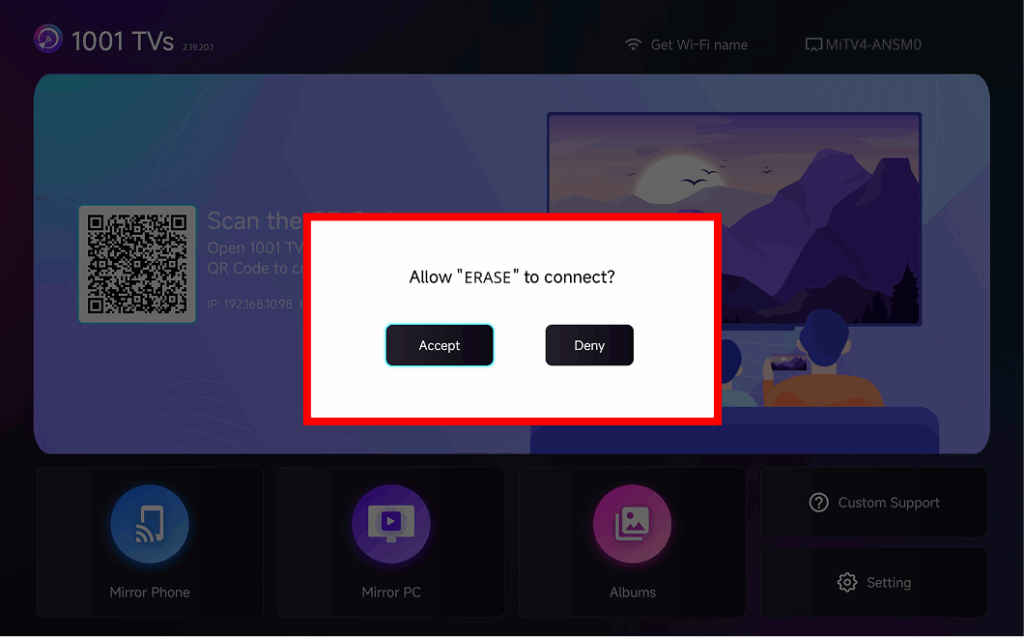
The latest version of 1001 TVs introduces Auto-Accept Mirroring – seamless casting without any popups.
Step-by-step Guide
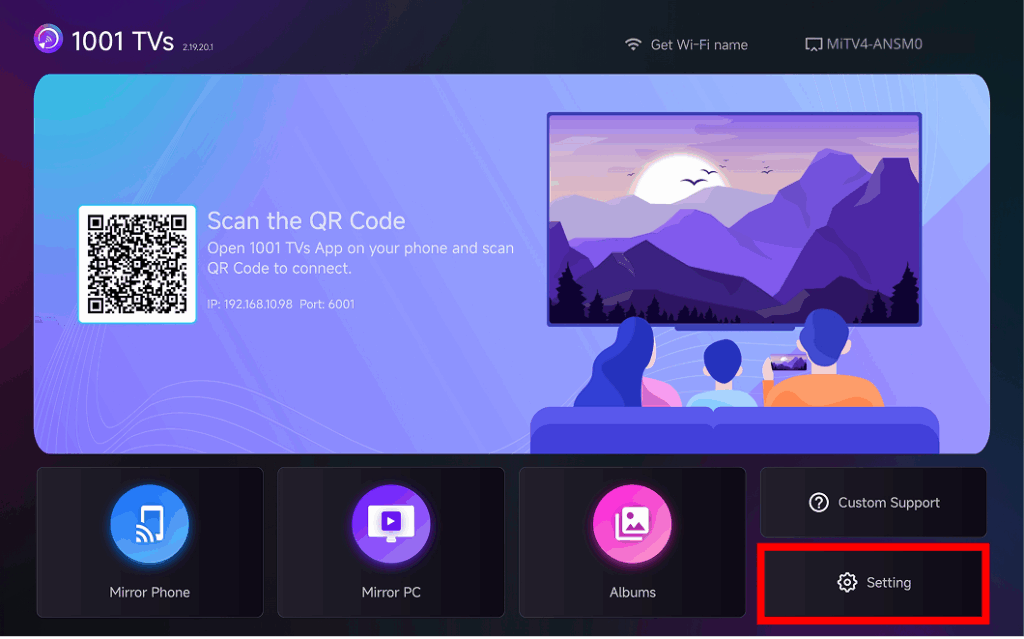
❶ Go to the bottom-right corner of the TV home screen and select Setting
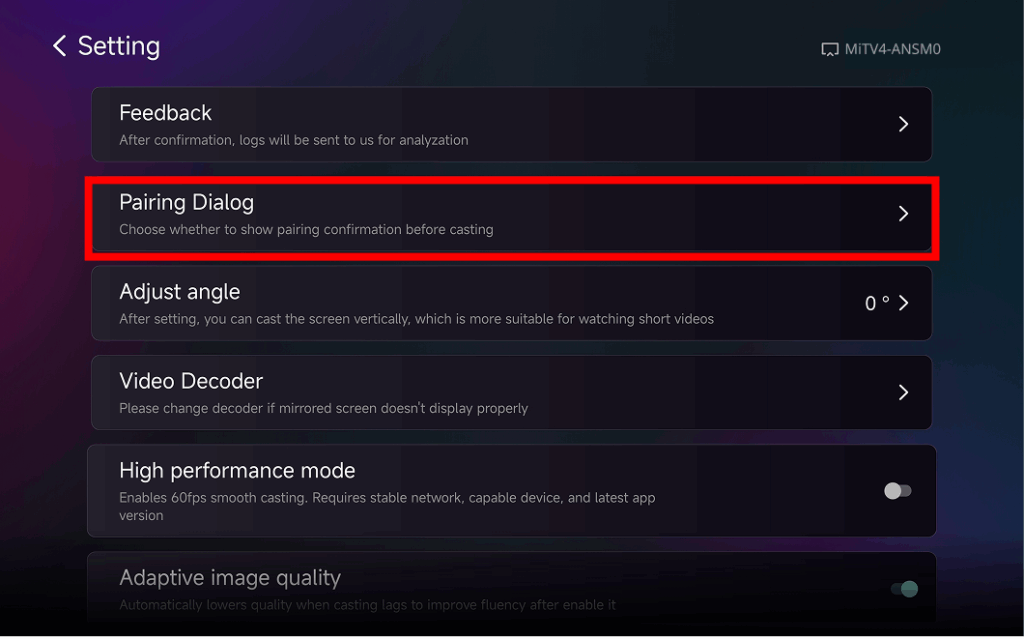
❷ Find and Tap “Pairing Dialog”
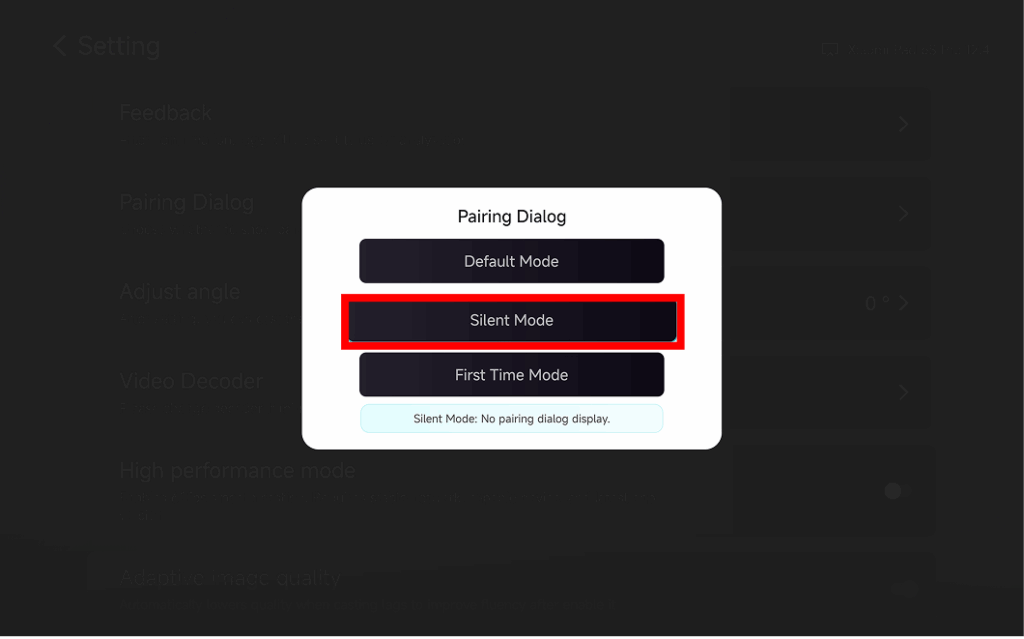
❸ Choose Your Preferred Mode
⭐ Default Mode
A popup appears every time before casting.
⭐ Silent Mode
No popup appears – your TV automatically accepts all mirroring requests.
⭐ First-Time Mode
A popup appears only for the first connection. After approval, all future requests are auto-accepted.
Why Use Auto-Accept Mirroring?
- Perfect for home, classrooms, stores, and digital signage.
- Stop searching for the remote – connect instantly.
- Instant screen mirroring from your phone, tablet, or PC without interruption.