Screen Mirroring on School or Office Wi-Fi: Why It‘s Blocked and What to Ask IT
You walk into a classroom or meeting room, open AirPlay, Google Cast or Windows Cast, and the TV isn’t in the list. Or it shows up, but the connection keeps failing. At home the same phone or laptop works every time.
When this happens on school or office Wi-Fi, your device is rarely the cause. Managed networks are often set up on purpose to stop devices from seeing each other. That protects everyone on a shared network, but it also blocks screen mirroring. You can’t change those settings yourself, and you shouldn’t try. What you can do is figure out roughly what’s happening and give IT a clear, specific request.
This guide covers networks you don’t manage. If you’re on your own home Wi-Fi and can change the router settings, see O espelhamento de tela não está funcionando em vez disso.
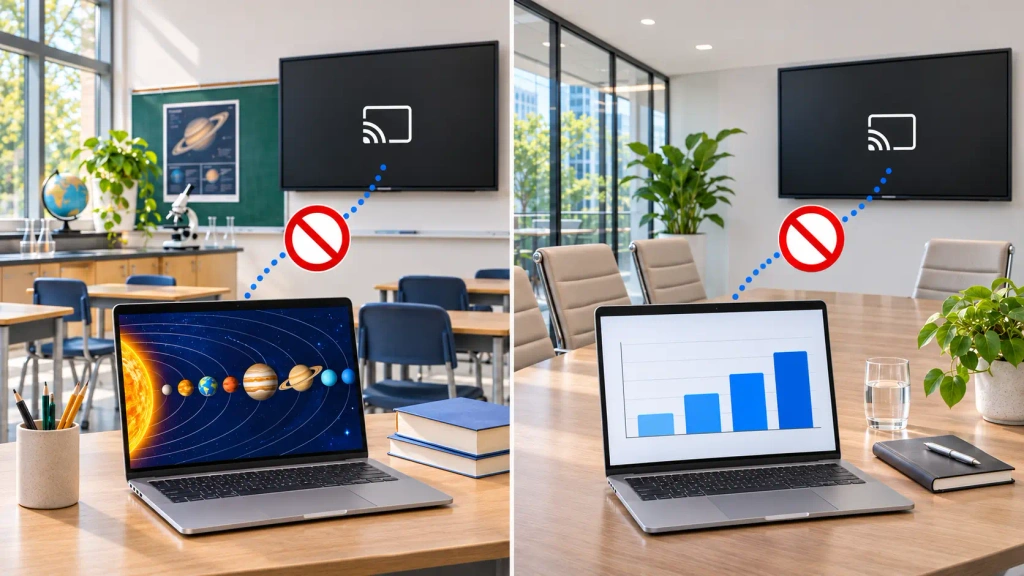
Why screen mirroring is blocked on managed networks
Every mirroring method has to do two things. First your device has to find the receiver, and then it has to connect to it. Most mirroring systems find receivers with a protocol called multicast DNS (mDNS), which Apple calls Bonjour. Apple notes that this traffic “is usually not routed across subnets,” so the sender and the receiver normally have to be on the same part of the network. Managed networks can block the finding step, the connecting step, or both. The table below lists the most common reasons.
| Causa | What it means | What you’ll see |
|---|---|---|
| Client isolation (AP isolation) | Devices on the Wi-Fi can reach the internet but not each other | TV never appears |
| Guest network | Guest Wi-Fi is kept separate from the main network and is usually isolated too | TV never appears |
| Discovery blocked | mDNS traffic (UDP 5353) is filtered to reduce network load | TV never appears |
| Network segmentation (VLANs) | TVs are on a separate device network behind firewall rules | TV never appears, or appears but won’t connect |
| Device not approved | The TV can’t sign in with 802.1X, a login page or a MAC allowlist | TV isn’t on the network at all |
Client isolation is the most common cause on school and guest networks. Google says plainly that a Chromecast can’t be set up on a guest, hotel or public network with client isolation turned on. The fix has to come from whoever manages the network.
What you can check yourself
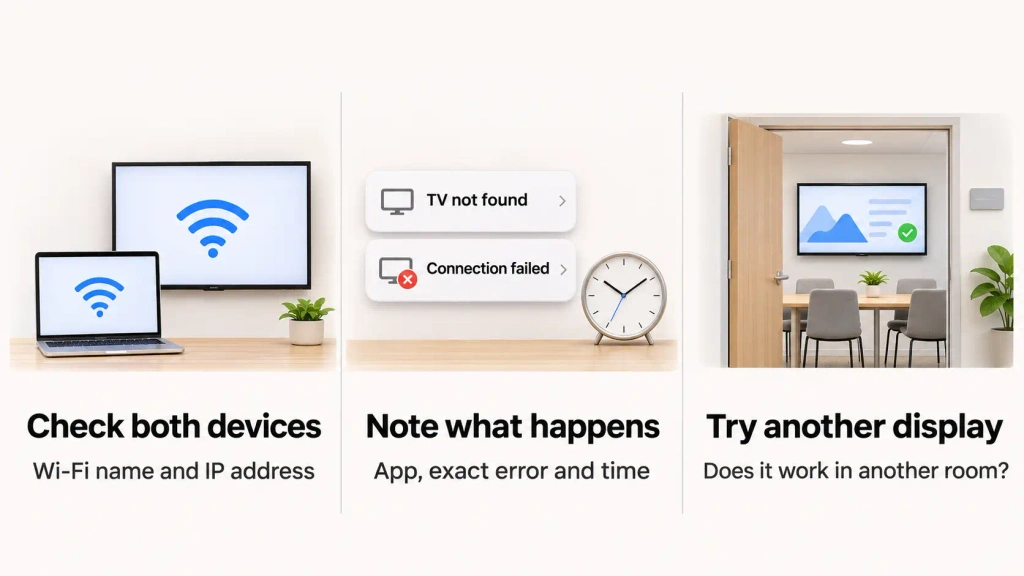
You don’t need admin access to work out which of these causes is the likely one. A few minutes of checking will also save a lot of back-and-forth with IT. Don’t change anything. Just write these down:
| Verificar | How |
|---|---|
| Network names | Note the Wi-Fi name (SSID) on your device and on the TV. Is either one a guest network? |
| IP addresses | Note both. Very different ranges (e.g. 10.20.x.x vs 10.40.x.x) usually mean different subnets. |
| O que acontece | Does the TV not appear at allou appear but fail to connect? |
| Error and time | Note the app, the exact error message and the time. |
| Another room | Does mirroring work with a different display? |
The third check is the most useful. If the TV never appears, discovery is probably blocked. If it appears but won’t connect, a firewall rule between the two networks is the more likely cause.
For general fixes such as restarting the devices, updating the app or checking your own computer’s firewall, see O espelhamento de tela não está funcionando. Don’t try to get around the network by using an unapproved hotspot, plugging in your own router or changing settings on shared equipment. On a managed network that can break the acceptable-use policy, even if it seems harmless.
What to ask IT: copy-and-paste template
IT gets vague tickets like “casting doesn’t work” all the time, and they usually have to send back the same questions. Including the details above makes the ticket quicker to resolve. Ask for an approved setup, not for security to be turned off. That request is much easier for IT to say yes to.
Assunto: Screen mirroring to [room / display] on [network name]
Hi IT team,
I need to mirror from [my device] to [TV / display in room X] using [AirPlay / Google Cast / Miracast / 1001 TVs].
- My network: [SSID], IP [x.x.x.x]
- Display’s network: [SSID or unknown], IP [x.x.x.x or unknown]
- Problem: [display doesn’t appear / appears but connection fails: “error”]
- When: [date, time]
It may be blocked by client isolation, mDNS filtering or VLAN separation. Is there an approved way to make this work, or another supported way to present in this room?
Thanks, [name, department/class]
Approved setups IT commonly uses
IT can usually make mirroring work without opening up the whole network. Apple, Google and Microsoft each document setups that keep the network secure and still let presenters connect. You don’t need to know how they work. Mentioning one or two can help when you talk to IT.
| Approved setup | How it helps | Plataforma |
|---|---|---|
| mDNS / Bonjour gateway | Passes device announcements between networks in a controlled way | AirPlay (advertise _airplay._tcp e _raop._tcp), Google Cast |
| Separate network for displays plus firewall rules | Puts TVs on their own VLAN and opens only the ports casting needs | Google Cast |
| MAC allowlist on a WPA2-PSK network | Gets TVs that can’t use 802.1X onto the network safely | Google Cast receivers |
| On-screen codes / device verification | Only people in the room can connect | Apple TV |
| Peer-to-peer AirPlay | Apple devices connect directly, without relying on the building’s Wi-Fi | Apple TV |
| Miracast over Infrastructure | Lets Windows project over the existing network (needs secure Wi-Fi and TCP port 7250) | Windows, Surface Hub |
| Cast moderator | A classroom casting system for managed Chromebooks and Chrome | Managed Chrome / ChromeOS |
Apple’s guidance is worth knowing because it rules out a common shortcut: AirPlay needs live discovery, so static DNS records aren’t enough.
Using 1001 TVs on a school or office network
1001 TVs has the same basic requirement as built-in mirroring. You install the app on both devices, and both devices have to be na mesma rede Wi-Fi, with that network letting them reach each other. Scanning the QR code is quicker than picking from a list, but you still need that same network. Mirroring data stays on your local network and isn’t uploaded to the internet, which can help when IT reviews the request.
So on a managed network, the order is IT first, app second. Mention “1001 TVs” in your request. If IT approves the network, or allows a hotspot or separate presentation network for your session, connect both devices to it and mirror as usual.

Perguntas frequentes
Why does screen mirroring work at home but not at school or work? Home routers usually let every device on the Wi-Fi see the others. School and office networks often block that on purpose, using client isolation, separate VLANs or mDNS filtering, so the TV may never show up on your device even though it’s in the same room.
Can I just use my phone’s hotspot instead? Only if IT or the school allows it. On some managed networks, connecting shared equipment to a personal hotspot breaks the acceptable-use policy. Ask first, and if IT approves, connect both devices to the hotspot.
Why won’t IT just turn off client isolation? Client isolation stops devices on a shared network from reaching each other, which protects everyone on it. IT usually prefers a targeted fix, such as an mDNS gateway or a separate network just for displays, so presenters can connect without opening up the whole network.
The TV shows up but won’t connect. What does that mean? Your device can find the TV, but something is blocking the connection itself. That’s usually a firewall rule between two network segments. For example, Miracast over Infrastructure needs TCP port 7250 open. Mention “appears but fails to connect” in your IT request.
Does AirPlay always need both devices on the same Wi-Fi? Not always. Apple says devices can also discover an Apple TV over Bluetooth or a direct peer-to-peer connection. On a managed network, though, IT may control how the Apple TV accepts connections, so it’s still worth asking.
Does 1001 TVs work on school or office Wi-Fi? Yes, as long as IT has approved the network and the network lets the two devices reach each other. Both devices need the app and have to be on the same Wi-Fi network.
Does my screen content go over the internet? With 1001 TVs, no. Mirroring data stays on your local network and isn’t uploaded to the internet.

Leia mais
 Como apresentar uma apresentação do PowerPoint na TV sem fio (Windows, Mac e celular)
Para apresentar uma apresentação do PowerPoint na TV sem fio, conecte-se à TV usando um padrão sem fio compatível com ambos os dispositivos e configure a TV como uma tela estendida...
 Sinalização digital para lojas de varejo: o que exibir e como configurá-la
Uma promoção para o sábado já está pronta. O material gráfico apresenta os produtos em destaque, os preços e as datas da promoção. Agora, a equipe da loja precisa...

