Pionowy tryb ekranu na Android TV: Mirror, Share & Enjoy na dużym ekranie
Dzięki 1001 TVs nie jesteś już ograniczony do tradycyjnego poziomego mirroringu.
Teraz możesz cieszyć się w pełni zoptymalizowanym pionowym oglądaniem na swoim Android TV.
Niezależnie od tego, czy oglądasz krótkie filmy, przeglądasz media społecznościowe, udostępniasz albumy, czy przesyłasz pliki, 1001 TVs sprawia, że wszystko jest płynne i łatwe na dużym ekranie.
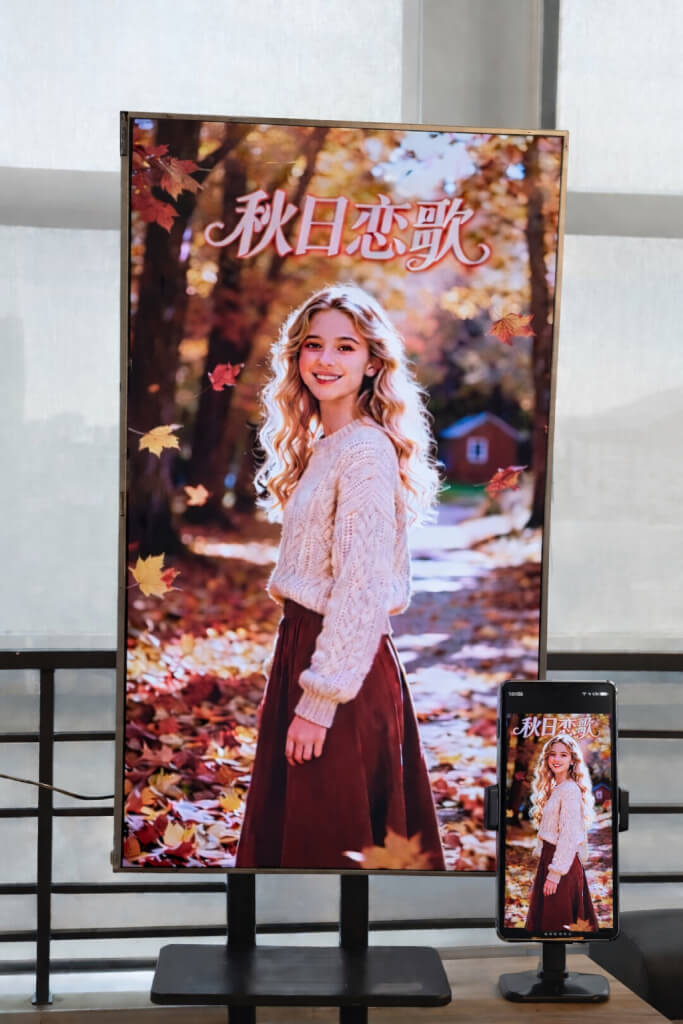
1. Zainstaluj 1001 TVs na swoim Android TV
Pobierz i zainstaluj Aplikacja 1001 TVs zarówno na telefonie, jak i Android TV.
Upewnij się, że telewizor i urządzenie mobilne są podłączone do tej samej sieci Wi-Fi.
📥 Aplikacja TV: Jak zainstalować 1001 TVs na telewizorze
Aplikacja na iOS: Pobierz z App Store
Aplikacja na Androida: Pobierz z Google Play
Otwórz aplikację 1001 TVs na telewizorze i przejdź do strony Ustawienie.
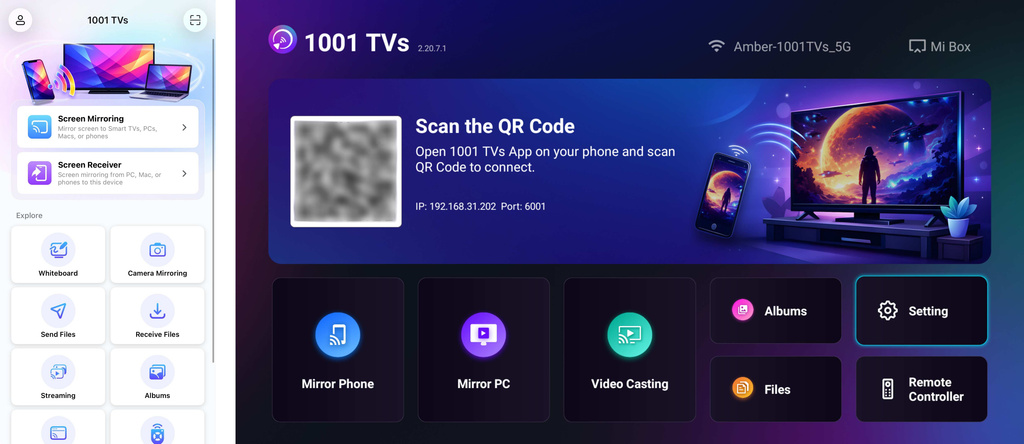
2. Regulacja orientacji ekranu
W Ustawienie, wybierz Regulacja kąta.
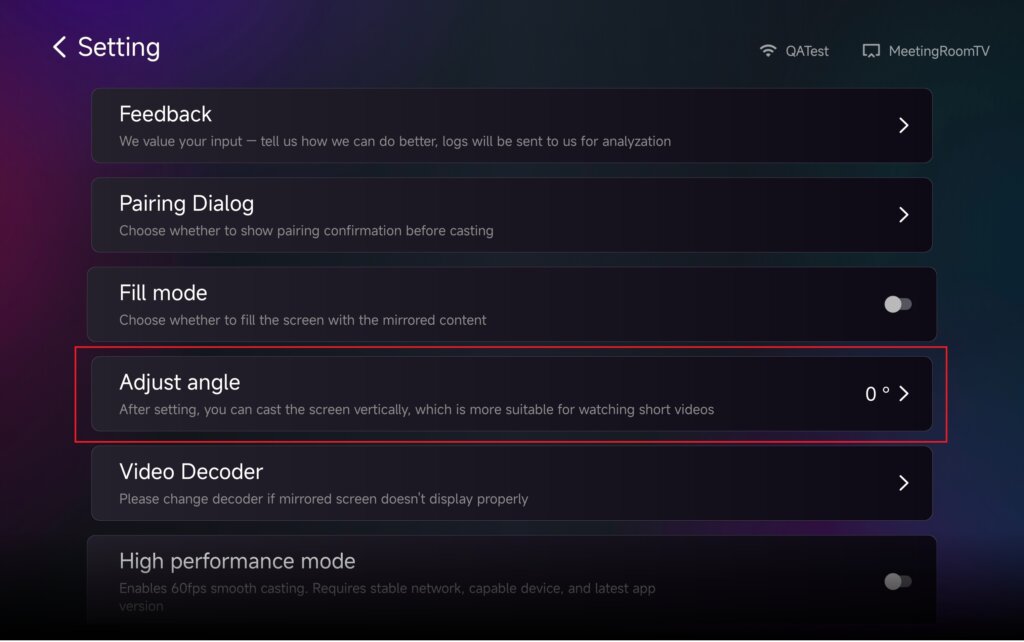
Dostosuj kąt, aby włączyć tryb pionowy w zależności od potrzeb.
Po zmianie kąta należy restart aplikację, aby zastosować zmiany.
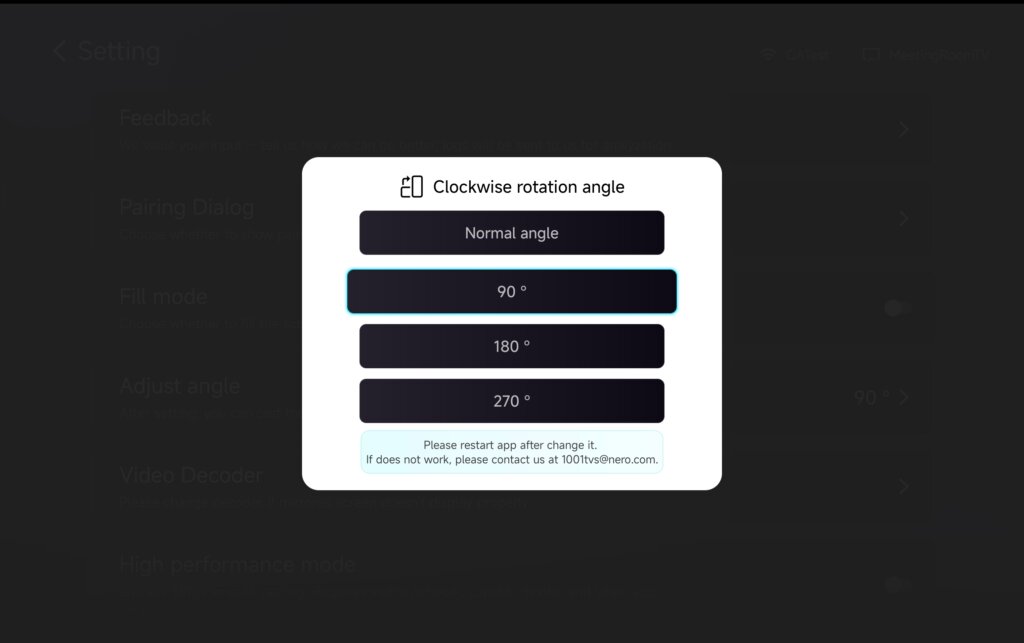
3. Korzystanie z trybu pionowego z kopiami lustrzanymi, transferem plików i albumami
Screen Mirroring
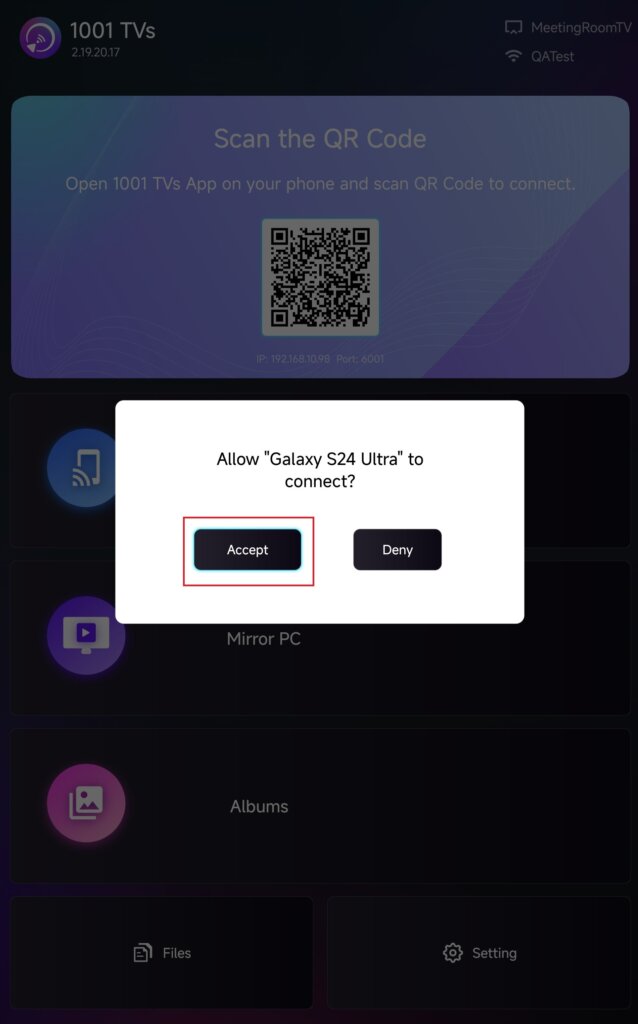
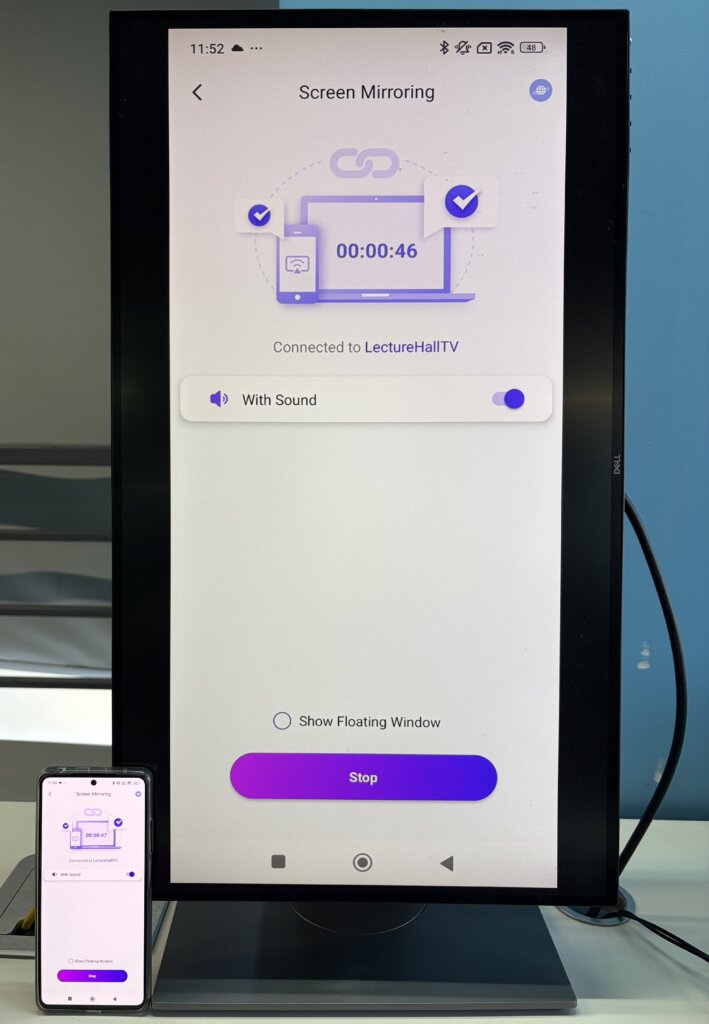
Wybierz telewizor z listy urządzeń lub zeskanuj kod QR wyświetlany na ekranie telewizora.
Po nawiązaniu połączenia dotknij Akceptuj na telewizorze, aby rozpocząć dublowanie.
Wyślij pliki
Wybierz telewizor z listy urządzeń, aby nawiązać połączenie.
Następnie dotknij Wyślij i wybierz pliki, które chcesz przesłać.
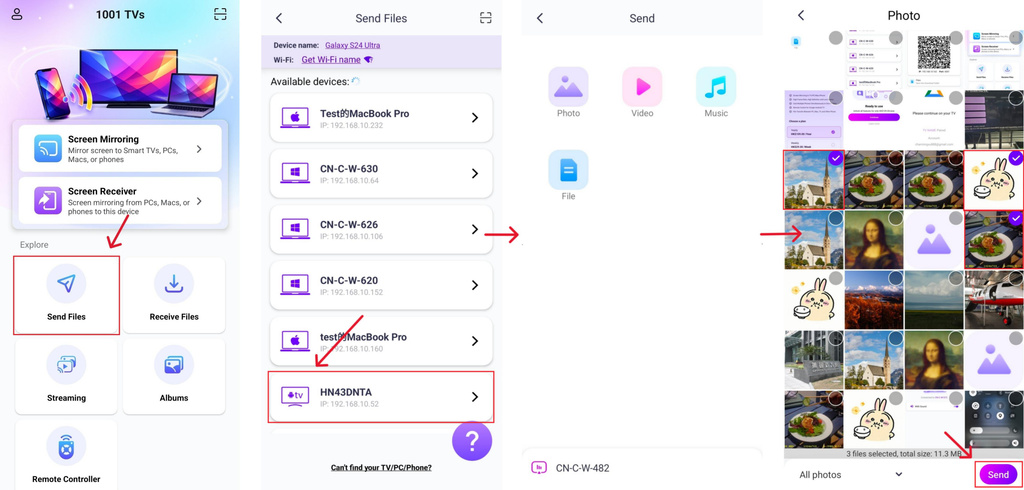
Pliki zostaną dostarczone bezpośrednio do telewizora i będą gotowe do otwarcia.
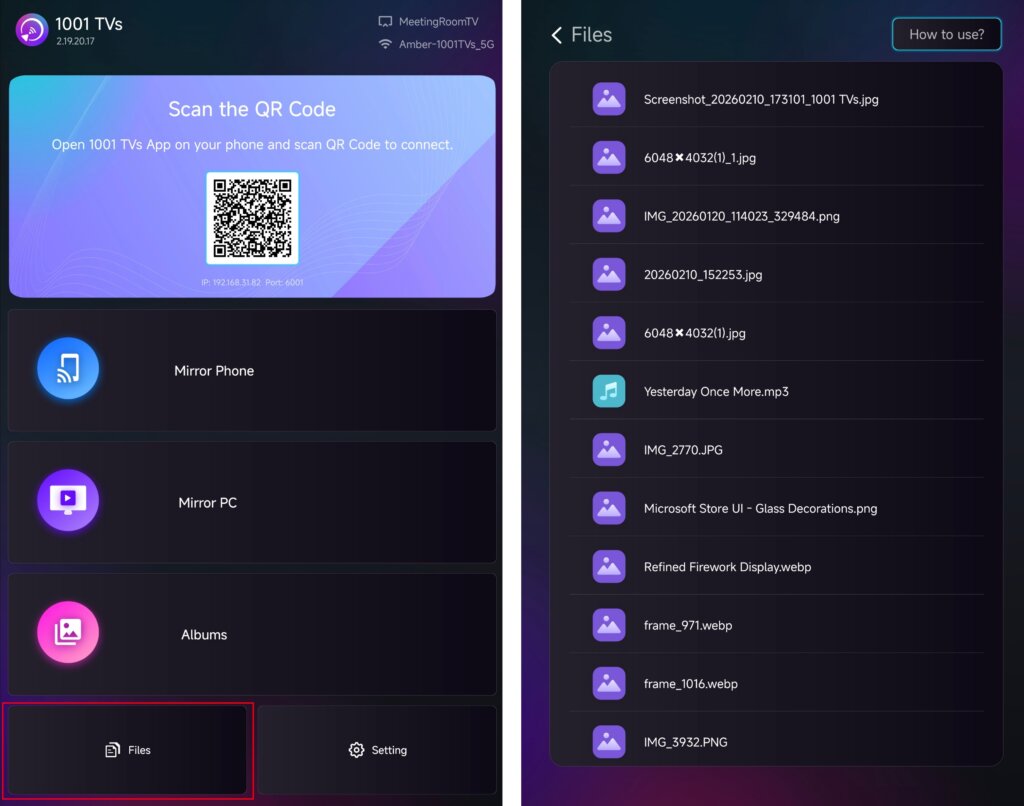
Szczegółowe instrukcje można znaleźć w samouczku: Wysyłanie plików do telewizora z telefonu
Album na ekran
Wybierz telewizor z listy urządzeń i prześlij zdjęcia lub filmy z telefonu.
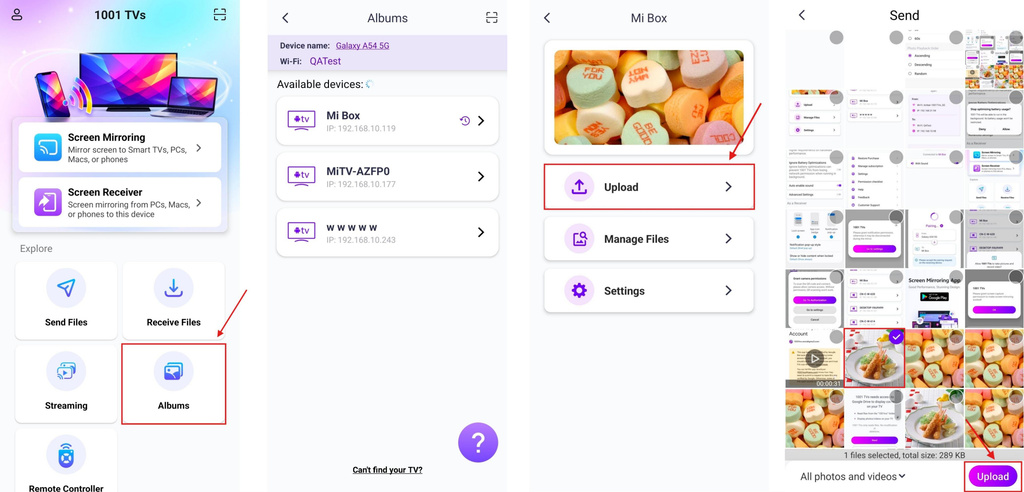
Na telewizorze otwórz Album na ekran aby przeglądać i odtwarzać przesłaną zawartość w dowolnym momencie.
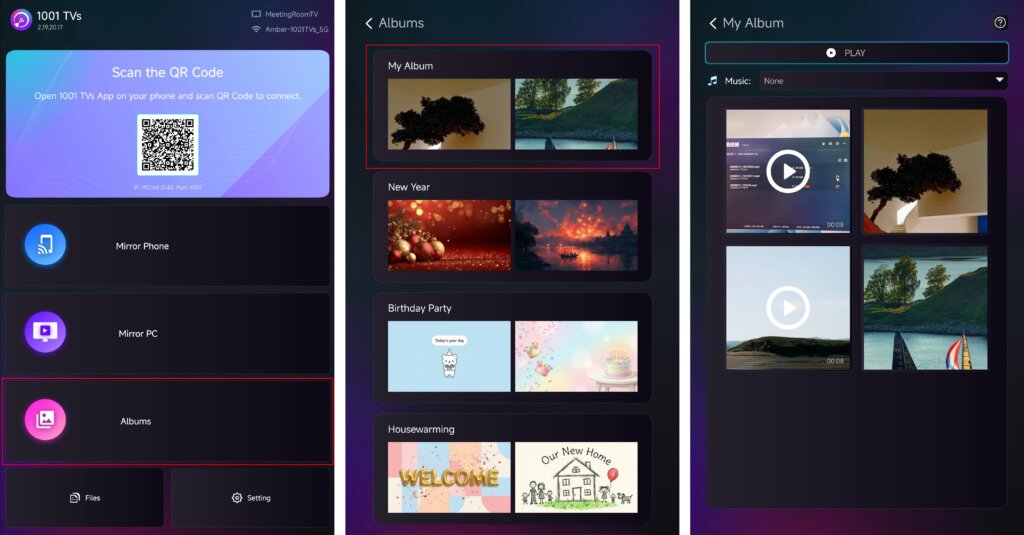
Szczegółowe instrukcje można znaleźć w samouczku: Jak udostępnić domowy pokaz slajdów/album rodzinny z telefonu na telewizorze
Streaming
✅ Obsługiwane na Android TV 2.20.2.0+
Wybierz swój telewizor z listy urządzeń i wybierz zawartość, którą chcesz przesyłać strumieniowo.
Odtwarzanie multimediów na telewizorze rozpocznie się automatycznie, umożliwiając oglądanie ich na większym ekranie.
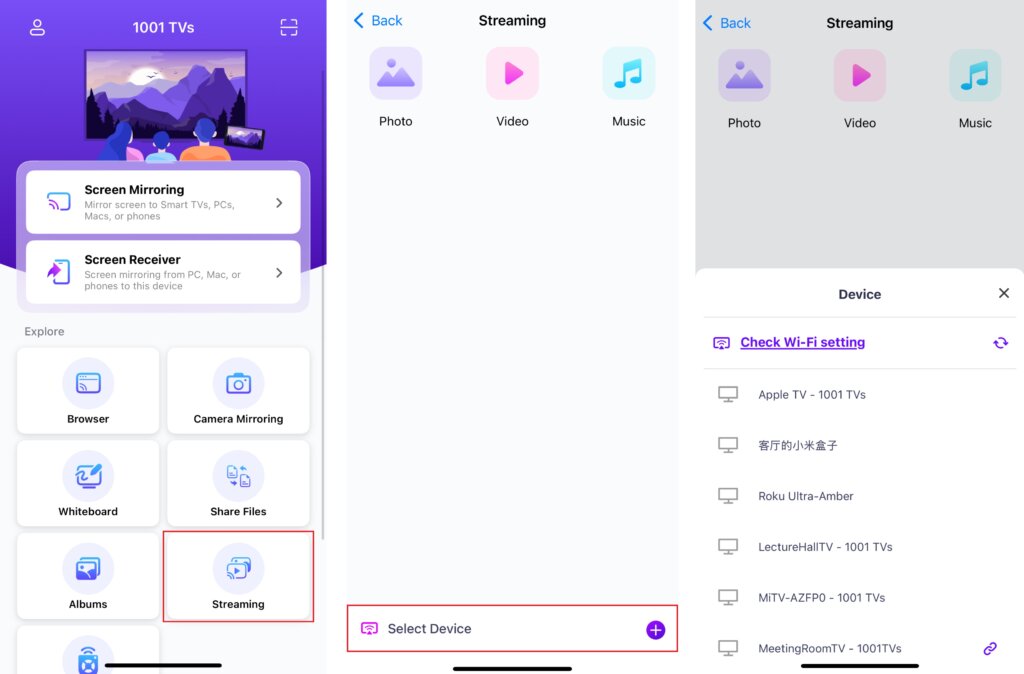
Szczegółowe instrukcje można znaleźć w samouczku: Jak przesyłać strumieniowo pliki multimedialne z telefonu do telewizora
4. Zmiana rozmiaru zawartości ekranu
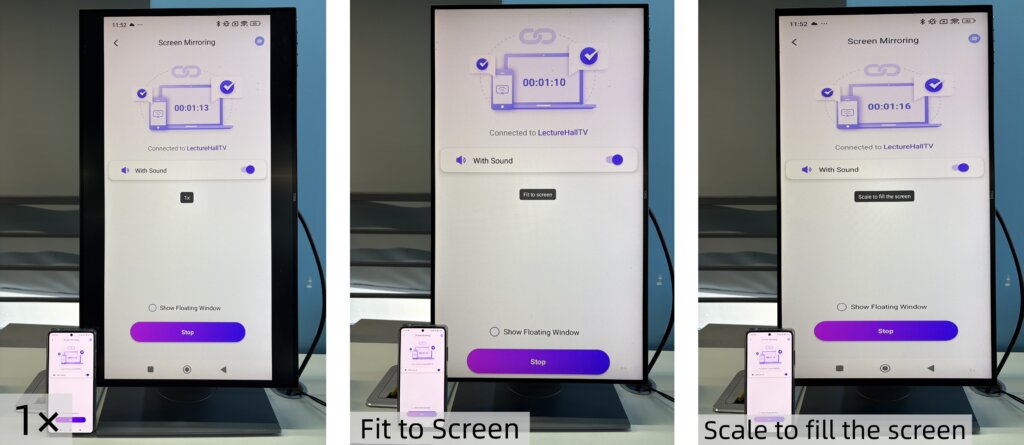
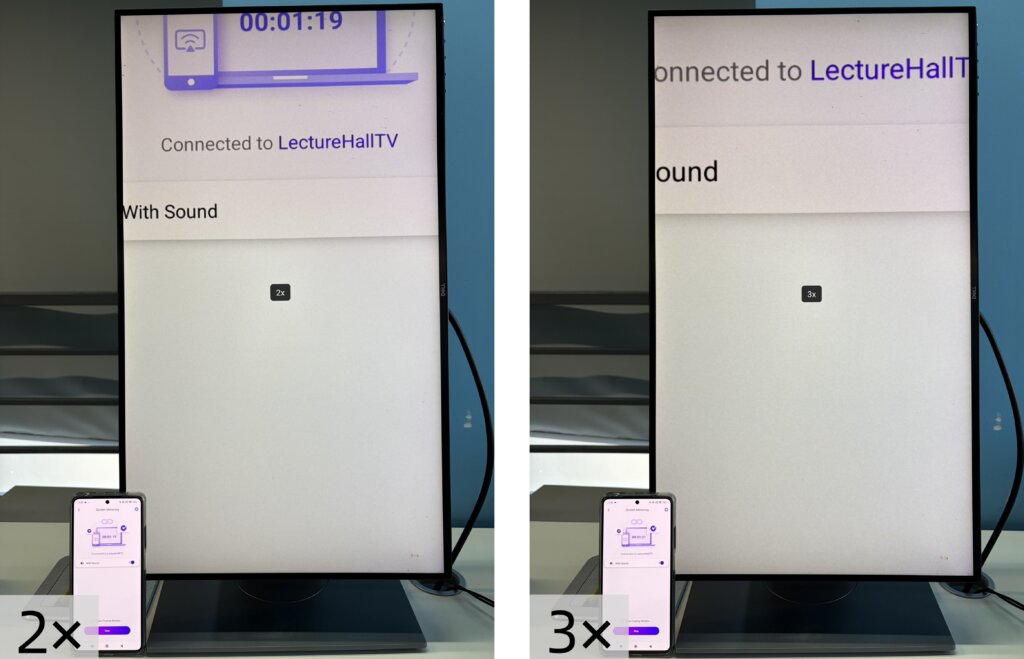
Aby dostosować rozmiar wyświetlanej zawartości, naciśnij przycisk W górę oraz W dół na pilocie telewizora.
Można przełączać między następującymi trybami wyświetlania:
- 1 × - Wyświetlanie w oryginalnym rozmiarze
- Dopasowanie do ekranu - Automatycznie zmienia rozmiar, aby wypełnić ekran, zachowując oryginalne proporcje obrazu.
- Skalowanie w celu wypełnienia ekranu - Rozciąga obraz, aby całkowicie wypełnić ekran
- 2× / 3× - Powiększ, aby uzyskać bliższy widok
Wybierz tryb wyświetlania, który najlepiej odpowiada Twoim potrzebom.
Uwaga:
Tryby zmiany rozmiaru są w pełni obsługiwane w Screen Mirroring.
Nie są one obsługiwane w Streaming.
W Pliki oraz Album na ekran, 2× i 3× zoom nie są dostępne.
5. Tryb pionowy
Wszystko gotowe. Rozpocznij tworzenie kopii lustrzanej lub udostępnianie treści w trybie pionowym i ciesz się nowymi wrażeniami podczas oglądania na ekranie telewizora.
Pobierz 1001 TVs teraz!
📥 Aplikacja TV: Jak zainstalować 1001 TVs na telewizorze
Aplikacja na iOS: Pobierz z App Store
Aplikacja na Androida: Pobierz z Google Play

Czytaj więcej
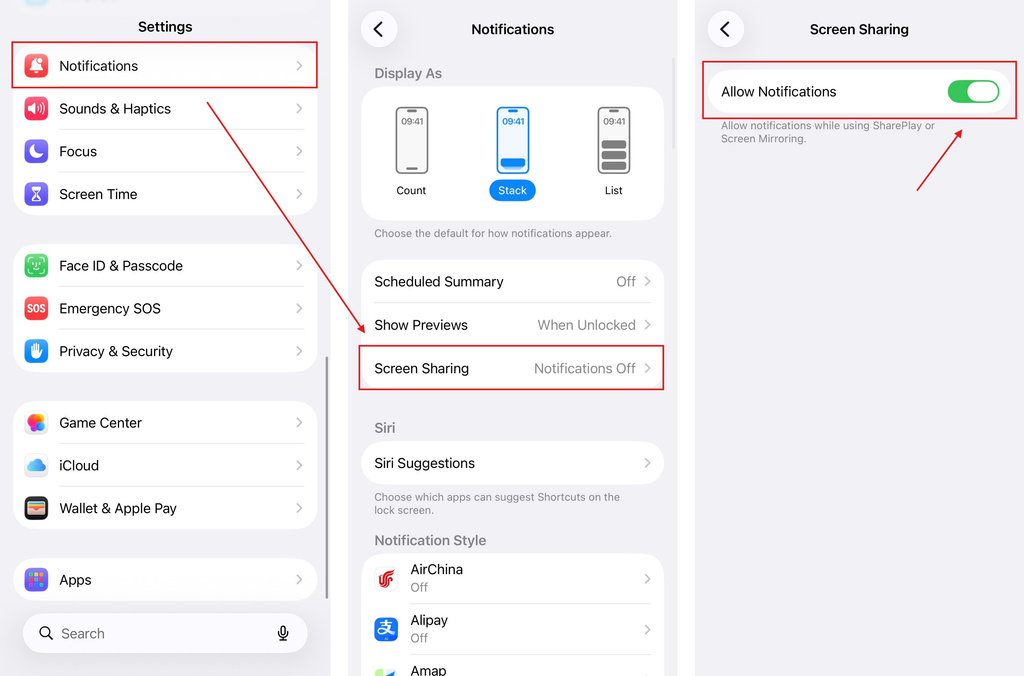 iOS: Jak rozwiązać problem braku powiadomień z aplikacji podczas mirroringu ekranu
Dlaczego brakuje powiadomień? Podczas wyświetlania obrazu z ekranu iPhone’a na innym ekranie powiadomienia z innych aplikacji mogą nie pojawiać się na wyświetlanym ekranie. Może się to zdarzyć...
iOS: Jak rozwiązać problem braku powiadomień z aplikacji podczas mirroringu ekranu
Dlaczego brakuje powiadomień? Podczas wyświetlania obrazu z ekranu iPhone’a na innym ekranie powiadomienia z innych aplikacji mogą nie pojawiać się na wyświetlanym ekranie. Może się to zdarzyć...
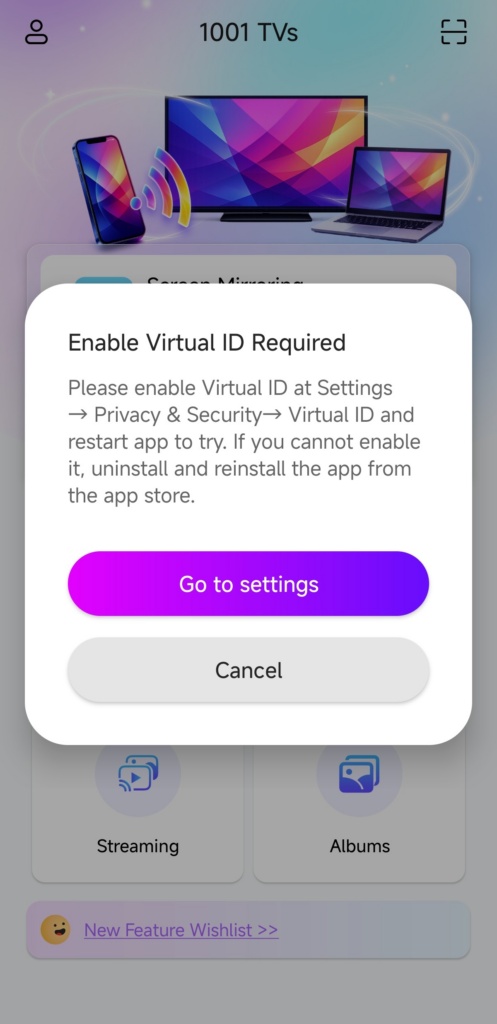 Jak usunąć wyskakujące okienko z komunikatem „Wymagane włączenie wirtualnego identyfikatora”
Jeśli korzystasz z telefonu lub tabletu marki Xiaomi lub Redmi, po uruchomieniu aplikacji może pojawić się okienko z komunikatem "Wymagane włączenie wirtualnego identyfikatora"...
Jak usunąć wyskakujące okienko z komunikatem „Wymagane włączenie wirtualnego identyfikatora”
Jeśli korzystasz z telefonu lub tabletu marki Xiaomi lub Redmi, po uruchomieniu aplikacji może pojawić się okienko z komunikatem "Wymagane włączenie wirtualnego identyfikatora"...

