How to Watch NBA on TV in the US
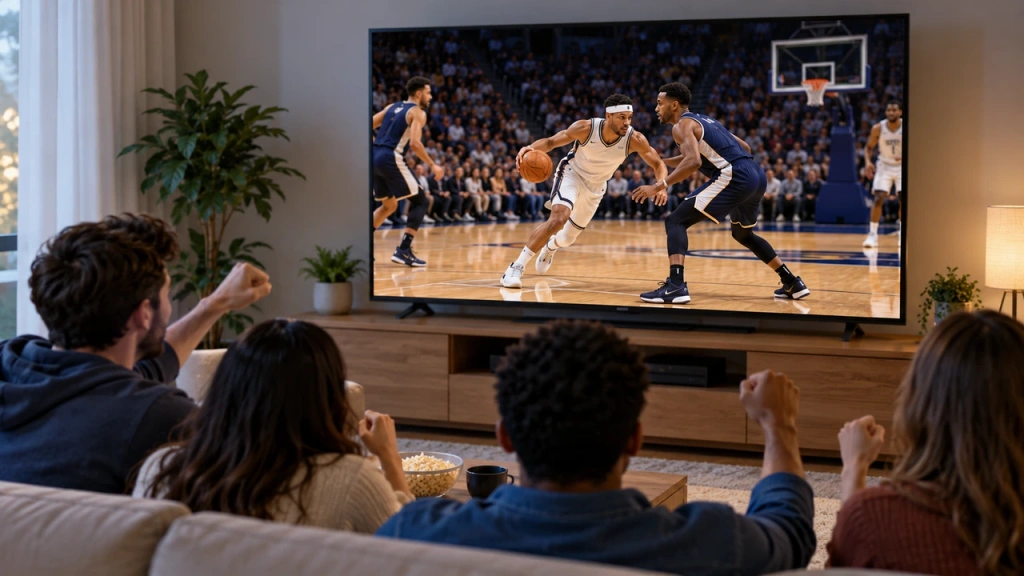
Watching NBA games on your TV in the US is easiest when you make two decisions in order: first, confirm which authorized service carries the specific game you want to watch; then choose the simplest supported way to watch that service on your TV.
NBA availability can differ between nationally televised games and games involving your local team. It can also depend on the season, the package you already have, and the viewing rules attached to a particular service. A phone stream does not automatically mean the same game can be shown on a TV.
This guide reflects the 2026–27 NBA season in the United States. According to the NBA’s 2026–27 regular-season schedule, the regular season begins on October 20, 2026, and runs through April 11, 2027.
Check Where Your NBA Game Is Available in the US
Before you compare TVs, streaming devices, or cables, identify the authorized viewing option for the game itself. In the US, the right answer may change depending on whether the game is nationally televised, involves your local team, is a regular-season game, or is part of the postseason.
For the 2026–27 season, the NBA’s national broadcast and streaming partners are Disney (ABC/ESPN), NBCUniversal (NBC/Peacock/NBCSN), and Amazon (Prime Video), as outlined in the NBA’s 2026–27 viewing guide.
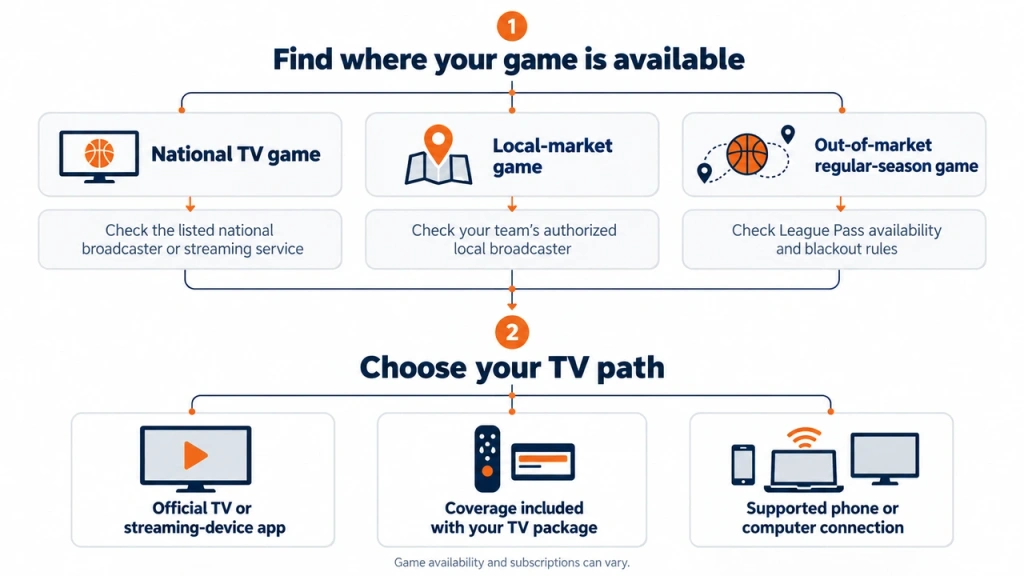
National games are available through the ESPN App for ABC/ESPN games, Peacock for NBCUniversal games, and Prime Video for Amazon games, subject to the applicable service and subscription. For a local-market game, start with your team’s authorized local broadcaster or service. For an out-of-market regular-season game, NBA League Pass may be the relevant option, subject to US blackout rules.
| Game type | Start by checking |
| Nationally televised game | The NBA schedule, then the listed ABC/ESPN, NBC/Peacock/NBCSN, or Prime Video coverage |
| Local-market game | Your team’s authorized local broadcaster or service |
| Out-of-market regular-season game | NBA League Pass and its current blackout rules |
In the US, NBA League Pass does not provide live access to every game. Local and nationally televised games can be subject to live blackouts. The NBA Help Center’s League Pass blackout guidance explains that NBA Playoff and NBA Finals games are also blacked out live in the US because they are available from national broadcasters, with those postseason games available on demand through League Pass at 6:00 a.m. ET the following day. Check the blackout information and the schedule for the specific game before you subscribe or rely on League Pass.
Use this quick check before choosing a device:
- Identify the game and date.
- Check whether you are in the team’s local market.
- Confirm that the listed service or your existing package includes that game.
- Review any game-specific blackout or package restrictions.
Check the NBA’s current schedule and viewing information, then confirm details that can vary by game—such as local coverage and package access—with the relevant authorized broadcaster or service. Do not assume that one subscription covers every NBA game, even if it has carried games you watched before.
This article is about finding a supported way to watch on TV. It does not replace official schedule information, live scores, or the terms of a broadcaster or streaming service. It also cannot help bypass regional, blackout, account, or content-protection restrictions.
Choose the Best Way to Watch NBA on Your TV
Once you know that you have access to the game, choose the most direct supported TV path. In most cases, a native TV or streaming-device app is the simplest option. If you already receive the game through a TV package, use the coverage included with that package. Only use a phone or computer connection when there is no suitable native TV option for the authorized service.
| If this describes you | Start with this option | Confirm first |
| Your TV has the official app for the authorized service | Watch in the Smart TV app | App availability, account eligibility, subscription status |
| You use Roku, Fire TV, Apple TV, or Google TV | Use the official app on the streaming device | Device support, app availability, account eligibility |
| You already have cable, satellite, or a live TV streaming package | Check whether your package includes the game | Channel or coverage rights, provider credentials, local versus national availability |
| You can watch legally on a phone or computer but have no suitable TV app | Use a supported Cast, AirPlay, HDMI, or other approved display method | External-display support, device compatibility, account eligibility |
The order is deliberate: use the official app on a TV or streaming device when possible, then use coverage you already receive through a provider, and only then connect an authorized phone or computer stream to the TV.
Being able to play a game on a phone does not guarantee that it can be cast, mirrored, or displayed through every TV setup. The service, your subscription, and the external-display method can all affect what works.
Watch With the Official App on Your Smart TV or Streaming Device
This section is about device setup, not choosing a new service. Use it after you have already confirmed that your account is eligible to watch the game.
On a compatible Smart TV or streaming device, find the official app for the service that carries your game. Sign in with the account you have already confirmed includes access, then verify that the subscription is active before tip-off. From there, locate the game or the relevant channel inside the app and test playback early.
A few practical checks can prevent a last-minute surprise:
- Update the TV or streaming device if an update is available.
- Make sure the device has enough available storage for the app to install or update.
- Confirm that the device has a stable internet connection.
- Sign in before the game starts rather than waiting for the opening tip.
If you cannot find or install the app, do not assume the game is unavailable. First check whether the device, app store region, and service support that combination. Then return to the decision table and choose another authorized path that fits your setup.
For device-specific instructions, link readers to the relevant Smart TV, Roku, Fire TV, Apple TV, Google TV, or brand-specific guide rather than repeating every installation path here.
Use the NBA Coverage Included With Your TV or Live TV Package
If you already pay for cable, satellite, or a live TV streaming package, check what you already have before purchasing another subscription. This section is about viewing entitlement: whether your existing package includes the particular game you want to watch.
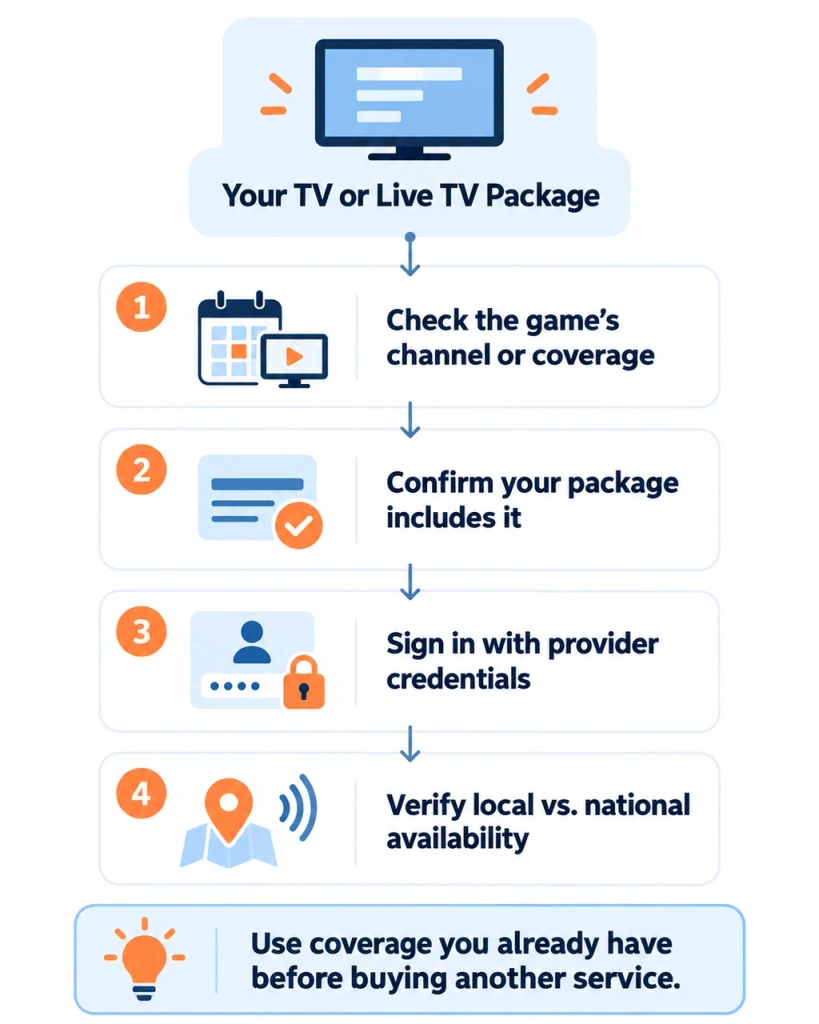
Start by confirming whether your package includes the relevant channel or NBA coverage. Then check whether your provider credentials can be used to access a corresponding channel or service app when that is supported. The app may be useful on your TV or streaming device, but the key question here is whether your package already gives you the right to watch.
Pay attention to the difference between national and local coverage. A package that includes one type of NBA broadcast may not necessarily include every game you want, and live availability can differ from replay availability. Confirm the game-level details with the provider or authorized service rather than relying on a general channel list.
If your existing package covers the game, there is usually no reason to buy a second service for the same viewing need. Consider another option only after you have confirmed that your current package does not include the game and that an additional authorized path is available for your situation.
Before relying on your package for a game, verify your provider login, channel access, and any device-login rules. Keep game-day troubleshooting out of this step; if a provider says the game is unavailable, return to the availability check above before changing devices or buying anything else.
Cast or Connect an NBA Stream From Your Phone or Computer to TV
Use this route only when you already have authorized access to the game and there is no suitable native app on your TV or streaming device.
Start with the display method the service itself supports. If the app offers a built-in Cast or AirPlay option and your TV or receiving device is compatible, that is generally the most straightforward wireless path. If a supported wireless option is not available, a computer connection through HDMI can be appropriate. Other external-display methods should be used only when the service clearly supports them.
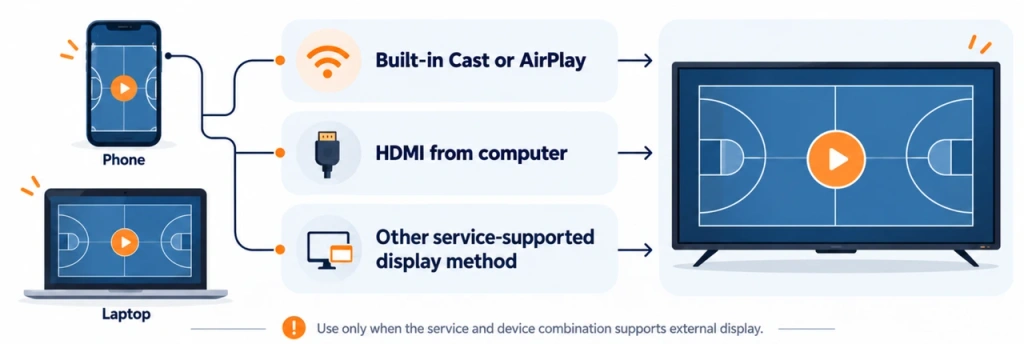
If you later find that the service has an official app for your TV or streaming device, return to that native-app route instead. It is usually simpler than maintaining a phone or computer connection during a live game.
Before connecting, check the basics:
- For wireless casting or AirPlay, make sure the source device and receiving device are on the required network setup.
- For HDMI, select the correct TV input and confirm the cable and computer output are working.
- Update the source device and receiving device when appropriate.
- Sign in to the authorized service on the source device before you begin.
Some services or specific games may limit casting, mirroring, or external display. If a game plays on your source device but will not display on the TV, use the service’s supported TV or streaming-device option instead of trying to bypass the restriction.
Readers who need step-by-step help can be directed to the site’s phone-to-TV, PC-to-TV, screen sharing, and TV-brand connection guides. If a native method does not fit the reader’s verified device combination, download 1001 TVs only after compatibility has been confirmed. It is not a source of NBA coverage, a replacement for a subscription, or a way around service restrictions.
Quick Checks Before Tip-Off
Before the game starts, confirm the game time and time zone, make sure you can sign in, and test playback in advance. Update your TV or streaming device if needed, and use a stable Wi-Fi or Ethernet connection. For HDMI, verify the selected input; if you are casting, make sure the receiving device is ready.
If the game itself is unavailable, recheck the authorized viewing option for that game in your US and local-market context. If the game plays on your phone or computer but not on the TV, check the display method rather than changing your subscription immediately.
FAQ
Can I watch NBA games on my TV without cable?
Yes, but it depends on which authorized services carry the game in the US and in your local market, and whether those services support your TV or a compatible streaming device. Start by confirming the game’s availability, then choose a supported device path.
Do I need a Smart TV to watch NBA games?
No. A compatible streaming device, cable or satellite box, or computer connected by HDMI may also work. The important part is that the authorized service supports your chosen device and that your account includes the game.
Why can I watch the game on my phone but not on my TV?
TV-app availability, your subscription, device compatibility, and a service’s external-display rules can differ from phone playback. Check whether the service has an official app for your TV or streaming device first. If it does not, confirm that its supported casting, AirPlay, HDMI, or other display method applies to your setup.
Conclusion
To watch NBA on TV in the US, first confirm the authorized viewing option for the specific game in your US and local-market context. Then choose the simplest supported TV route: an official app on your TV or streaming device, coverage included with your existing package, or—only when necessary—a supported phone or computer connection.
For detailed setup help, continue to the relevant device, TV-brand, phone-to-TV, or PC-to-TV guide.