Πώς να κάνετε κατοπτρισμό iPhone σε Mac μέσω USB
Η λειτουργία ενσύρματου αντικατοπτρισμού οθόνης για συσκευές iOS είναι τώρα διαθέσιμη! Απλά συνδέστε το iPhone ή το iPad σας στον Mac σας χρησιμοποιώντας ένα καλώδιο.
Δεν χρειάζεται να κατεβάσετε το 1001 TVs στο iPhone ή το iPad σας!
Σε τρία απλά βήματα
1. Εγκαταστήστε και ανοίξτε το 1001 TVs στο MacBook σας
📥 Εφαρμογή για Mac: Λήψη από το App Store
Κάντε κλικ στο "Λάβετε".
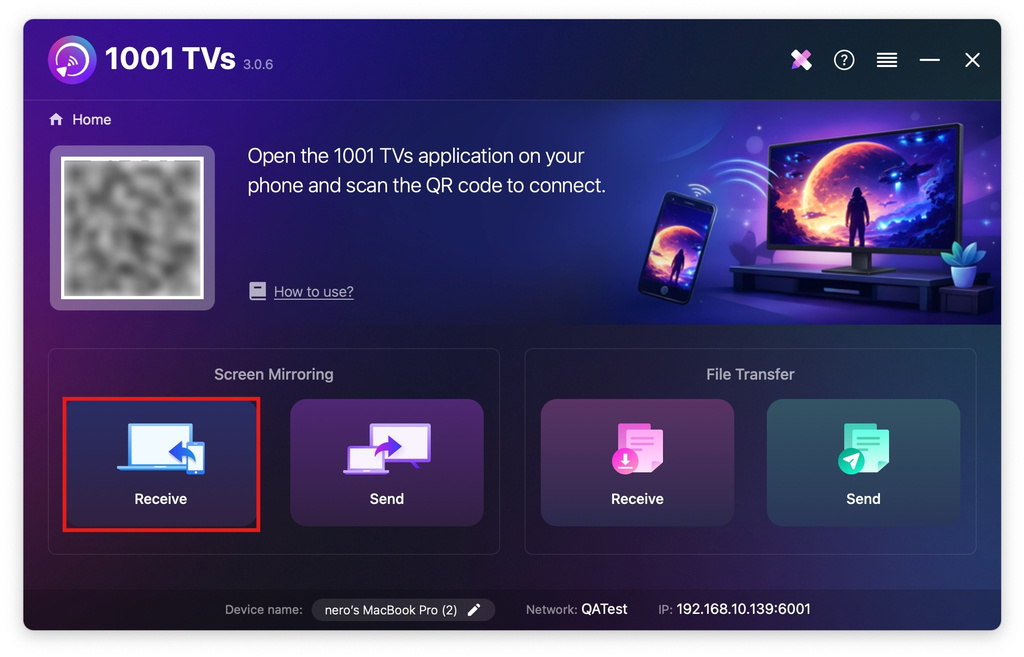
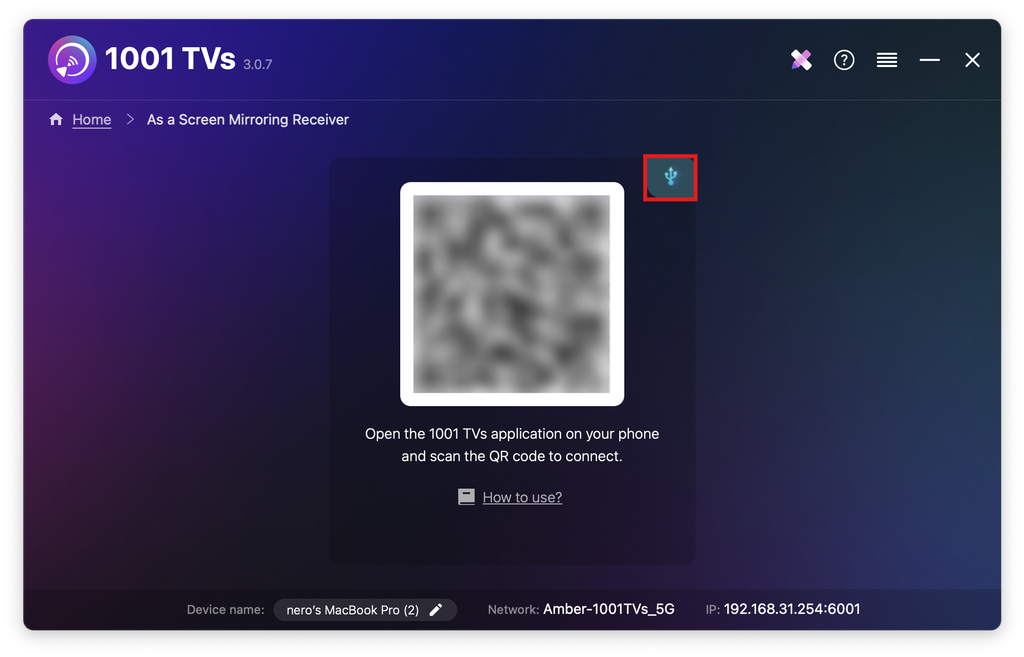
Πατήστε το εικονίδιο του καλωδίου.
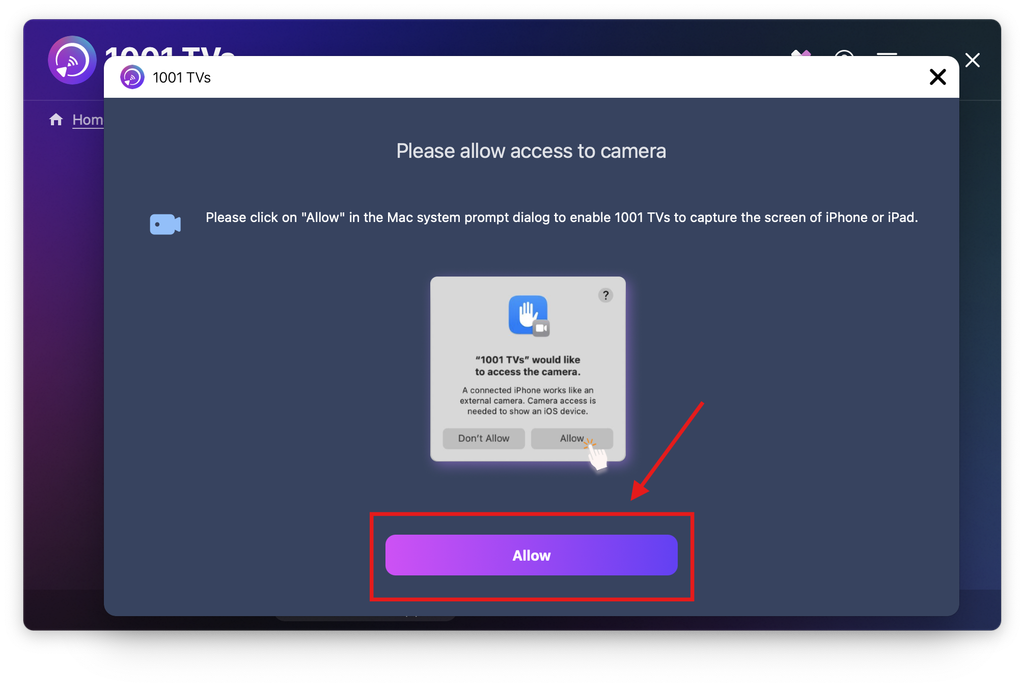
Όταν εμφανιστεί το αναδυόμενο παράθυρο δικαιωμάτων, κάντε κλικ στο “Επιτρέψτε το” για να χορηγήσετε πρόσβαση και να διασφαλίσετε την κανονική χρήση.
Θα εμφανιστεί η ακόλουθη οθόνη.
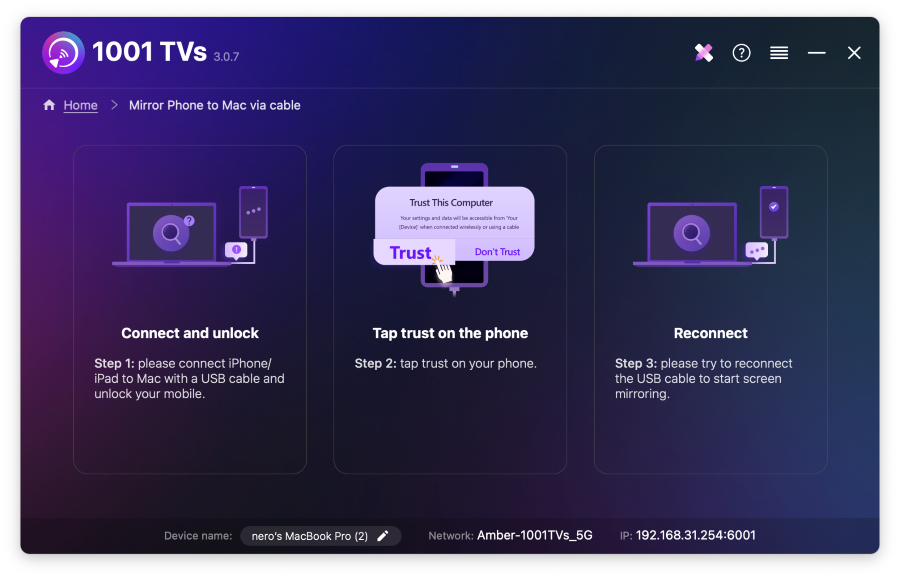
2. Συνδέστε το iPhone/iPad σας στον Mac μέσω καλωδίου
Στο iPhone/iPad σας θα εμφανιστεί μια προτροπή δικαιωμάτων -επιλέξτε "Εμπιστοσύνη" για να καταστεί δυνατή η σωστή λειτουργία.
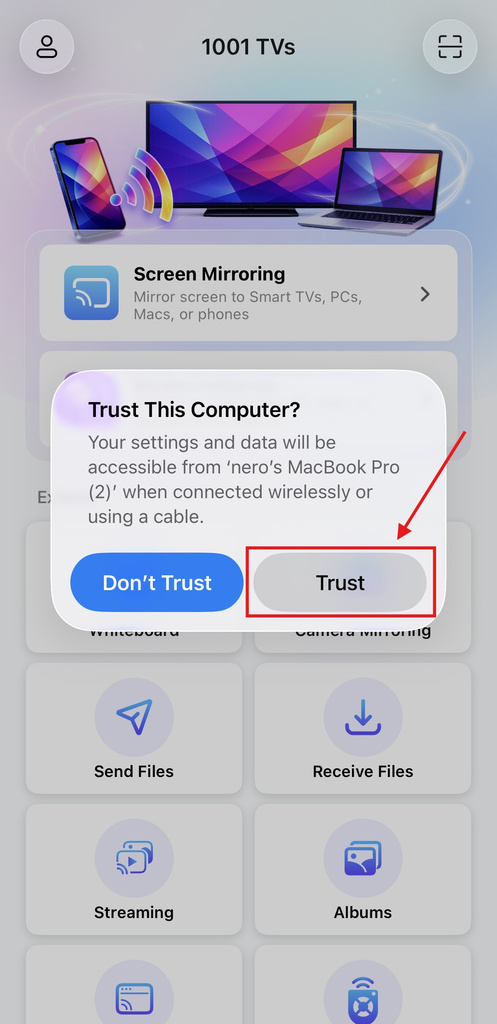
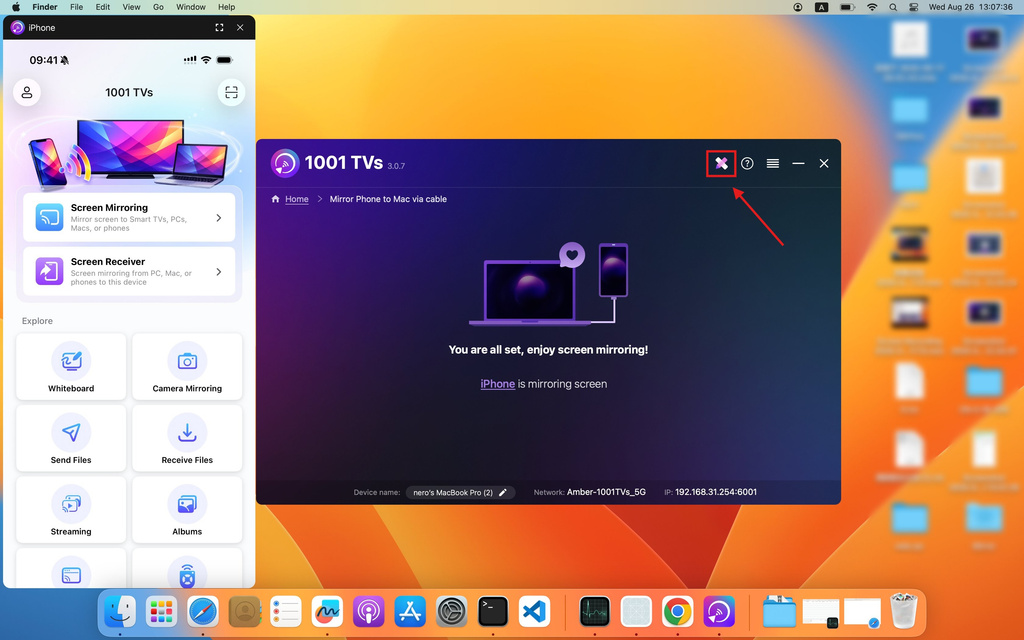
Αποσυνδέστε και επανασυνδέστε το καλώδιο. Μόλις ολοκληρωθεί με επιτυχία η διαδικασία, η διεπαφή θα εμφανιστεί όπως φαίνεται παρακάτω.
Κάντε κλικ στο εικονίδιο σχολιασμού για να εμφανιστεί το μενού εργαλείων.
3. Προσαρμογή των ρυθμίσεων κατοπτρισμού
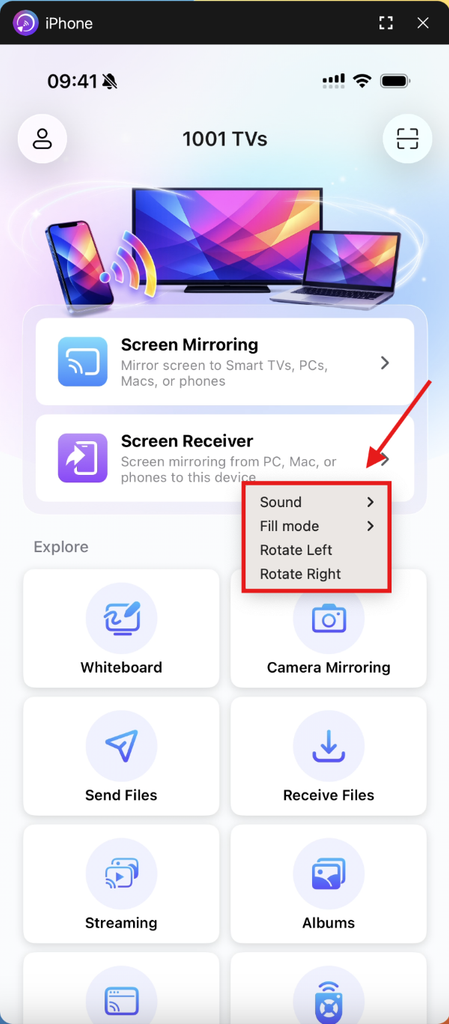
Κάντε διπλό κλικ στην οθόνη αναπαραγωγής για να αποκτήσετε πρόσβαση Ήχος, Λειτουργία πλήρωσης, και Περιστροφή.
Σημειώσεις:
Φόρτωση του κατόπτρου οθόνης σε εξέλιξη - παρακαλούμε μην συνδέετε ή αποσυνδέετε το καλώδιο δεδομένων κατά τη διάρκεια αυτής της περιόδου για να αποφύγετε διακοπές.
Εάν αντιμετωπίζετε προβλήματα όπως αποτυχία αντικατοπτρισμού ή μήνυμα “κανένα σήμα”, δοκιμάστε τις παρακάτω λύσεις:
- Συνδέστε ξανά το καλώδιο δεδομένων.
- Κάντε επανεκκίνηση του 1001 TVs στο MacBook σας.
- Κάντε επανεκκίνηση του MacBook σας.
Αποκτήστε το 1001 TVs τώρα!
📥 Εφαρμογή για Mac: Λήψη από το App Store

Διαβάστε περισσότερα
 Νέα ρύθμιση: Δεν εμφανίζονται πλέον αναδυόμενα παράθυρα όταν τελειώνει η αναπαραγωγή οθόνης
Όταν προβάλλετε την οθόνη του υπολογιστή σας στην τηλεόραση και τερματίζετε τη σύνδεση χρησιμοποιώντας το τηλεχειριστήριο της τηλεόρασης, το παράθυρο του 1001 TVs εμφανίζεται ξανά...
Νέα ρύθμιση: Δεν εμφανίζονται πλέον αναδυόμενα παράθυρα όταν τελειώνει η αναπαραγωγή οθόνης
Όταν προβάλλετε την οθόνη του υπολογιστή σας στην τηλεόραση και τερματίζετε τη σύνδεση χρησιμοποιώντας το τηλεχειριστήριο της τηλεόρασης, το παράθυρο του 1001 TVs εμφανίζεται ξανά...
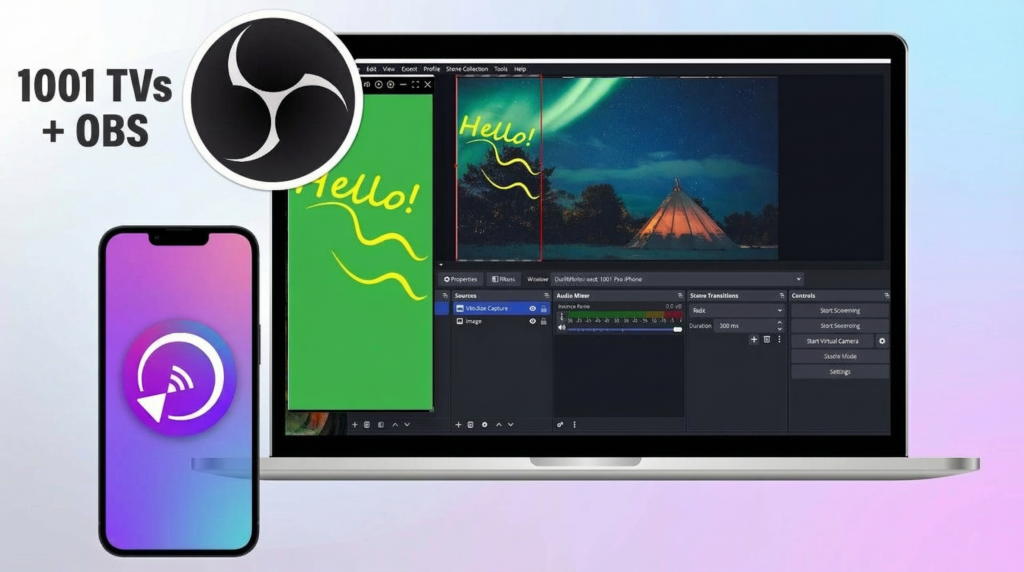 Πώς να καταγράφετε τον αντικατοπτρισμό οθόνης στο OBS (Android & iPhone)
Θέλετε να καταγράψετε την αναπαραγωγή οθόνης στο OBS για παιχνίδια σε κινητά, εκπαιδευτικά βίντεο ή ζωντανό περιεχόμενο; Με το 1001 TVs, μπορείτε εύκολα να αναπαράγετε την οθόνη του κινητού σας...
Πώς να καταγράφετε τον αντικατοπτρισμό οθόνης στο OBS (Android & iPhone)
Θέλετε να καταγράψετε την αναπαραγωγή οθόνης στο OBS για παιχνίδια σε κινητά, εκπαιδευτικά βίντεο ή ζωντανό περιεχόμενο; Με το 1001 TVs, μπορείτε εύκολα να αναπαράγετε την οθόνη του κινητού σας...

