Media Casting vs. Screen Mirroring: Braucht man auf dem iPhone noch eine Mirroring-App?
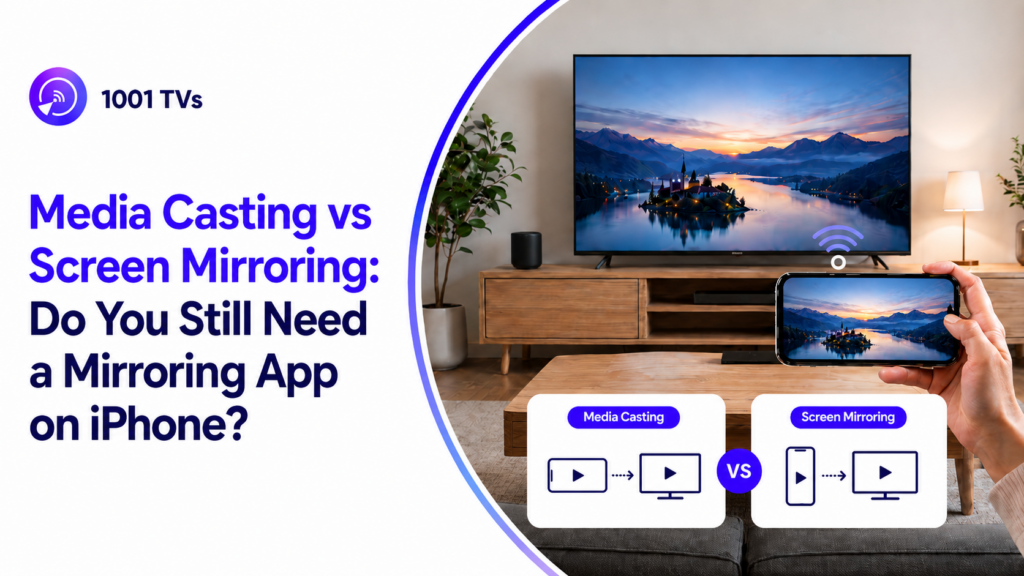
Das Streamen von Medien gewinnt für iPhone-Nutzer zunehmend an Bedeutung, insbesondere angesichts iOS 27 könnte es ermöglichen, dass Casting-Lösungen von Drittanbietern wie Google Cast in der Europäischen Union nahtloser neben AirPlay oder an dessen Stelle funktionieren.
Google Cast ist eine Technologie zur Medienübertragung, mit der Sie unterstützte Videos, Musik und Fotos von Ihrem iPhone auf ein kompatibles Display übertragen können, während bei der Bildschirmspiegelung der gesamte Bildschirm Ihres Geräts in Echtzeit angezeigt wird.
Für die Nutzer klingt das nach einer willkommenen Neuerung. Wenn Google Cast auf dem iPhone einfacher zu bedienen ist, könnte das Senden von Videos, Musik und Fotos an einen Fernseher flexibler werden – insbesondere für diejenigen, die Google TV, Chromecast, Android TV oder andere Cast-kompatible Geräte besitzen.
Kann Google Cast also eine Screen-Mirroring-App ersetzen?
Nicht ganz.
In diesem Testbericht vergleichen wir das Medien-Casting und die Bildschirmspiegelung von Nero 1001 TVs anhand von Tests unter realen Bedingungen und erläutern, wann Google Cast ausreicht – und wann eine spezielle App zur Bildschirmspiegelung immer noch sinnvoller ist.
Was ist der Unterschied zwischen Bildschirmspiegelung und Medienübertragung?
Bevor man die Ergebnisse vergleicht, ist es wichtig, den grundlegenden Unterschied zwischen Medienübertragung und Bildschirmspiegelung zu verstehen.
Viele Nutzer verwenden den Begriff “cast” für beides, aber technisch gesehen sind sie nicht dasselbe.
Beim Media Casting werden unterstützte Medieninhalte an ein Empfangsgerät wie beispielsweise einen Fernseher, einen Lautsprecher oder ein Streaming-Gerät übertragen. Beim Screen Mirroring wird der Bildschirm Ihres Geräts in Echtzeit gespiegelt.
Dieser Unterschied wirkt sich auf fast alles aus: Kompatibilität, Geschwindigkeit, Akkuverbrauch, Datenschutz, Latenz sowie die Art der Inhalte, die Sie auf einem Fernseher anzeigen können.
Was ist Media Casting?
Media Casting ist die Methode, die von Technologien wie Google Cast, Chromecast und vielen app-basierten Cast-Schaltflächen verwendet wird.
Bei einem typischen Medien-Casting-Szenario öffnen Sie eine unterstützte App, tippen auf das Cast-Symbol, wählen ein Empfangsgerät aus, und schon gibt der Fernseher das Video oder den Ton wieder. Ihr Smartphone fungiert dabei eher als Fernbedienung. Sie können die Wiedergabe anhalten, starten, die Lautstärke regeln oder Ihr Smartphone manchmal sogar weiter nutzen, während der Fernseher die ausgewählten Medien weiterhin wiedergibt.
Das funktioniert gut bei Apps, die das Casting offiziell unterstützen, wie beispielsweise YouTube, einige Video-Apps, Musik-Apps und Foto-Apps.
Was ist Screen Mirroring?
Die Bildschirmspiegelung funktioniert anders. Anstatt nur einen Video- oder Audiostream an den Fernseher zu senden, wird der gesamte Bildschirm Ihres Geräts in Echtzeit auf einem anderen Bildschirm angezeigt.
Das bedeutet, dass alles, was auf Ihrem Smartphone, Tablet oder Computer angezeigt wird, auch auf dem Empfänger erscheinen kann: Apps, Webseiten, Fotos, lokal gespeicherte Videos, Dokumente, PowerPoint-Folien, Spiele, Live-Spielseiten, Social-Media-Feeds und vieles mehr.
1001 TVs ist eine Bildschirmspiegelungslösung, die speziell für diesen Anwendungszweck entwickelt wurde. Sie unterstützt plattformübergreifende Spiegelung zwischen Android, iOS, Windows, Mac, Fernsehern, PCs und anderen Empfangsgeräten.
Miracast: Weitere Optionen zur Bildschirmspiegelung
Miracast ist häufig als grundlegende Option für die drahtlose Bildschirmübertragung in Smartphones, Tablets und Computern integriert. Als offener Standard für die Bildschirmspiegelung wird er von vielen Geräten genutzt, darunter auch von Samsungs SmartView, und ermöglicht es Nutzern, ihren Bildschirm kabellos auf Fernseher zu spiegeln, um Inhalte im Alltag schnell zu teilen.
Da die Implementierungen je nach Hersteller variieren, können Verbindungsgeschwindigkeit, Stabilität und Kompatibilität voneinander abweichen. Im Gegensatz zu Miracast steuert 1001 TVs sowohl die Sender- als auch die Empfängerseite, wodurch Verbindung, Qualität, Latenz, Stabilität und Funktionen geräteübergreifend einheitlicher optimiert werden können.
Media Casting vs. Screen Mirroring: Die wichtigsten Unterschiede auf einen Blick
| Merkmal | Medien-Casting | Bildschirm spiegeln |
| So funktioniert es | Sendet ausgewählte Medieninhalte zur Wiedergabe an ein Empfangsgerät | Zeigt den gesamten Bildschirm des Geräts in Echtzeit auf einem anderen Bildschirm an |
| Was im Fernsehen läuft | In der Regel ein Video, ein Lied, ein Foto oder ein Medien-Stream | Alles, was auf dem Bildschirm Ihres Geräts zu sehen ist |
| App-Abhängigkeit | In der Regel muss die App das Casting unterstützen | Ist nicht davon abhängig, dass es in jeder App eine „Cast“-Schaltfläche gibt |
| Rolle des Receivers | Der Empfänger spielt die Medieninhalte ab | Der Empfänger zeigt den gespiegelten Bildschirm an |
| Funktion des Telefons | Funktioniert oft als Fernbedienung, sobald die Übertragung beginnt | Dient während der gesamten Sitzung als Quellbildschirm |
| Multitasking | Benutzer können das Telefon oft für andere Aufgaben nutzen, während die Medienwiedergabe weiterläuft | Was Sie auf dem Gerät tun, wird möglicherweise auf dem großen Bildschirm angezeigt |
Praxistestplan: Was wir in diesem Test verglichen haben
Testumgebung und Geräte
Um diesen Vergleich praxisnaher zu gestalten, haben wir das Streamen von Medien und die 1001 TVs-Bildschirmspiegelung getestet, wobei wir ein Samsung Galaxy A54 5G und ein Redmi Note 13 Pro+ 5G als Sendegeräte sowie einen Samsung 6 TV als Empfangsgerät verwendet haben.
Alle Geräte wurden mit demselben WLAN verbunden, um einheitliche Testbedingungen zu gewährleisten.
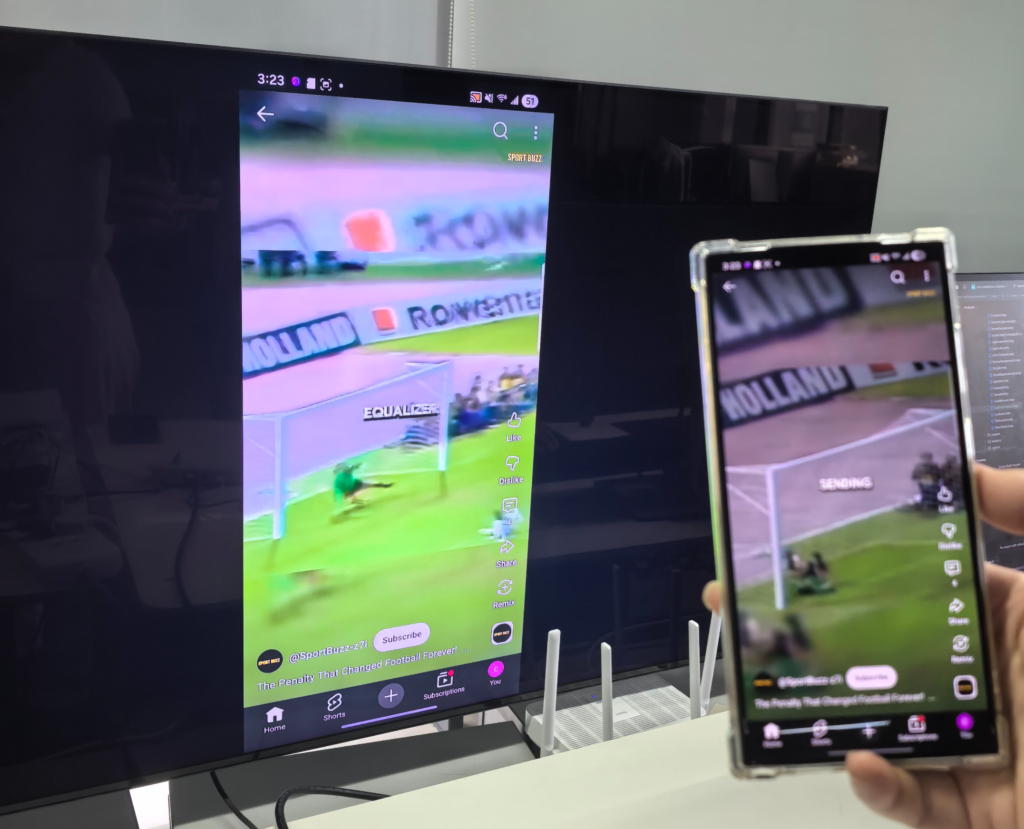
Testergebnisse
Die Gesamtergebnisse zeigten ein klares Muster:
Das Streamen von Medien war praktisch, wenn die App und der Empfänger dies unterstützten, war jedoch durch die Gerätekompatibilität und die App-Unterstützung eingeschränkt. 1001 TVs war flexibler, wenn es darum ging, den tatsächlichen Bildschirminhalt in verschiedenen Szenarien zu spiegeln.
| Testbereich | Medien-Casting | 1001 TVs Bildschirm-Spiegelung |
| Einstiegsort | Einfach zu finden unter „Einstellungen“ / „Benachrichtigungsleiste“ / „Smart View“ | Dazu muss die 1001 TVs-App geöffnet werden |
| Geschwindigkeit der Geräteerkennung | Manchmal langsam; in unserem Test konnte es mehr als 30 Sekunden dauern | Schnell: Nutzer können entweder das erkannte Gerät auswählen oder einen QR-Code scannen, um eine schnelle Verbindung herzustellen |
| Kompatibilität | Eingeschränkt; unser Samsung-TV-Test unterstützte das Streamen im Miracast-Stil, jedoch nicht Chromecast | Plattformübergreifende Unterstützung für Smartphones, Fernseher, PCs und andere Empfangsgeräte |
| Bildqualität | Hohe Bildschärfe, hohe Bildwiederholrate, geringe Verzögerung | Ideal für Bildschirmfreigabe, Präsentationen, Apps, Fotos und Live-Seiten |
| Stabilität über einen längeren Zeitraum | Leichte Instabilität; bei längerer Nutzung kann es zu Verzögerungen oder Verbindungsabbrüchen kommen | Funktioniert auch bei langen Spiegelungssitzungen stabil, solange die WLAN-Verbindung stark und stabil bleibt |
| App-Support | Funktioniert am besten bei unterstützten Apps wie YouTube und TikTok | Kann man Apps auch dann spiegeln, wenn sie keine „Cast“-Schaltfläche haben? |
| Lokales Netzwerk / Intranet | In unserem Test nicht für reine Streaming-Szenarien geeignet | Unterstützt die Bildschirmspiegelung im lokalen Netzwerk |
| Vertikale Bildschirmhalterung | Es können schwarze Balken auftreten oder die Vollbildsteuerung ist eingeschränkt | Unterstützt die vertikale Bildschirmspiegelung |
| Freigabe über eine einzige App | Nur verfügbar, wenn die App dies unterstützt | Unterstützt die Spiegelung einzelner Apps |
Medien-Casting: Vor- und Nachteile sowie optimale Anwendungsfälle
Vorteile von Media Casting
Reibungslose Wiedergabe bei unterstützten Streaming-Apps Wenn die App und der Empfänger kompatibel sind, ermöglicht die Medienübertragung eine flüssige Video- und Audiowiedergabe, da der Empfänger die Medienwiedergabe direkt übernimmt.
Das Handy kann wie eine Fernbedienung funktionieren Sobald die Übertragung beginnt, wird das Smartphone in der Regel dazu verwendet, die Wiedergabe anzuhalten, fortzusetzen, vor- oder zurückzuspulen, die Lautstärke anzupassen oder ein anderes Video auszuwählen, anstatt ständig den gesamten Bildschirm zu spiegeln.
Eignet sich besser für längere Videos und Musik Media Casting ist eine gute Wahl, um Filme, Fernsehsendungen und YouTube-Videos anzusehen oder Musik auf einem größeren Bildschirm oder über Lautsprecher zu hören.
Geringerer Akkuverbrauch als bei der Vollbild-Spiegelung Da das Smartphone nicht den gesamten Bildschirm in Echtzeit übertragen muss, verbraucht das Übertragen von Medien in der Regel weniger Akku als die Bildschirmspiegelung.
Ganz einfach, wenn die Schaltfläche „Cast“ verfügbar ist Bei unterstützten Apps ist die Vorgehensweise ganz einfach: Öffnen Sie die App, tippen Sie auf das „Cast“-Symbol, wählen Sie das Zielgerät aus und starten Sie die Wiedergabe.
Nachteile des Media-Castings
Erfordert App-Unterstützung Das Streamen von Medien funktioniert in der Regel nur, wenn die App über eine „Cast“-Schaltfläche verfügt oder das richtige Streaming-Protokoll unterstützt. Wenn die App das Streamen nicht unterstützt, können Nutzer die Inhalte möglicherweise nicht an den Fernseher senden.
Hängt von der Kompatibilität des Empfängers ab Nicht jeder Smart-TV unterstützt Google Cast, AirPlay oder dasselbe Casting-Protokoll. Bei einigen Fernsehern ist möglicherweise zusätzliche Hardware erforderlich, oder sie unterstützen nur eingeschränkte Casting-Optionen.
Die Geräteerkennung kann langsam oder instabil sein Im praktischen Einsatz kann es eine Weile dauern, bis das Smartphone den Fernseher findet, insbesondere wenn das Netzwerk überlastet ist oder der Empfänger nicht schnell genug reagiert.
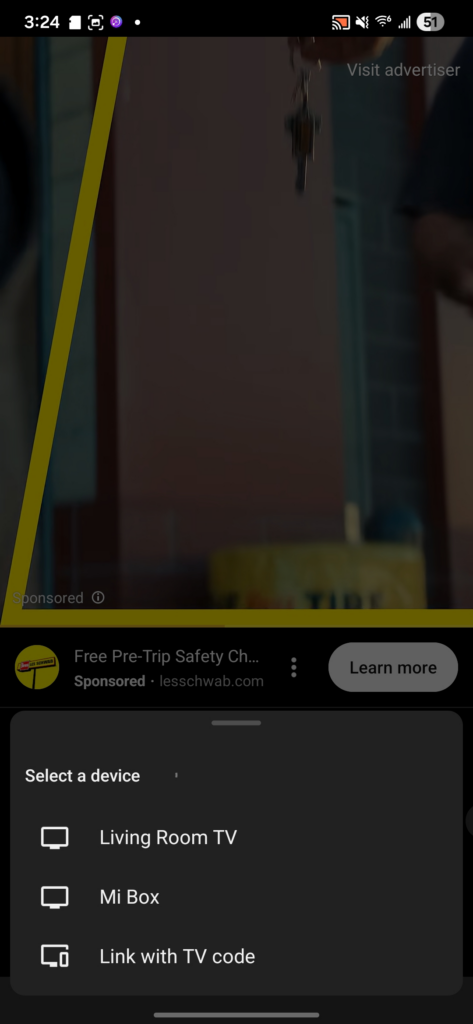
Nicht ideal für Webseiten, Dokumente, Spiele oder App-Demos Media Casting ist für die Medienwiedergabe gedacht und nicht dafür, alles auf Ihrem Bildschirm anzuzeigen. Es ist weniger geeignet, wenn Sie eine Browser-Seite, eine PowerPoint-Präsentation, eine lokale Datei, ein Handyspiel oder eine App-Oberfläche anzeigen möchten.
Eingeschränkte Steuerung der vertikalen Darstellung oder der Vollbildanzeige Vertikale Videos, Social-Media-Feeds und nicht standardmäßige Inhalte werden auf dem Fernseher möglicherweise nicht immer im natürlichsten Layout angezeigt.
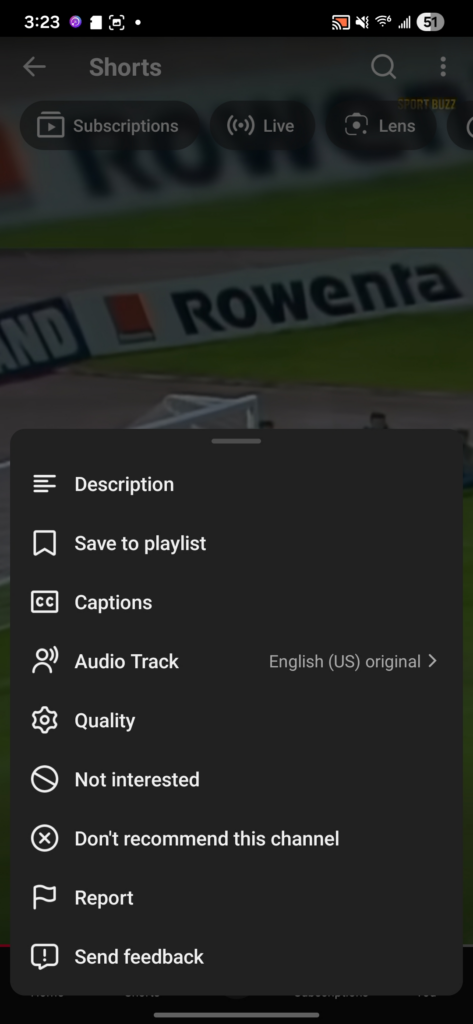
Funktioniert möglicherweise nicht gut in reinen lokalen oder Intranet-Szenarien Beim Medien-Casting ist es oft erforderlich, dass der Empfänger auf den Medienstrom oder die Online-Quelle zugreifen kann. In Umgebungen, die ausschließlich auf lokale Netzwerke oder Intranets beschränkt sind, ist diese Methode möglicherweise weniger flexibel als die Bildschirmspiegelung.
Der Zugriff auf geschützte Streaming-Inhalte kann eingeschränkt sein Einige Streaming-Apps blockieren möglicherweise die externe Wiedergabe, Bildschirmaufnahmen oder das Casting aufgrund von Vorschriften zum Schutz von Inhalten.
Am besten für
Media Casting eignet sich am besten für Nutzer, die hauptsächlich unterstützte Medieninhalte ansehen möchten.
Es ist eine gute Wahl, wenn Sie Apps wie YouTube oder andere Cast-fähige Plattformen nutzen, einen kompatiblen Fernseher oder ein kompatibles Streaming-Gerät besitzen und einfach nur Videos oder Musik auf einem größeren Bildschirm abspielen möchten.
Wenn Sie jedoch Ihren gesamten Bildschirm anzeigen, eine App spiegeln, eine Webseite anzeigen, Folien präsentieren, eine Live-Veranstaltungsseite verfolgen oder eine lokale Netzwerkumgebung nutzen möchten, ist die Bildschirmspiegelung in der Regel flexibler.
1001 TVs Screen Mirroring: Vor- und Nachteile sowie die besten Anwendungsfälle
Vorteile der 1001 TVs-Bildschirmspiegelung
Spiegelt fast alles auf Ihrem Bildschirm wider
1001 TVs kann den Bildschirm Ihres Smartphones, Tablets oder Computers in Echtzeit anzeigen, sodass es nicht auf Apps beschränkt ist, die über eine „Cast“-Schaltfläche verfügen.
Unterstützt plattformübergreifendes Screen Mirroring
1001 TVs unterstützt die Bildschirmspiegelung auf Android-, iOS-, Windows- und Mac-Geräten sowie auf Smart-TVs, Apple TV und sogar über Webbrowser, wodurch es in Umgebungen mit verschiedenen Geräten noch flexibler einsetzbar ist.
Schnelle Verbindung über Geräteauswahl oder QR-Code
Benutzer können eine Verbindung herstellen, indem sie ein erkanntes Gerät auswählen oder einen QR-Code scannen. Dadurch verläuft der Verbindungsvorgang direkter, als wenn man darauf warten müsste, dass ein integrierter Casting-Empfänger angezeigt wird.
Eignet sich gut für vertikal angeordnete Bildschirminhalte
1001 TVs unterstützt die Bildschirmspiegelung sowohl im Quer- als auch im Hochformat und eignet sich somit für TikTok, Shorts, Reels, Social-Media-Feeds und andere „Mobile-First“-Inhalte.
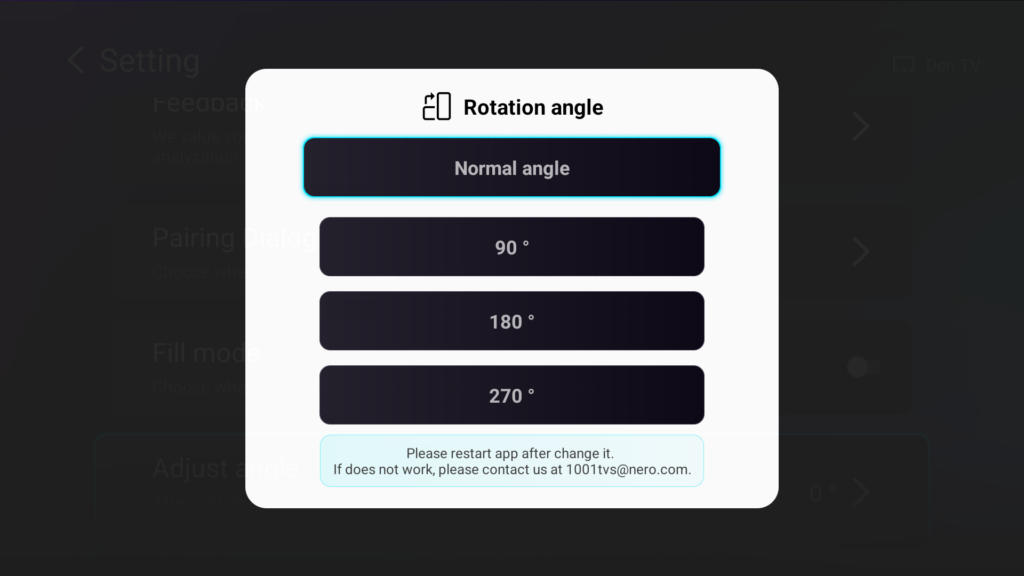
Unterstützt Vollbild-Spiegelung und Spiegelung einzelner Apps
Benutzer können den gesamten Bildschirm spiegeln, wenn sie alles zeigen möchten, oder nur eine ausgewählte App, wenn sie eine gezieltere und datenschutzfreundlichere Freigabe wünschen.
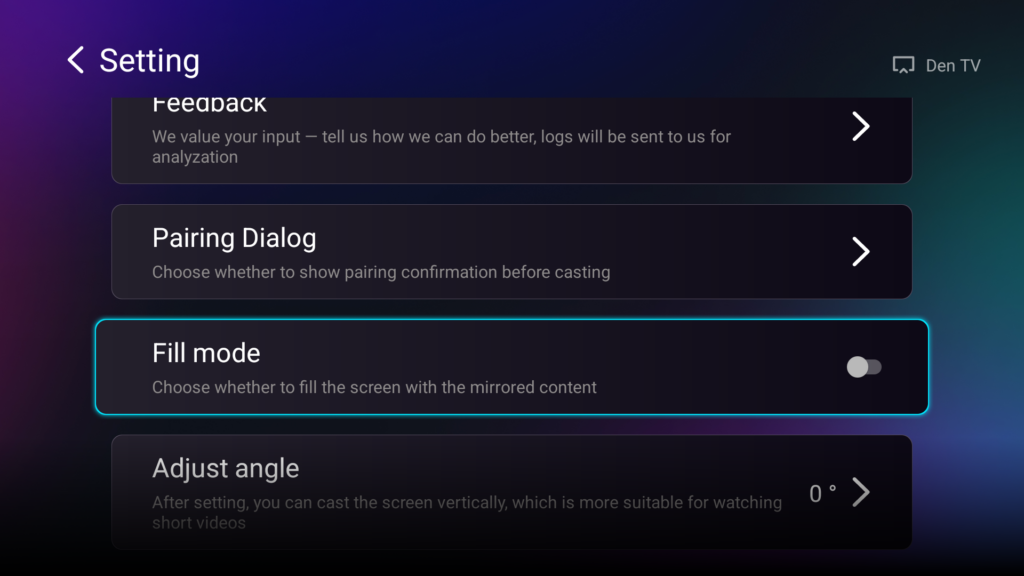
Unterstützt die Bildschirmspiegelung im Flip-Modus
Mit 1001 TVs lässt sich das Live-Kamerabild auf einen größeren Bildschirm spiegeln, sodass man Selfies, Vlogs, Outfit-Videos, Tutorials oder Inhalte der Frontkamera leichter überprüfen kann, ohne sich mit einer verwirrenden, seitenverkehrten Vorschau herumschlagen zu müssen.
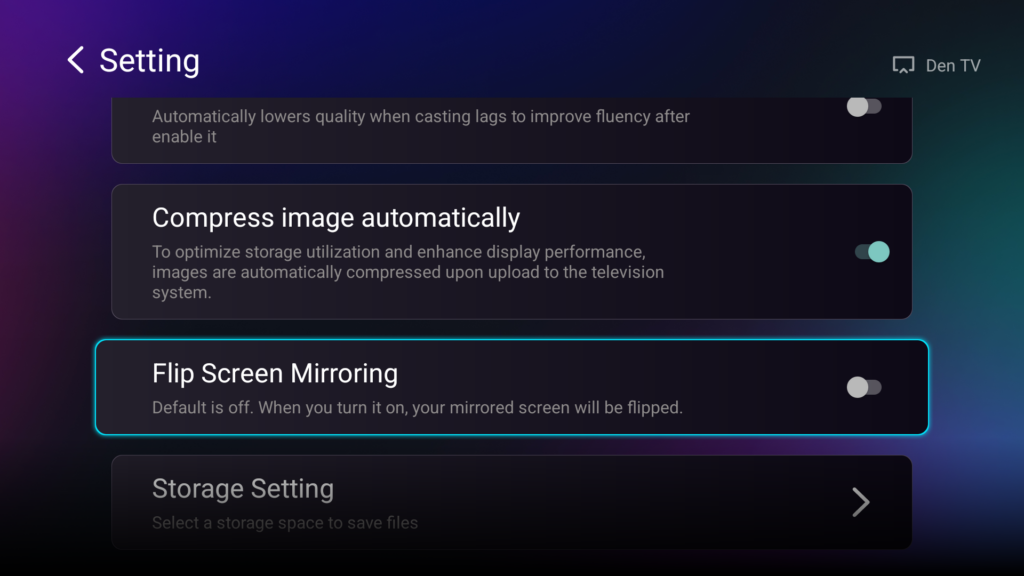
Nützlich für Szenarien im lokalen Netzwerk bzw. Intranet
1001 TVs kann für die Bildschirmspiegelung im lokalen Netzwerk genutzt werden, was in Büros, Klassenzimmern, Besprechungsräumen und privaten WLAN-Umgebungen nützlich ist, in denen das Streaming-basierte Casting möglicherweise nicht ideal ist.
Besser geeignet für Präsentationen und die gemeinsame Nutzung in Echtzeit
Es eignet sich für Präsentationen, Webseiten, Dokumente, App-Demos, Unterrichtsmaterialien, lokale Fotos und Seiten zu Live-Veranstaltungen – also für Szenarien, in denen das Streamen von Medien oft nicht ausreicht.
Kann lange Spiegelungssitzungen unterstützen, wenn das Netzwerk stabil ist
Solange beide Geräte mit einem starken und stabilen WLAN-Netzwerk verbunden sind, kann 1001 TVs für längere Bildschirmspiegelungssitzungen genutzt werden. Für geringere Verzögerungen und eine bessere Stabilität wird ein 5-GHz-WLAN-Netzwerk empfohlen.
Nachteile der 1001 TVs-Bildschirmspiegelung
Erfordert die Installation der App auf unterstützten Geräten
Im Gegensatz zu integrierten Casting-Funktionen muss 1001 TVs vor der Spiegelung auf dem Sender- und dem Empfängergerät installiert und geöffnet werden.
Hängt von der WLAN-Qualität ab
Bei der Bildschirmspiegelung wird der Bildschirm in Echtzeit übertragen. Daher können ein schwaches WLAN-Signal, überlastete Netzwerke oder eine große Entfernung zum Router zu Verzögerungen, einer geringeren Bildqualität oder Verbindungsabbrüchen führen.
Kann eine höhere Latenz aufweisen als das Streamen von Medien
Da der gesamte Bildschirm live gespiegelt wird, kann die Verzögerung stärker ins Gewicht fallen als beim Medien-Casting, insbesondere bei schnellen Spielen oder zeitkritischen Interaktionen.
Könnte mehr Akkuleistung vertragen
Echtzeit-Bildschirmaufnahmen und die drahtlose Übertragung verbrauchen in der Regel mehr Akkuleistung als das einfache Casting eines unterstützten Medien-Streams.
Datenschutz erfordert Aufmerksamkeit
Bei der Vollbild-Spiegelung werden möglicherweise Benachrichtigungen, Nachrichten oder private Inhalte auf dem Fernseher angezeigt. Mit der 1001 TVs-Einzel-App-Spiegelung können Nutzer jedoch nur eine ausgewählte App teilen, was dazu beiträgt, die Gefährdung der Privatsphäre bei Präsentationen, im Unterricht oder bei App-Demos zu verringern.
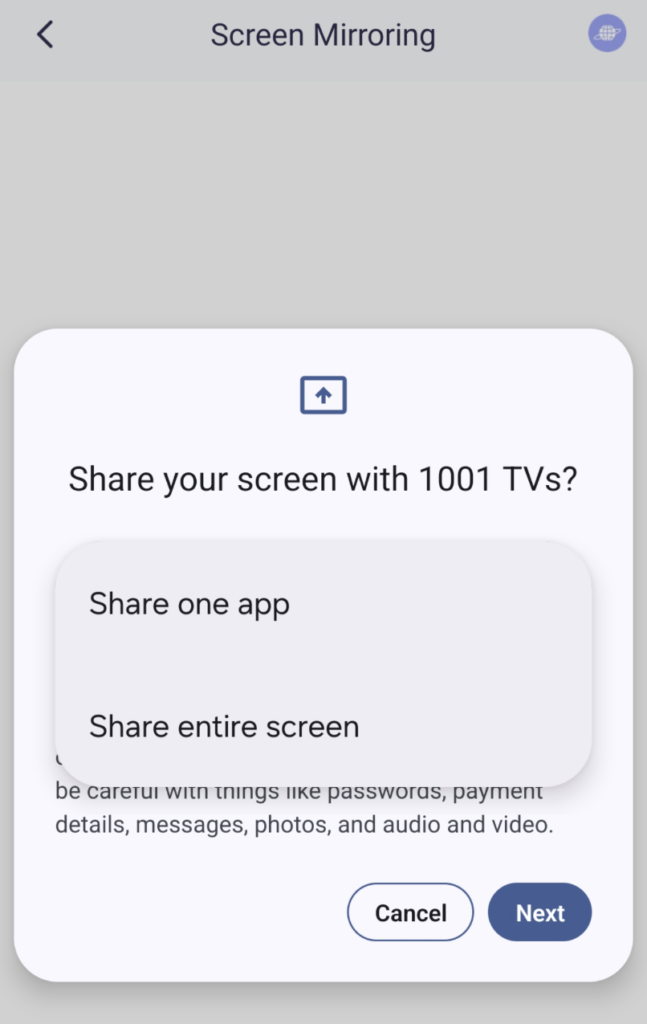
Bei einigen geschützten Streaming-Apps kann ein schwarzer Bildschirm angezeigt werden
Apps mit DRM oder einem Schutz gegen Bildschirmaufnahmen können die Bildschirmspiegelung blockieren. Diese Einschränkung ergibt sich aus den Regeln zum Schutz von Inhalten und kann sowohl die integrierte Spiegelungsfunktion als auch Spiegelungstools von Drittanbietern betreffen.
Am besten für
1001 TVs eignet sich am besten für Nutzer, die mehr als nur einfaches Video-Streaming benötigen.
Dies ist die bessere Wahl, wenn der Inhalt keine „Cast“-Schaltfläche enthält, wenn das Empfangsgerät das richtige Casting-Protokoll nicht unterstützt oder wenn Nutzer den aktuellen Bildschirm anzeigen möchten, anstatt nur einen Medienstrom zu senden.
Während „Media Casting“ für unterstützte Streaming-Apps am besten geeignet ist, eignet sich „1001 TVs“ besser für die flexible Bildschirmfreigabe.
Schlussfolgerung
iOS 27 könnte Google Cast für iPhone-Nutzer in der EU zugänglicher machen, was eine bedeutende Verbesserung für die Medienübertragung darstellen könnte.
Für Nutzer, die hauptsächlich unterstützte Streaming-Inhalte ansehen, kann Google Cast eine einfache und effiziente Lösung sein. Es ist eine gute Option, wenn die App über eine „Cast“-Schaltfläche verfügt, der Fernseher das richtige Protokoll unterstützt und die Netzwerkverbindung stabil ist.
Google Cast ersetzt die Bildschirmspiegelung jedoch nicht vollständig. Die Medienübertragung ist für die Wiedergabe unterstützter Medien ausgelegt. Die Bildschirmspiegelung hingegen ist auf Flexibilität ausgelegt.
Die endgültige Antwort lautet also ganz einfach:
- Verwenden Sie die Medienübertragung, wenn Sie unterstützte Videos oder Musik auf einen kompatiblen Fernseher streamen möchten.
- Verwenden Sie die 1001 TVs-Bildschirmspiegelung, wenn Sie Apps, Webseiten, Fotos, Präsentationen, vertikale Videos, lokale Inhalte oder alles andere anzeigen möchten, was mit der Standard-Cast-Schaltfläche nicht gut funktioniert.
Google Cast könnte die Medienübertragung vom iPhone in der EU verbessern. Für die Bildschirmfreigabe im Alltag ist jedoch nach wie vor eine spezielle App zur Bildschirmspiegelung unverzichtbar. Wenn Sie mehr als nur eine Cast-Schaltfläche benötigen, probieren Sie doch einmal Nero 1001 TVs.
Häufig gestellte Fragen
Ist Google Cast dasselbe wie Bildschirmspiegelung?
Nein. Google Cast ist in erster Linie eine Technologie zur Medienübertragung. Dabei werden unterstützte Medieninhalte zur Wiedergabe an ein Empfangsgerät gesendet. Bei der Bildschirmspiegelung wird der Bildschirm Ihres Geräts in Echtzeit dupliziert.
Ist Medienübertragung besser als Bildschirmspiegelung?
Das hängt vom jeweiligen Anwendungsfall ab. Das Medien-Casting eignet sich in der Regel besser für unterstützte Streaming-Apps. Die Bildschirmspiegelung ist besser geeignet für Apps, Webseiten, Präsentationen, lokale Dateien, vertikale Videos und Inhalte ohne „Cast“-Schaltfläche.
Warum findet Media Casting meinen Fernseher manchmal nicht?
Das Medien-Casting hängt von der Gerätekompatibilität, der Netzwerkerkennung, der App-Unterstützung und der Empfängerunterstützung ab. In unserem Test dauerte es bei der integrierten Casting-Option manchmal mehr als 30 Sekunden, bis der Fernseher gefunden wurde.
Funktioniert 1001 TVs in einem lokalen Netzwerk oder Intranet?
Ja. 1001 TVs unterstützt die Bildschirmspiegelung im lokalen Netzwerk, was es für Büros, Klassenzimmer, Besprechungsräume und Umgebungen nützlich macht, in denen das Streaming-basierte Casting möglicherweise nicht gut funktioniert.
Ist 1001 TVs besser für vertikale Videos geeignet?
Ja. 1001 TVs unterstützt die vertikale Bildschirmspiegelung, wodurch es sich besser für TikTok, Shorts, Reels und andere „Mobile-First“-Inhalte eignet.
Kann ich mit 1001 TVs nur eine App spiegeln?
Ja. 1001 TVs unterstützt die Spiegelung einzelner Apps, sodass Sie nur eine App teilen können, ohne Ihren gesamten Bildschirm freizugeben. Diese Funktion ist nur unter Android 15 und höher verfügbar; iOS wird nicht unterstützt.
Warum zeigen manche Streaming-Apps beim Spiegeln einen schwarzen Bildschirm an?
Einige Streaming-Apps verwenden einen Inhaltsschutz, der Bildschirmaufnahmen oder die Anzeige auf externen Bildschirmen blockiert. Dies kann sowohl die integrierte Spiegelungsfunktion als auch Spiegelungs-Apps von Drittanbietern betreffen.

Weiterlesen
 So kann man die NBA in den USA im Fernsehen verfolgen
Um NBA-Spiele in den USA auf Ihrem Fernseher zu verfolgen, ist es am einfachsten, wenn Sie zwei Entscheidungen nacheinander treffen: Zunächst sollten Sie prüfen, welcher autorisierte Anbieter….
So kann man die NBA in den USA im Fernsehen verfolgen
Um NBA-Spiele in den USA auf Ihrem Fernseher zu verfolgen, ist es am einfachsten, wenn Sie zwei Entscheidungen nacheinander treffen: Zunächst sollten Sie prüfen, welcher autorisierte Anbieter….
 So richten Sie die Bildschirmspiegelung auf einen Sony Bravia-Fernseher (Google TV) ein
Ein Sony Bravia Google TV nutzt nicht für jedes Smartphone und jeden Computer dieselbe universelle “Screen Mirroring”-Methode. Die richtige Wahl hängt sowohl von….
So richten Sie die Bildschirmspiegelung auf einen Sony Bravia-Fernseher (Google TV) ein
Ein Sony Bravia Google TV nutzt nicht für jedes Smartphone und jeden Computer dieselbe universelle “Screen Mirroring”-Methode. Die richtige Wahl hängt sowohl von….

