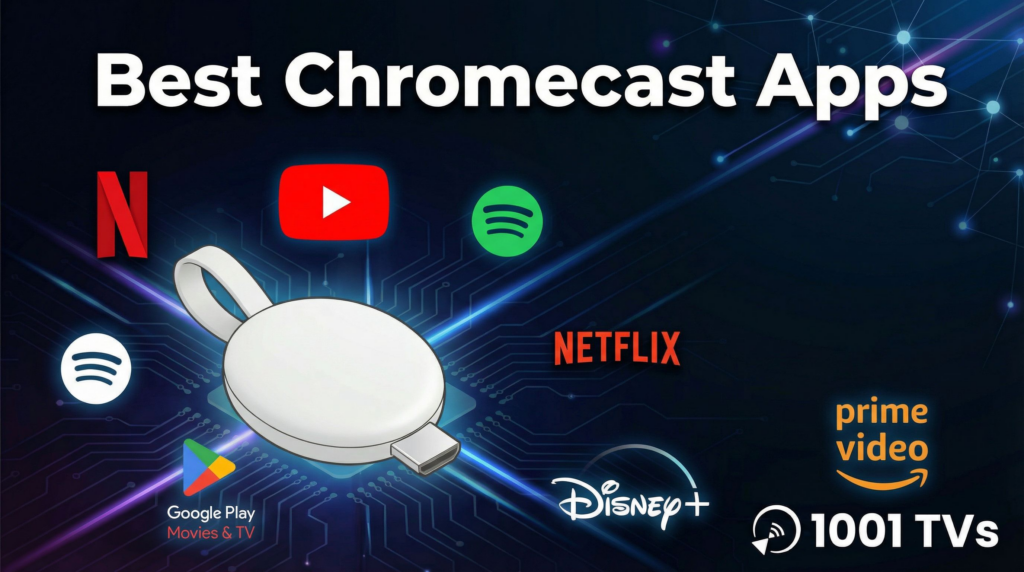
15 beste Chromecast-kompatible Apps im Jahr 2026: Der ultimative Leitfaden für zuverlässiges Casting
Wenn Sie schon einmal auf Ihr Telefon gestarrt und darauf gewartet haben, dass das “Cast”-Symbol erscheint, kennen Sie die Frustration. Dieser Leitfaden durchbricht den Lärm und bringt Ihnen die Die besten Chromecast-Apps im Jahr 2026, kategorisiert nach der Leistung in der Praxis. Wir verraten auch, warum das Standard-Casting bei manchen Nutzern versagt und wie ein einheitliches Spiegelungstool Ihren Filmabend retten kann.
Die Realität von Chromecast im Jahr 2026
Chromecastist nach wie vor die beliebteste Brücke zwischen Mobilgeräten und Fernsehern. Da dies jedoch von Ihrem WiFi-Netzwerk und der Stabilität einzelner Apps abhängt, ist das Erlebnis nicht immer perfekt.
Die 3 häufigsten Beschwerden, die wir hören:
1️⃣“Gerät nicht gefunden”: Ihr Telefon ist mit WiFi verbunden, aber der Chromecast ist unsichtbar.
2️⃣iOS-Einschränkungen: iPhone-Nutzer stellen oft fest, dass “Screen Mirroring” auf einem Google-Gerät ohne Tools von Drittanbietern kompliziert oder unmöglich ist.
3️⃣Fragen zum Format: Sie versuchen, ein Webvideo oder eine lokale Datei zu übertragen, für die es keine eigene Übertragungstaste gibt.
Um ein reibungsloses Erlebnis zu haben, brauchen Sie die richtige Software. Hier sind die Apps, die sich im Laufe der Zeit bewährt haben.
Die 15 besten Chromecast-kompatiblen Apps (Rangliste und Bewertung)
Wir haben diese auf ihre Verbindungsgeschwindigkeit, Stabilität und Schnittstellenqualität hin getestet.
🏆 Stufe 1: Die “Must-Haves” (Streaming Essentials)
Diese Apps verfügen über die zuverlässigste Chromecast-Integrationstechnik.
Der Goldstandard. Netflix speichert den Stream effizient auf dem Chromecast-Gerät, d. h. Sie können Ihr Telefon ausschalten und der Film wird ohne Störung weiter abgespielt.
Am besten geeignet für: 4K HDR-Filme, Binge-watching.
Da Google beides besitzt, ist die Integration einwandfrei. Mit der Funktion “Warteschlange” können mehrere Personen von verschiedenen Telefonen aus Videos zu einer Wiedergabeliste hinzufügen, was sie zur ultimativen Party-App macht.
Am besten geeignet für: Social Viewing, Musikvideos, Vlogs.
Disney+ ist zwar visuell atemberaubend, aber Sie sollten sich darüber im Klaren sein, dass es eine starke, stabile Bandbreite benötigt, um seinen 4K-Stream ohne Pufferung aufrechtzuerhalten.
Am besten geeignet für: Familieninhalte, Marvel/Star Wars.
Großartige Inhaltsbibliothek. Die App wurde im Jahr 2026 erheblich verbessert, indem frühere Fehler behoben wurden, bei denen die Untertitel während der Übertragung desynchronisiert wurden.
Unverzichtbar für Gamer, aber Live-Streams mit hoher Bitrate (1080p60fps) können bei älteren Chromecast-Generationen (Gen 3 und älter) zu Überhitzung oder Stottern führen.
Eine Browser-App, die Videodateien auf Websites aufspürt, die keine Cast-Schaltfläche haben. Es ist ein Lebensretter für das Ansehen von Nachrichtenclips oder Nischen-Webinhalten.
Das “Schweizer Taschenmesser”. Er spielt Formate ab, die andere Player ablehnen (wie MKV oder ältere AVI-Dateien) und überträgt sie direkt.
Am besten geeignet für: Unformatierte lokale Dateien.
10. Dampf-Link
Ermöglicht es Ihnen, PC-Spiele auf Ihrem Fernseher zu spielen. Warnung: Sie benötigen unbedingt eine 5-GHz-WiFi-Verbindung oder eine Ethernet-Verbindung, andernfalls ist die Eingabeverzögerung unspielbar.
Anmerkung: Wird häufig von Communities genutzt, um Streams gemeinsam zu sehen, erfordert aber oft eine Spiegelung des Bildschirms, um das beste Ergebnis zu erzielen.
Anmerkung: Hervorragend geeignet für pädagogisches Casting, mit einer sehr leichten App, die schnell lädt.
💡 Die “professionelle” Lösung: Wenn native Apps nicht funktionieren
Die oben genannten Anwendungen sind zwar großartig, aber sie haben alle eine Schwäche: Sie basieren auf dem Standardprotokoll von Google Cast. Wenn Ihr Netz restriktiv ist oder wenn Sie ein iPhone-Benutzer sind, der versucht, seinen Bildschirm zu spiegeln, schlagen sie oft fehl.
Wir haben Nero 1001 TVs soll Netflix nicht ersetzen, sondern alles erledigen, was Netflix nicht kann. Es ist die robuste Alternative für den Fall, dass es zu technischen Problemen kommt.
Warum Benutzer zu 1001 TVs wechseln:
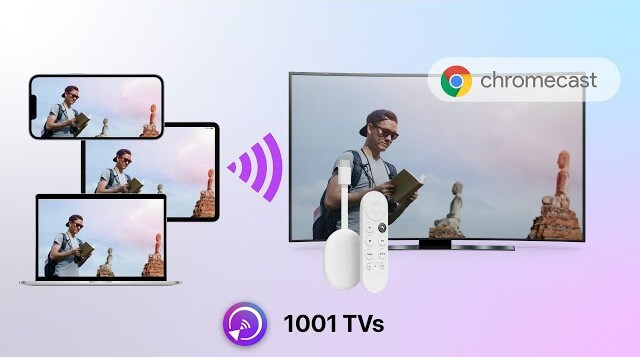
1️⃣Das Problem “iOS zu Chromecast”: iPhones unterstützen von Haus aus keine Bildschirmspiegelung auf Chromecast. 1001 TVs ermöglicht dies nahtlos.
2️⃣Der “Network Discovery”-Fix: Wenn Ihr Telefon den Fernseher nicht findet, kann unser QR-Code-Verbindung umgeht das Standard-Erkennungsprotokoll. Scannen Sie den Code, und Sie sind verbunden.
3️⃣Vollbild-Spiegelung: Übertragen Sie nicht nur ein Video, sondern spiegeln Sie Ihren gesamten Handybildschirm für Präsentationen, Videoanrufe oder Anwendungen, die das Übertragen nicht unterstützen.
Ehrlicher Rat: Verwenden Sie native Anwendungen für 4K-Streaming (wie Netflix). Verwenden Sie Nero 1001 TVs für Screen Mirroring, iPhone/iPad/android/PC-Gießen, die Präsentation von Dokumenten oder das Fehlen der nativen Schaltfläche “Cast”.
Anleitung zur Fehlersuche: 3 Quick Fixes
Bevor Sie die Schuld auf Ihre Hardware schieben, sollten Sie diese Abhilfemaßnahmen ausprobieren.
Symptom
Wahrscheinliche Ursache
Zuverlässiger Fix
“Keine Geräte gefunden”
WiFi-Isolierung
Prüfen Sie, ob bei Ihrem Router die “AP-Isolierung” aktiviert ist oder ob die Geräte auf unterschiedlichen Bändern betrieben werden (2,4G vs. 5G).
Verzögertes Mirroring
Überlastung des Netzes
Die Bildschirmspiegelung ist sehr datenintensiv. Trennen Sie die Verbindung zu anderen Geräten oder wechseln Sie zu Nero 1001 TVs für optimierte Bitrateneinstellungen.
Video wird nicht mehr abgespielt
Akku-Optimierung
Möglicherweise beendet Ihr Telefon die App im Hintergrund. Lassen Sie die Casting-App geöffnet oder schließen Sie Ihr Telefon an.
Abschließende Überlegungen
Im Jahr 2026 ist das Chromecast-Ökosystem ausgereift und leistungsstark.
1️⃣For Filme, bleiben Sie bei Netflix und YouTube.
2️⃣For lokale Dateien, Download VLC oder Plex.
3️⃣For Bildschirmspiegelung, iOS-Konnektivität, und eine ausfallsichere Verbindungsmethode, Nero 1001 TVs ist ein unverzichtbares Toolkit, das auf Ihrem Handy installiert sein sollte.
Lassen Sie sich Ihre Unterhaltung nicht durch Verbindungsprobleme verderben.