
Android TV 上的垂直螢幕模式:在大螢幕上鏡像、分享與享受
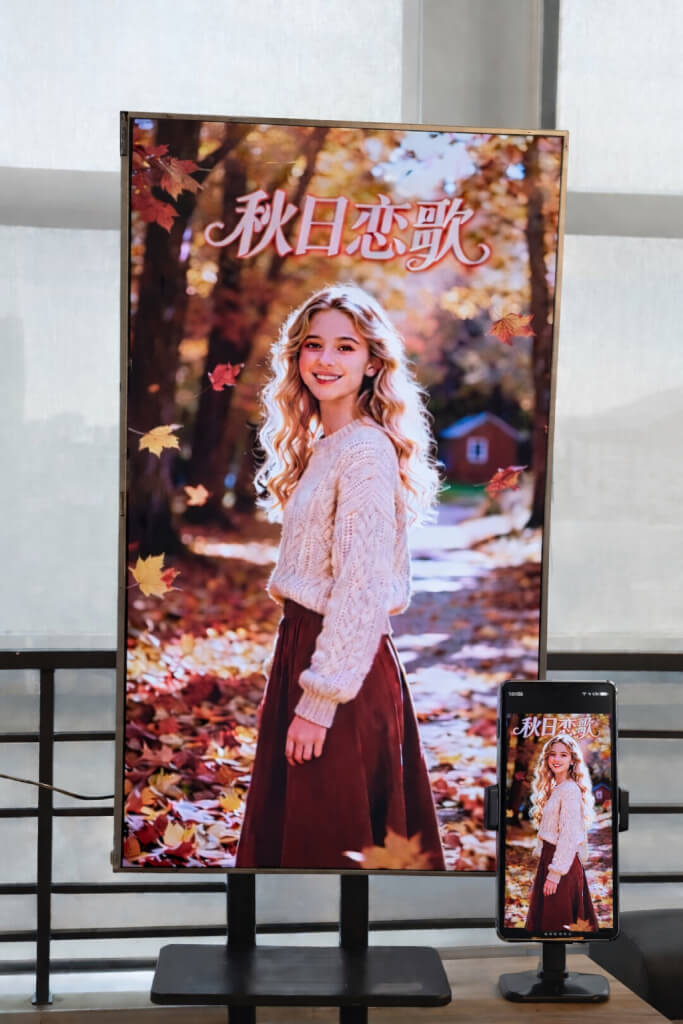
有了 1001 TVs,您不再受限於傳統的水平鏡像。.
現在您可以在 Android TV 上享受完全最佳化的垂直觀賞體驗。.
無論是觀看短片、瀏覽社交媒體、分享相簿或傳輸檔案,1001 TVs 都能讓您在大螢幕上輕鬆順暢地完成一切。.
1.在 Android TV 上安裝 1001 TVs
下载并安装 1001 TVs 应用程序 同時在手機和 Android TV 上使用。.
確保您的電視和行動裝置連線至相同的 Wi-Fi 網路。.
📥 電視應用程式: 如何在電視上安裝 1001 TVs
📱 iOS App: 从 App Store 下载
📱 Android App: 从 Google Play 下载
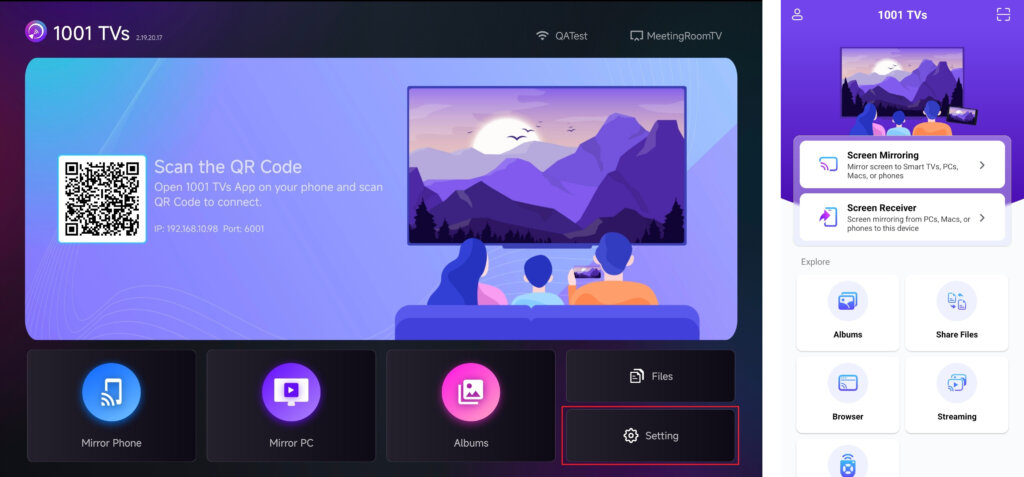
在電視上開啟 1001 TVs 應用程式,並移至 設定.
2.調整螢幕方向
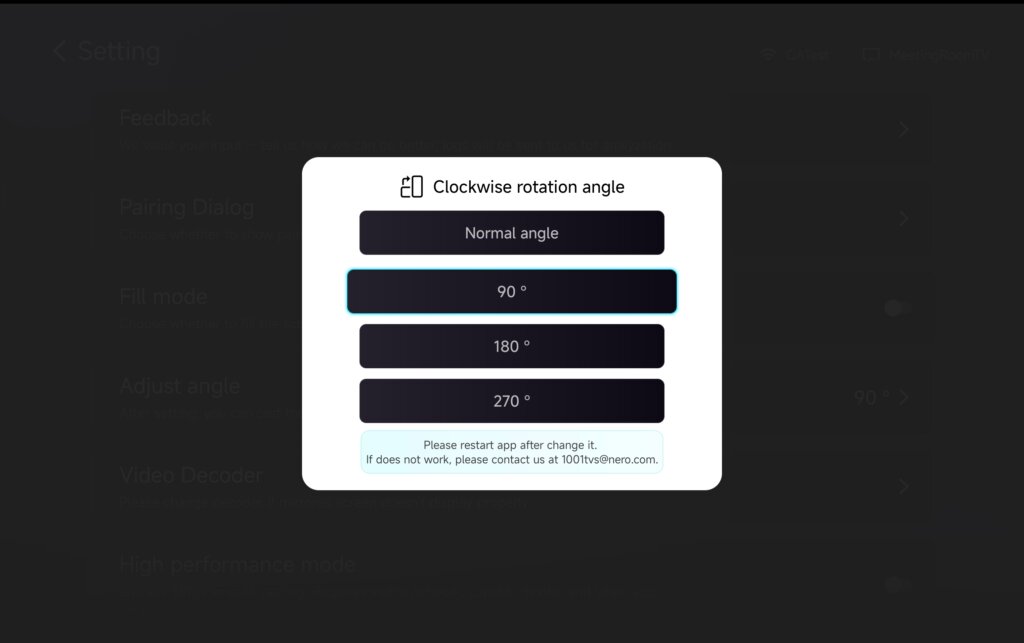
在 設定, 選擇 調整角度。.
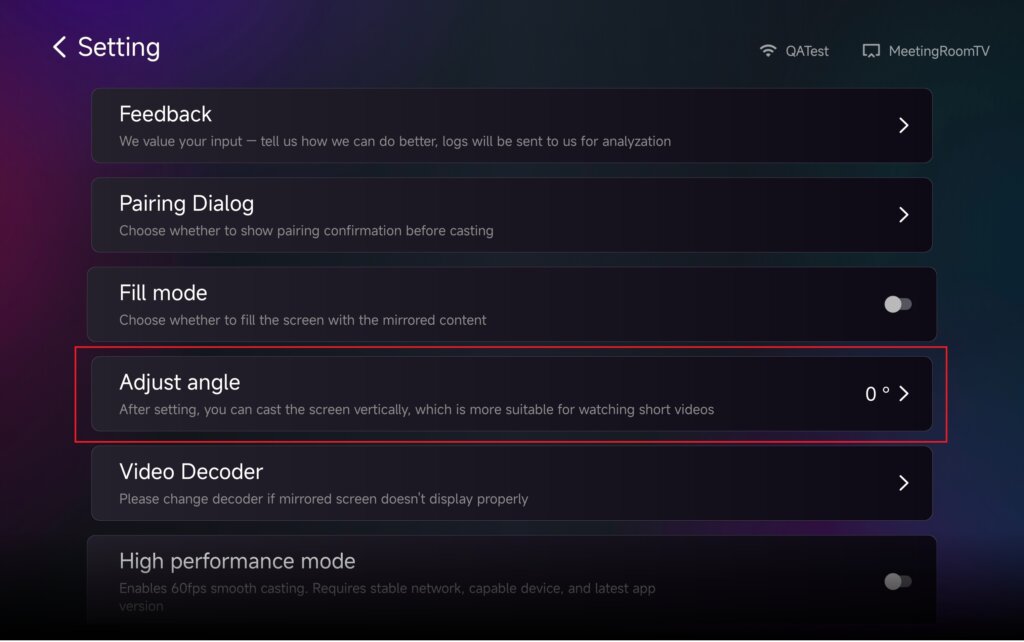
根據您的需求調整角度,啟用垂直模式。.
變更角度後,請 重新開始 應用程式套用變更。.
3.使用鏡像、檔案傳輸和相簿的垂直模式
螢幕鏡像
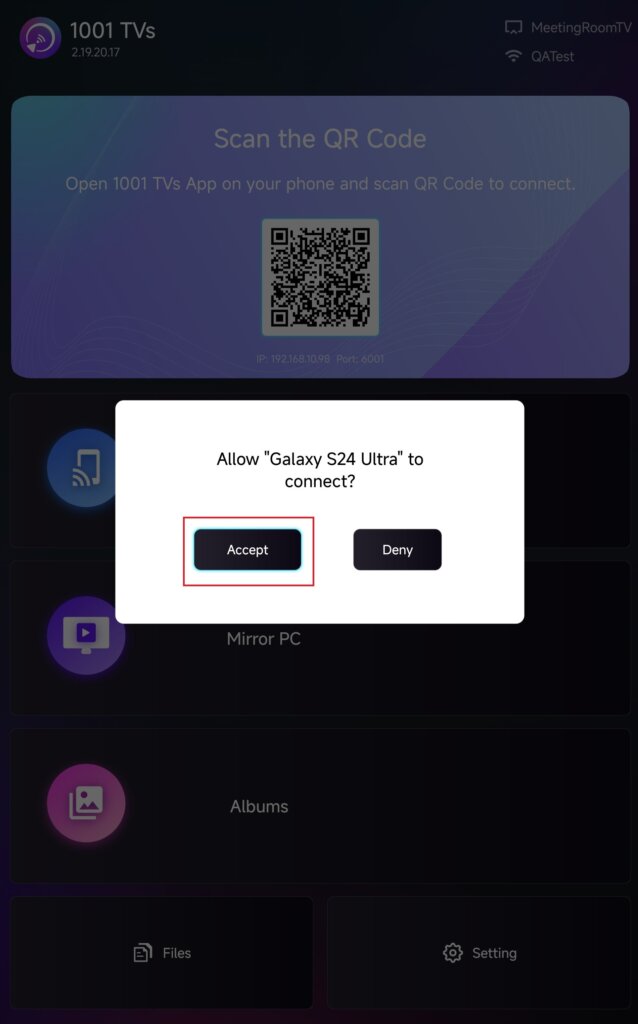
從裝置清單中選取您的電視,或掃瞄電視螢幕上顯示的 QR 代碼。.
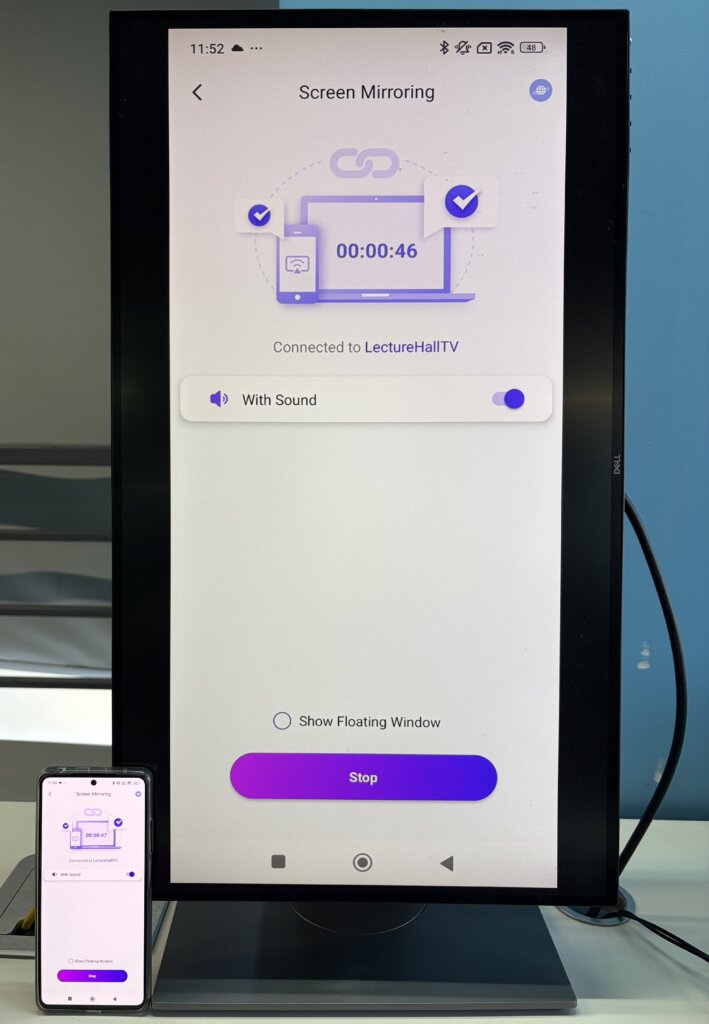
連線後,點選 接受 開始鏡射。.
傳送檔案
從裝置清單中選取電視,建立連線。.
然後點選 发送 並選擇您要傳輸的檔案。.
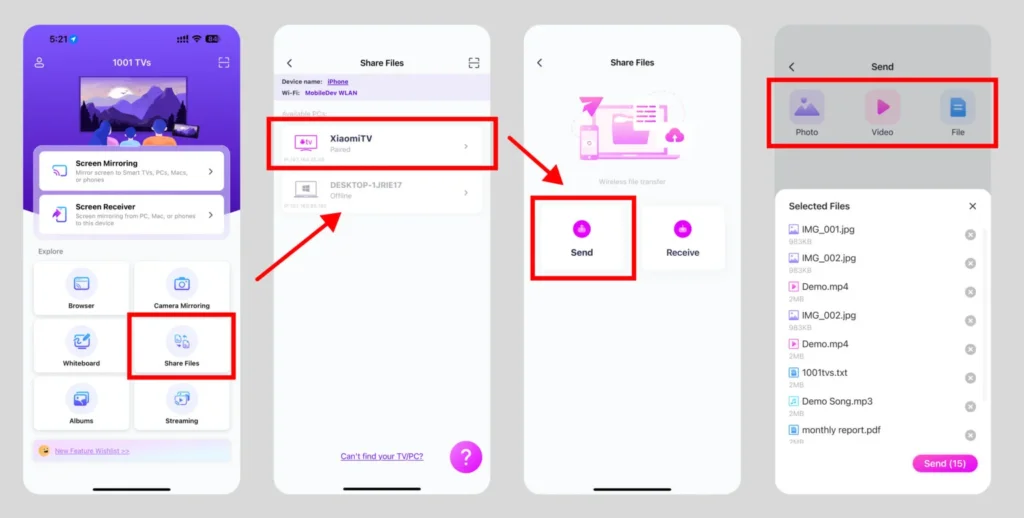
檔案會直接傳送到您的電視,並可隨時開啟。.
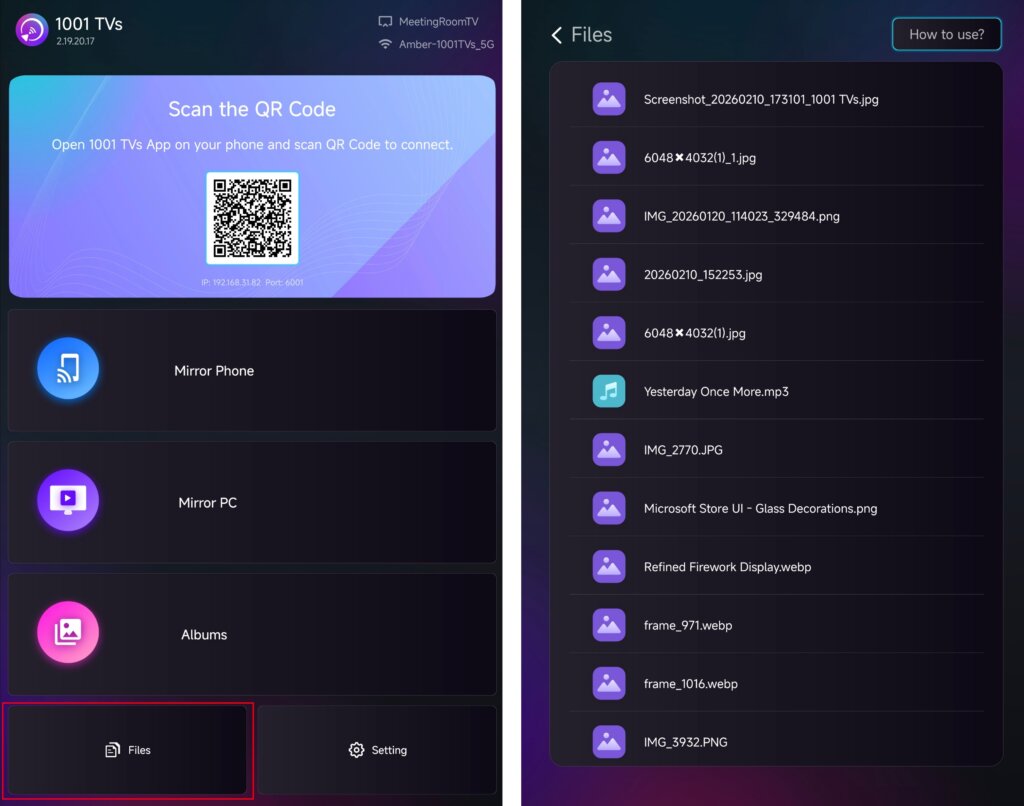
如需詳細說明,請參閱教學: 從手機傳送檔案到電視
相簿投影
從裝置清單中選取電視,然後從手機上傳照片或影片。.
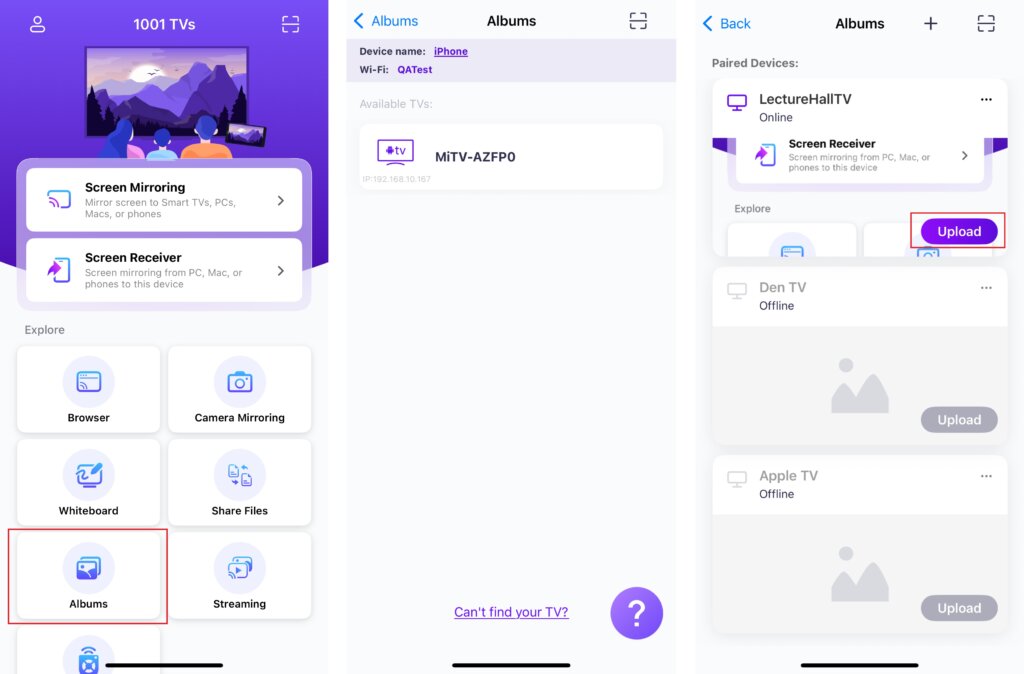
在電視上,開啟 相簿投影 以隨時瀏覽和播放上傳的內容。.
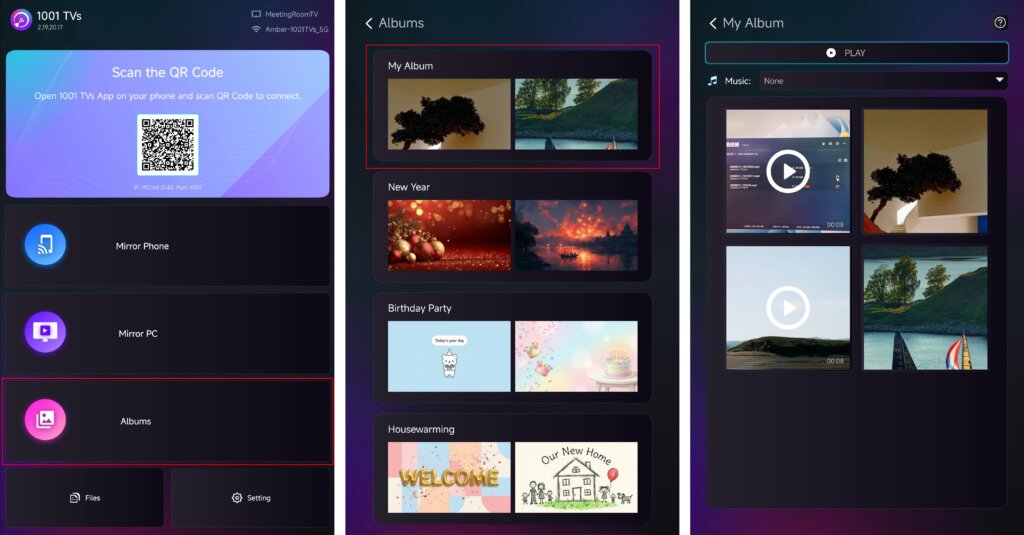
如需詳細說明,請參閱教學: 如何从手机到电视共享家庭幻灯片/家庭相册
串流播放
✅ 支援 Android TV 2.20.2.0 以上版本
從裝置清單中選取您的電視,然後選擇要串流的內容。.
媒體會自動開始在電視上播放,讓您可以在更大的螢幕上欣賞。.
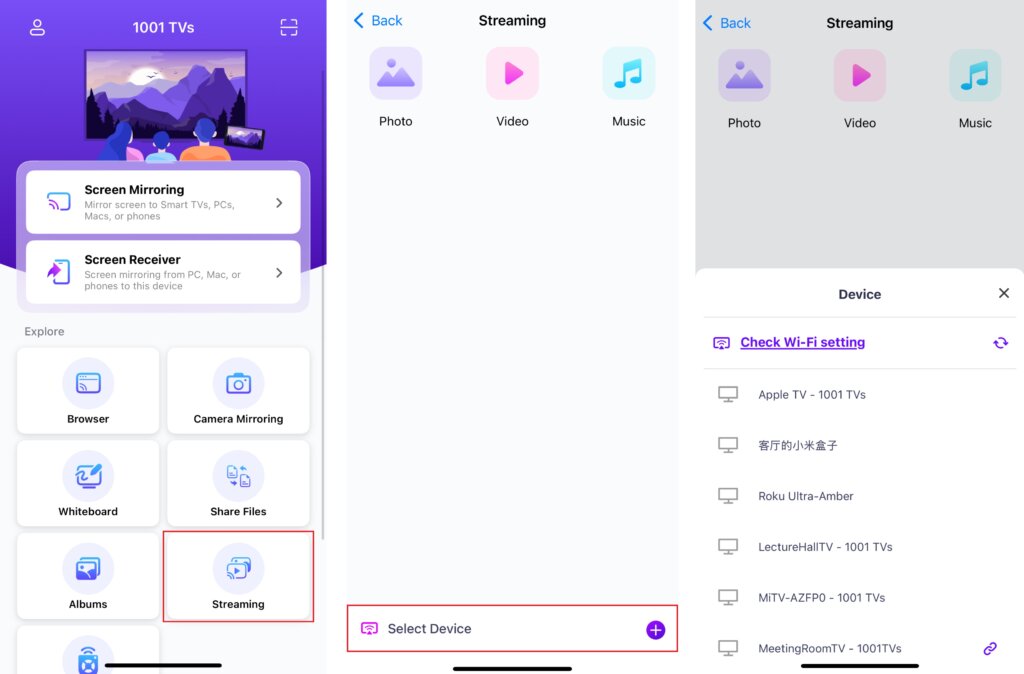
如需詳細說明,請參閱教學: 如何将媒体文件从手机串流到电视
4.調整螢幕內容大小
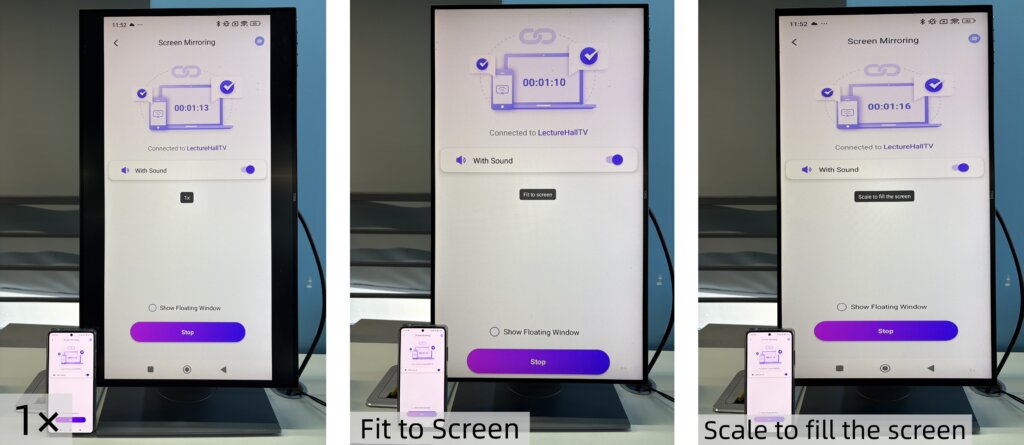
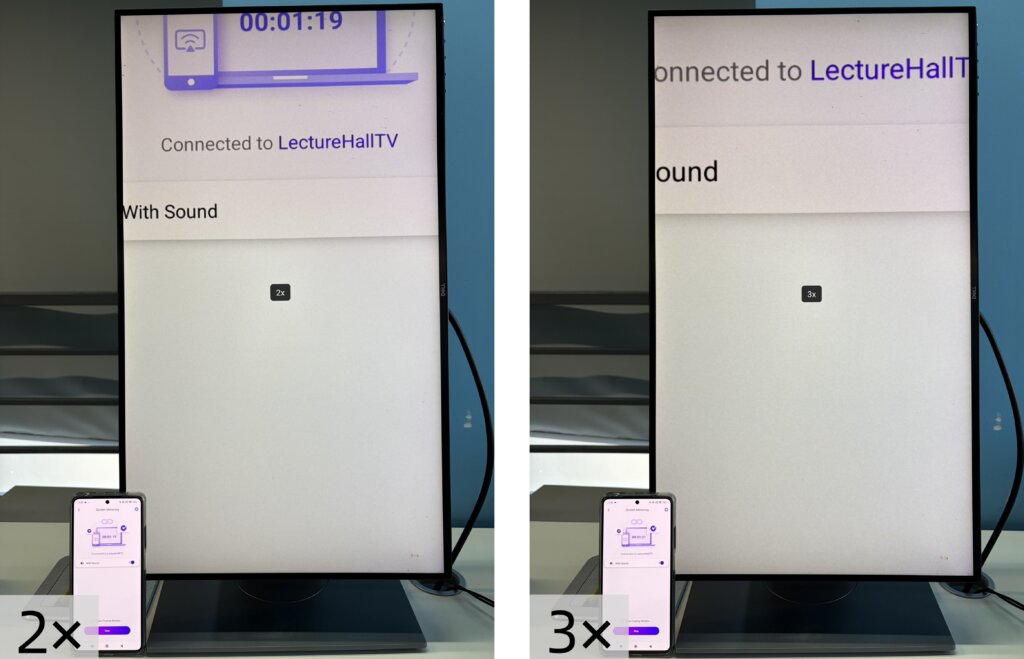
若要微調顯示內容的大小,請按下 向上 和 下降 電視遙控器上的按鈕。.
您可以在下列顯示模式之間切換:
- 1 × - 以原始尺寸顯示
- 適合螢幕 - 自動調整大小以填滿螢幕,同時保持原始寬高比
- 縮放以填滿螢幕 - 拉伸影像以完全填滿螢幕
- 2× / 3× - 放大觀看
選擇最適合您觀看需求的顯示模式。.
请注意:
調整大小模式在 螢幕鏡像.
它們在 串流播放.
在 檔案 和 相簿投影, 2× 和 3× 變焦不可用。.
5.享受垂直模式
一切就緒。開始以垂直模式鏡射或分享內容,在電視上享受全新的觀賞體驗。.
立即取得 1001 TVs!
📥 電視應用程式: 如何在電視上安裝 1001 TVs
📱 iOS App: 从 App Store 下载
📱 Android App: 从 Google Play 下载