
Android TV Remote Control on Google Play & App Store– A Free New Feature in 1001 TVs
Many users search for an Android TV remote control app when their TV remote is lost, broken, or simply not working. While both Google Play and the App Store offer many remote control apps, user reviews consistently highlight the same frustrating problems.
Common Complaints from Remote Control App Users
Across app stores, Android TV remote apps are often criticized for:
❌ Failing to detect the TV or having unstable connections
📢 Too many ads that interrupt usage
🔘 Missing basic buttons like Power, Volume, or Home
📺 Apps labeled as “remote control” but only support casting
💰 Charging for basic remote functions
These issues make it surprisingly difficult to find a simple, reliable, and truly free Android TV remote control app.
Android TV Remote Control in 1001 TVs
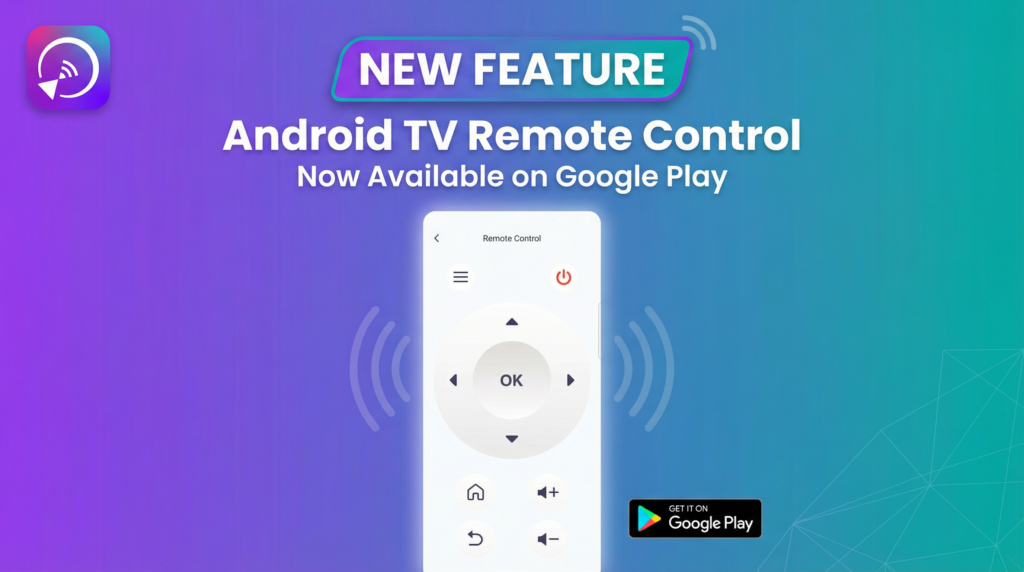
1001 TVs now includes a fully functional Android TV Remote Control, available on both Android and iOS.
Your phone works as a real TV remote — simple pairing, fast connection, no hidden charges.
Key Features
- Key Features
- Auto-detects Android TVs on the same Wi-Fi network
- Fast and stable connection
- Simple pairing with on-screen code
- Completely free for remote control
Supported Controls
⏻ Power
🔊 Volume Up / Down
🏠 Home
⬅️ Back
⬆️⬇️⬅️➡️ Direction Pad (Up / Down / Left / Right)
⭕ OK Button
Tip: Long-press the OK button to uninstall apps on your Android TV.
⬇️Download 1001 TVs
The Android TV Remote Control feature is now available in the Google Play version of 1001 TVs.
👉Download 1001 TVs on App Store.
👉Download 1001 TVs on Google Play
Use your phone as a free Android TV remote control.