
Mac: سىملىق ئېكران ئەينىكى كېلىدۇ!
The wired screen mirroring feature for iOS devices is now available! Simply connect your iPhone or iPad to your Mac using a cable.
iPhone ياكى iPad قا 1001 TVs چۈشۈرۈشنىڭ ھاجىتى يوق!
1. Install and Open 1001 TVs on your MacBook
📥 Mac ئەپ: App Store دىن چۈشۈرۈڭ
چېكىڭ “Phone to Mac“.
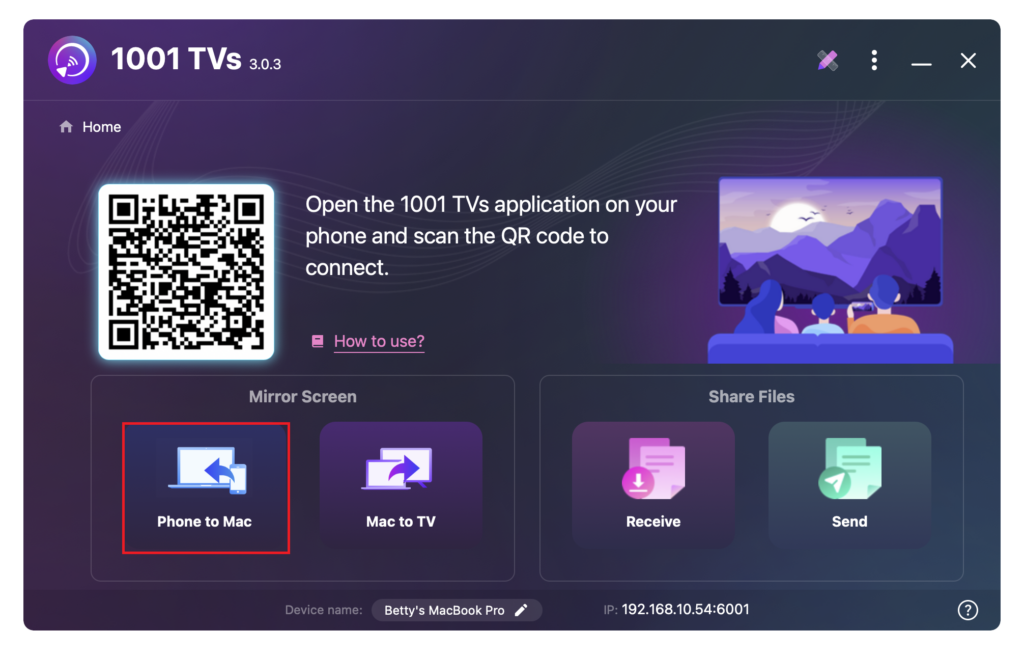
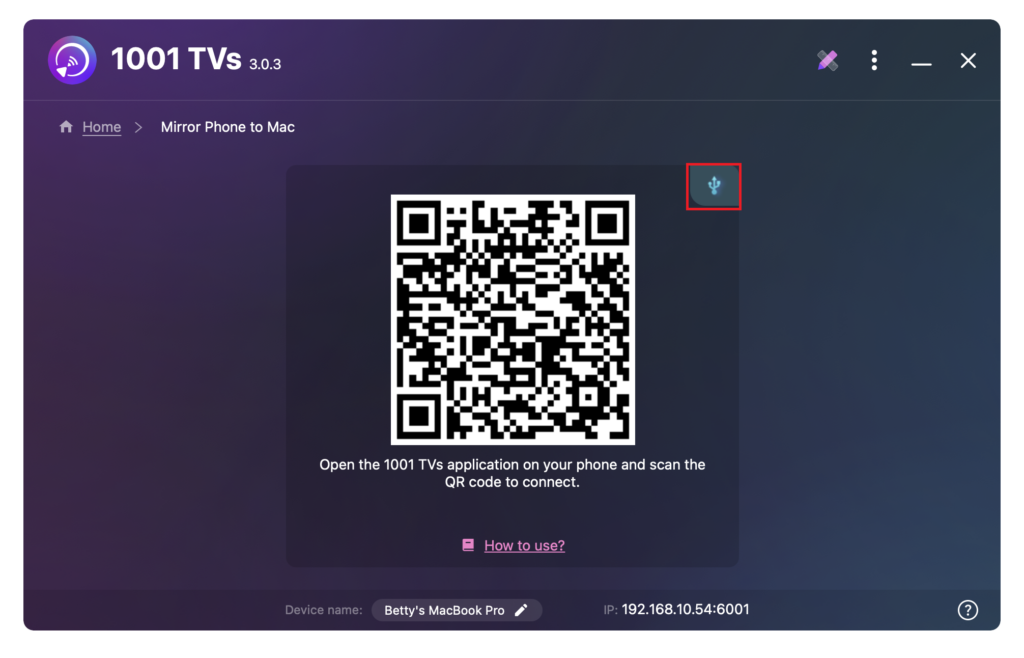
Tap the cable icon.
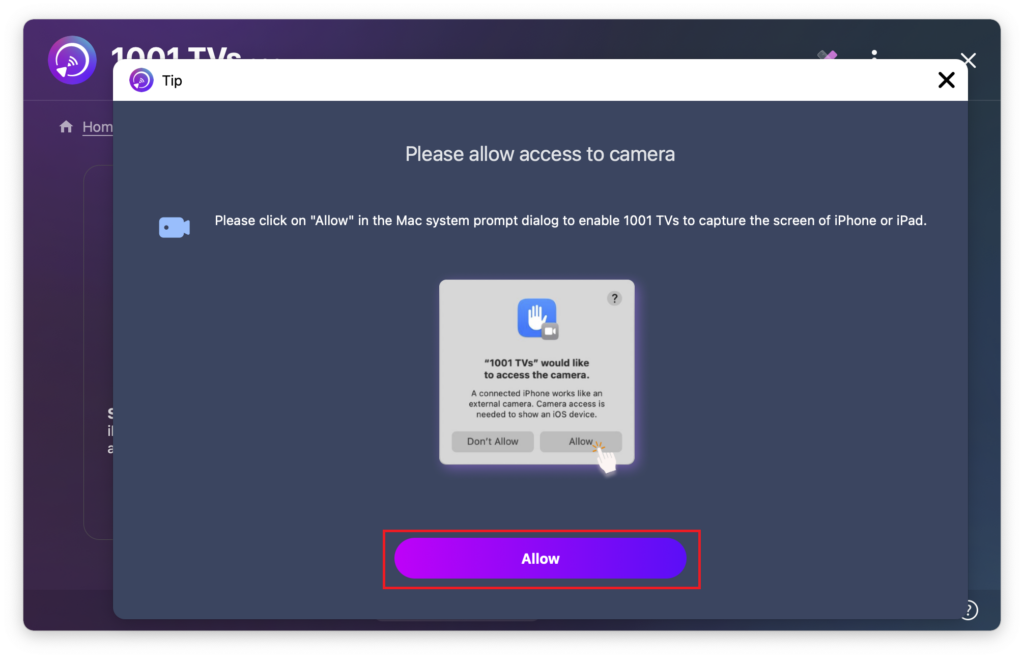
When the permission pop-up appears, click “رۇخسەت قىلىش” to grant access and ensure normal use.
The following screen will appear.
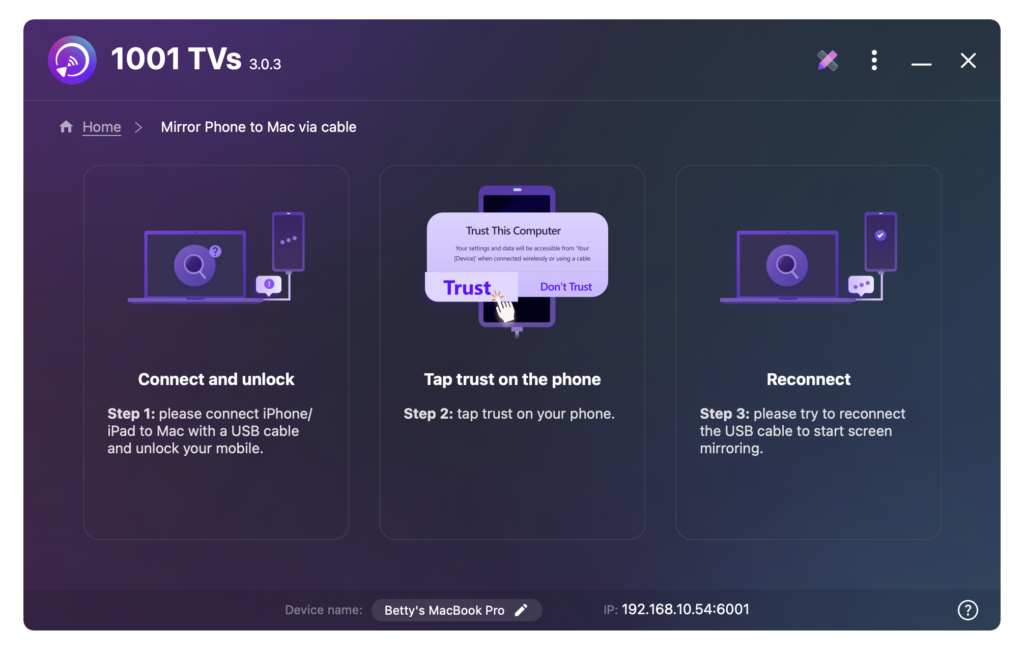
2. Connect your iPhone/iPad to Mac via cable
A permissions prompt will appear on your iPhone/iPad —select “ئىشەنچ” مۇۋاپىق ئىقتىدارنى ئىشقا ئاشۇرۇش ئۈچۈن.
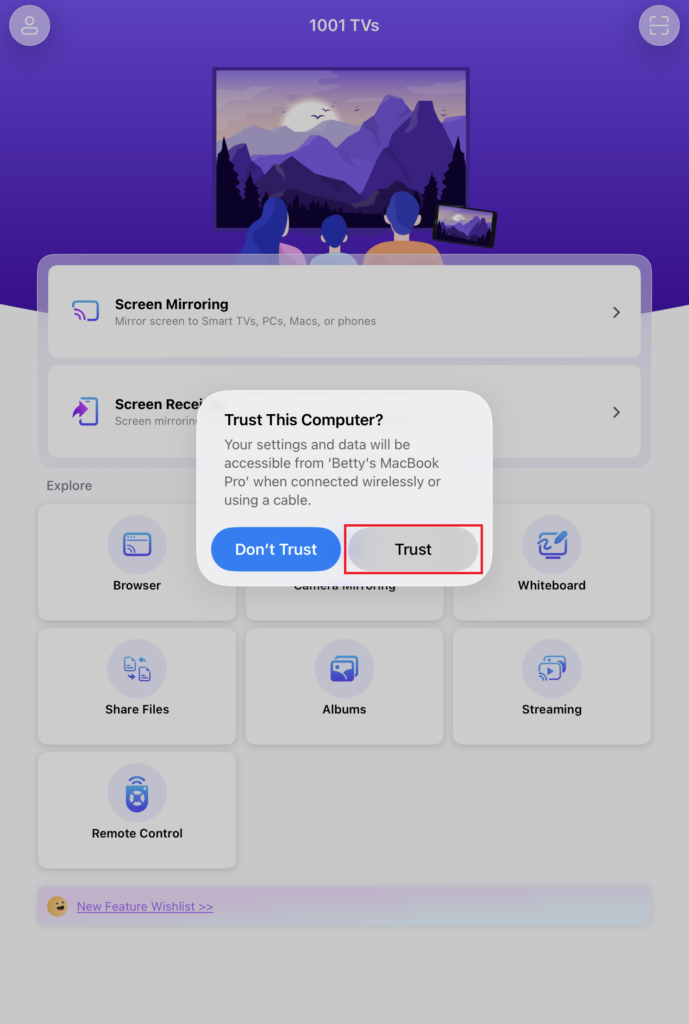
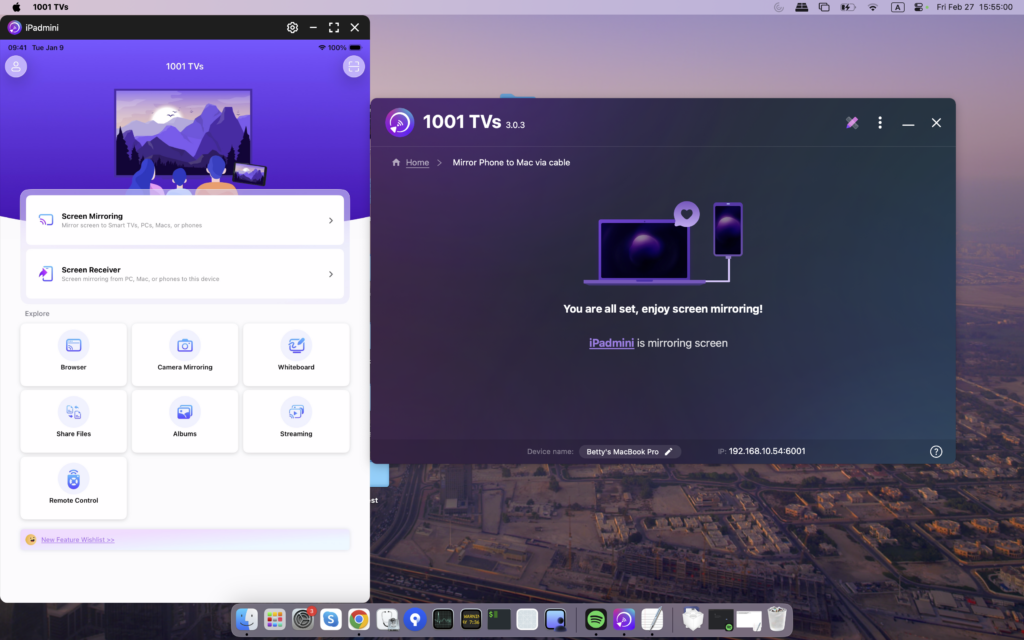
Reconnect your devices. Once successful, the interface will appear as shown below.
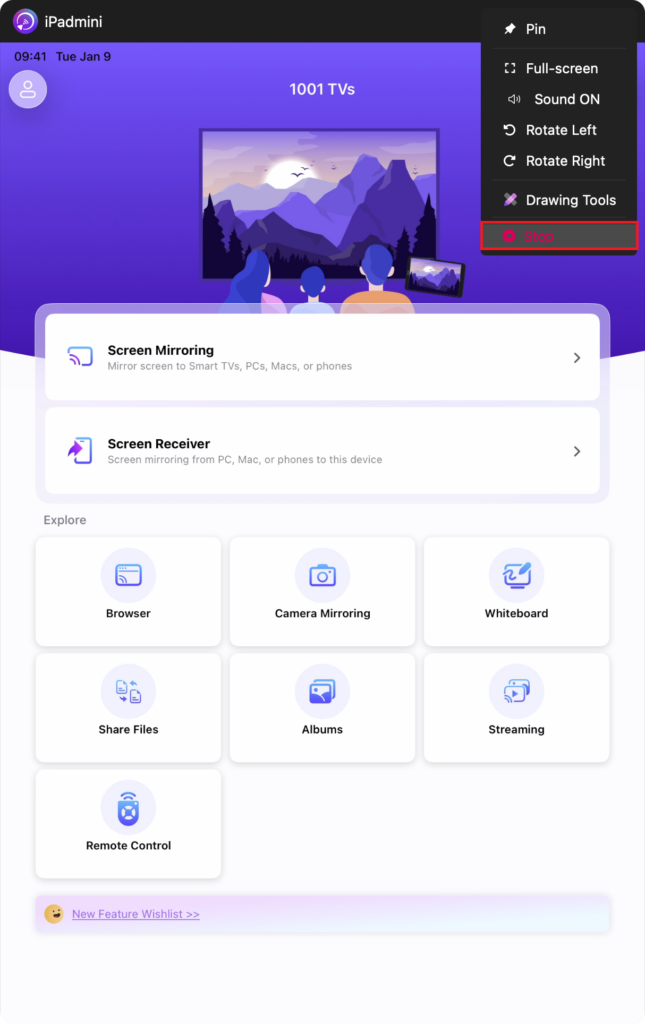
3. Close and Reopen Mirroring Anytime
Notes:
Screen mirroring loading in progress—please do not connect or disconnect the data cable during this time to avoid interruptions.
If you experience issues such as mirroring failure or a “no signal” message, try the following solutions:
· Reconnect the data cable.
· Restart 1001 TVs on your MacBook.
· Restart your MacBook.
ھازىر 1001 TVs نى ئېلىڭ!
📥 Mac ئەپ: App Store دىن چۈشۈرۈڭ