
Android 15+'da Yeni Özellik: Tek Bir Uygulamayı 1001 TVs'ye Yayınlayın

Vivo X200 serisi gibi Android 15+ cihazlar artık güçlü ve yeni bir özelliği destekliyor - Tek Uygulamalı Döküm.
Şunlarla test ettik 1001 TVve inanılmaz derecede faydalı buldum. İşte nasıl çalıştığı! 📸
Tek Uygulamalı Casting Nasıl Kullanılır?
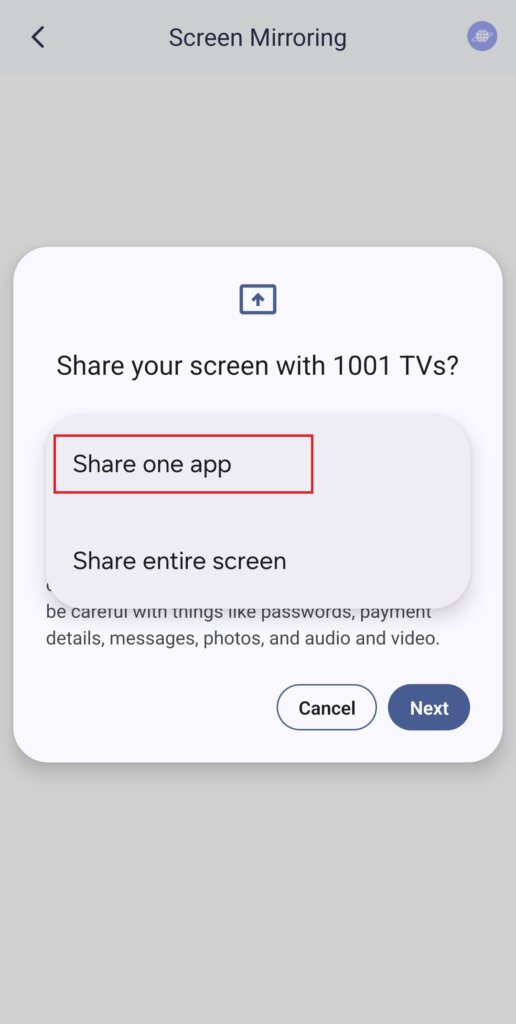
1️⃣ “Bir uygulamayı paylaş” Modunu seçin.
(Normal ekran yansıtma için “Tüm Ekranı Paylaş” seçeneğini de seçebilirsiniz).
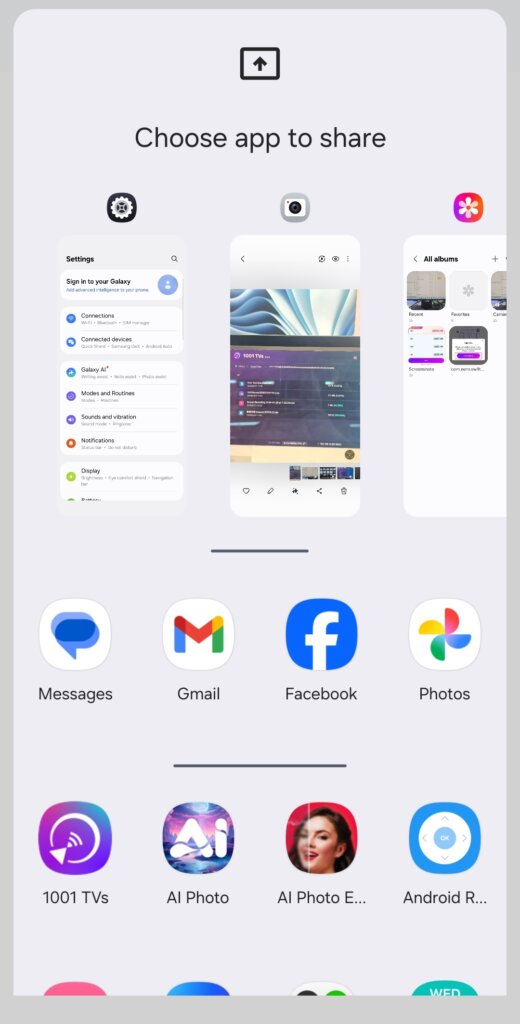
2️⃣ Yayınlamak istediğiniz uygulamayı seçin:
- Üst bölüm: O anda açık olan uygulamaların önizlemelerini görüntüler.
- Alt bölüm: Henüz açık olmayan uygulamaları listeler (örn. Tiktok). Birini seçtiğinizde otomatik olarak başlatılır.
3️⃣ Oyuncu seçimine başlayın!
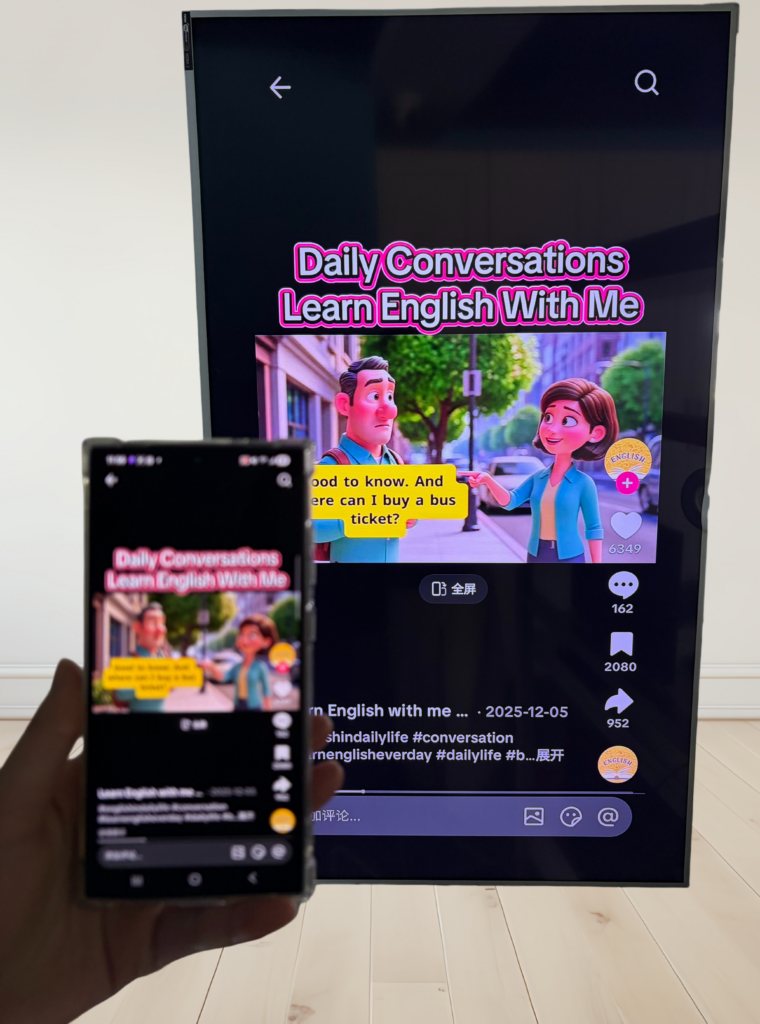
TV'niz veya bilgisayarınız şunları görüntüleyecektir sadece Seçilen uygulama, diğer her şeyi gizli tutar.
Gizliliğinizi Koruyun ve Garip Anlardan Kaçının!
💡 Başka bir uygulamaya geçerseniz, yayın ekranı yeni etkinliğinizi görüntülemek yerine duraklayarak gizliliğinizi korur.
Şunu hayal edin: Peter bir sunum yaparken arkadaşı aniden “Bu gece bir partiye gidelim!” diye mesaj atıyor. - ve herkesin görmesi için büyük ekranda beliriyor. Yikes!😱
Single App Casting ile böyle bir şey olmayacak!
Ekran, siz yayın uygulamasına dönene kadar donuk kalır ve ardından sorunsuz bir şekilde devam eder.
📢 Android 15+ telefonunuz mu var? Şimdi deneyin! 🎉