[iOS] Como enviar arquivos do iPhone para o PC, Mac e TV
1001 TVs permite que você envie arquivos sem fio de seu iPhone em um PC, Mac ou TV - instantaneamente e sem cabos. Seja para fotos, vídeos ou documentos, o compartilhamento está a apenas um toque de distância. Veja como começar.
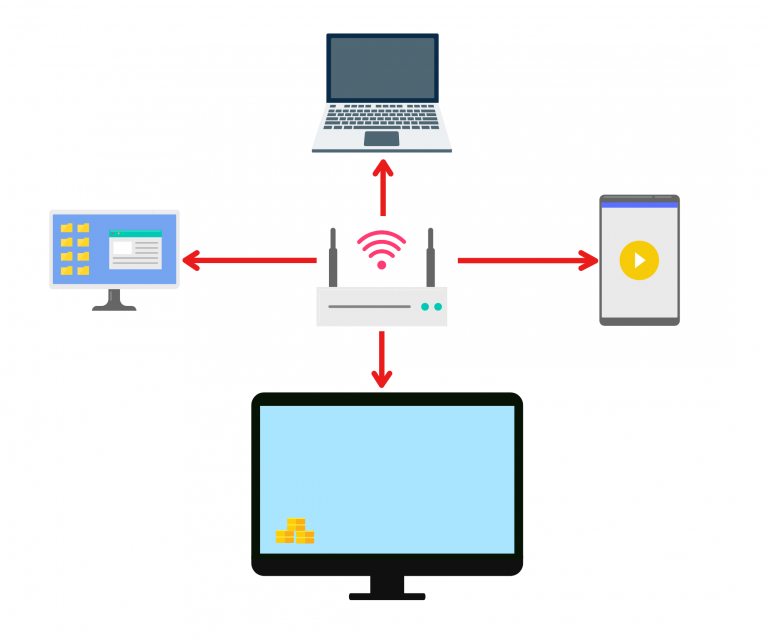
1. Conecte-se à mesma rede Wi-Fi:
Verifique se os dois dispositivos estão conectados à mesma rede Wi-Fi.
(Recomenda-se uma conexão Wi-Fi de banda 5G para obter o melhor desempenho).
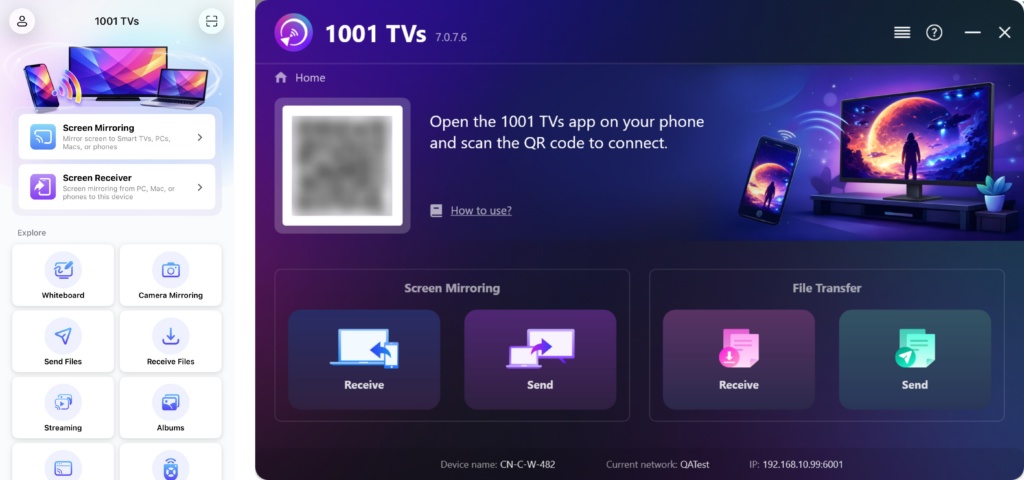
2. Instale e abra o 1001 TVs em ambos os dispositivos
Aplicativo para PC: Baixar de Microsoft Store
Para obter etapas detalhadas, consulte o Guia de instalação do PC.
📥 Aplicativo para Mac: Baixar da App Store
📥 Aplicativo de TV: Como instalar o 1001 TVs em sua TV
📱 Aplicativo iOS: Baixar da App Store
3. Iniciar emparelhamento
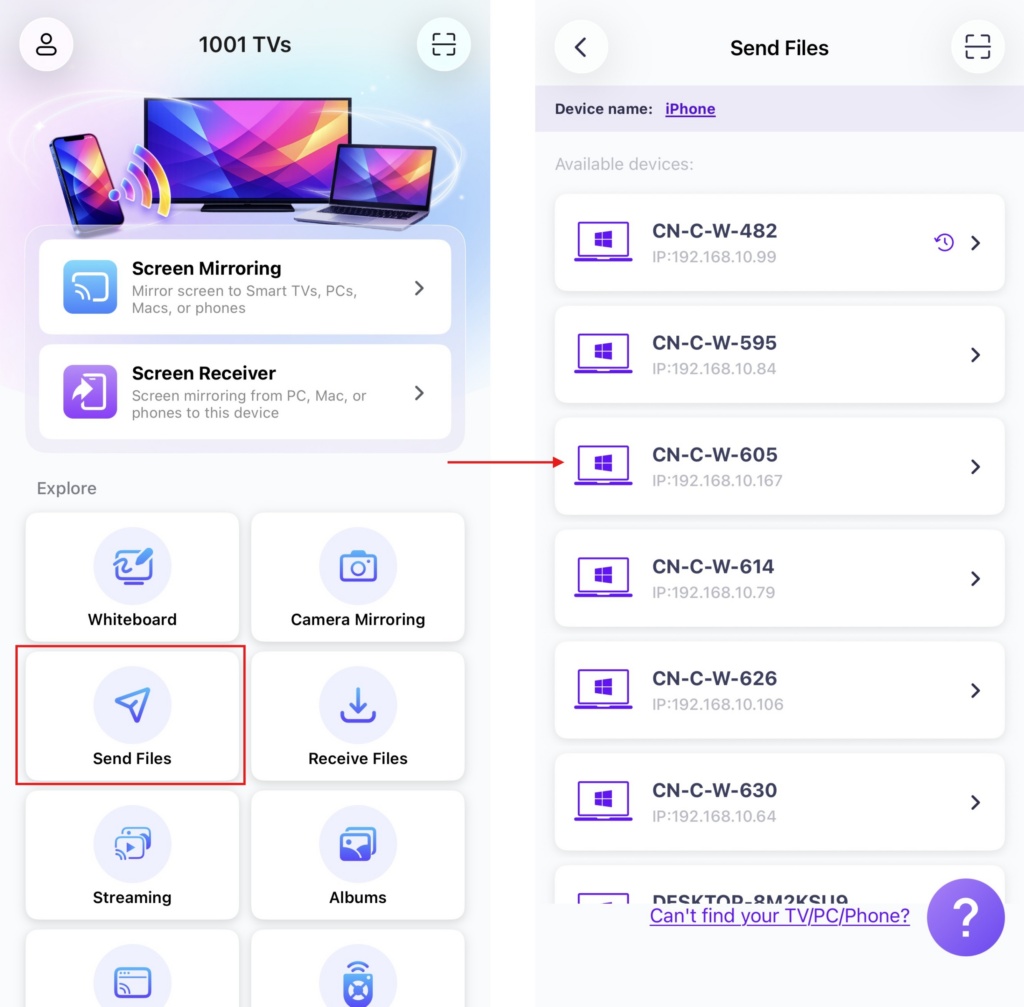
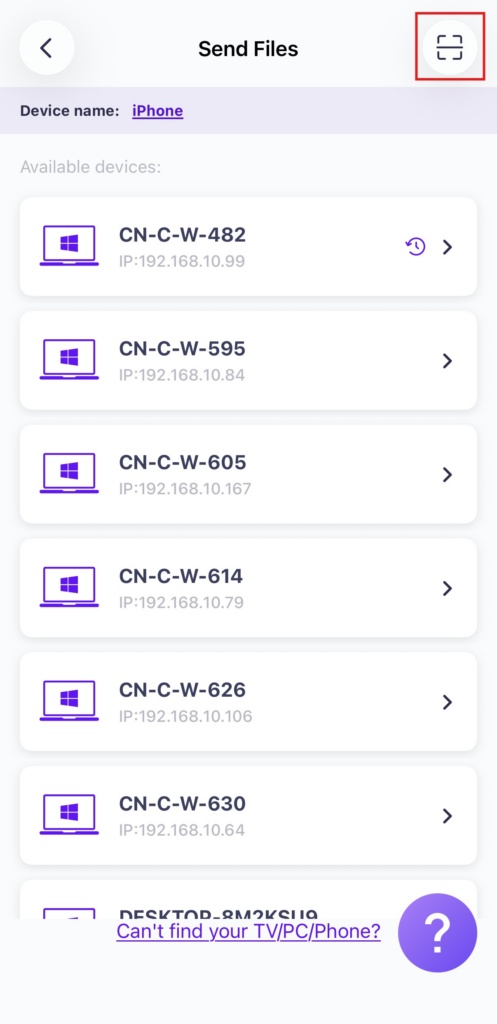
Lançamento 1001 TVs em seu telefone e toque em Enviar arquivos.
Selecione seu dispositivo de destino na lista (por exemplo, seu PC/Mac/TV).
Observação: O dispositivo de destino deve estar on-line para receber arquivos. Se ele aparecer off-line, verifique sua conexão de rede. Você ainda pode visualizar os arquivos já recebidos em seu PC/Mac/TV a qualquer momento.
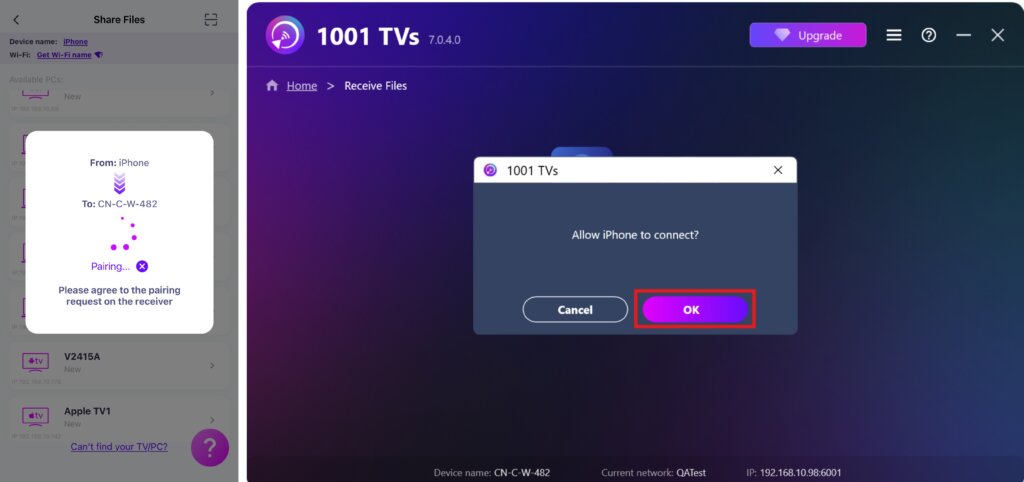
Em seu dispositivo receptor, confirme o emparelhamento.
7. Não consegue encontrar o dispositivo de destino? Tente emparelhar digitalizando o código
Se o seu dispositivo não aparecer na lista, você pode escanear o código QR exibido na tela do seu Mac/PC/TV para emparelhamento rápido.
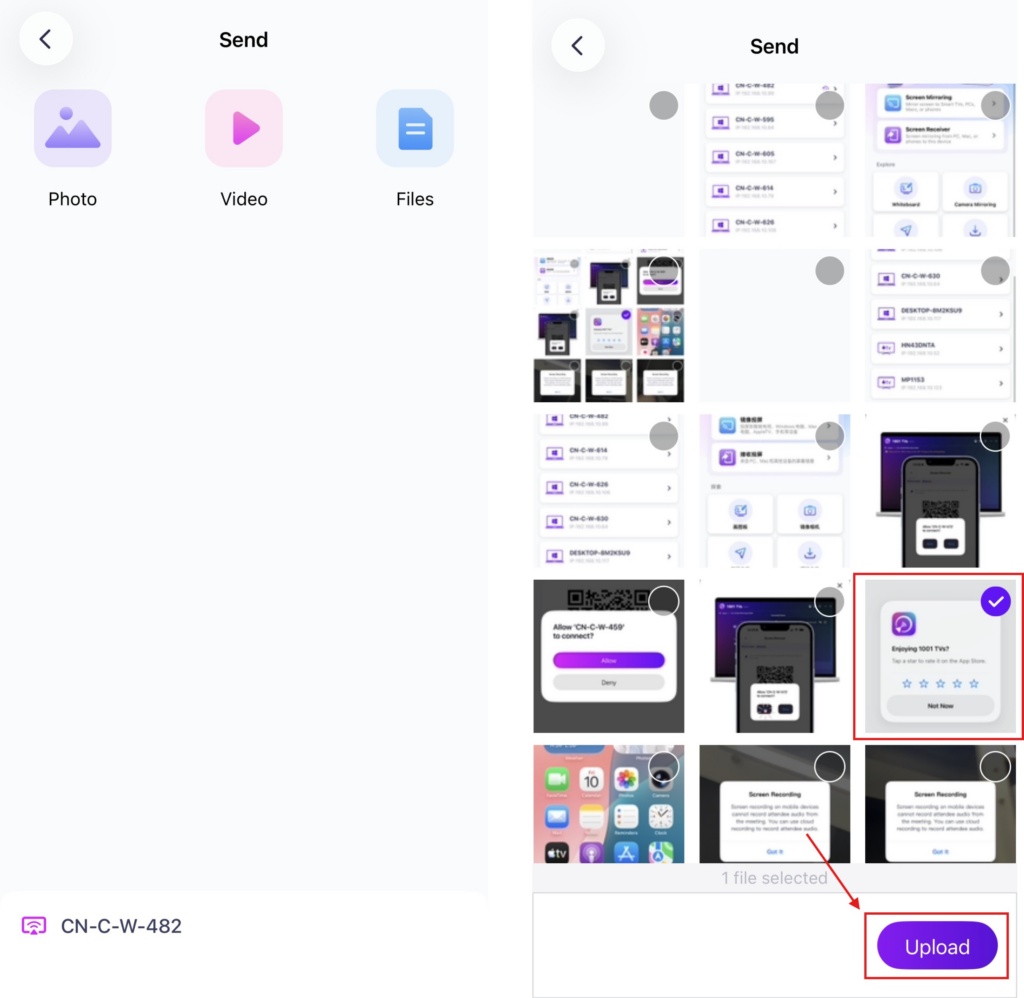
4. Selecione os arquivos a serem enviados
No seu celular, selecione os arquivos que deseja enviar.
5. Arquivos recebidos – Onde encontrá-los
1) Para PC/Mac
Clique em Receber em seu PC/Mac para ver todos os arquivos recebidos.
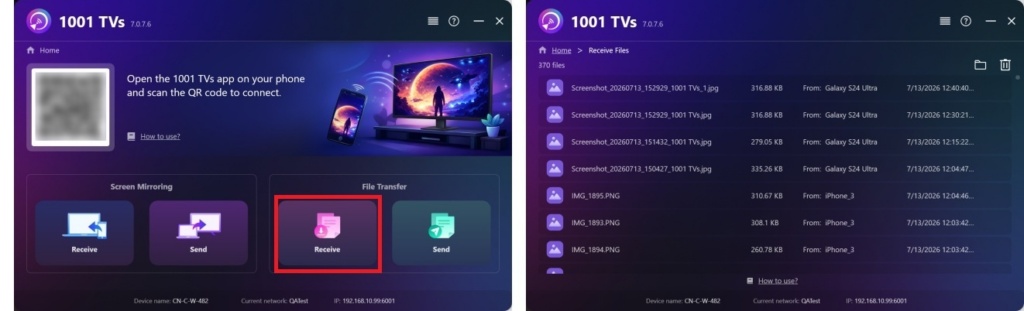
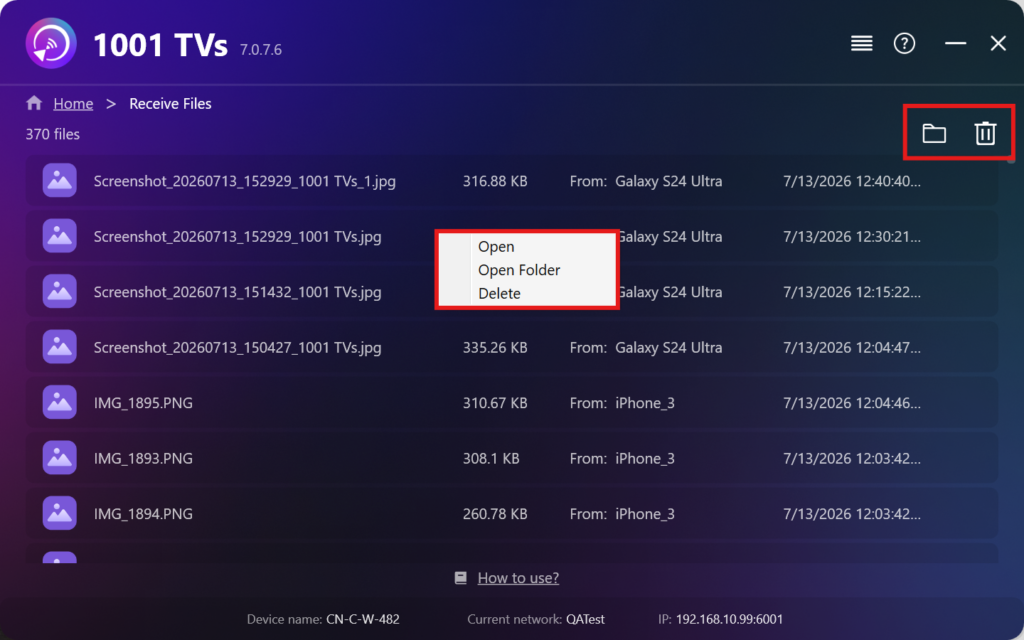
- Abrir Exibir os arquivos recebidos – Clique em ou clique com o botão direito do mouse e selecione "Abrir pasta” para visualizar todos os arquivos desse dispositivo específico (por exemplo, iPhone 12123).
- Localize-os no Finder (Mac) ou no File Explorer (Windows) - Clique no botão ícone da pasta no canto superior direito para acessar todas as pastas do dispositivo.
- Excluir opções – Clique com o botão direito do mouse um arquivo e selecione “Excluir” para removê-lo individualmente, ou clique no botão ícone da lixeira no canto superior direito para excluir todos os arquivos recebidos de uma só vez.
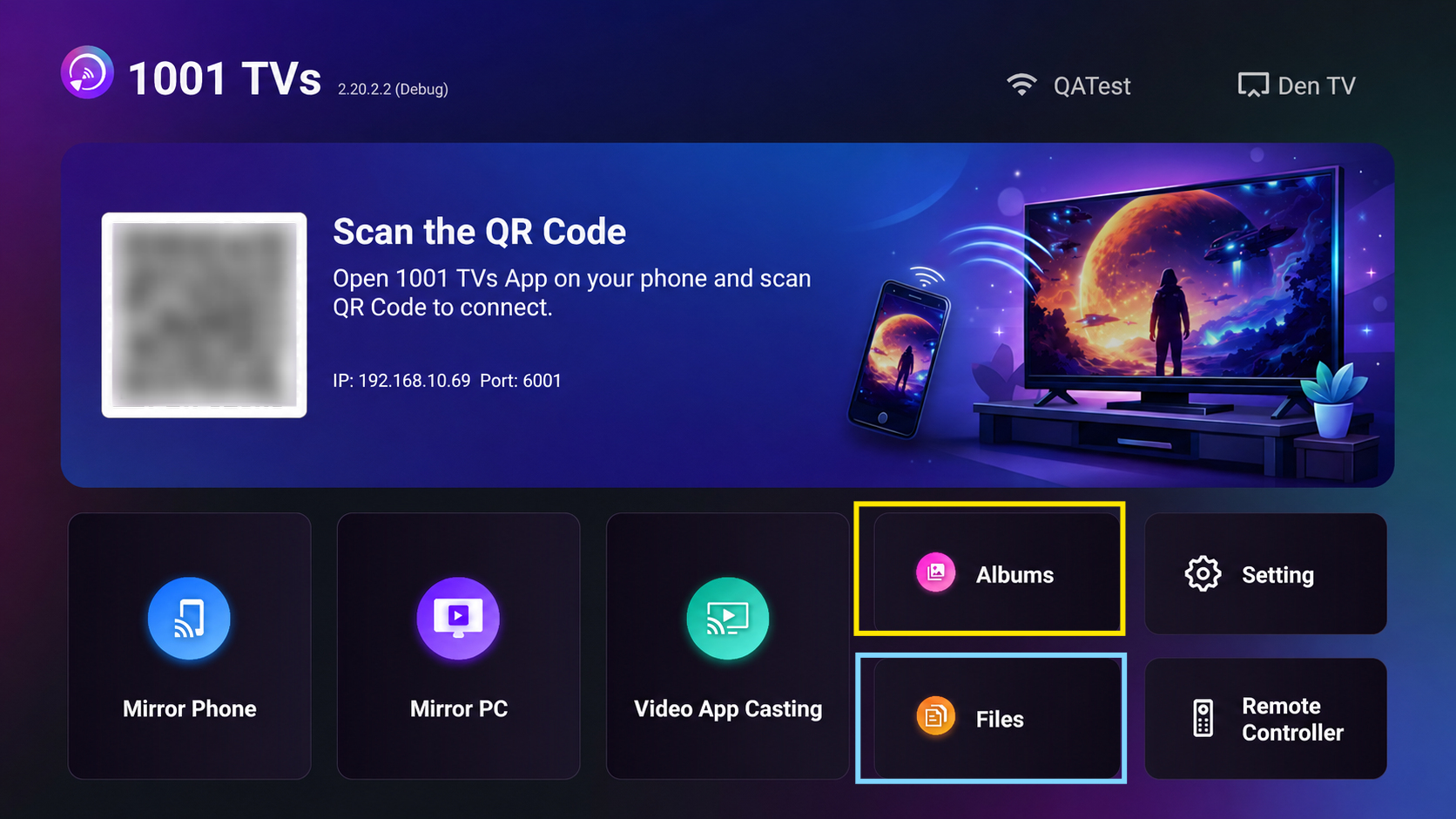
2) Para a TV
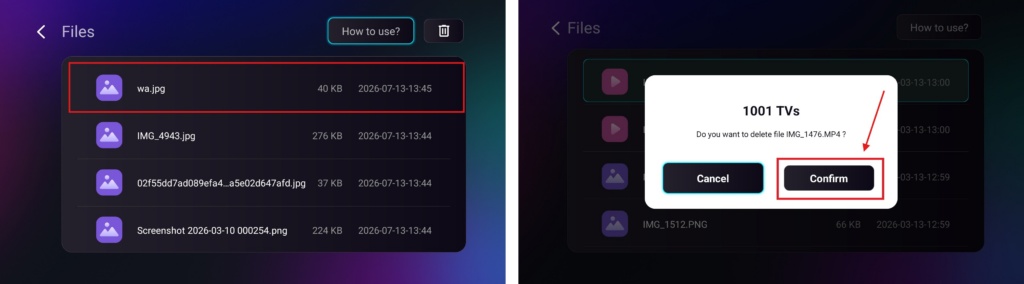
- Navegue até Arquivos, você pode ver os arquivos recebidos. Para excluir um único arquivo, mantenha pressionado o botão OK no controle remoto da TV para selecionar o arquivo desejado e, em seguida, pressione “Confirmar” para excluí-lo.
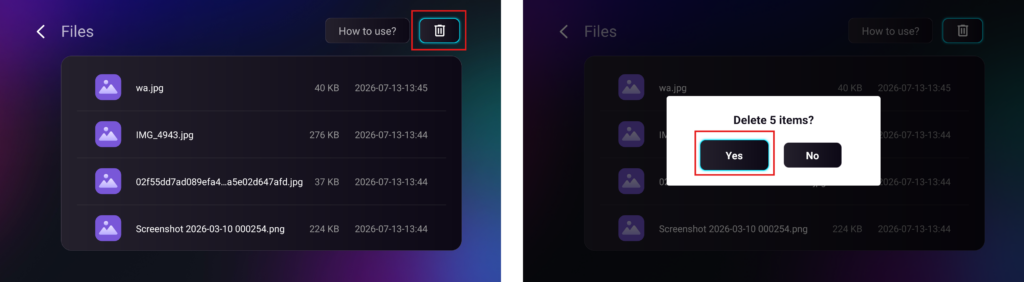
Para excluir todos os arquivos de uma só vez, clique no botão da lixeira e, em seguida, pressione “Sim” para confirmar.
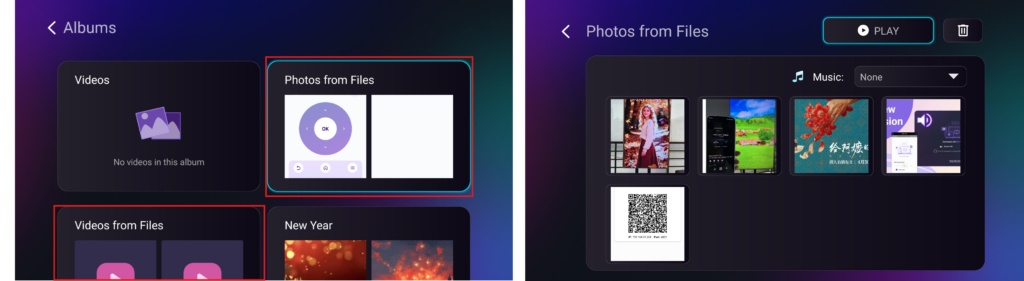
- Navegue até Álbuns > Fotos/Vídeos de arquivos página para visualizar as fotos e vídeos que você recebeu. Eles podem ser excluídos da mesma forma que os arquivos, ou você pode reproduzi-los como um apresentação de slides.
Com 1001 TVsvocê pode aproveitar transferências de arquivos sem fio e de alta velocidade entre seus dispositivos a qualquer hora, em qualquer lugar! 🚀
Obtenha o 1001 TVs agora
Aplicativo para PC: Baixar de Microsoft Store
Para obter etapas detalhadas, consulte o Guia de instalação do PC.
📥 Aplicativo para Mac: Baixar da App Store
📥 Aplicativo de TV: Como instalar o 1001 TVs em sua TV
📱 Aplicativo iOS: Baixar da App Store

Leia mais
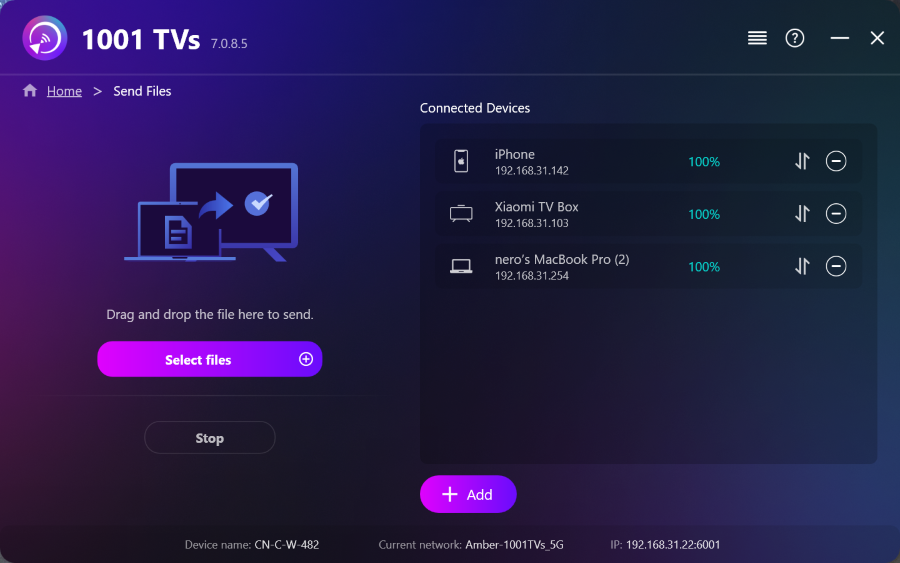 Como enviar arquivos do PC para vários dispositivos ao mesmo tempo (PC, celular, TV, tablet)
Com a versão mais recente do 1001 TVs para Windows (v7.0.8.5), seu PC agora pode enviar arquivos para vários dispositivos — TVs, tablets, celulares ou outros PCs...
Como enviar arquivos do PC para vários dispositivos ao mesmo tempo (PC, celular, TV, tablet)
Com a versão mais recente do 1001 TVs para Windows (v7.0.8.5), seu PC agora pode enviar arquivos para vários dispositivos — TVs, tablets, celulares ou outros PCs...
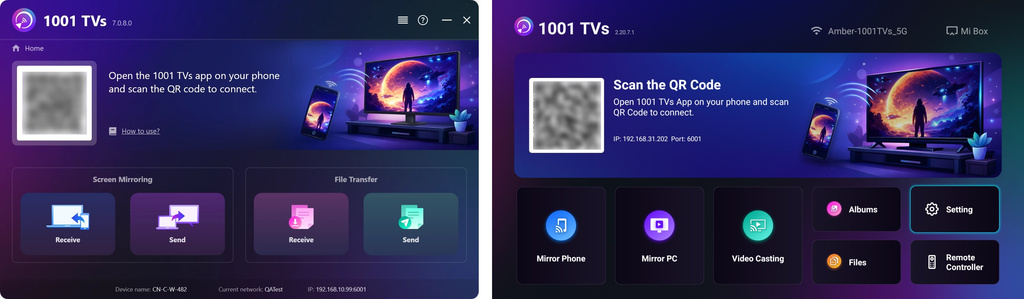 Como enviar arquivos do seu PC/Mac para a TV/PC/Mac
Com o 1001 TVs, você pode enviar arquivos do seu PC/Mac para a sua TV/PC/Mac pela mesma rede local. E sim — PCs e Macs...
Como enviar arquivos do seu PC/Mac para a TV/PC/Mac
Com o 1001 TVs, você pode enviar arquivos do seu PC/Mac para a sua TV/PC/Mac pela mesma rede local. E sim — PCs e Macs...

