
Como espelhar sua tela em um telefone Android ou iPhone

1. Conecte-se ao mesmo Wi-Fi:
Verifique se o dispositivo de envio (por exemplo, PC, Mac, tablet ou telefone) e o dispositivo de recebimento (telefone Android ou iOS) estão conectados à mesma rede Wi-Fi.
Para obter o melhor desempenho, use um Rede Wi-Fi de 5 GHz para reduzir o atraso e melhorar a estabilidade.
2. Instale e abra o 1001 TVs em ambos os dispositivos
Aplicativo para Mac: Baixar da App Store
Aplicativo para PC: Baixar de Microsoft Store
Para obter etapas detalhadas, consulte o Guia de instalação do PC
📱 Aplicativo para iOS: Baixar da App Store
📱 Aplicativo para Android: Faça o download no Google Play
3. Iniciar o espelhamento
1) Espelhe o telefone/iPad/tablet Android no telefone
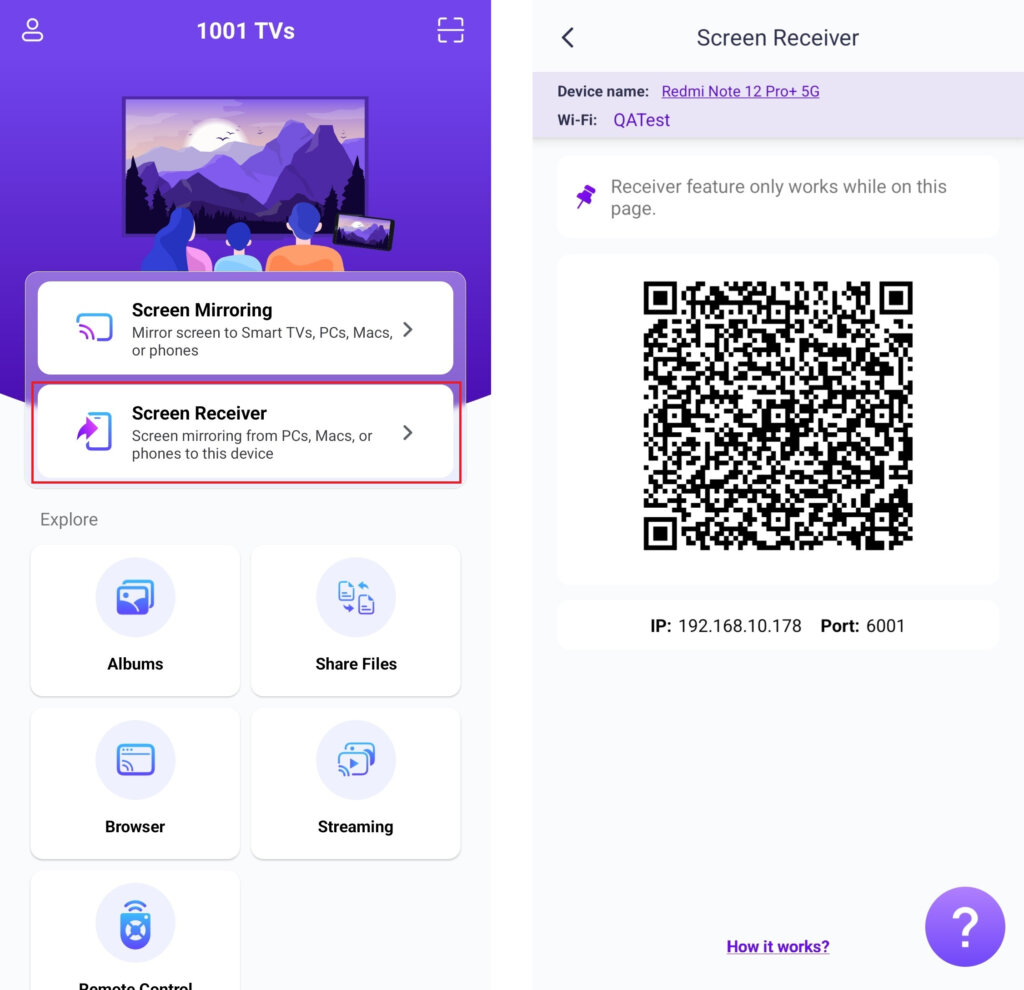
No telefone receptor, toque em “Receptor de tela” e manter o dispositivo pronto para conexão.
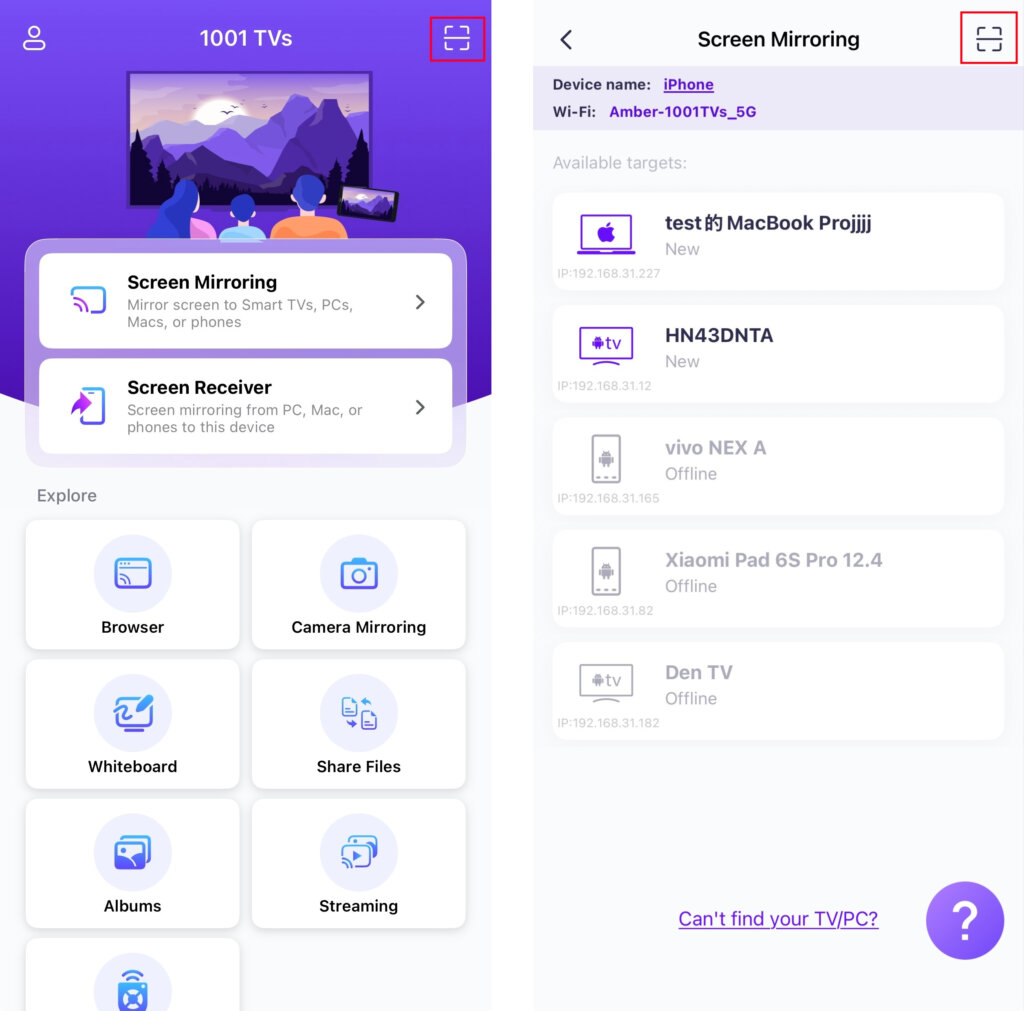
No telefone de envio, escolha um método de conexão:
- Leia o código QR na tela inicial ou na tela Espelhar tela página.
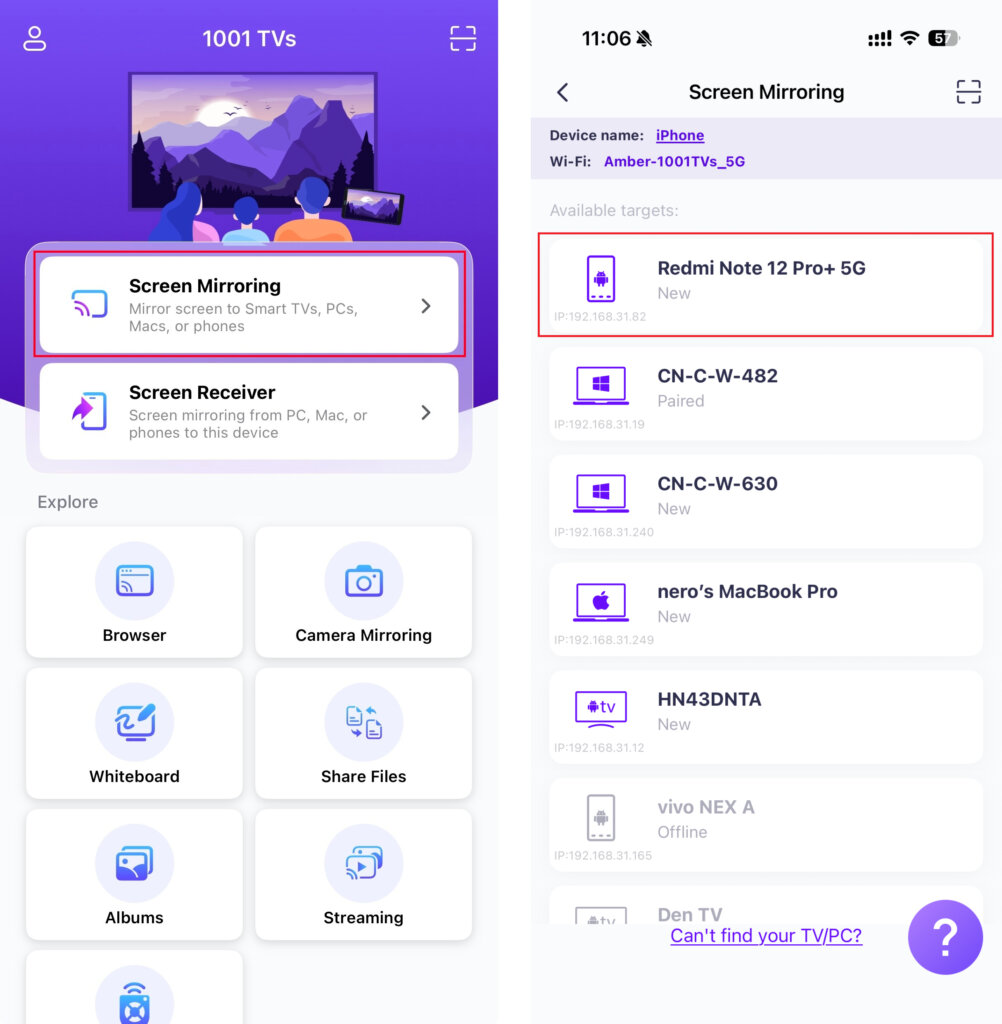
- Ou toque em “Espelhamento de tela”, Aguarde até que o aplicativo detecte os dispositivos disponíveis e selecione o dispositivo de destino.
2) Espelhar o computador no celular
No telefone receptor, toque em “Receptor de tela” e manter o dispositivo pronto para conexão.
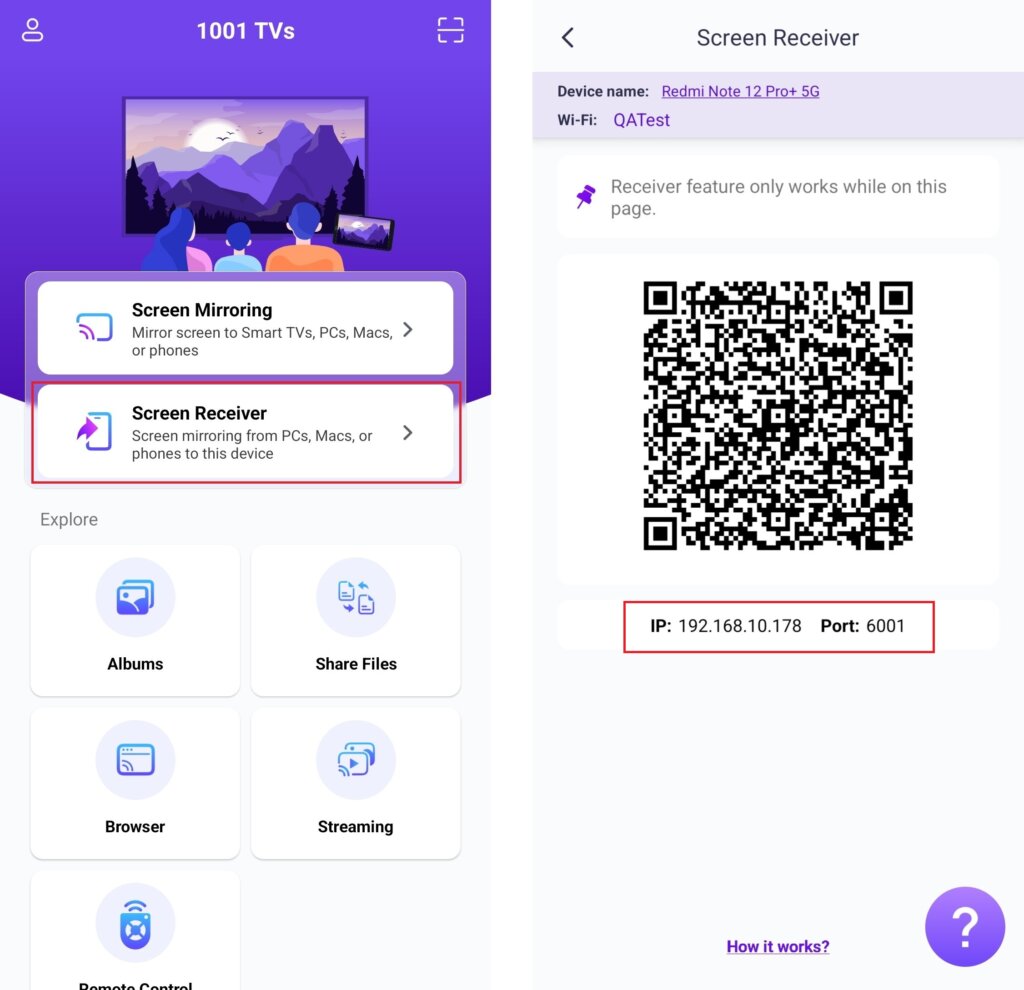
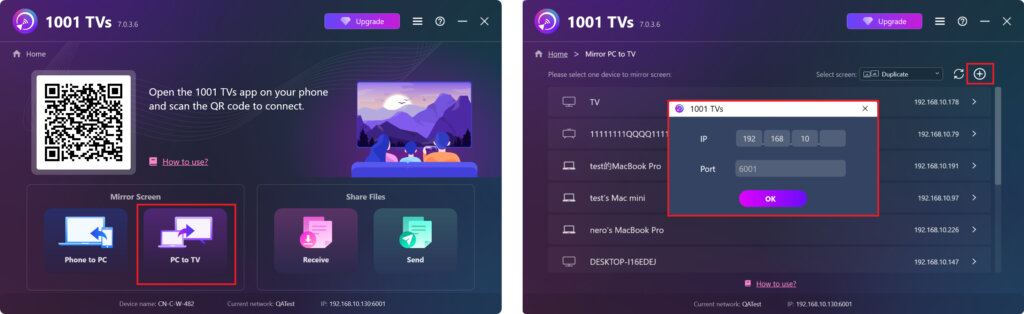
Em seu computador, selecione “PC para TV” ou “Mac para TV”.
Clique no botão + ícone no canto superior direito e, em seguida, digite o endereço IP exibido no telefone.
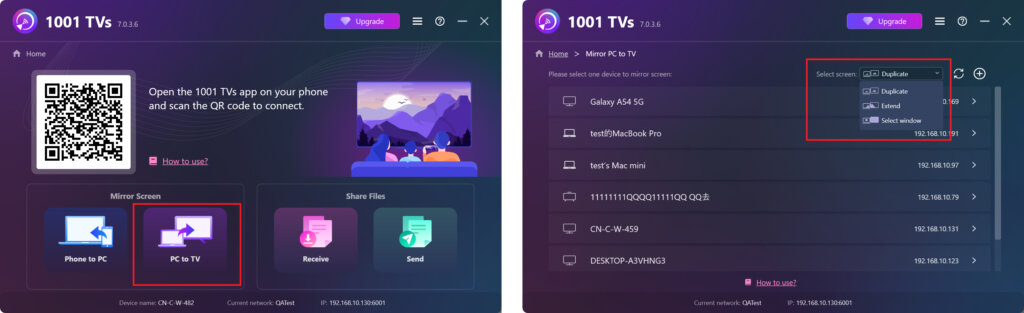
- Windows suporta os seguintes modos de tela: “Duplicado“, ”Estender“ou ”Select Window“ (Selecionar janela)“
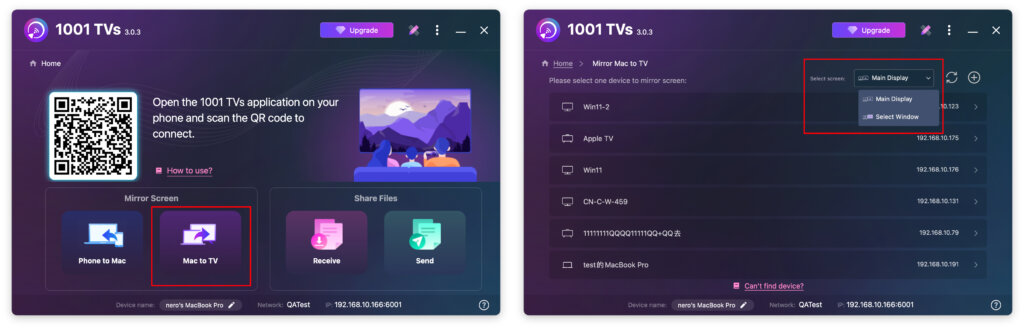
- Mac suporta os seguintes modos de tela: ”Tela principal“ ou ”Select Window“ (Selecionar janela)“
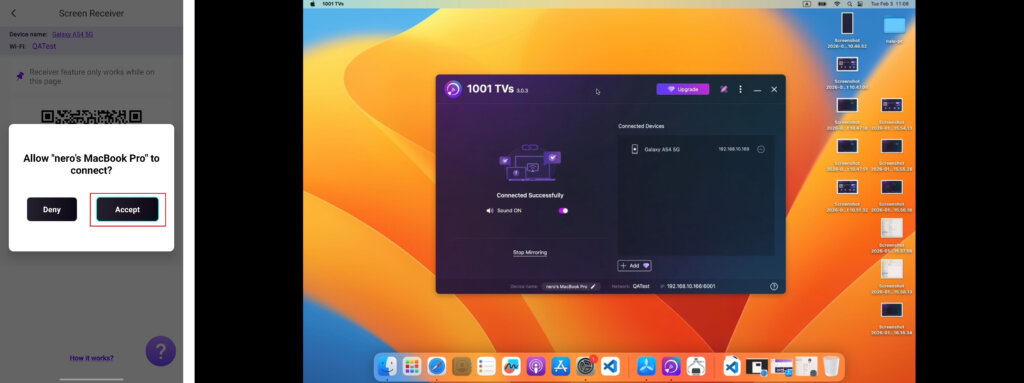
No telefone receptor, toque em ”Aceitar“ para confirmar a solicitação e iniciar o espelhamento.
Obtenha o 1001 TVs agora!
Aplicativo para Mac: Baixar da App Store
Aplicativo para PC: Faça o download em Microsoft Store
Para obter etapas detalhadas, consulte o Guia de instalação do PC
📱 Aplicativo para iOS: Baixar da App Store
📱 Aplicativo para Android: Faça o download no Google Play