检测到浏览器语言为中文,.点此切换到中文页面->

How to View Vertical Photos and Videos on a Vertical TV with 1001 TVs Albums

Do you have a vertical TV and want to view your vertical photos and videos in the right orientation?
を持つ。 アルバムミラーリング feature of the 1001 TVs app, you can easily upload photos and videos from your phone and enjoy them on a large vertical screen — perfect for sharing memories with family and friends.

Not sure how to enable vertical display?
Check this guide 👉 縦画面ミラーリング:新鮮な映像体験を創造する


1. How to Use the Albums Feature

❶ Open Albums

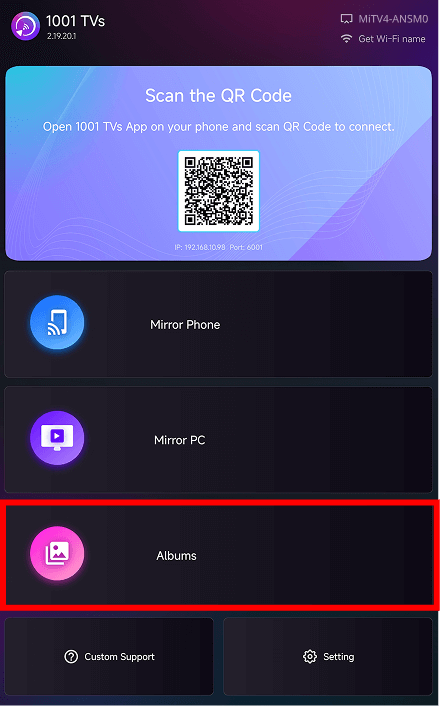
On the 1001 TVs home screen, scroll to the Explore section and tap アルバムミラーリング.

1001 TVs TV interface showing the Albums feature entry below Mirror Phone and Mirror PC options.

❷ Select an Album Category

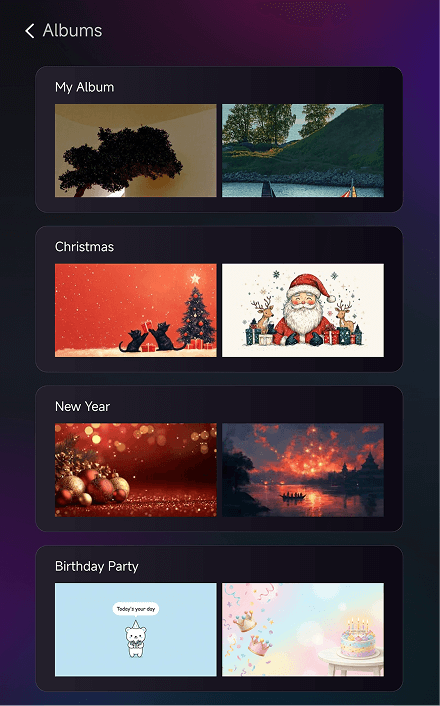
Inside Albums, you can upload your own photos and videos, or browse the built-in themed albums:

  • My Album – All items you uploaded
  • Christmas – Christmas-themed images
  • New Year – New Year celebration images
  • Birthday Party – Birthday-themed artwork
1001 TVs Albums screen displaying categories including My Album, Christmas, New Year, and Birthday Party.

❸ Browse and Play

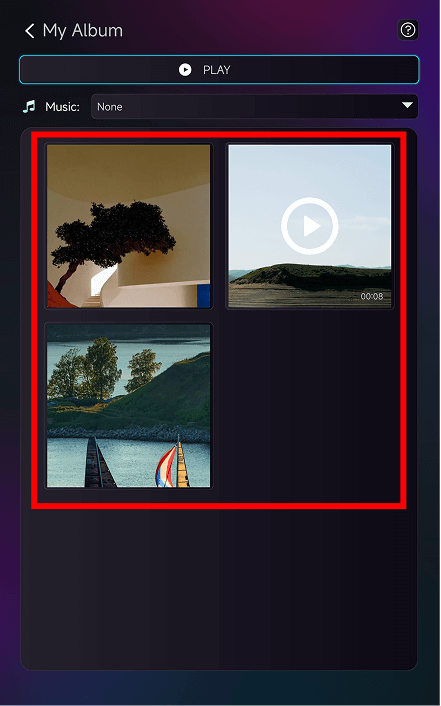
Tap any album to enter the detail page.
Tap a thumbnail to view a photo in full screen or to play a video.

Thumbnails of photos and a video displayed inside the 1001 TVs “My Album” gallery.

❹ More Features

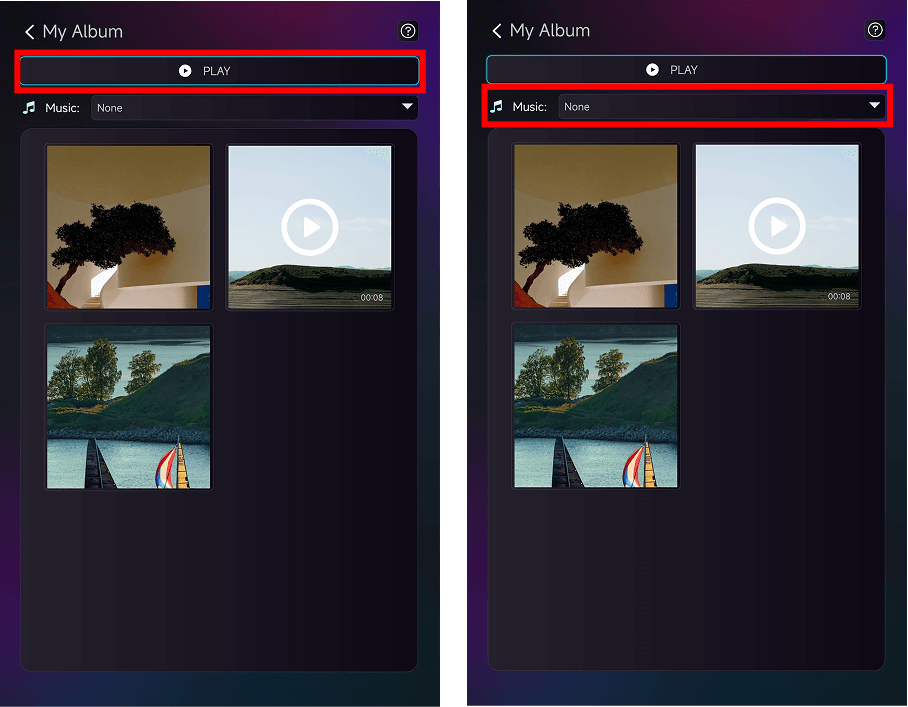
Inside My Albumあなたはできる:

  • タップ プレー at the top to start a slideshow
  • Choose background music from the Music dropdown menu
1001 TVs “My Album” page showing the Play button and the Music dropdown menu for slideshow settings.

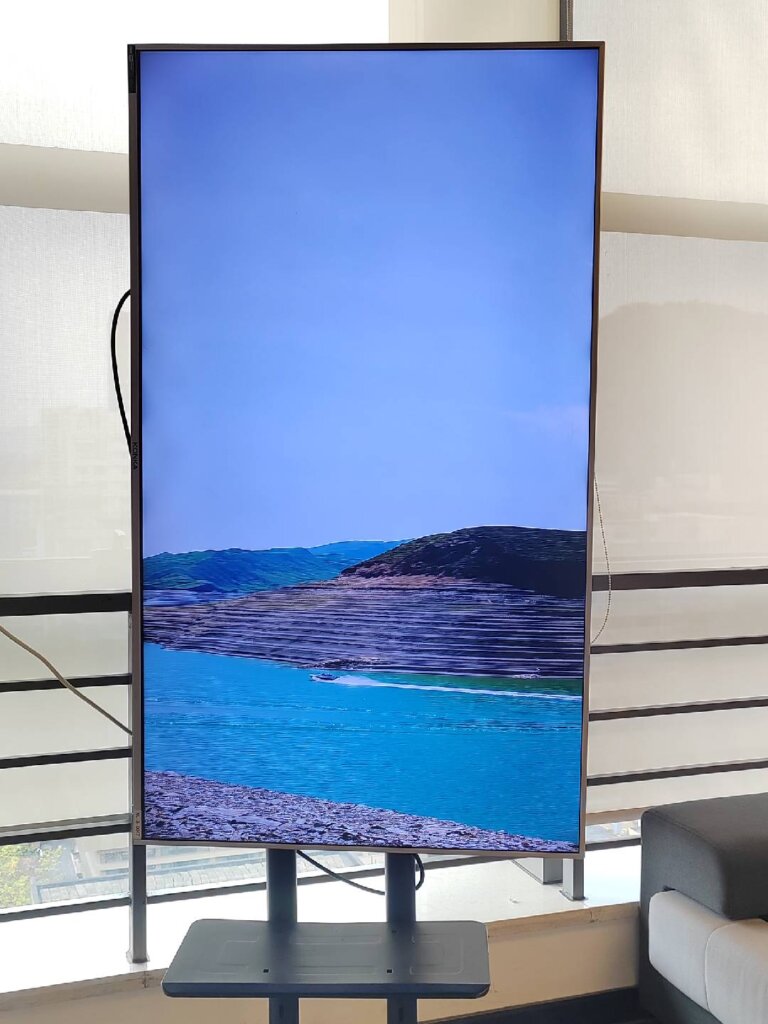
You can see the final display effect on your vertical TV like this!


2. When to Use It

  • Family Gatherings – Show your travel photos on a big vertical screen
  • Holiday Celebrations – Play themed albums to set the mood
  • Birthday Parties – Display memories and highlight special moments
  • Friends Get-togethers – Rewatch fun videos on a large vertical display

With optimized vertical viewing, your photos and videos look more vivid and immersive.


3. How to Upload Photos and Videos

For a full tutorial, check:
👉 Vertical Display Upgrade: Vertical Mirroring Upgrade: Photos and Videos in Albums Can Also Play Vertically!


Need Help?

If you encounter any issues, feel free to contact our support team: