
TV Auto-Accept Mirroring - keine Popups
Wenn Sie immer zur Fernbedienung Ihres Fernsehers greifen müssen, um jede Anfrage zur Bildschirmspiegelung zu bestätigen, kann das schnell nervig werden.
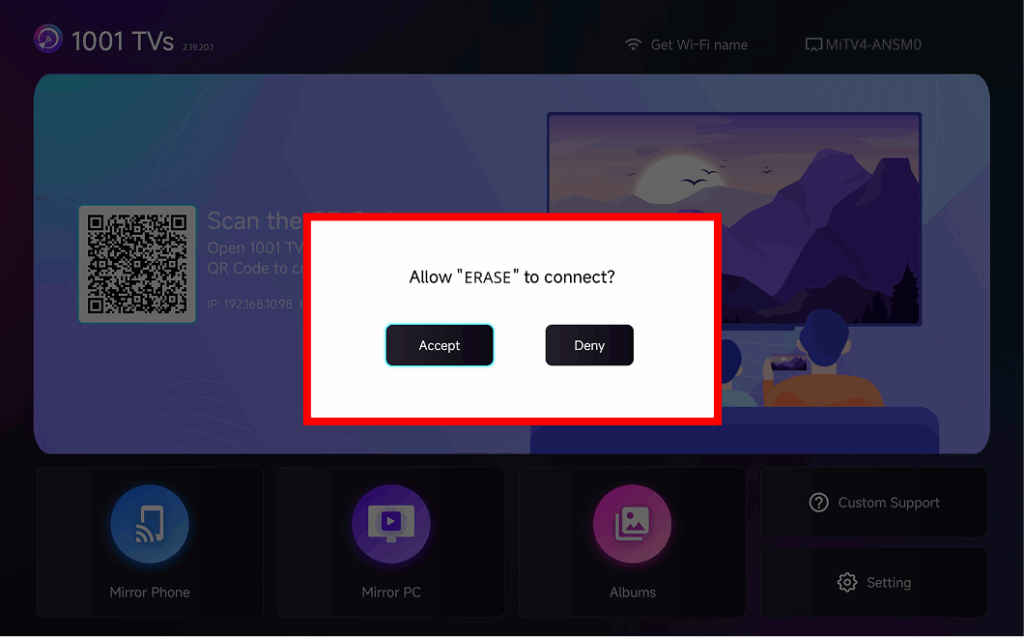
The latest version of 1001 TVs introduces Auto-Accept Mirroring – seamless casting without any popups.
Schritt-für-Schritt-Anleitung
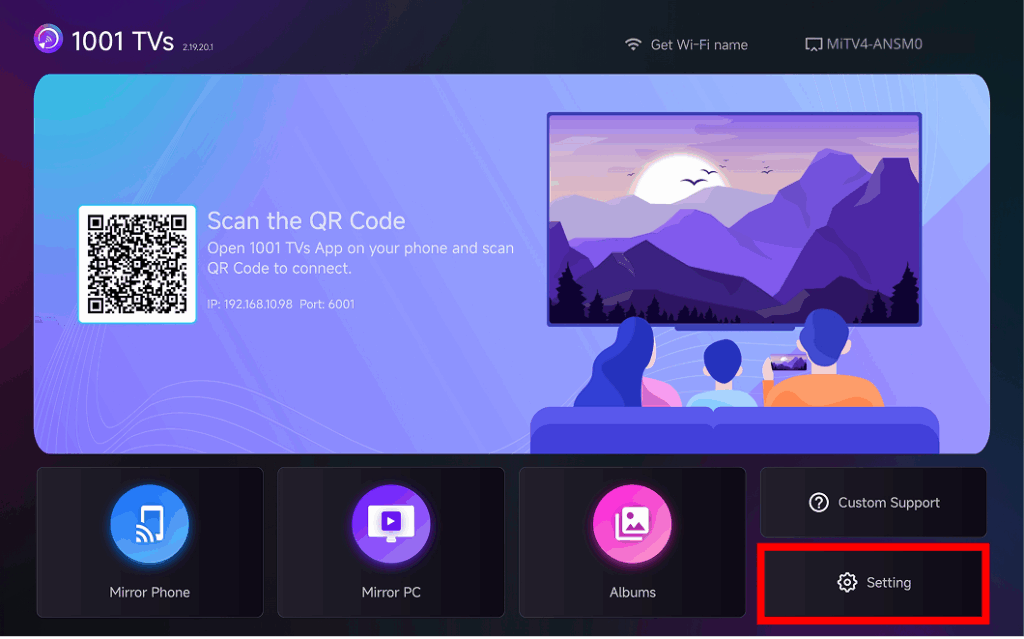
❶ Gehen Sie zur unteren rechten Ecke des TV-Startbildschirms und wählen Sie Einstellung
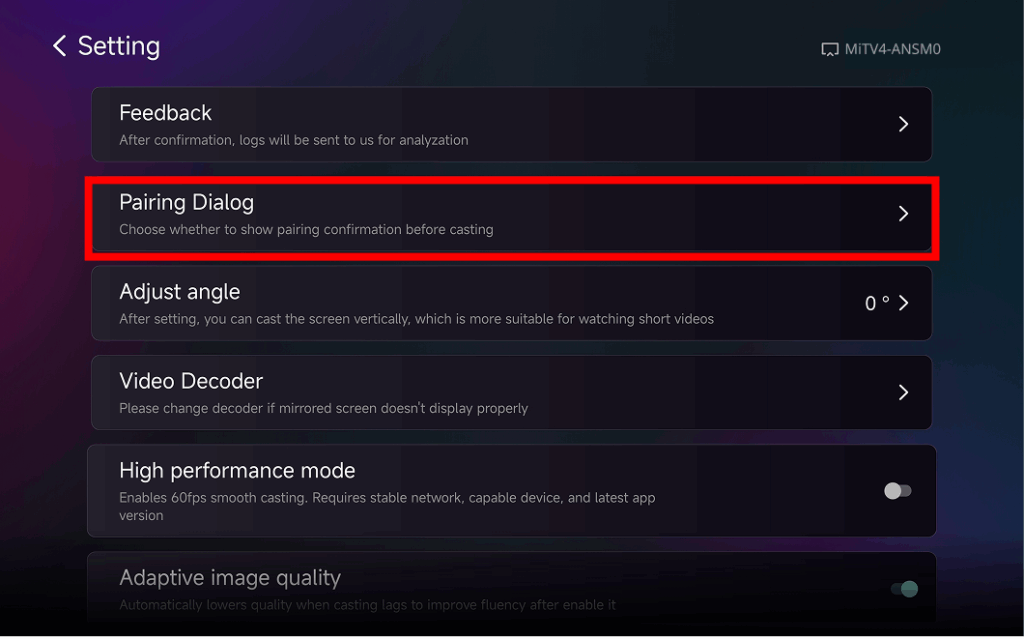
❷ Suchen und Tippen “Pairing-Dialog"
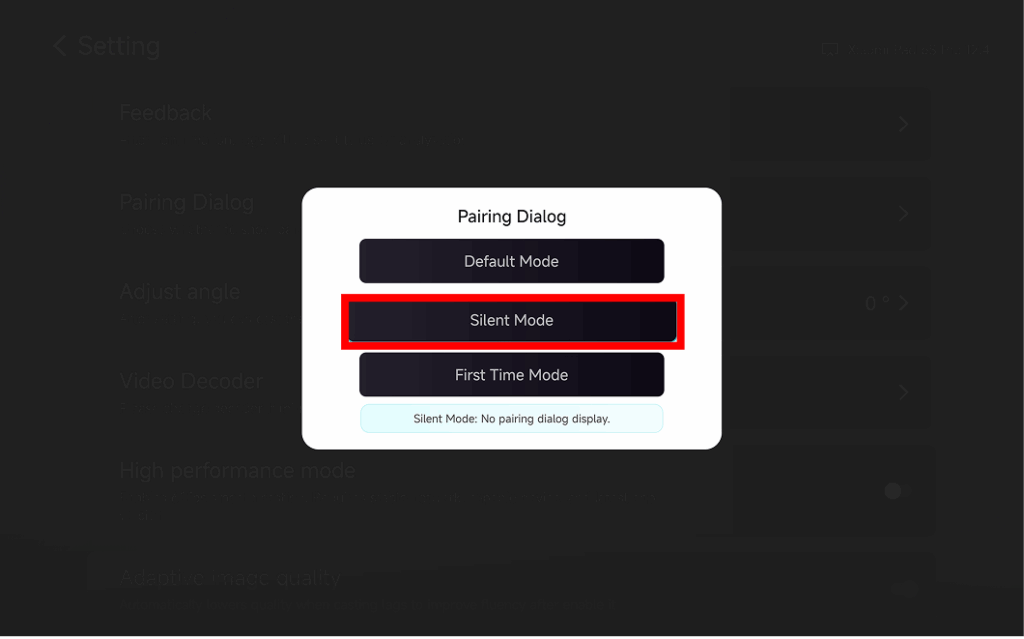
❸ Choose Your Preferred Mode
⭐ Standard-Modus
A popup appears every time before casting.
⭐ Stiller Modus
No popup appears – your TV automatically accepts all mirroring requests.
⭐ Erstmaliger Modus
A popup appears only for the first connection. After approval, all future requests are auto-accepted.
Warum Auto-Accept Mirroring verwenden?
- Perfect for home, classrooms, stores, and digital signage.
- Stop searching for the remote – connect instantly.
- Instant screen mirroring from your phone, tablet, or PC without interruption.