[Android] Sådan sender du filer fra Android-telefon til pc, Mac og tv
1001 TVs gør det nemt at overføre filer trådløst fra din Android-telefon til en pc, Mac eller et tv - ingen kabler, intet besvær. Uanset om du deler fotos, videoer, musik eller dokumenter, er processen hurtig, enkel og sikker. Sådan kommer du i gang.
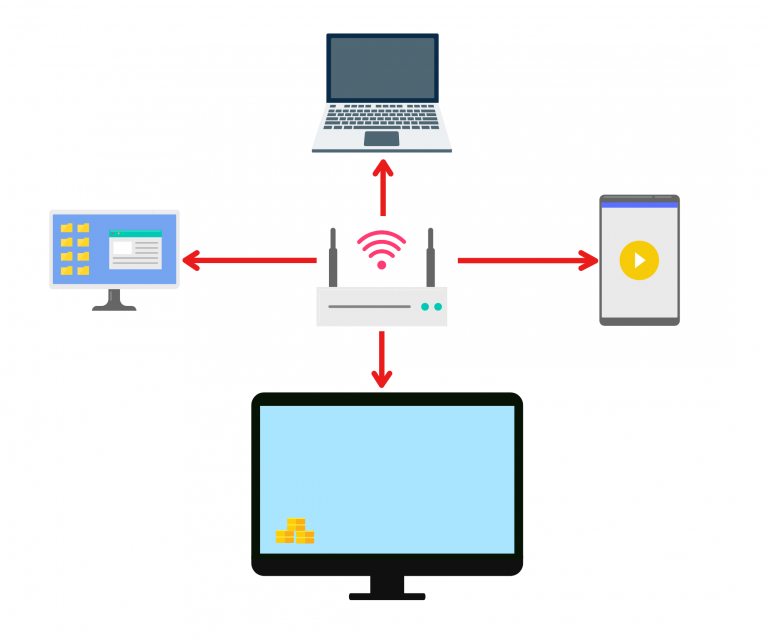
1. Opret forbindelse til det samme Wi-Fi:
Sørg for, at begge dine enheder er forbundet til det samme Wi-Fi-netværk.
(En Wi-Fi-forbindelse med 5G-bånd anbefales for at opnå den bedste ydelse).
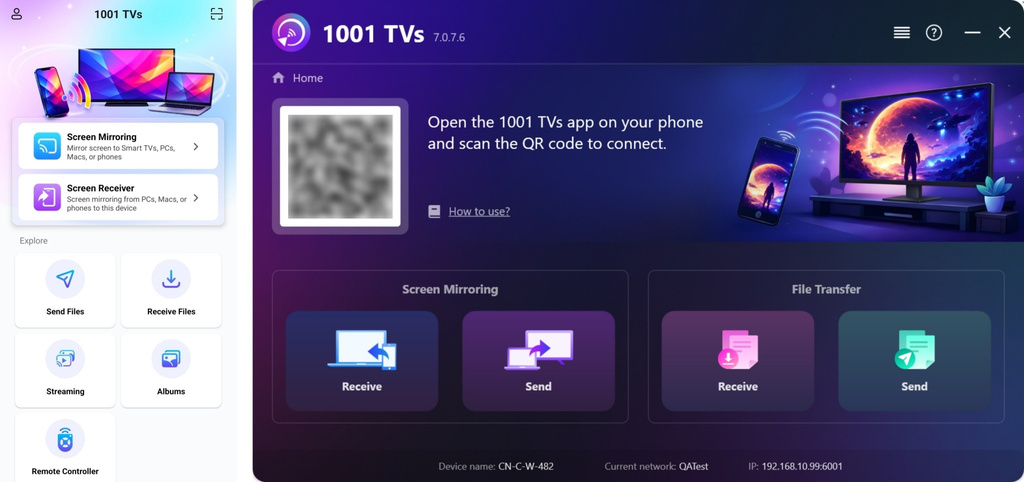
2. Installer og åbn 1001 TVs på begge enheder
📥 PC-app: Download fra Microsoft Store
For detaljerede trin henvises til Installationsvejledning til pc.
📥 Mac-app: Download fra App Store
📥 TV-app: Sådan installerer du 1001 TVs på dit tv
📱 Android-app: Download fra Google Play
3. Start parring
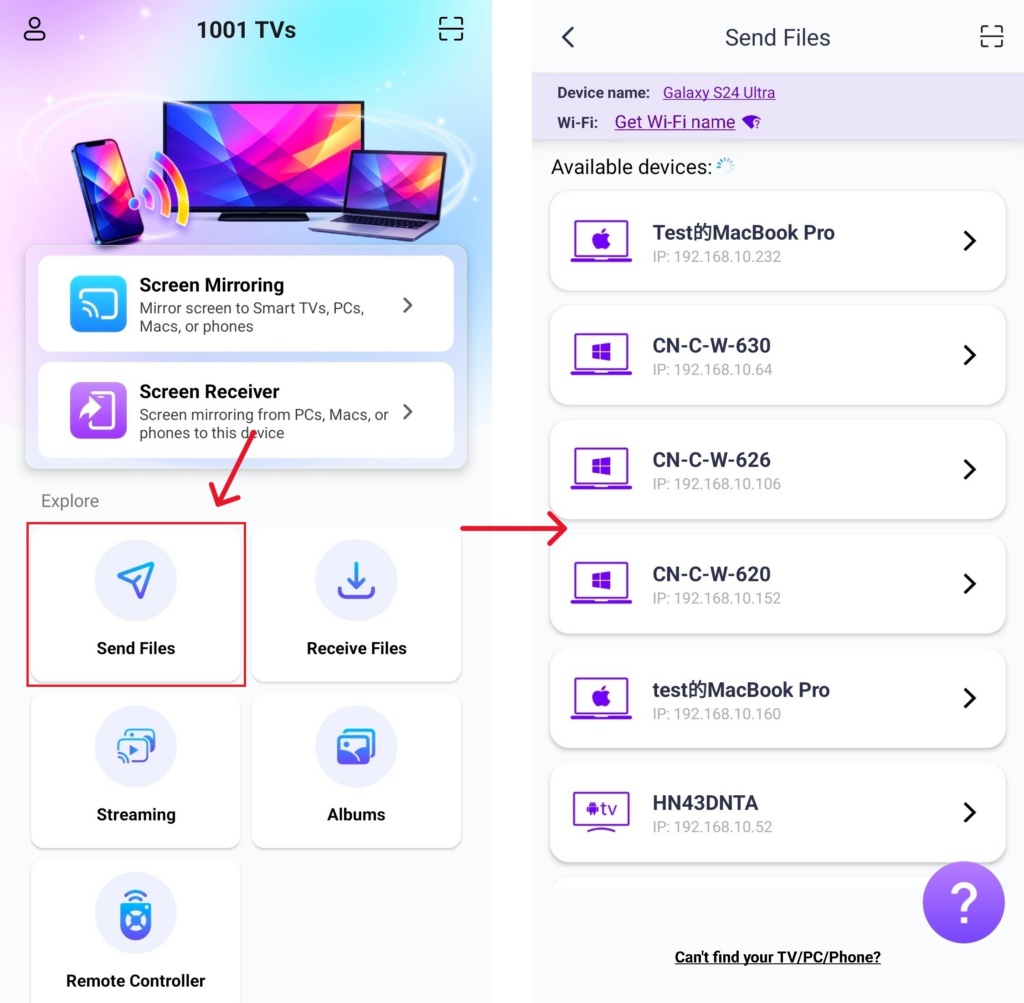
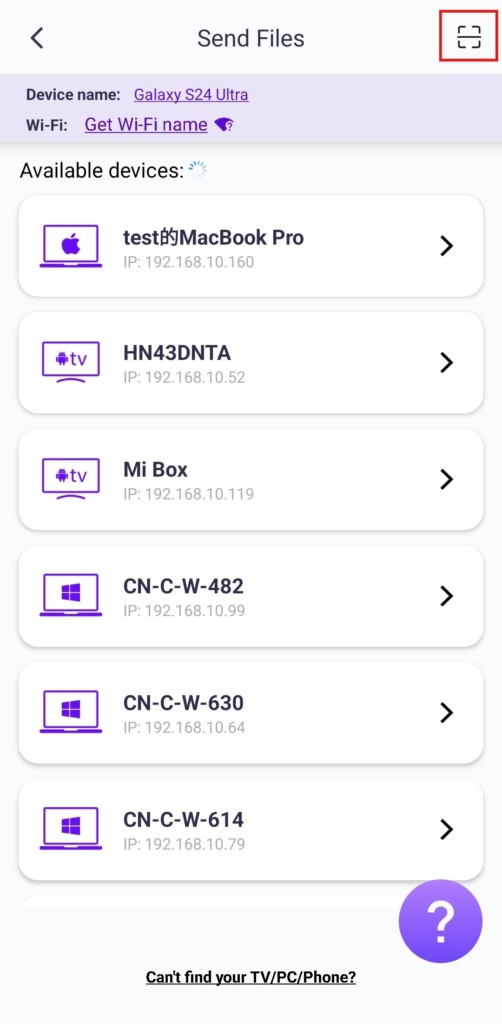
Lancering 1001 TVs på din telefon, og tryk på Send filer.
Vælg din målenhed fra listen (f.eks. din pc/Mac/TV).
Bemærk: Målenheden skal være online for at kunne modtage filer. Hvis den ser ud til at være offline, skal du tjekke din netværksforbindelse. Du kan til enhver tid se allerede modtagne filer på din pc/Mac/TV.
Bekræft parringen på den modtagende enhed.
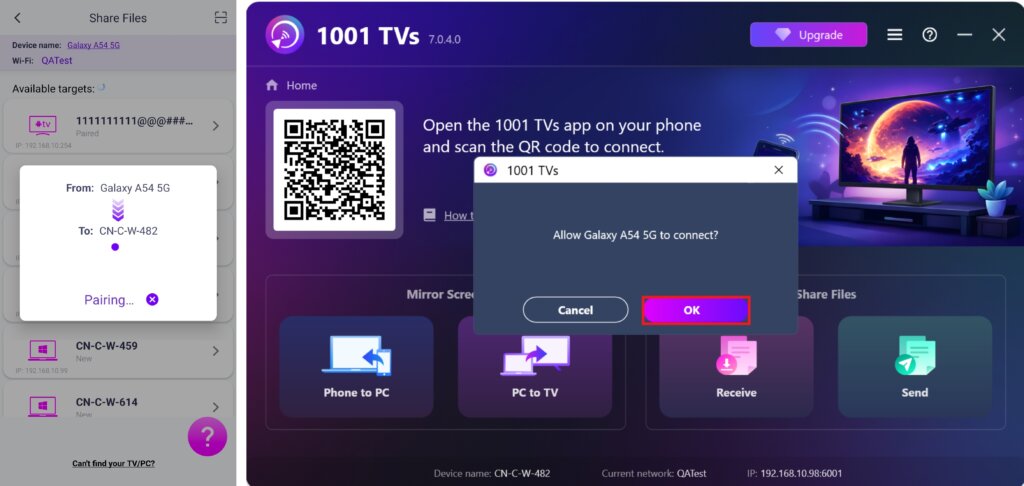
7. Kan du ikke finde målenheden? Prøv at parre ved at scanne koden
Hvis din enhed ikke vises på listen, kan du Scan QR-koden vises på din Mac/PC/TV-skærm for hurtig parring.
4. Vælg filer, der skal sendes
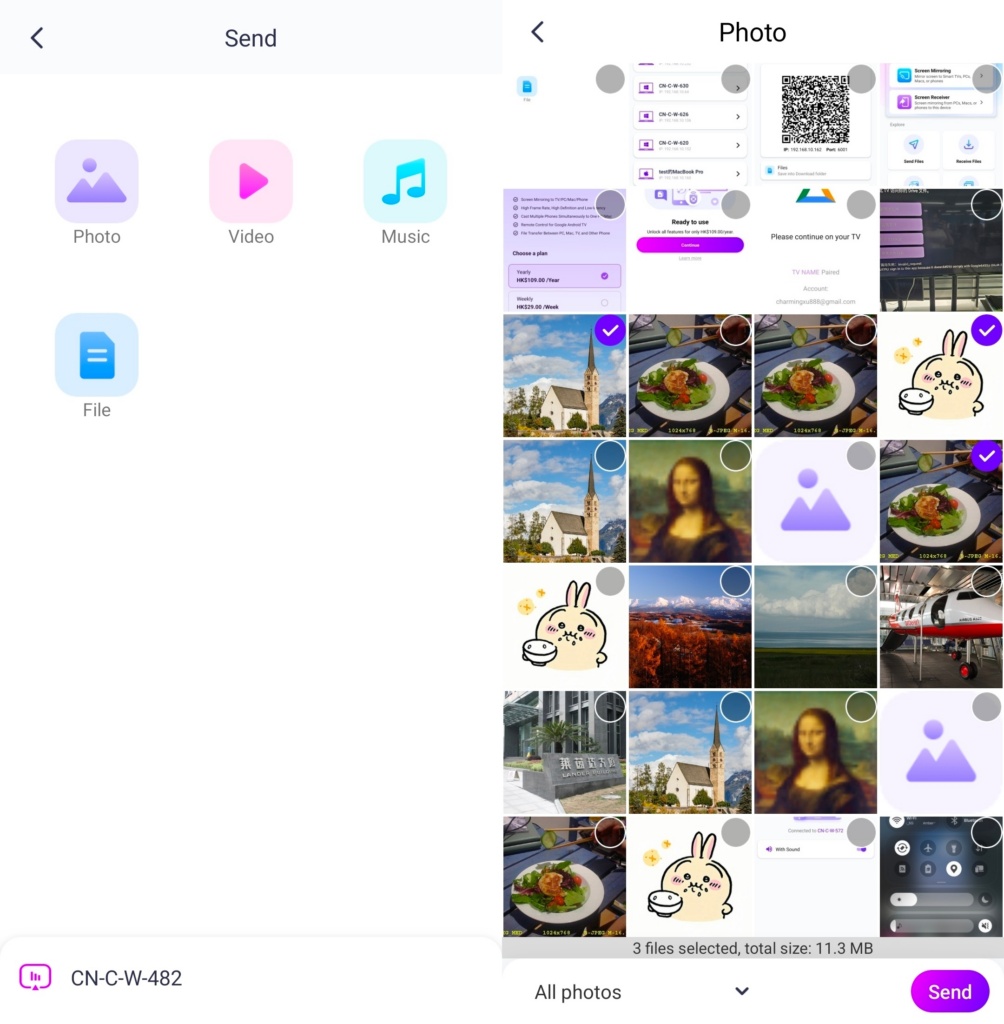
Vælg de filer, du vil sende, på din telefon.
5. Modtagne filer - hvor finder man dem?
1) Til PC/Mac
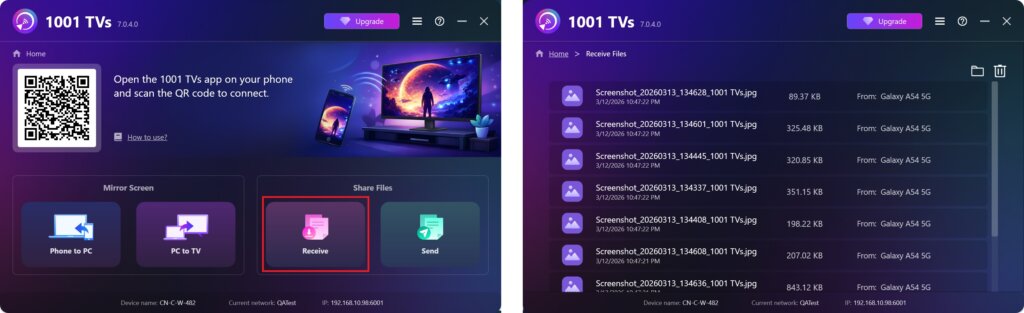
Klik på Modtag på din pc/mac for at se alle indgående filer.
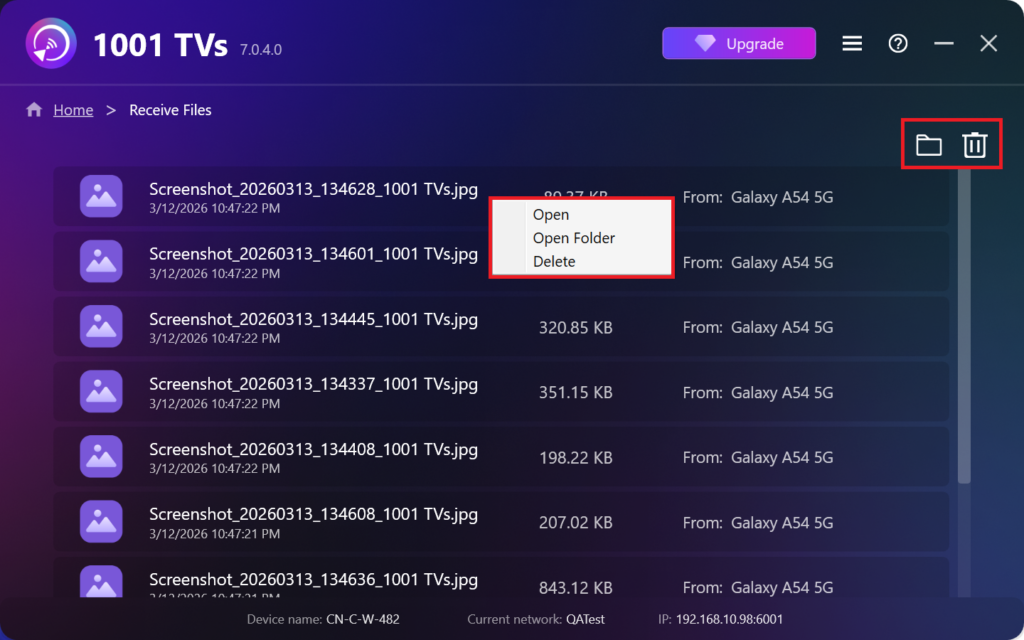
- Åbn Vis de modtagne filer – Klik på eller Højreklik og vælg "Åbn mappe” for at se alle filer fra den specifikke enhed (f.eks. iPhone 12123).
- Find dem i Finder (Mac) eller Stifinder (Windows) - Klik på mappe-ikon øverst til højre for at få adgang til alle enhedsmapper.
- Slet indstillinger – Højreklik på en fil, og vælg “Sletning” for at fjerne den enkeltvis, eller klik på Papirkurv-ikon øverst til højre for at slette alle modtagne filer på én gang.
2) Til tv
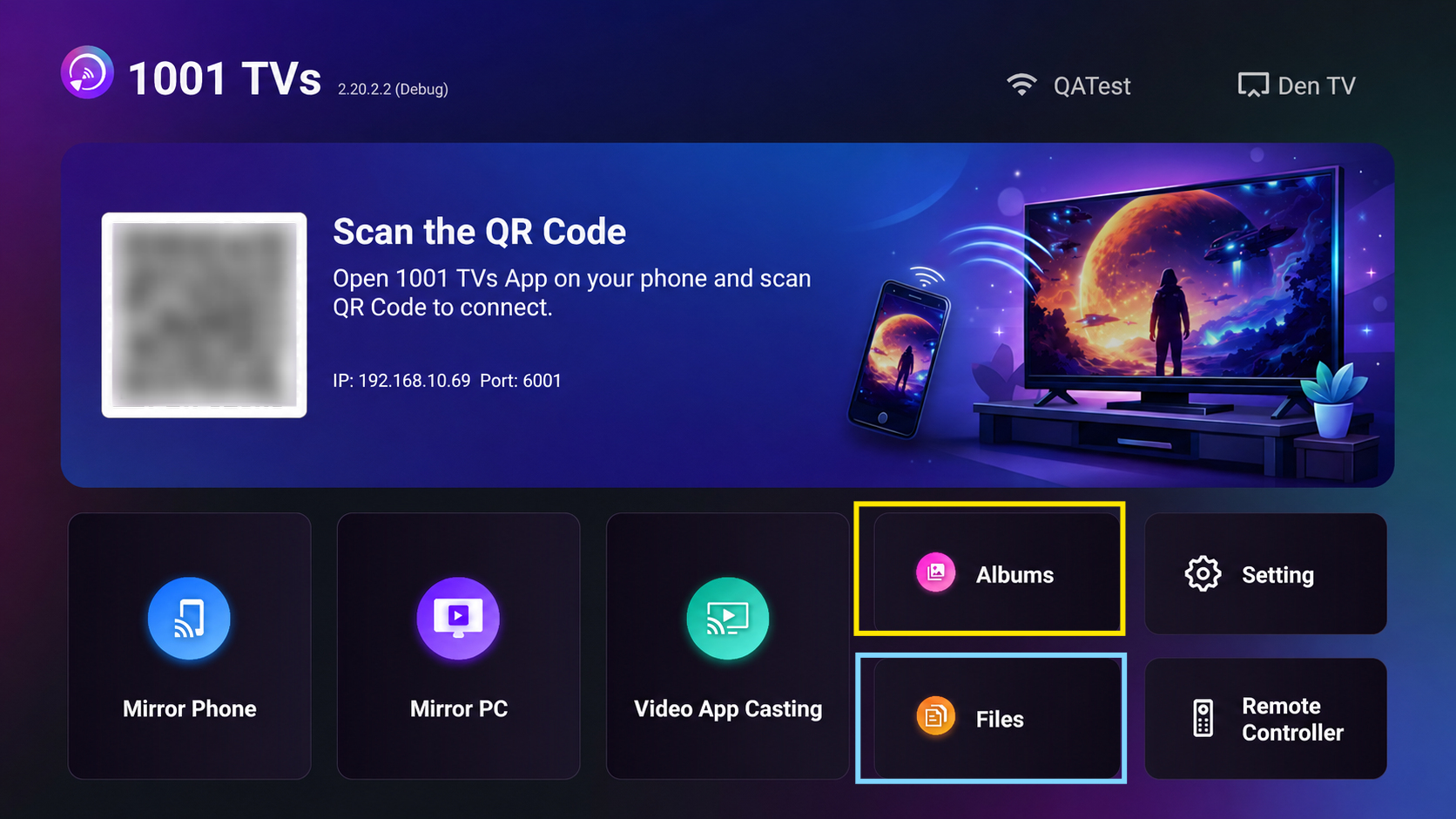
- Naviger til Filer, kan du se de modtagne filer. For at slette en enkelt fil skal du trykke længe på OK-knappen på din tv-fjernbetjening for at vælge den ønskede fil og derefter trykke på “Bekræft” for at slette det.
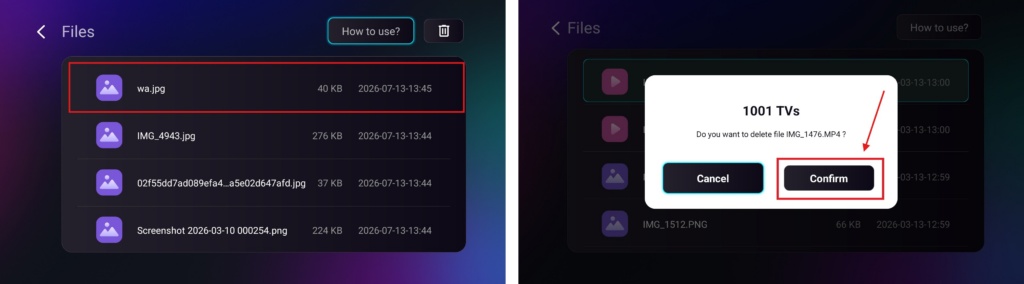
For at slette alle filer på én gang skal du klikke på papirkurvsknappen og derefter trykke på “Ja” for at bekræfte.
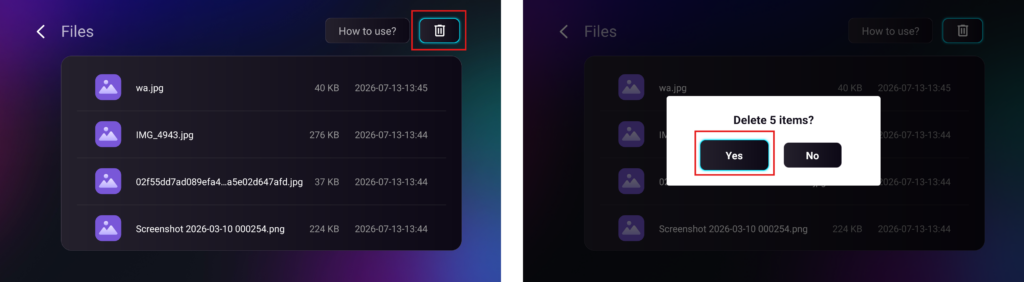
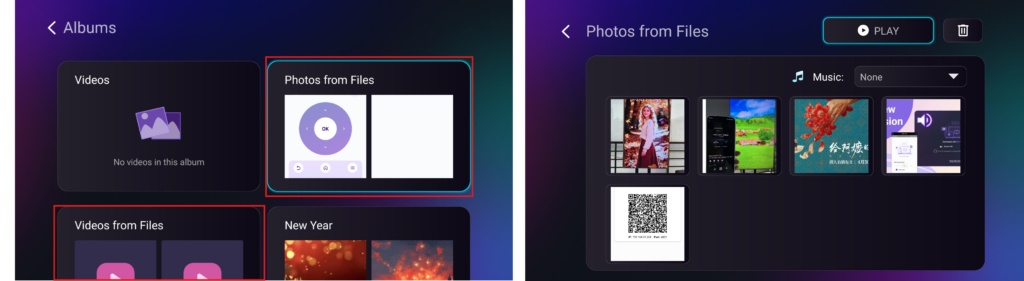
- Naviger til Album > Fotos/videoer fra filer side, hvor du kan se de modtagne fotos og videoer. De kan slettes på samme måde som filer, eller du kan afspille dem som en Diasshow.
Med 1001 TVskan du nyde trådløs filoverførsel med høj hastighed mellem dine enheder når som helst og hvor som helst! 🚀
Få 1001 TVs nu
📥 PC-app: Download fra Microsoft Store
For detaljerede trin henvises til Installationsvejledning til pc.
📥 Mac-app: Download fra App Store
📥 TV-app: Sådan installerer du 1001 TVs på dit tv
📱 Android-app: Download fra Google Play

Læs mere
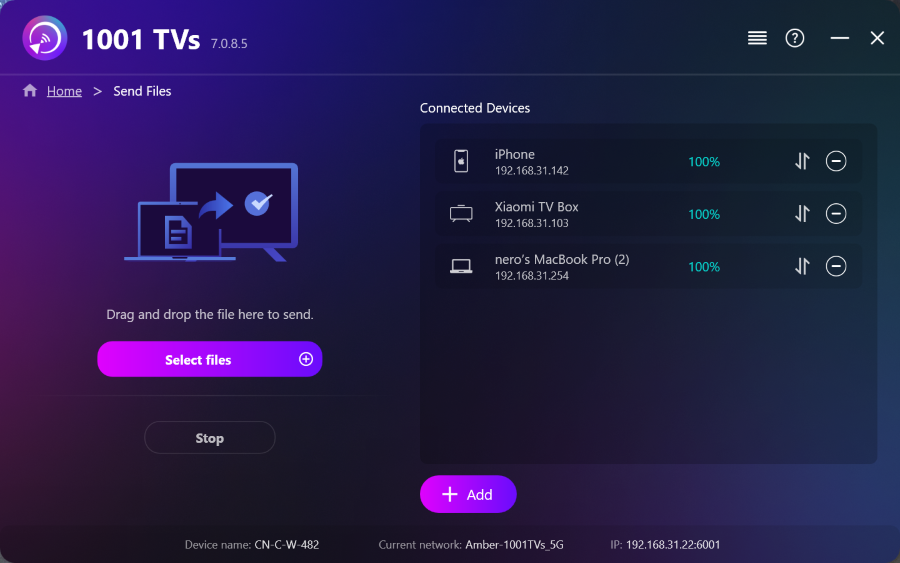 Sådan sender du filer fra pc'en til flere enheder på samme tid (pc, telefon, tv, tablet)
Med den nyeste Windows-version af 1001 TVs (v7.0.8.5) kan din pc nu sende filer til flere enheder — tv’er, tablets, telefoner eller andre pc’er...
Sådan sender du filer fra pc'en til flere enheder på samme tid (pc, telefon, tv, tablet)
Med den nyeste Windows-version af 1001 TVs (v7.0.8.5) kan din pc nu sende filer til flere enheder — tv’er, tablets, telefoner eller andre pc’er...
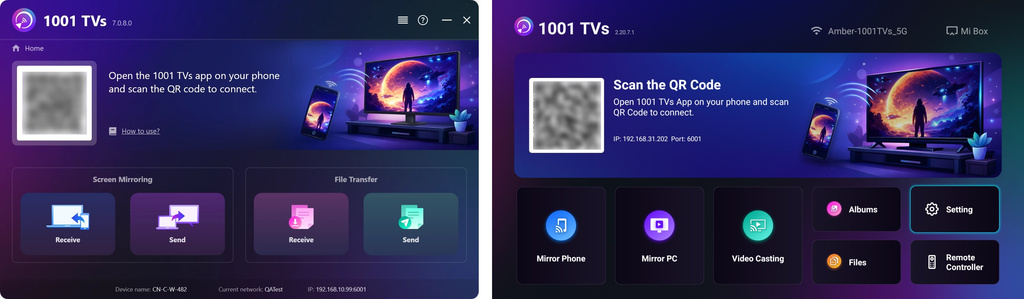 Sådan sender du filer fra din PC/Mac til TV/PC/Mac
Med 1001 TVs kan du sende filer fra din PC/Mac til dit tv/din PC/din Mac via det samme lokale netværk. Og ja – både PC’er og Mac’er...
Sådan sender du filer fra din PC/Mac til TV/PC/Mac
Med 1001 TVs kan du sende filer fra din PC/Mac til dit tv/din PC/din Mac via det samme lokale netværk. Og ja – både PC’er og Mac’er...

