1001 TVs 相簿:不只是照片 - 也可上傳影片!完美支援垂直影片
Want to enjoy your favorite videos on the big screen? With 1001 TVs’ 相簿投影 feature, you can easily upload videos from your phone to your TV and play them anytime. Here’s a step-by-step guide to get you started.
What You’ll Need
Before you begin, make sure you have:
- 1001 TVs 应用程序 installed on your phone (Download here)
- 1001 TVs 应用程序 installed on your TV
- Both devices connected to the same Wi-Fi network
Step-by-Step Guide
Step 1: Open Albums on Your Phone
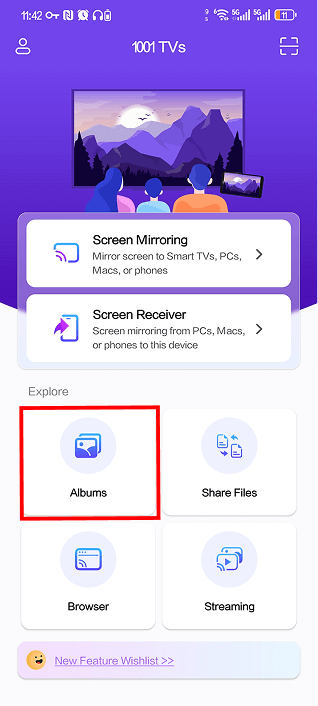
启动 1001 TVs 应用程序 on your phone and tap on 【Albums】 from the main screen.

Step 2: Select Your TV Device
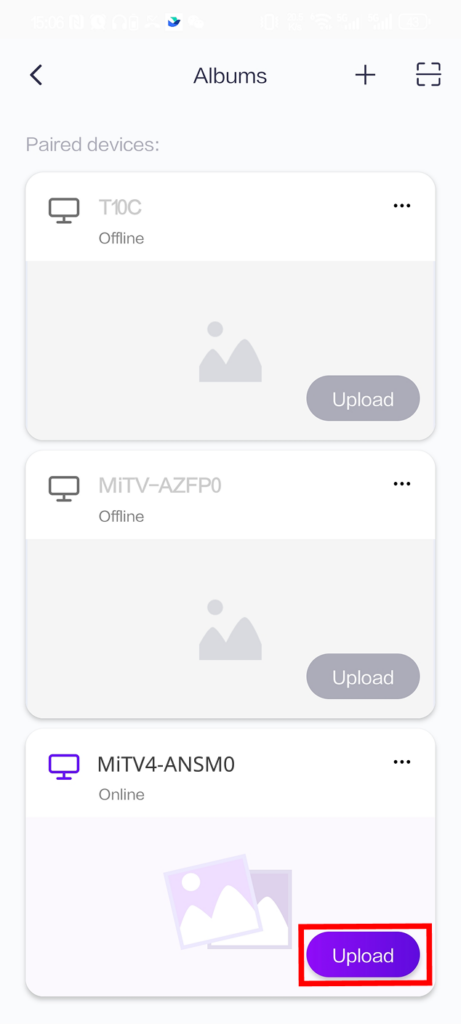
You’ll see a list of paired devices under “Paired devices.” Find your TV and tap the 【Upload】 button next to it.
请注意: If your TV shows “Offline,” make sure both devices are on the same Wi-Fi network and the TV app is running.

Step 3: Choose Videos to Upload
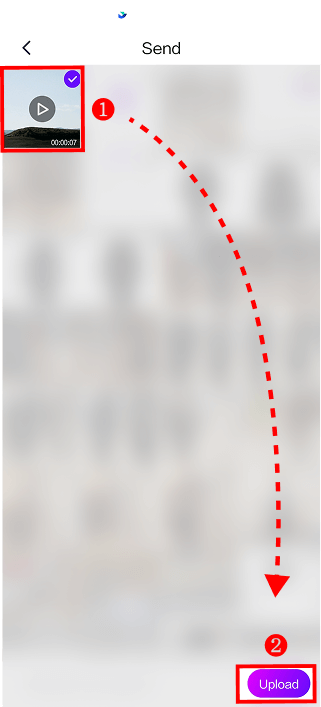
Select the videos you want to upload from your phone’s gallery. You can select multiple videos at once. When ready, tap 【Upload】 at the bottom of the screen.

The upload will begin automatically. Depending on your video size and Wi-Fi speed, this may take a few moments.
Step 4: Access Albums on Your TV
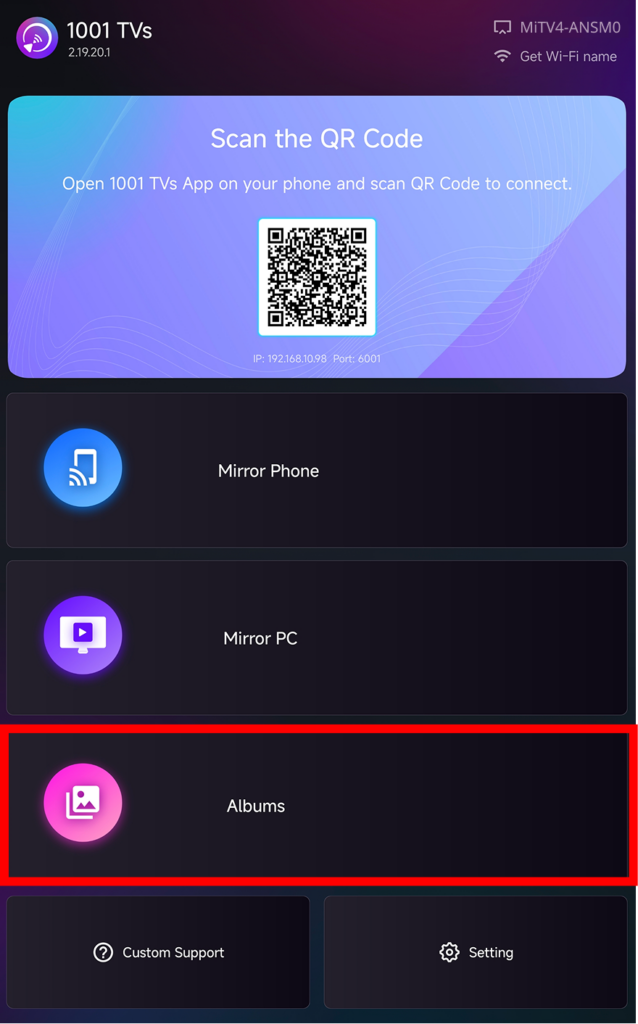
On your TV, open the 1001 TVs 应用程序 并选择 【Albums】 from the main menu.

Step 5: View and Play Your Videos
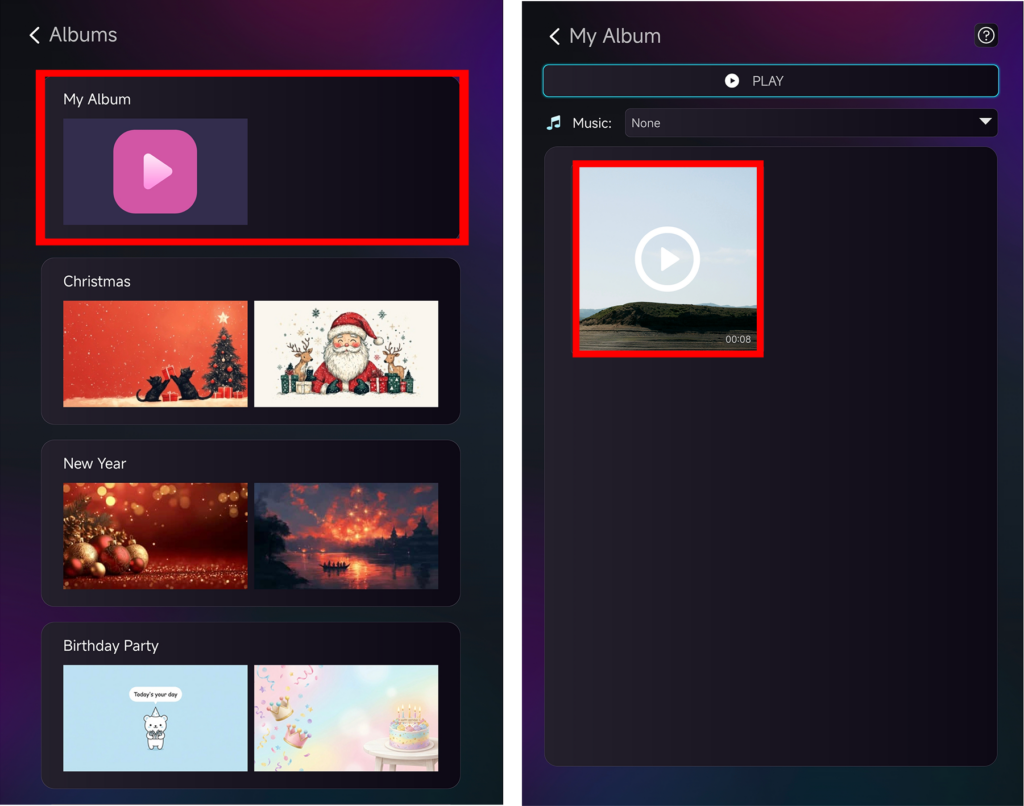
Your uploaded videos will appear in 【My Album】. You can also organize them into different categories like Christmas, New Year, or Birthday Party.
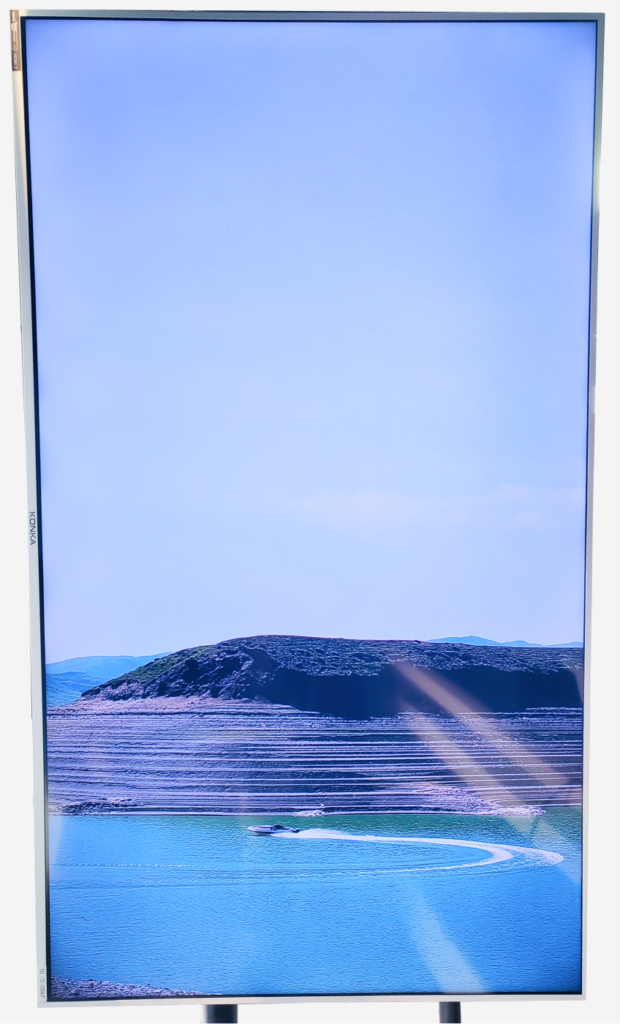
Click on any video to start playing it on your TV screen!

Check out the results – looks great, doesn’t it!

Additional Guides
📱 Don’t know how to mirror your phone in vertical mode? Follow this tutorial:
👉 How to Mirror Vertical Screen to TV
(The process for horizontal mirroring is the same as the guide above)
✂️ Want to remove black bars? Optimize your viewing experience:
👉 How to Remove Black Bars When Mirroring Vertical Screen
Troubleshooting
Can’t see my TV device?
- Ensure both devices are on the same Wi-Fi network.
- Restart both the phone and TV apps.
Upload failed?
- Check your Wi-Fi connection stability.
- Try uploading smaller files first.
Video won’t play?
- Verify the video format is supported.
需要協助嗎?
如果您遇到任何問題,請隨時聯絡我們的支援團隊:
更多指南: Visit our Guidance Page
電子郵件: 1001tvs@nero.com
網站: www.1001tvs.com