
[Android] 如何將 Android 手機螢幕鏡像投射至瀏覽器(Chrome)

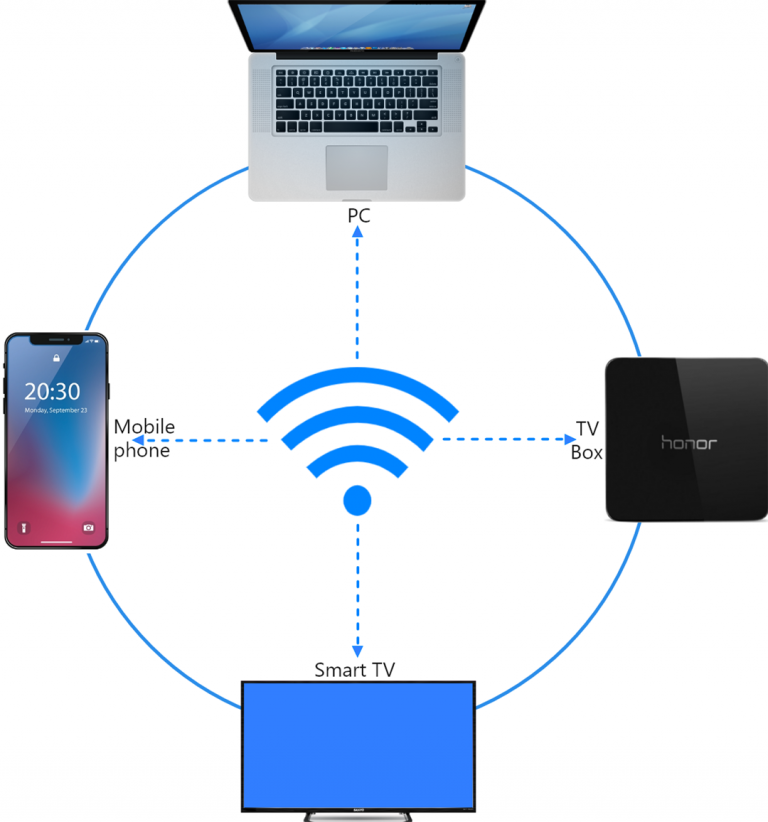
1. 連線至同一 Wi-Fi 網路:
請確保您的手機與目標裝置(例如:PC、Mac 或電視盒)均連接到同一個 Wi-Fi 網路。.
(建議使用 5G 波段的 Wi-Fi 連線,以獲得最佳效能)。
2.安装并打开 1001 TVs
要将手机屏幕镜像到浏览器,只需使用 1001 TVs 手机上的应用程序。
📱 Android 應用程式: 从 Google Play 下载
3. 螢幕鏡像
点击"瀏覽器主页上的"......"。允许所需的权限。
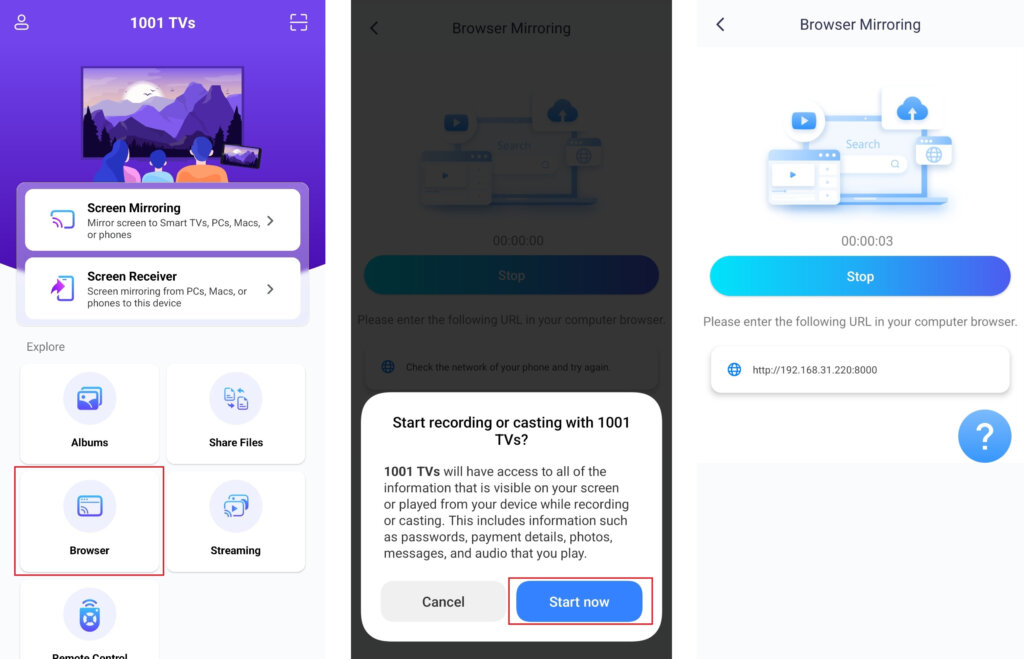
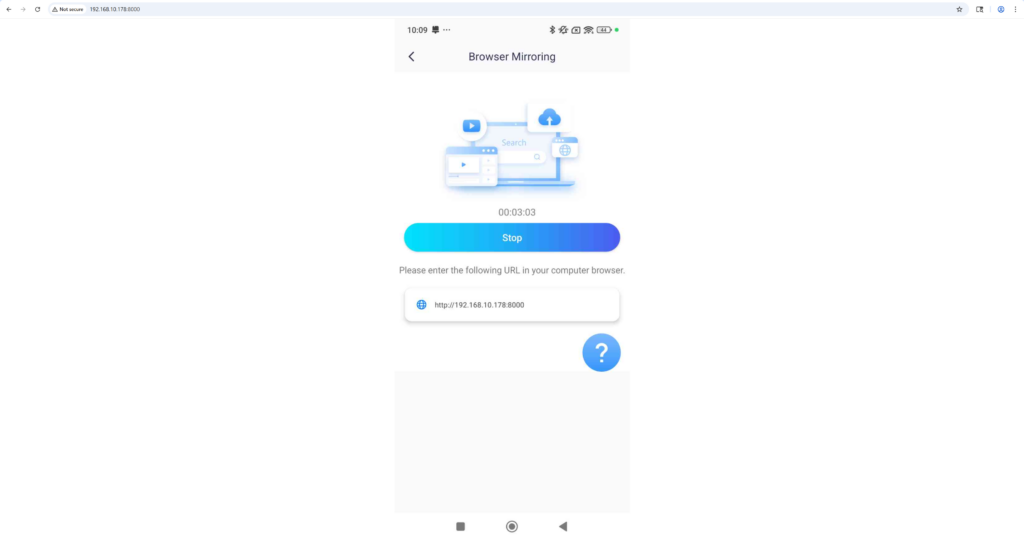
在浏览器中输入显示的 URL 以镜像屏幕(建议使用 Chrome 浏览器)。
备注: 此模式僅支援螢幕鏡像功能,不包含聲音。.
立即取得 1001 TVs!
📱 Android 應用程式: 从 Google Play 下载