لأعضاء المؤسسات: كيفية تفعيل الترخيص الجماعي
هذا الدليل مخصص للعملاء الذين يرغبون في شراء وتفعيل ترخيص جماعي لعضوية 1001 TVs على أجهزة الكمبيوتر الشخصية أو أجهزة Mac.
1. لشراء التراخيص المجمعة
يرجى زيارة موقع 2Checkout الإلكتروني:
https://store.nero.com/order/checkout.php?PRODS=54178147&QTY=1&CART=1&CARD=2&ORDERSTYLE=nLW0oJTfpnQ=
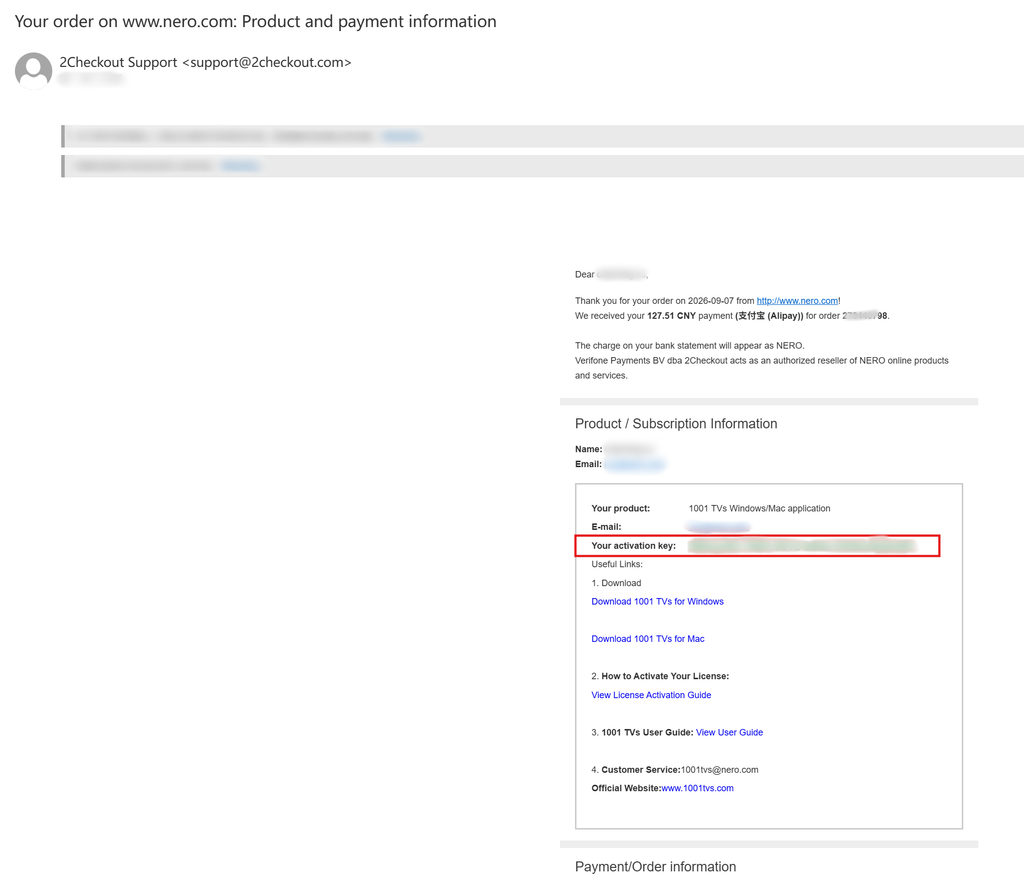
بعد إتمام الدفع، ستتلقى رسالة بريد إلكتروني مثل تلك الموضحة أدناه، والتي تحتوي على تفاصيل طلبك ومفتاح التفعيل.
2. تثبيت تطبيق 1001 TVs وفتحه
قم بتثبيت أحدث إصدار من 1001 TVs وفتحه على جهاز الكمبيوتر الذي يعمل بنظام Windows أو جهاز Mac.
تطبيق الكمبيوتر الشخصي: تنزيل من Microsoft Store
للاطلاع على الخطوات التفصيلية، ارجع إلى دليل تثبيت الكمبيوتر الشخصي.
تطبيق Mac: تنزيل من متجر التطبيقات
3. بدء عملية التنشيط
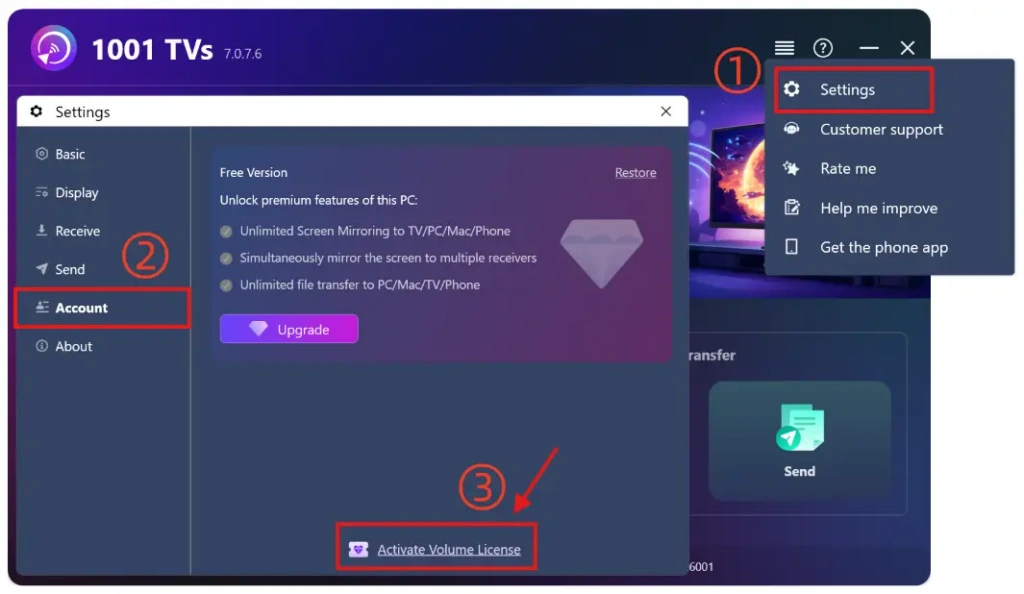
انتقل إلى الإعدادات > الحساب, ، ثم انقر على “تنشيط ترخيص الكمية“.
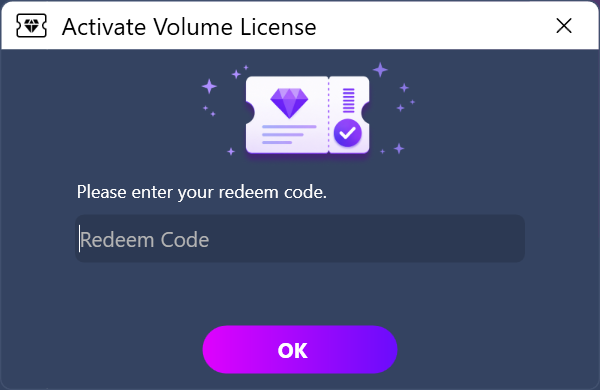
ثم يرجى لصق رمز الاسترداد الموجود في البريد الإلكتروني، والنقر على “موافق”، والانتظار حتى تكتمل عملية التنشيط.
إذا ظهرت لك الواجهة التالية، يرجى التحقق مما إذا كان رمز الاسترداد الخاص بك غير صحيح أو قد تم استخدامه بالفعل على جهاز كمبيوتر آخر، ثم حاول إدخاله مرة أخرى.
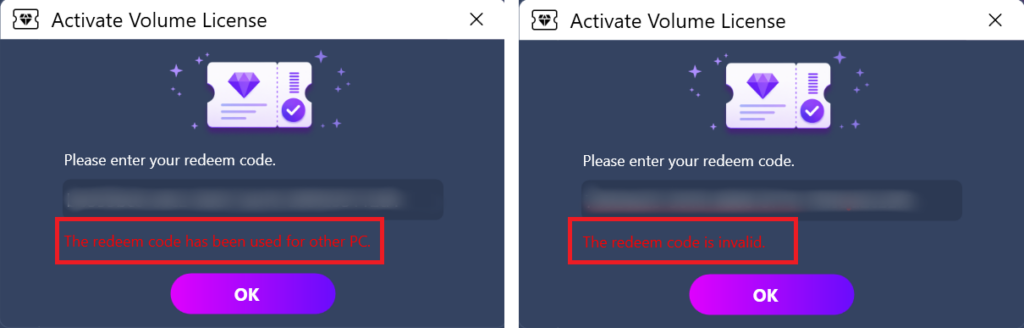
ملاحظة: كل رمز استرداد صالح للاستخدام على جهاز كمبيوتر واحد فقط (PC أو Mac).
لا يمكن مشاركتها أو نقلها أو استخدامها على الأجهزة المحمولة.
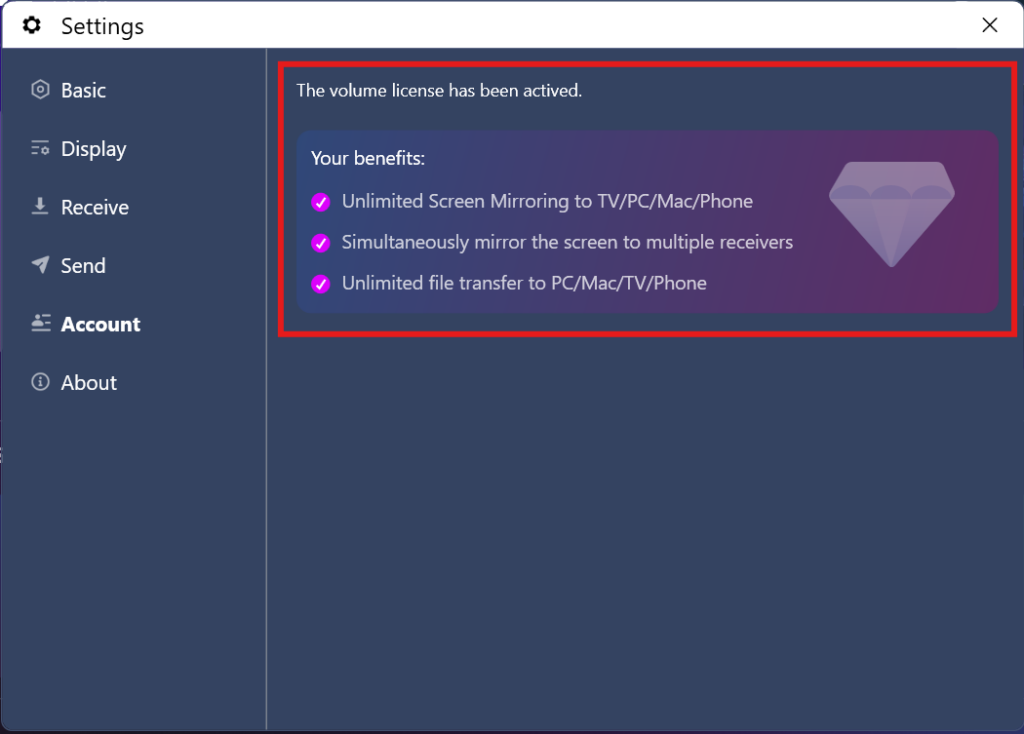
4. اكتمل التنشيط
بمجرد تفعيل حساب عضويتك بنجاح، ستتمكن من الاستمتاع بالوصول الكامل إلى جميع الميزات.
⭐ لا تتردد في الاتصال بنا على: 1001tvs@nero.com

اقرأ المزيد
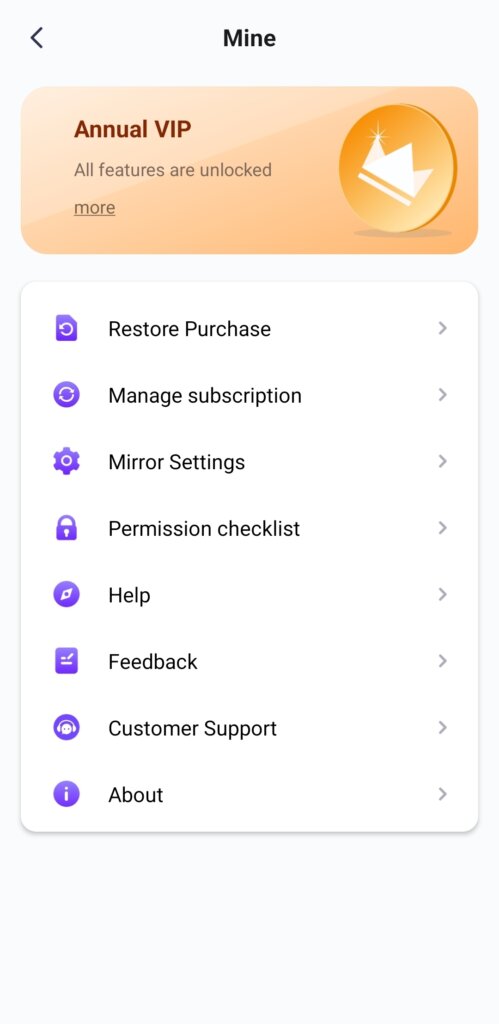 افتح جميع الميزات المميزة: كيفية الحصول على عضوية
🎁 جرب قبل الشراء — خالٍ من الإعلانات تمامًا. لا توجد لدينا أي إعلانات. الإصدار الرسمي من 1001 TVs هو 100% الخالي من الإعلانات. سوف...
افتح جميع الميزات المميزة: كيفية الحصول على عضوية
🎁 جرب قبل الشراء — خالٍ من الإعلانات تمامًا. لا توجد لدينا أي إعلانات. الإصدار الرسمي من 1001 TVs هو 100% الخالي من الإعلانات. سوف...
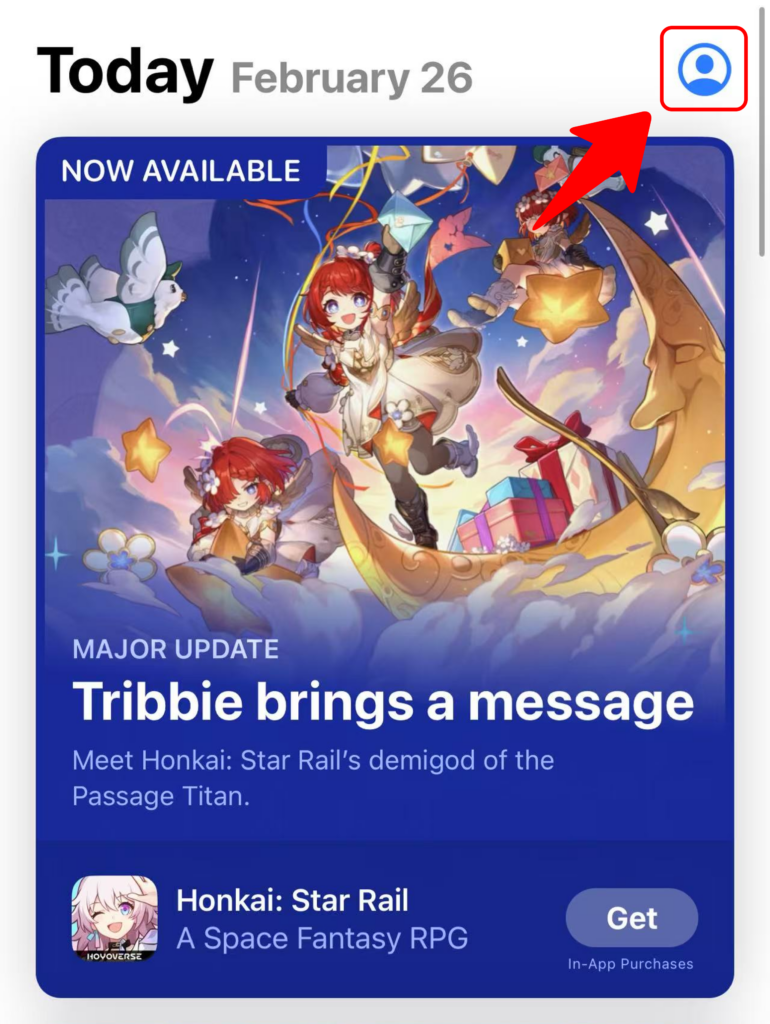 كيفية استرداد الرمز الخاص ب 1001 TVs
استرداد الرصيد على App Store (iPhone/iPad) 1️⃣ افتح تطبيق App Store على جهاز iPhone أو iPad الخاص بك. 2️⃣ اضغط على زر تسجيل الدخول أو على ملفك الشخصي...
كيفية استرداد الرمز الخاص ب 1001 TVs
استرداد الرصيد على App Store (iPhone/iPad) 1️⃣ افتح تطبيق App Store على جهاز iPhone أو iPad الخاص بك. 2️⃣ اضغط على زر تسجيل الدخول أو على ملفك الشخصي...

