2026년 최고의 크롬캐스트 호환 앱 15가지: 안정적인 캐스팅을 위한 궁극의 가이드
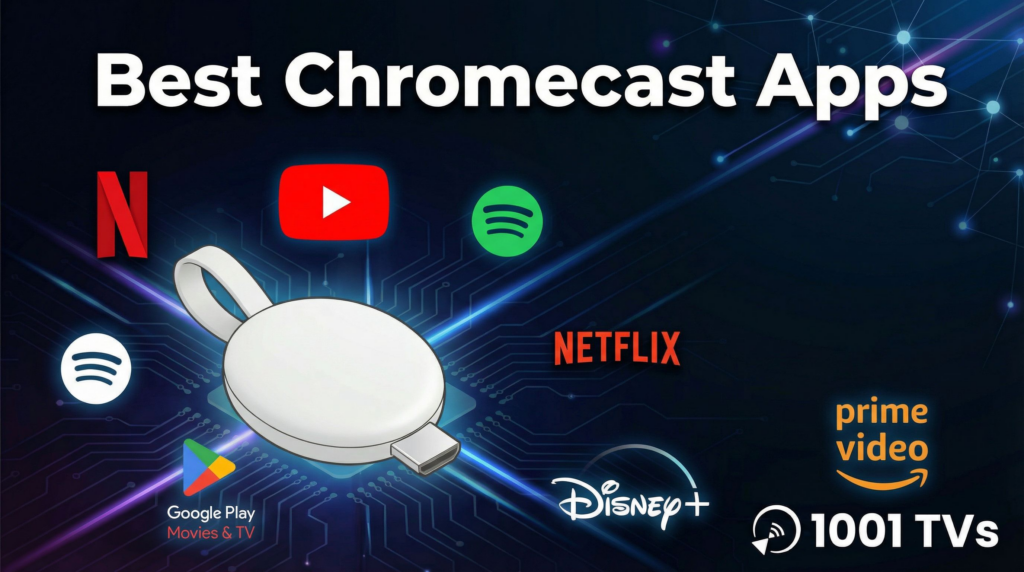
“전송” 아이콘이 나타나기를 기다리며 휴대폰을 쳐다본 적이 있다면 그 답답함을 잘 알 것입니다. 이 가이드에서는 이러한 불편함을 해소하기 위해 2026년 최고의 크롬캐스트 앱, 를 실제 성능에 따라 분류했습니다. 또한 일부 사용자에게 표준 캐스팅이 실패하는 이유와 통합 미러링 도구로 영화의 밤을 절약할 수 있는 방법도 공개합니다.
2026년 크롬캐스트의 현실
크롬캐스트 는 여전히 모바일 디바이스와 TV를 연결하는 가장 인기 있는 가교 역할을 합니다. 하지만 와이파이 네트워크와 개별 앱의 안정성에 의존하기 때문에 항상 완벽한 경험을 제공하는 것은 아닙니다.
가장 많이 듣는 3가지 불만 사항:
1️⃣“장치를 찾을 수 없음”: 휴대전화가 Wi-Fi에 연결되어 있지만 크롬캐스트는 보이지 않습니다.
2️⃣iOS 제한 사항: iPhone 사용자는 타사 도구 없이는 Google 기기로 “화면 미러링'이 복잡하거나 불가능하다고 생각하는 경우가 많습니다.
3️⃣형식 문제: 기본 전송 버튼이 없는 웹 동영상 또는 로컬 파일을 전송하려고 합니다.
원활한 경험을 위해서는 올바른 소프트웨어가 필요합니다. 시간이 지나도 변함없는 앱은 다음과 같습니다.
크롬캐스트와 호환되는 최고의 앱 15가지(순위 및 리뷰)
연결 속도, 안정성, 인터페이스 품질 등을 기준으로 테스트했습니다.
1단계: “필수 기능”(스트리밍 필수 기능)
이 앱들은 가장 안정적인 크롬캐스트 통합 엔지니어링을 갖추고 있습니다.
1. 넷플릭스
최고의 표준. 넷플릭스는 크롬캐스트 기기의 스트리밍을 효율적으로 캐시하므로 휴대전화를 꺼도 영화가 끊김 없이 계속 재생됩니다.
- 최상의 대상: 4K HDR 영화, 몰아보기.
2. YouTube
구글이 두 앱을 모두 소유하고 있기 때문에 통합이 완벽합니다. “대기열” 기능을 사용하면 여러 사람이 서로 다른 휴대폰에서 재생 목록에 동영상을 추가할 수 있어 최고의 파티 앱이 될 수 있습니다.
- 최상의 대상: 소셜 보기, 뮤직 비디오, 브이로그.
3. Spotify
Spotify Connect는 표준 캐스팅보다 뛰어납니다. 오디오 지연 없이 재생 장치를 즉시 전환할 수 있습니다.
- 최상의 대상: 고품질 오디오, 팟캐스트.
4. Disney+
시각적으로 놀랍지만, Disney+가 버퍼링 없이 4K 스트리밍을 유지하려면 강력하고 안정적인 대역폭이 필요하다는 점에 유의하세요.
- 최상의 대상: 가족용 콘텐츠, 마블/스타워즈.
5. HBO 최대(최대)
훌륭한 콘텐츠 라이브러리. 2026년에 앱이 크게 개선되어 캐스팅 중에 자막이 동기화되지 않던 이전의 버그가 수정되었습니다.
- 최상의 대상: 프레스티지 TV 드라마.
🥈 계층 2: 유틸리티 플레이어(게임 및 웹)
특정 작업을 위한 특정 도구.
6. Twitch
게이머에게는 필수적이지만, 높은 비트레이트의 라이브 스트리밍(1080p60fps)은 구형 크롬캐스트(3세대 이상)에서 과열 또는 끊김 현상을 일으킬 수 있습니다.
- 최상의 대상: 라이브 e스포츠.
7. 웹 비디오 캐스트
캐스트 버튼이 없는 웹사이트의 동영상 파일을 찾아내는 브라우저 앱입니다. 뉴스 클립이나 틈새 웹 콘텐츠를 시청할 때 유용하게 사용할 수 있습니다.
- 최상의 대상: 브라우저 기반 동영상.
8. Plex
로컬 미디어의 왕. 하드 드라이브에 영화가 가득 차 있는 경우 Plex가 영화를 정리하고 멋지게 재생합니다.
- 최상의 대상: 개인 영화 컬렉션.
9. VLC 미디어 플레이어
“스위스 아미 나이프”. 다른 플레이어가 거부하는 형식(예: MKV 또는 이전 AVI 파일)을 재생하고 직접 캐스팅합니다.
- 최상의 대상: 포맷되지 않은 로컬 파일.
10. 스팀 링크
TV에서 PC 게임을 즐길 수 있습니다. 경고: 5GHz 와이파이 또는 이더넷 연결이 반드시 필요하며, 그렇지 않으면 입력 지연이 발생하여 재생할 수 없습니다.
- 최상의 대상: 거실에서 PC 게임하기.
🥉 계층 3: 음악 및 틈새 콘텐츠
사소한 주의 사항이 있는 견고한 성능.
11. 아마존 프라임 비디오
참고: 작동은 하지만 넷플릭스의 원탭 솔루션에 비해 캐스팅 인터페이스가 하위 메뉴에 파묻혀 있는 경우가 많습니다.
12. Apple 음악
참고: 놀랍도록 뛰어난 Android TV/크롬캐스트 기기 지원으로 애플과 안드로이드의 격차를 해소하는 데 도움이 됩니다.
13. 불화
참고: 커뮤니티에서 함께 스트림을 시청하기 위해 많이 사용하지만, 최상의 경험을 위해서는 화면 미러링이 필요한 경우가 많습니다.
14. Google 포토
참고: 가족 사진을 표시하는 기본 방식이지만 슬라이드쇼 컨트롤이 투박할 수 있습니다.
15. TED
참고: 매우 가벼운 앱으로 로딩이 빨라 교육용 캐스팅에 탁월합니다.
💡 “프로” 솔루션: 네이티브 앱이 작동하지 않을 때
위의 앱들은 모두 훌륭하지만 한 가지 약점이 있습니다: 표준 Google Cast 프로토콜을 사용합니다. 네트워크가 제한적이거나 iPhone 사용자가 화면 미러링을 시도하는 경우 종종 실패합니다.
우리는 구축했습니다 1001 TVs 넷플릭스를 대체하는 것이 아니라 넷플릭스가 할 수 없는 모든 것을 처리할 수 있습니다. 기술적인 문제가 발생했을 때를 대비한 강력한 대안입니다.
사용자가 1001 TVs로 전환하는 이유:
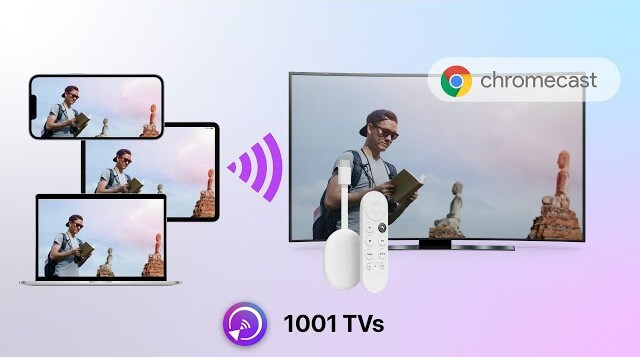
- 1️⃣“iOS에서 크롬캐스트로” 문제: iPhone은 기본적으로 크롬캐스트에 대한 화면 미러링을 지원하지 않습니다. 1001 TVs는 이를 원활하게 지원합니다.
- 2️⃣“네트워크 검색” 수정: 휴대폰이 TV를 찾을 수 없는 경우 QR코드 연결 는 표준 검색 프로토콜을 우회합니다. 코드를 스캔하면 연결됩니다.
- 3️⃣전체 화면 미러링: 동영상뿐만 아니라 프레젠테이션, 화상 통화 또는 캐스팅을 지원하지 않는 앱의 경우 휴대폰 화면 전체를 미러링할 수 있습니다.
솔직한 조언: 넷플릭스 등 4K 스트리밍을 위한 기본 앱을 사용하세요. 사용 1001 TVs 를 클릭합니다, 아이폰/아이패드/안드로이드/PC 캐스팅, 를 눌러 문서를 제시하거나 기본 “캐스트” 버튼이 없는 경우에 사용할 수 있습니다.
문제 해결 가이드: 3가지 빠른 해결 방법
하드웨어를 탓하기 전에 다음 해결 방법을 시도해 보세요.
| 증상 | 가능한 원인 | 신뢰할 수 있는 수정 |
| “장치를 찾을 수 없음” | WiFi 격리 | 라우터에 “AP 격리'가 설정되어 있는지 또는 디바이스가 서로 다른 대역(2.4G 대 5G)에 있는지 확인하세요. |
| 지연 미러링 | 네트워크 혼잡 | 화면 미러링은 데이터를 많이 사용합니다. 다른 장치의 연결을 끊거나 1001 TVs 를 클릭해 최적화된 비트레이트 설정을 확인하세요. |
| 비디오 재생이 중지됨 | 배터리 최적화 | 휴대폰이 백그라운드에서 앱을 죽이고 있을 수 있습니다. 캐스팅 앱을 계속 열어 두거나 휴대폰을 연결하세요. |
최종 생각
2026년, 크롬캐스트 생태계는 더욱 성숙하고 강력해집니다.
1️⃣For 영화, 스틱 넷플릭스 그리고 YouTube.
2️⃣For 로컬 파일, 다운로드 VLC 또는 Plex.
3️⃣For 화면 미러링, iOS 연결, 및 안전 연결 방법, 1001 TVs 는 휴대폰에 계속 설치해야 하는 필수 툴킷입니다.
연결 문제로 인해 엔터테인먼트가 망가지지 않도록 하세요.
👉 [여기에서 1001 TVs 다운로드] 를 클릭하고 가장 안정적인 캐스팅 방법을 경험하세요.