
USBスクリーンミラーリングが登場
1001 TVsの新しいスクリーンミラーリング機能、USBスクリーンミラーリングの使い方を見てみましょう!
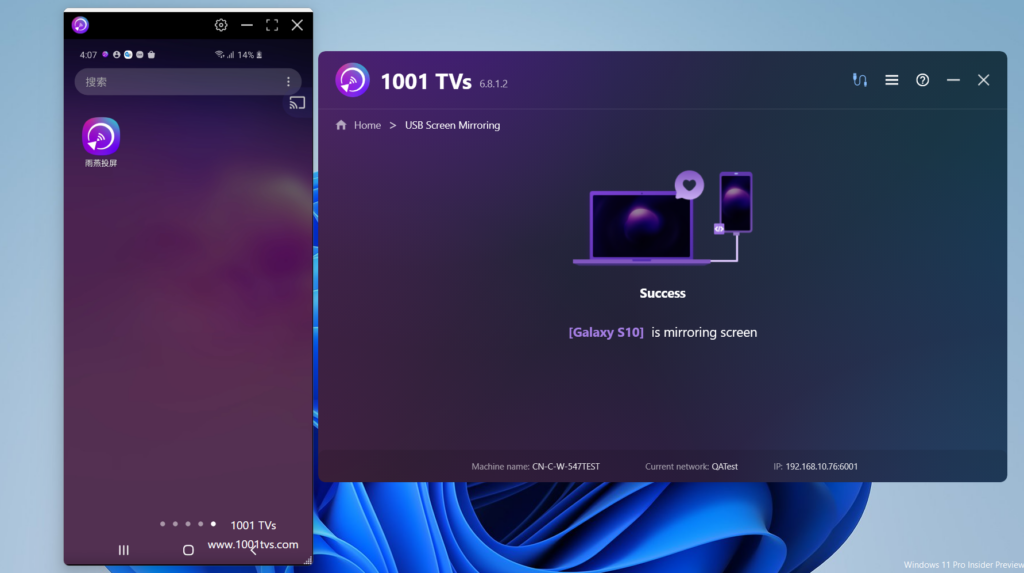
手順に従ってください。
1.Android携帯で開発者モードを有効にする
Android 4.1以下では 開発者オプション インターフェースはデフォルトで有効になっています。Android 4.2以上では、このインターフェイスを有効にする必要があります。
注:デバイスによっては 開発者オプション インターフェイスの位置や名前は異なるかもしれない。
デバイス上で ビルド番号 オプションを使用してください。以下の表は ビルド 番号 をクリックしてください:
グーグル ピクセル 設定 > 電話について > ビルド番号
サムスン・ギャラクシーS8以上 設定 > 電話機について > ソフトウェア情報 ビルド 番号
LG G6以上 設定 > 電話機について > ソフトウェア情報 ビルド 番号
HTC U11以上 設定 > バージョン情報 > ソフトウェア情報 > 詳細 > ビルド番号 または 設定 > システム > 電話機について > ソフトウェア情報 > 詳細 > ビルド番号
OnePlus 5T以上 設定 > 電話について > ビルド番号
をタップする。 ビルド番号 オプション 7回 というメッセージが表示されるまで "あなたは今、開発者です!" これで、お使いの携帯電話の開発者向けオプションが有効になります。
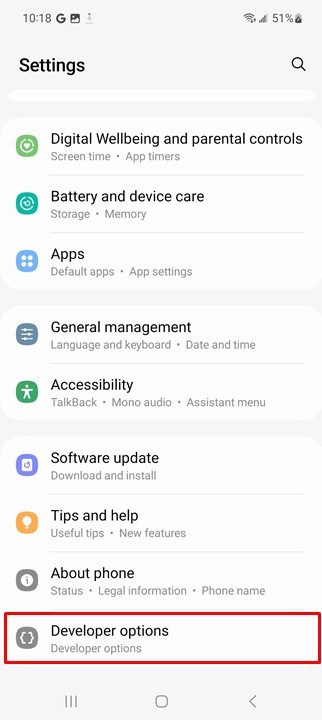
前のインターフェースに戻り、一番下に開発者向けオプションがあります。
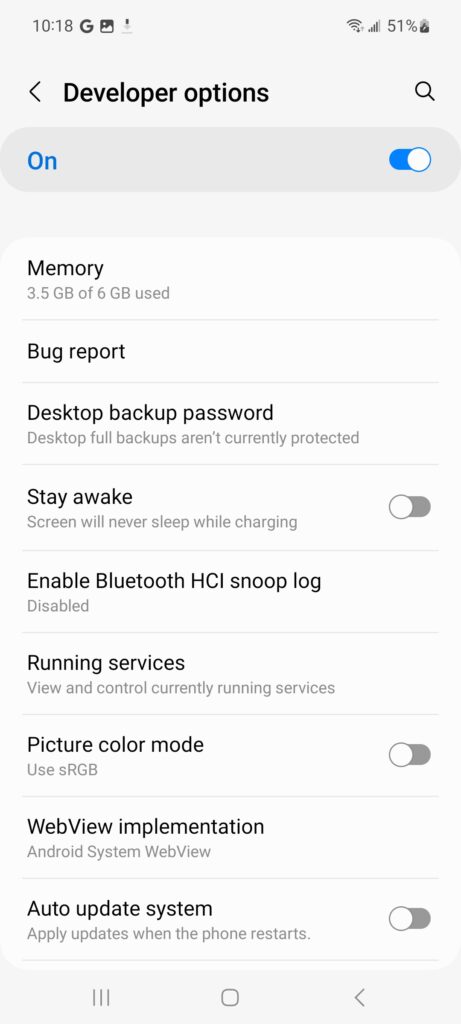
図1.デバイス上の開発者オプション。
図1に示すように、開発者向けオプション画面の上部で、これらのオプションのオン/オフを切り替えることができます。オンのままにします。オフにすると、デバイスと開発用コンピュータ間の通信を必要としないものを除き、ほとんどのオプションが無効になります。
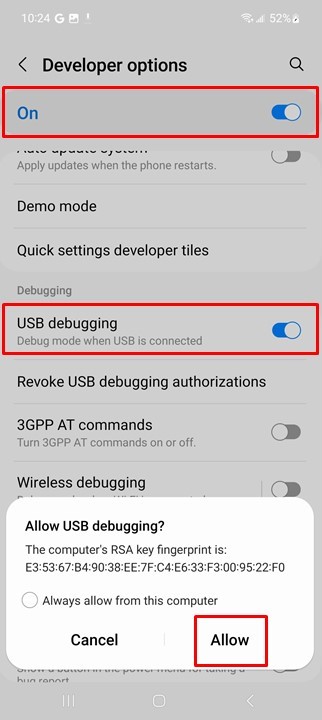
デバイスのUSBデバッグを有効にする
デバッガーやその他のツールを使用する前に、USBデバッグを有効にして、Android Studioやその他のSDKツールがUSBで接続されたデバイスを認識できるようにする必要があります。
有効にする USBデバッグ デバイスのシステム設定にある 開発者オプション).このオプションは、お使いのアンドロイドのバージョンに応じて、以下のいずれかの場所にあります:
Android 9(APIレベル28)以上: 設定 > システム > 詳細 > 開発者向けオプション > USBデバッグ
Android 8.0.0(APIレベル26)およびAndroid 8.1.0(APIレベル27): 設定 > システム > 開発者向けオプション > USBデバッグ
Android 7.1(APIレベル25)以下: 設定 > 開発者向けオプション > USBデバッグ
サムスン・ギャラクシーA51を例にとってみよう。
設定-電話について-ソフトウェア情報
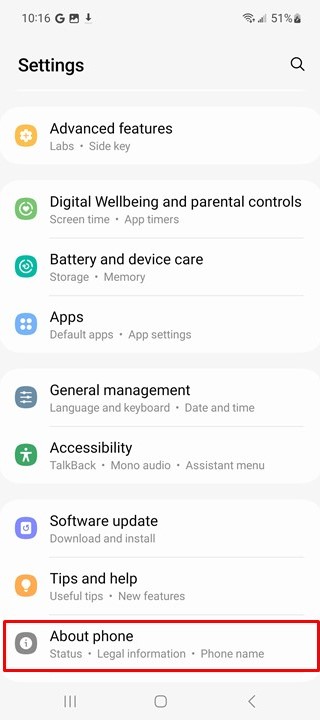
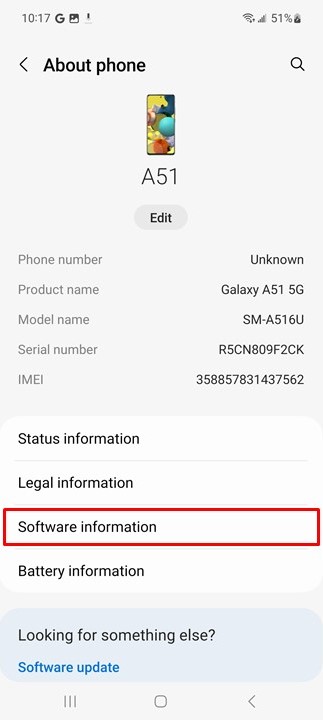
クリック "ビルド番号開発者モードに入るまで" "を連打する。
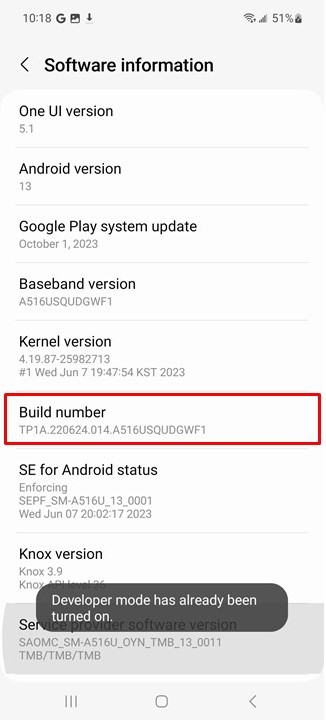
最後にシステム管理ページに戻ると、"開発者オプション"を入力し、有効にする。そして"USBデバッグ“.
2.PCに1001 TVsをインストールする
📥 PC版: Windows用ダウンロード
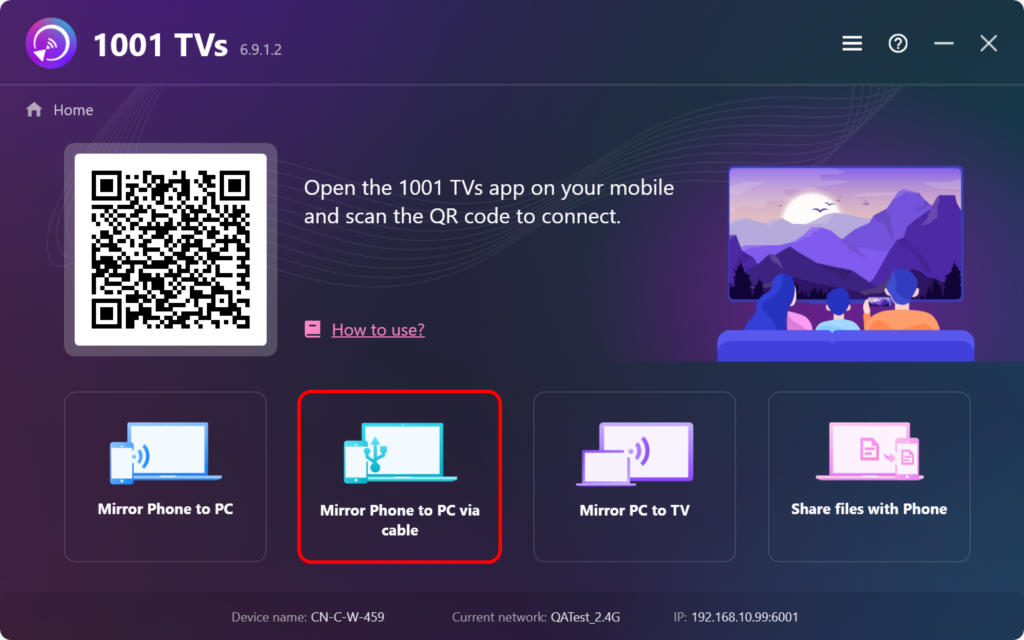
3.PCで1001 TVsを開く
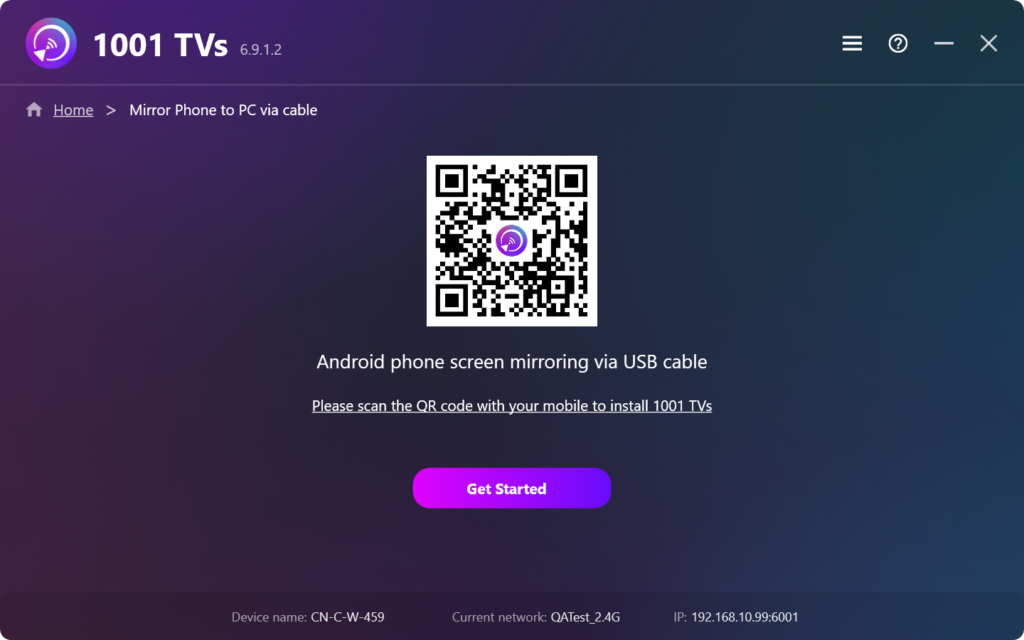
クリック 「ケーブル経由で電話をPCにミラーリング
3.Android携帯をケーブルでPCに接続し、携帯のロックを解除しておく。
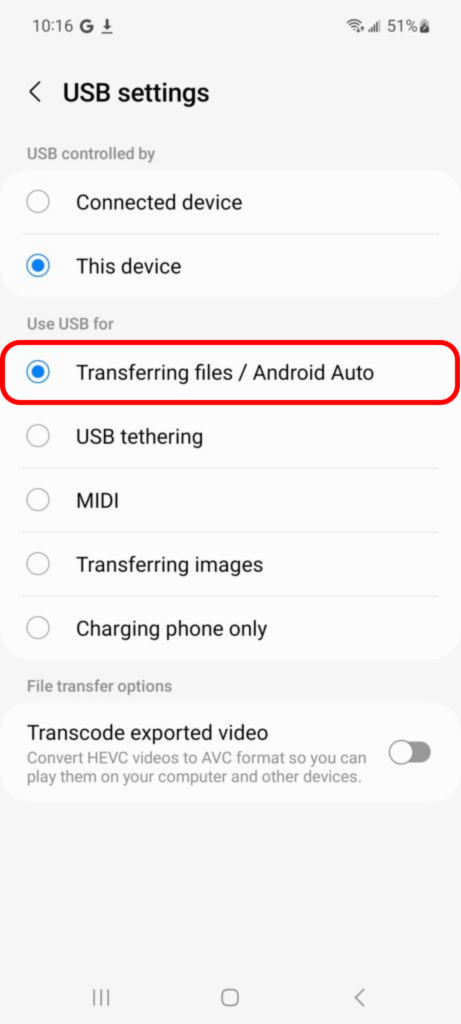
USBケーブルを差し込んだ後、デフォルトは充電モードになっています。 ファイル転送モード.
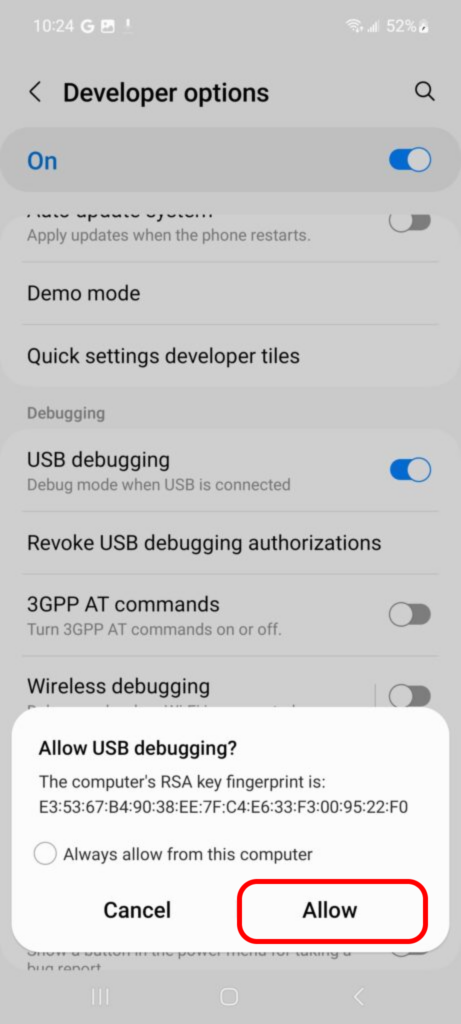
お使いの携帯電話にポップアップボックスが表示されます。 「許可する.
クリック "スタート" PCで。
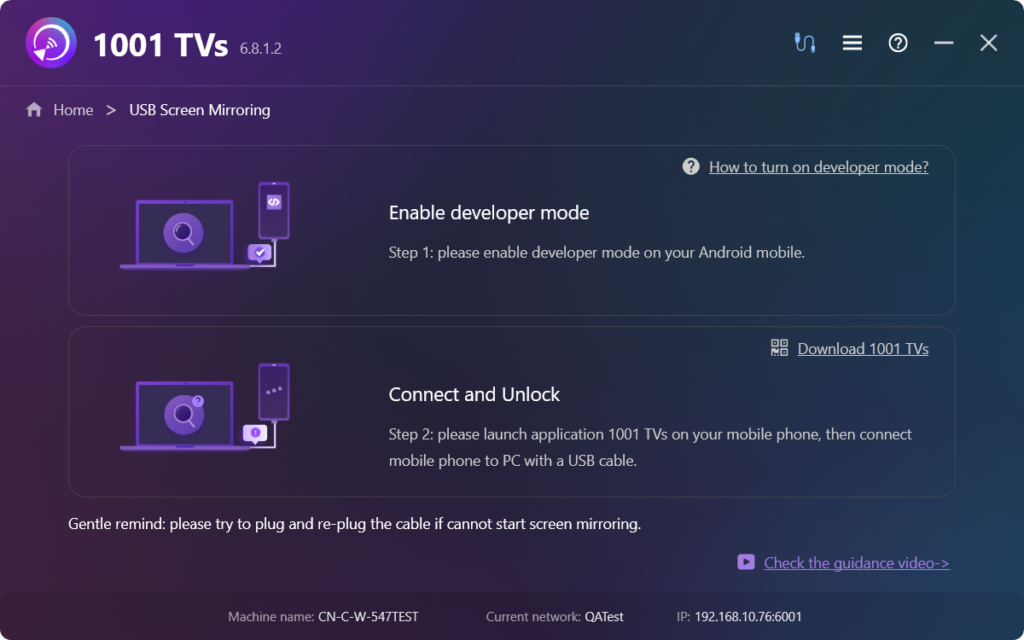
上記の手順がすべて完了していれば、お楽しみいただけます。そうでない場合は、ガイドに従ってもう一度確認してください。
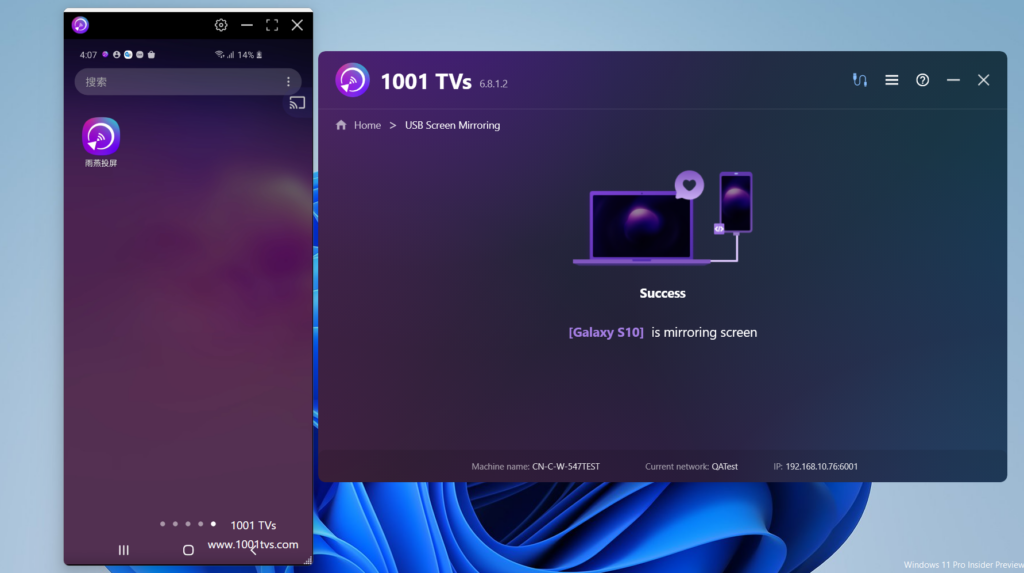
4.スクリーンミラーリングが正常に設定されました!
今すぐ1001 TVsをダウンロード
📥 PC版: Windows用ダウンロード