
Digitális jelzések az egészségügyben: A betegélmény és a kommunikáció javítása
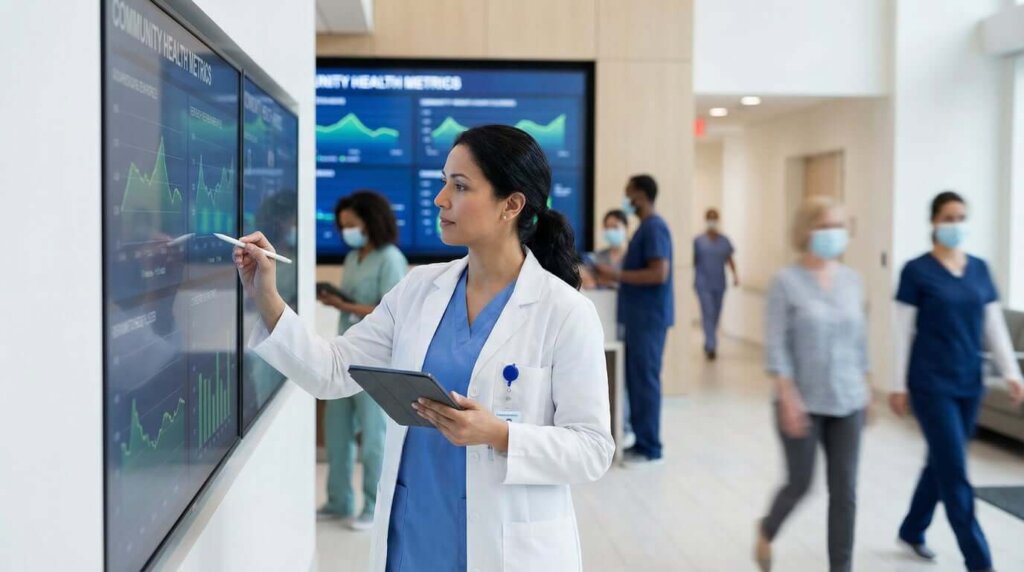
Sétáljon be bármelyik kórház várótermébe, és azonnal látni fogja a problémát. Valaki egy 2019-es, megfakult plakátra hunyorog. Egy másik személy útbaigazítást kér a recepciótól - már harmadszor. Eközben a személyzet azon kapkodja a fejét, hogy frissítse a táblát a mai rendelési idővel.
A hagyományos hirdetőtáblák és nyomtatott táblák egyszerűen nem tudnak lépést tartani az egészségügy valóságával, ahol az információk folyamatosan változnak, és a félreértéseknek valódi következményei lehetnek. A digitális táblák egyszerű megoldást kínálnak: olyan képernyők, amelyek az aktuális információkat jelenítik meg, és ténylegesen segítik az emberek tájékozódását.
Miért telepítenek egyre több létesítményben digitális kijelzőket?
A legtöbb kórházban már most is vannak képernyők szétszórva az épületekben. Néhány jól működik. Mások csak ugyanazokat az általános egészségügyi tippeket adják, amelyeket senki sem olvas el.
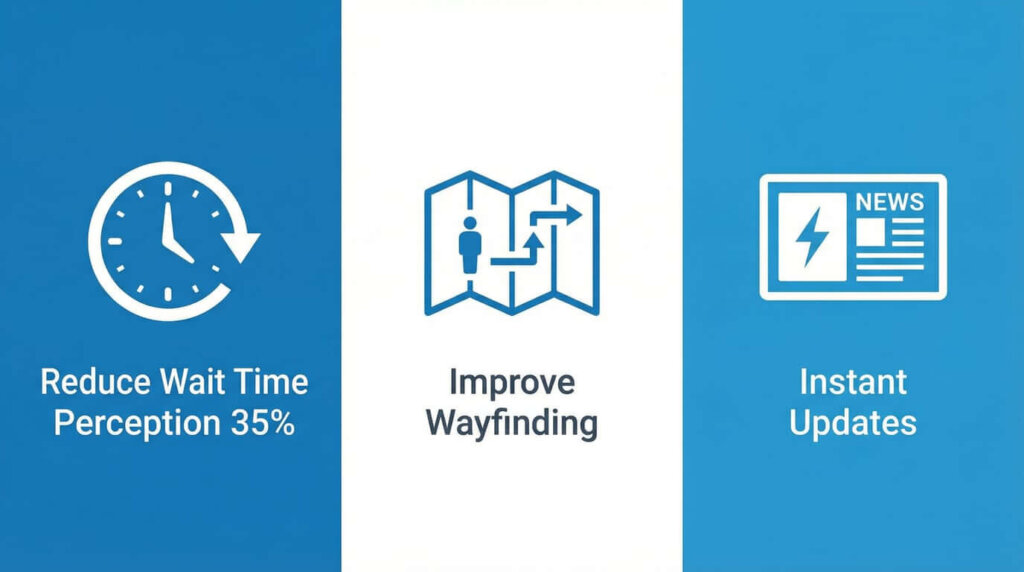
A különbség három gyakorlati problémára vezethető vissza, amelyeket a digitális táblák ténylegesen meg tudnak oldani:
A várakozási idő rövidebbnek tűnik, ha az emberek tudják, mi történik. Egy tanulmány szerint a digitális feliratok 35%-tel csökkentették az érzékelt várakozási időt. A trükk nem a szórakoztatásban rejlik, hanem az információban. Mutasd meg valakinek, hogy az időpontja 20 percet késik, és ahelyett, hogy a székében pörkölődne, inkább kávét iszik. Ha oktatási tartalmat jelenít meg a várakozással kapcsolatos eljárásról, hirtelen értelmet nyer az a 20 perc.
A nagy létesítményekben zavaros a navigáció. A több épületből álló kórházi kampuszok labirintusok. Az idős betegek eltévednek. A stresszes családtagok tíz percig tévelyegnek a rossz folyosón. A valós idejű útbaigazítással ellátott digitális címtárak csökkentik a “Elnézést, hol van...” kérdések számát, amelyek a recepciósok idejét emésztik fel.
Az információk folyamatosan változnak. Klinikai órák váltása. Az orvosok beteget jelentenek. Beüt az influenzaszezon, és hirtelen mindenütt táblákra van szükség a maszkoló politikáról. A digitális kijelzőkkel egy személy az asztaláról frissítheti az épület összes képernyőjét. Nincs többé szükség ugyanannak a tájékoztatónak a 40 példányának kinyomtatására, laminálására és ragasztására.
Ahol a digitális táblák a legjobban működnek
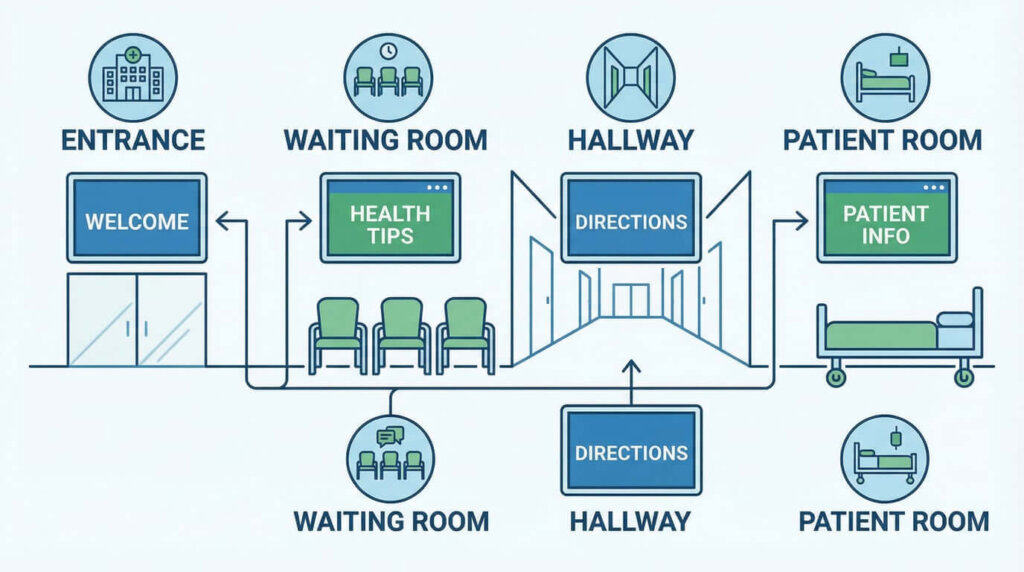
Egy egészségügyi intézmény különböző területeinek különböző igényei vannak. Itt van a legtöbb értelme a képernyőknek:
Várótermek
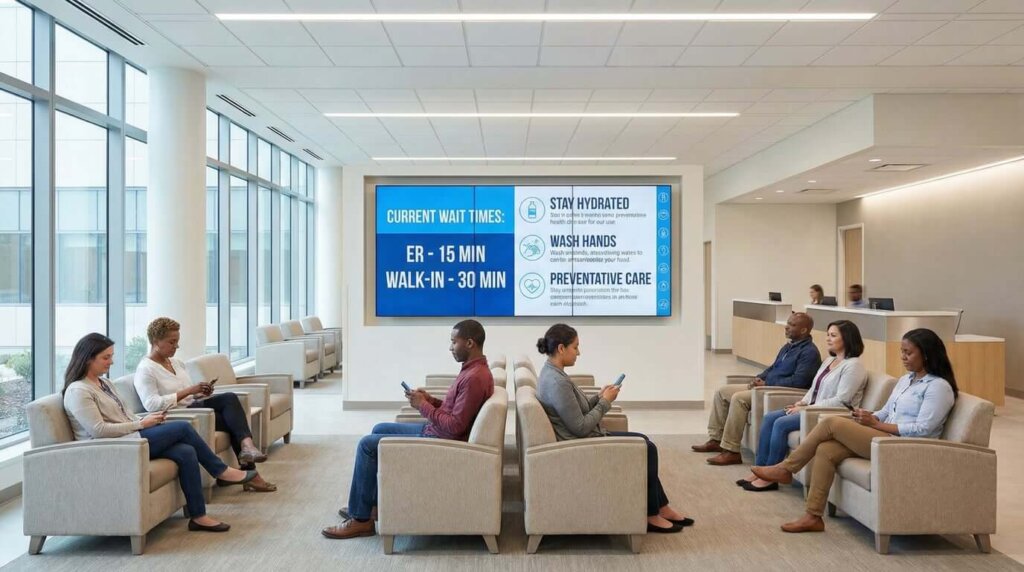
A várótermi kijelzők két feladatot látnak el: kezelik az elvárásokat és lekötik az emberek figyelmét. A legjobb beállítások a különböző szolgáltatások aktuális várakozási idejét mutatják - nem homályos “a várakozási idő körülbelül...” üzeneteket, hanem a tényleges várakozási pozíciót vagy a becsült perceket.
Az oktatási tartalom akkor működik, ha releváns. Egy kardiológiai váróteremben szív-egészségügyi tippeket lehet megjeleníteni. Egy gyermekorvosi rendelőben megjelenhetnek az oltási ütemtervek. Az általános wellness-tartalom, amely bárhol alkalmazható, általában figyelmen kívül marad.
Egyes intézmények várótermi képernyőket használnak a betegek által nem ismert szolgáltatások népszerűsítésére. Ez akkor működik, ha finoman történik - egy forgó diával az új fizikoterápiás részlegről, nem pedig 30 másodpercenként keményen eladva.
Útkereső állomások
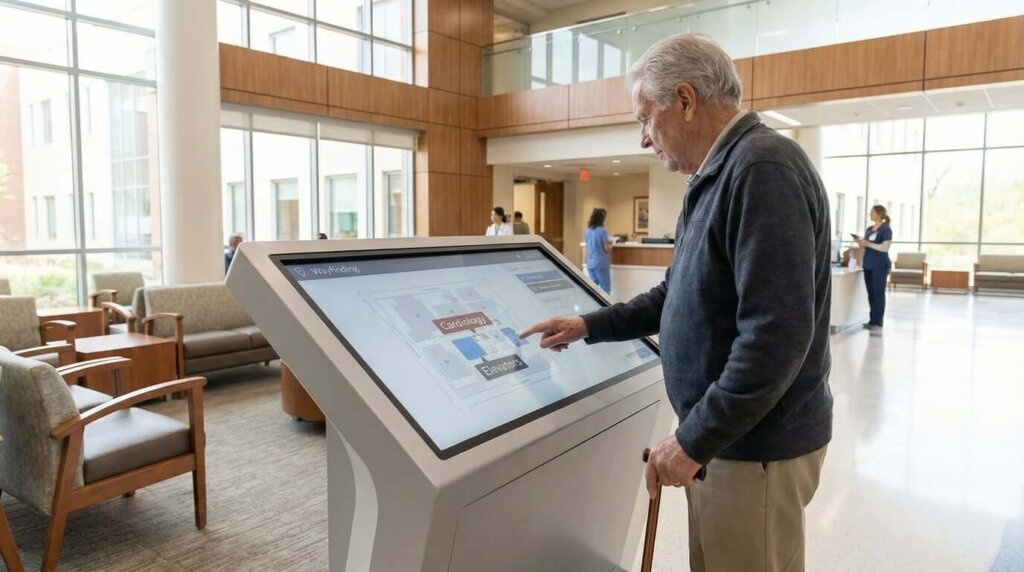
A főbejáratoknál elhelyezett interaktív érintőképernyők segítségével az emberek kérdezés nélkül megtalálják, hová mennek. A jó kijelzők megmutatják az osztályok helyét, az orvosi rendelőket, a parkolóhelyeket, és még útbaigazítást is tudnak küldeni valakinek a telefonjára.
A kulcs az elhelyezés. Egy képernyő a fő előcsarnokban segít. A folyosók minden nagyobb kereszteződésében elhelyezett képernyők valójában megoldják a navigációs problémát.
Személyzeti területek
A pihenőszobákban és a személyzeti folyosókon elhelyezheti a belső kommunikációt - frissített irányelveket, műszakbeosztásokat, biztonsági emlékeztetőket. Ez olyan ápolókhoz és technikusokhoz jut el, akik nem ülnek egész nap a számítógép előtt, és nem ellenőrzik az e-maileket.
Betegszobák
A szobákban elhelyezett kijelzőkön megjeleníthetők az ápolási utasítások, a gyógyszeres beosztás és az ápolócsoport tagjai. Ez csökkenti a “mikor van a következő adagom” és “melyik orvoshoz megyek” kérdéseket, amelyekre az ápolók ismételten válaszolnak.
A kihívást az jelenti, hogy ezeket az információkat pontosan megőrizzük. Ha a képernyőn az áll, hogy Dr. Smith a kezelőorvos, de Dr. Jones besétál, akkor csak zavart kelt, ahelyett, hogy megoldaná a problémát.
Az 1001 TVs használata a gyors beállításhoz
Ha kisebb klinikát vagy orvosi rendelőt üzemeltet, és nem szeretne drága digitális kijelzőrendszerekbe beruházni, az 1001 TVs egyszerűbb megközelítést kínál. Az alkalmazás vezeték nélküli képernyőtükrözést és tartalomkezelést biztosít telefonokon, táblagépeken, számítógépeken és okostévékészülékeken.
Az alábbiakban ismertetjük, hogy mi teszi ezt praktikussá az egészségügyi intézmények számára:
Képernyő tükrözés - A készülék képernyőjét bármely, ugyanazon a Wi-Fi hálózaton lévő tévére vagy kijelzőre vetítheti. Nyissa meg az időbeosztó szoftvert, a betegoktatási diákat vagy a bejelentési dokumentumokat számítógépén vagy táblagépén, majd tükrözze azokat vezeték nélkül a várótermi képernyőkre.
Albumok funkció - Töltsön fel fényképeket és videókat, hogy forgó diavetítéseket hozzon létre a tévéjén. Ez jól használható egészségügyi tippek, létesítményinformációk vagy a személyzet bemutatkozásának megjelenítésére. A feltöltés után a tartalom automatikusan lejátszódik, anélkül, hogy a forráskészüléket csatlakoztatva kellene tartani.
Fájl átvitel - Gyorsan, kábelek nélkül küldhet frissített tartalmat az eszközök között. Ha irodai számítógépén új feliratanyagokat készít, vezeték nélkül továbbíthatja azokat a kijelzőhöz csatlakoztatott eszközre.
Több képernyős támogatás - Tükrözzön egy számítógépet egyszerre több tévére. Hasznos, ha ugyanazon épületben több váróteremben vagy klinikai helyszínen is ugyanazt a közleményt kell sugározni.
Ez jól működik:
- Kis praxisok 1-3 telephellyel ahol a dedikált digitális kijelző szoftverek túlzásnak tűnnek
- Ideiglenes kijelzők mint például az influenza elleni védőoltás bejelentése vagy szezonális egészségügyi kampányok
- Digitális feliratok tesztelése mielőtt elkötelezné magát a teljes rendszer mellett
- Vészhelyzeti frissítések amikor valamit azonnal kell közvetítenie minden képernyőre
A fő korlát: az Albumok funkció jól kezeli az előre betöltött tartalmakat, de az élő képernyőtükrözéshez a forráseszköz csatlakoztatva kell tartani. Az egyszerű forgó bejelentések és egészségügyi tippek esetében az Albums megoldja ezt. A valós idejű információkhoz, például az időpontok várólistáihoz, a forráskészülékre van szükség.
Mi működik (és mi nem)
Ha képernyőket helyez el a létesítményében, kerülje el ezeket a gyakori hibákat:
Tartsa naprakészen a tartalmat. Semmi sem gyengíti meg gyorsabban a bizalmat, mint az elavult információk. Ha a képernyőjén az áll, hogy “Dr. Johnson ma elérhető”, pedig Dr. Johnson hat hónappal ezelőtt vonult nyugdíjba, a betegek észreveszik. Bízzon meg valakit, aki legalább hetente frissíti a tartalmat.
Ne tegyen ki beteginformációkat nyilvános helyeken. Ennek nyilvánvalónak kellene lennie, de a HIPAA megsértése előfordul. A nyilvános képernyők csak általános információkat mutatnak. A betegspecifikus kijelzőknek megfelelő biztonságú, zárt helyiségekben van a helyük.
Tegye a szöveget távolról is olvashatóvá. Az egészségügyi létesítmények a gyerekektől a látásproblémákkal küzdő idős betegekig mindenkit kiszolgálnak. Használjon nagy betűtípusokat, nagy kontrasztot és egyszerű elrendezést. Ha valakinek közel kell mennie, hogy el tudja olvasni a képernyőjét, akkor a betűméret nem megfelelő.
Ne terhelje az embereket orvosi szakzsargonnal. Az oktatási tartalom jó. A patofiziológiáról szóló sűrű bekezdések nem. Keverje az egészségügyi tippeket általános tartalommal - hírekkel, időjárással vagy akár csak megnyugtató természeti felvételekkel.
Tesztelje a képernyő elhelyezését. Sétáljon körbe, és nézze meg a kijelzőket különböző szögekből. Ellenőrizze őket különböző napszakokban. Az ablakok tükröződése délutáni fényben teljesen olvashatatlanná teheti a képernyőket.
Hogyan állapítható meg, hogy működik-e
Kövesse nyomon ezeket a konkrét mérőszámokat:
- Kevesebb útbaigazító kérdés a recepción. Számolja őket egy héten át a kijelzők telepítése előtt és után. Ha még mindig ugyanannyi “hol van a radiológia” kérdés érkezik, akkor az útbaigazító rendszer nem segít.
- A betegek elégedettségi pontszámai a kommunikációval kapcsolatban. A legtöbb létesítmény már most is felmérést készít a betegekről. Nézze meg a “tájékozottság érzése” és a “várakozási idő megértése” kérdéseket.”
- A személyzet rutinkérdések megválaszolására fordított idő. Árnyékolj be egy délutánra a recepcióra. Nyomon követheti, hogy hány kérdésre tudott volna válaszolni egy képernyő.
- A támogatott szolgáltatások igénybevétele. Ha az új fizikoterápiás részlegét a várótermi képernyőkön hirdeti, ellenőrizze, hogy a beutalók száma valóban nőtt-e.
Egyes létesítmények arról számolnak be, hogy a digitális jelzések a hatékonyságnövekedés révén megtérülnek. Mások úgy találják, hogy az előnyök főként a betegélmény-értékelésekben mutatkoznak meg, ami hatással lehet a visszatérítési arányokra és a hírnévre.
Megéri-e a digitális kijelzőket használni?
Kis praxisok esetében kezdje egyszerűen. Próbáljon ki egy hónapig egy olyan képernyőtükrözési megoldást, mint az 1001 TVs a várószobában. Nézze meg, hogy ez valóban csökkenti-e a személyzet által feltett kérdések számát. Ha beválik, akkor bővítse ki a kört.
Nagyobb létesítmények esetében a digitális feliratok használata kevésbé arról szól, hogy érdemes-e, mint inkább arról, hogy jól csinálják-e. Maga a technológia egyszerű. A nehezebb rész a tartalom relevánsan tartása, a személyzet képzése a frissítésre, és annak mérése, hogy valóban segít-e.
Az egészségügyi kommunikáció egyre összetettebb lesz. A betegpopulációk öregednek. A létesítmények bővülnek. Az információk gyorsabban változnak. A digitális kijelzők nem oldanak meg mindent, de jobbak, mint az elavult plakátok és a túlterhelt recepciós személyzet alternatívája.
A kulcs az, hogy egy világos problémából induljunk ki, amelyet meg akarunk oldani - nem csak abból, hogy “digitális táblák kellenek, mert mindenki másnak is van”.”