
एंड्रॉइड 15+ पर नया फ़ीचर: एक ऐप को 1001 TVs पर कास्ट करें
Android 15+ devices, such as the Vivo X200 series, now support a powerful new feature — सिंगल ऐप कास्टिंग.
हमने इसका परीक्षण किया 1001 TVs and found it incredibly useful. Here’s how it works! 📸
सिंगल ऐप कास्टिंग का उपयोग कैसे करें?
1️⃣ Select “Share one app” Mode.
(You can also choose “Share entire Screen” for regular screen mirroring).
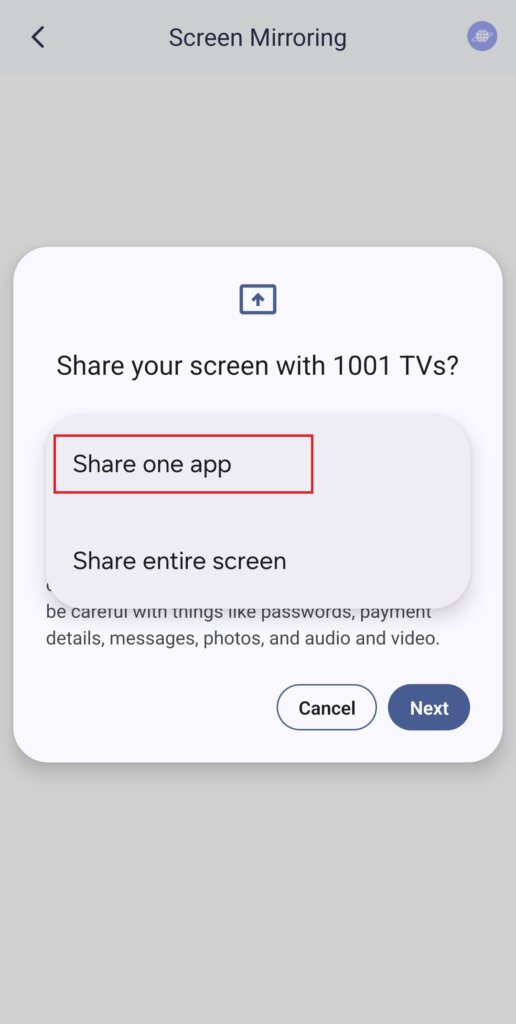
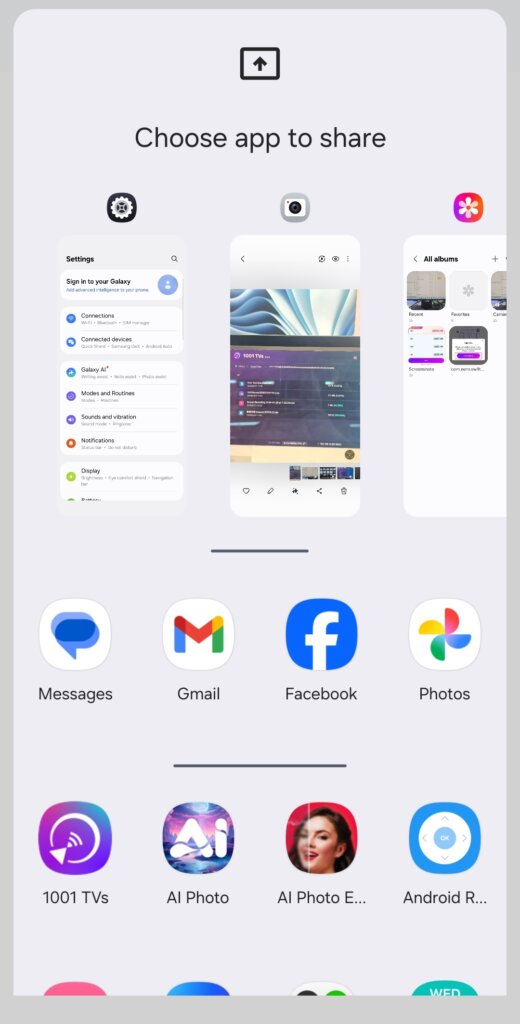
2️⃣ Choose the app you want to cast:
· शीर्ष भाग: Displays previews of apps that are currently open.
· निचला भाग: Lists apps that aren’t open yet (e.g., Tiktok). Selecting one will automatically launch it.
3️⃣ कास्टिंग शुरू करें!
आपका टीवी या पीसी प्रदर्शित करेगा केवल चयनित ऐप को छोड़कर बाकी सभी जानकारी को निजी रखा जाएगा।.
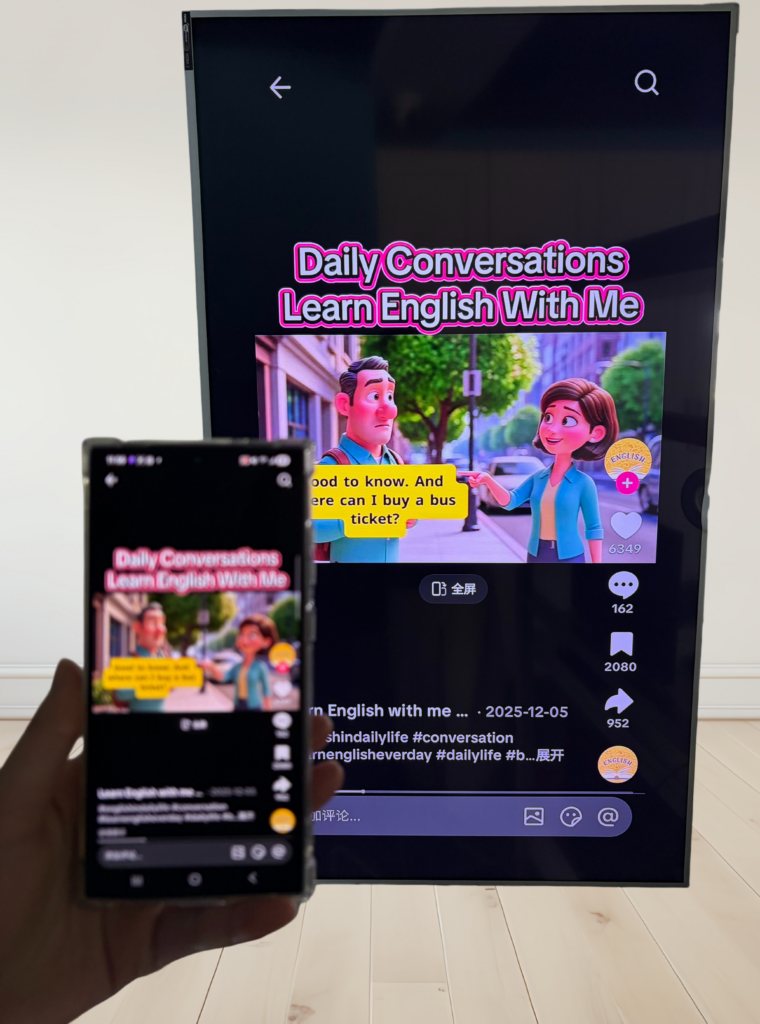
अपनी निजता बरकरार रखें और असहज स्थितियों से बचें!
💡 If you switch to another app, the cast screen will pause instead of displaying your new activity — protecting your privacy.
Imagine this: Peter is giving a presentation when his friend suddenly texts,“Let’s go to a party tonight!” — and it pops up on the big screen for everyone to see. ओह!😱
With Single App Casting, that won’t happen!
The screen stays frozen until you return to the cast app, then resumes smoothly.
📢 Got an Android 15+ phone? Try it out now! 🎉