
Νέο χαρακτηριστικό στο Android 15+: Εκπομπή μιας εφαρμογής στο 1001 TVs
Οι συσκευές Android 15+, όπως η σειρά Vivo X200, υποστηρίζουν τώρα μια νέα ισχυρή λειτουργία - Χύτευση με μία εφαρμογή.
Το δοκιμάσαμε με 1001 ΤΗΛΕΌΡΑΣΗs και το βρήκα απίστευτα χρήσιμο. Δείτε πώς λειτουργεί! 📸
Πώς να χρησιμοποιήσετε το Single App Casting;
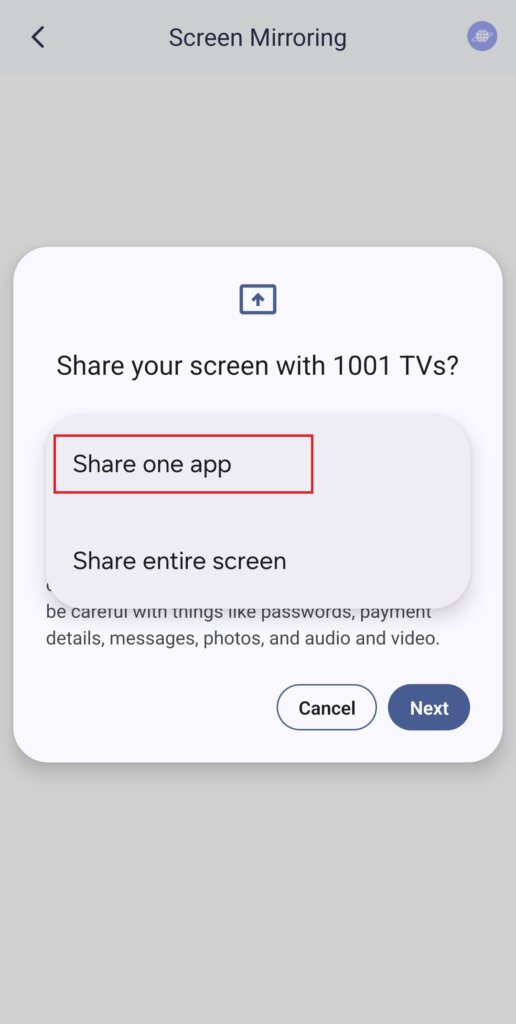
1️⃣ Επιλέξτε τη λειτουργία “Κοινή χρήση μιας εφαρμογής”.
(Μπορείτε επίσης να επιλέξετε “Κοινή χρήση ολόκληρης της οθόνης” για κανονικό καθρέφτισμα οθόνης).
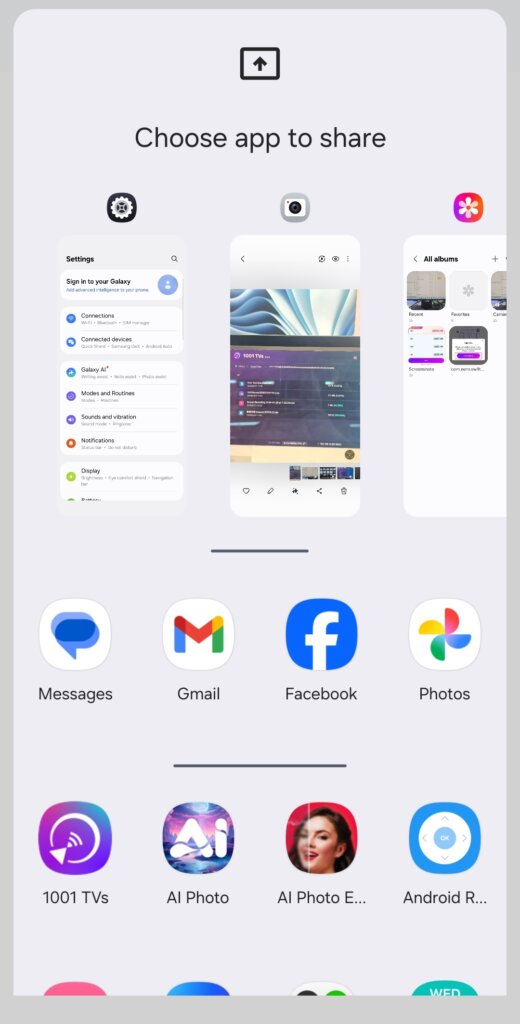
2️⃣ Επιλέξτε την εφαρμογή που θέλετε να εκθέσετε:
- Επάνω τμήμα: Εμφανίζει προεπισκοπήσεις των εφαρμογών που είναι ανοιχτές αυτή τη στιγμή.
- Κάτω τμήμα: Εμφανίζει τις εφαρμογές που δεν είναι ακόμα ανοιχτές (π.χ. Tiktok). Η επιλογή μιας από αυτές θα την εκκινήσει αυτόματα.
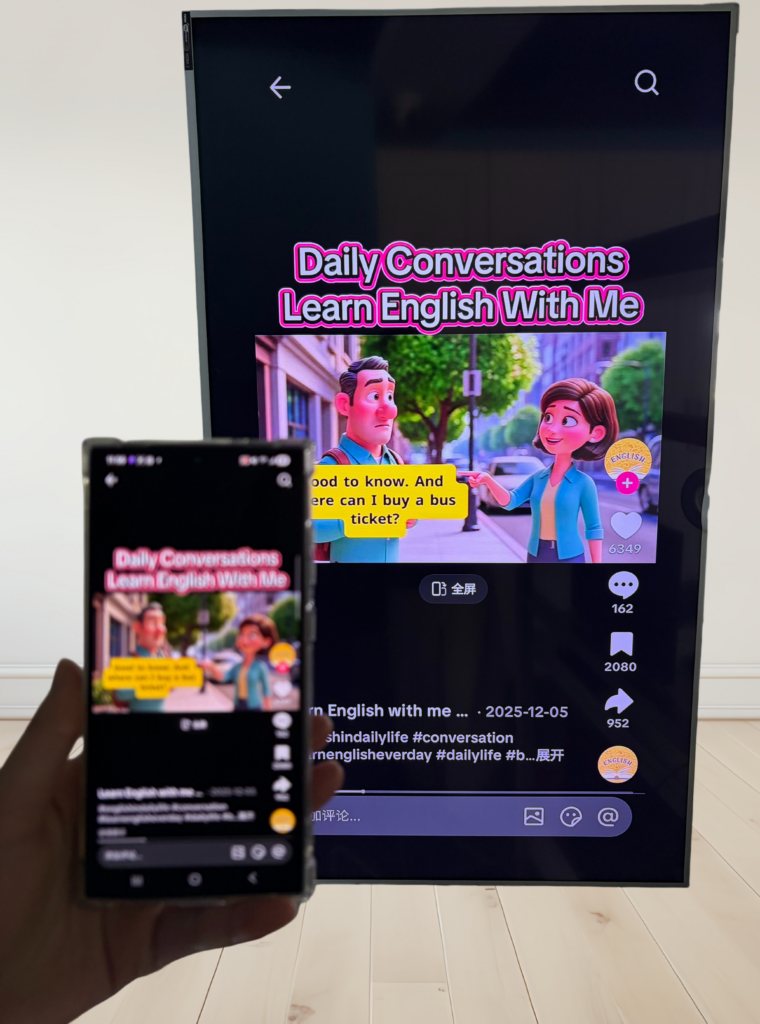
3️⃣ Ξεκινήστε το casting!
Η τηλεόραση ή ο υπολογιστής σας θα εμφανίσει μόνο την επιλεγμένη εφαρμογή, διατηρώντας όλα τα υπόλοιπα ιδιωτικά.
Διατηρήστε το απόρρητό σας ανέπαφο & αποφύγετε αμήχανες στιγμές!
💡 Αν αλλάξετε σε μια άλλη εφαρμογή, η οθόνη εκτύπωσης θα κάνει παύση αντί να εμφανίζει τη νέα σας δραστηριότητα - προστατεύοντας το απόρρητό σας.
Φανταστείτε αυτό: Ο Πέτρος κάνει μια παρουσίαση όταν ο φίλος του ξαφνικά στέλνει μήνυμα: “Πάμε σε ένα πάρτι απόψε!”. - και εμφανίζεται στη μεγάλη οθόνη για να το δουν όλοι. Αμάν!😱
Με το Single App Casting, αυτό δεν θα συμβεί!
Η οθόνη παραμένει παγωμένη έως ότου επιστρέψετε στην εφαρμογή cast και στη συνέχεια συνεχίζει ομαλά.
📢 Έχετε τηλέφωνο Android 15+; Δοκιμάστε το τώρα! 🎉