
ميزة جديدة على أندرويد 15+: إرسال تطبيق واحد إلى 1001 TVs

تدعم الآن الأجهزة التي تعمل بنظام Android 15+، مثل سلسلة Vivo X200، ميزة جديدة قوية - صب التطبيق الواحد.
اختبرناها مع 1001 تلفزيونووجدتها مفيدة للغاية. إليك كيف يعمل! 📸
كيفية استخدام صب التطبيق الواحد؟
1️⃣ حدد وضع “مشاركة تطبيق واحد”.
(يمكنك أيضًا اختيار “مشاركة الشاشة بأكملها” للنسخ المتطابق للشاشة العادية).
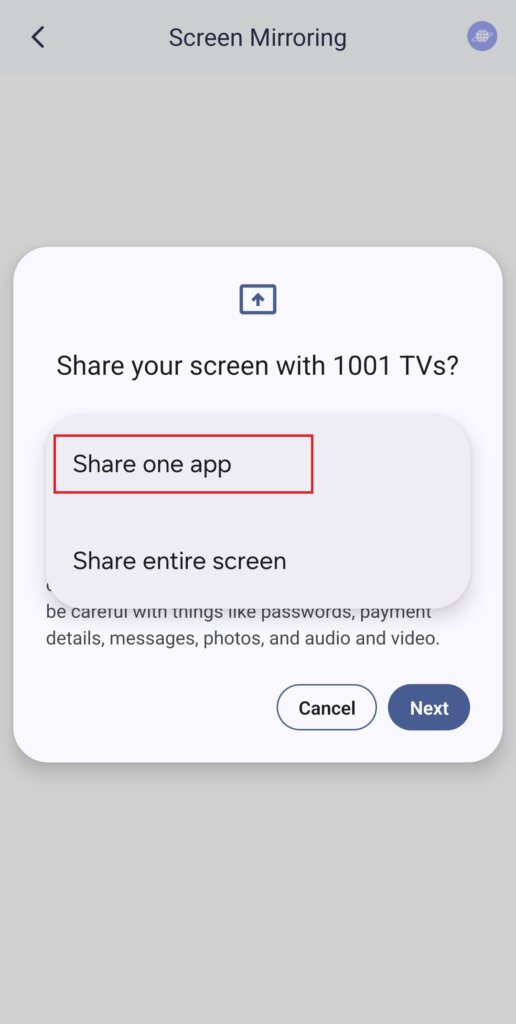
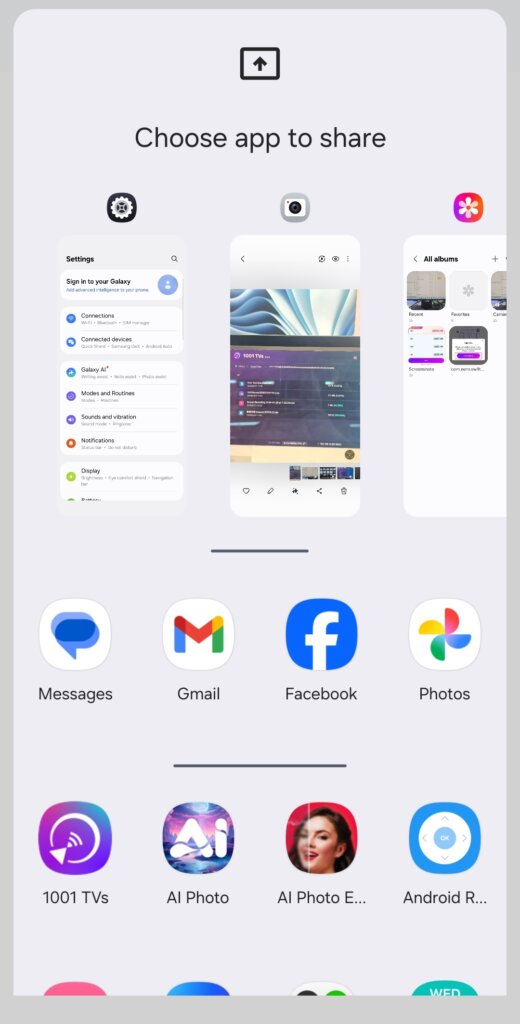
2️⃣ اختر التطبيق الذي تريد إرساله:
- القسم العلوي: يعرض معاينات للتطبيقات المفتوحة حالياً.
- القسم السفلي: يسرد التطبيقات التي لم تُفتح بعد (على سبيل المثال، Tiktok). سيؤدي تحديد أحدها إلى تشغيله تلقائيًا.
3️⃣ ابدأ الصب!
سيعرض التلفزيون أو الكمبيوتر الشخصي فقط التطبيق المحدد، مع الحفاظ على خصوصية كل شيء آخر.
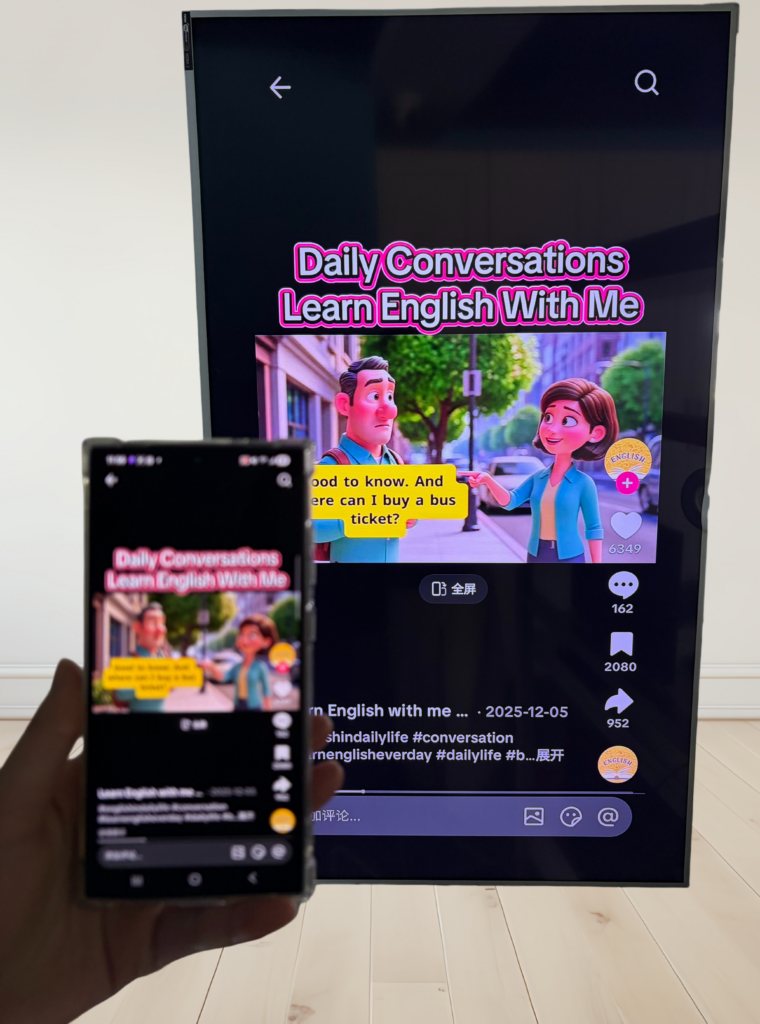
حافظ على خصوصيتك وتجنب اللحظات المحرجة!
💡 إذا قمت بالتبديل إلى تطبيق آخر، ستتوقف شاشة الإرسال مؤقتًا بدلاً من عرض نشاطك الجديد - لحماية خصوصيتك.
تخيل هذا: بيتر يقدم عرضًا تقديميًا عندما يرسل صديقه فجأة رسالة نصية يقول فيها: “لنذهب إلى حفلة الليلة!” - وينبثق على الشاشة الكبيرة ليراها الجميع. يا للقرف!😱
لن يحدث ذلك مع ميزة "صب التطبيق الواحد"!
تظل الشاشة مجمدة حتى تعود إلى تطبيق الإرسال، ثم تستأنف بسلاسة.
📢 هل لديك هاتف أندرويد 15+؟ جربه الآن! 🎉