
Como visualizar fotos e vídeos na vertical em uma TV vertical com os álbuns do 1001 TVs
Você tem uma TV vertical e deseja visualizar suas fotos e vídeos verticais na orientação correta?
Com o Espelhar Álbum recurso do 1001 TVs você pode carregar facilmente fotos e vídeos do seu telefone e apreciá-los em uma tela vertical grande - perfeito para compartilhar memórias com a família e os amigos.
Não sabe como ativar a exibição vertical?
Dê uma olhada neste guia 👉 Espelhamento vertical de tela: Crie uma nova experiência visual
1. Como usar o recurso de álbuns
❶ Abrir álbuns
Na tela inicial do 1001 TVs, vá até a seção Explorar seção e toque em Espelhar Álbum.
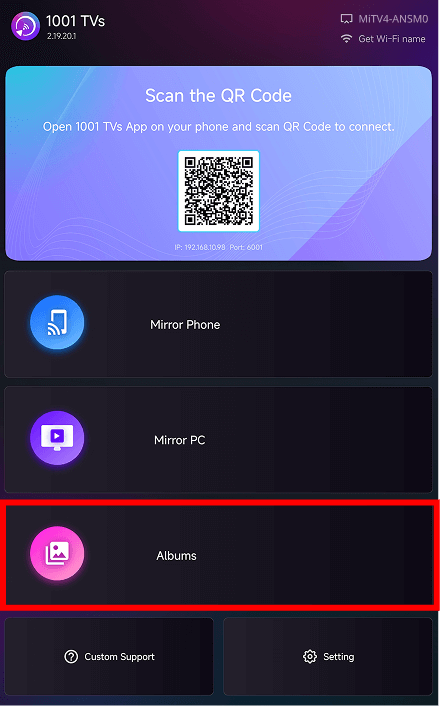
❷ Selecione uma categoria de álbum
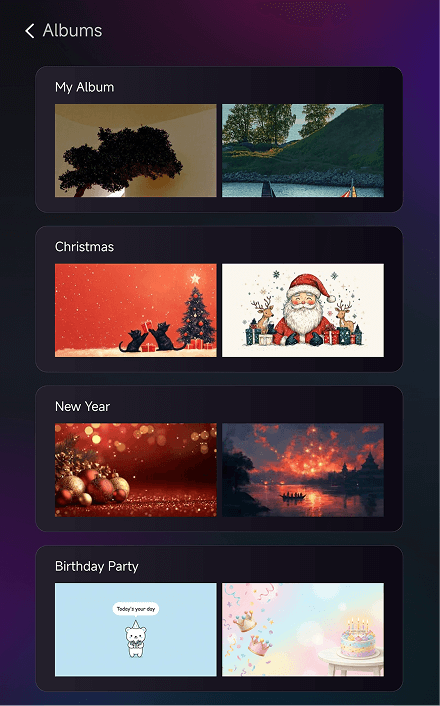
Em Albums, você pode carregar suas próprias fotos e vídeos ou navegar pelos álbuns temáticos incorporados:
- Meu álbum - Todos os itens que você carregou
- Natal - Imagens com tema natalino
- Ano Novo - Imagens de comemoração do Ano Novo
- Festa de aniversário - Trabalhos artísticos com tema de aniversário
❸ Navegar e jogar
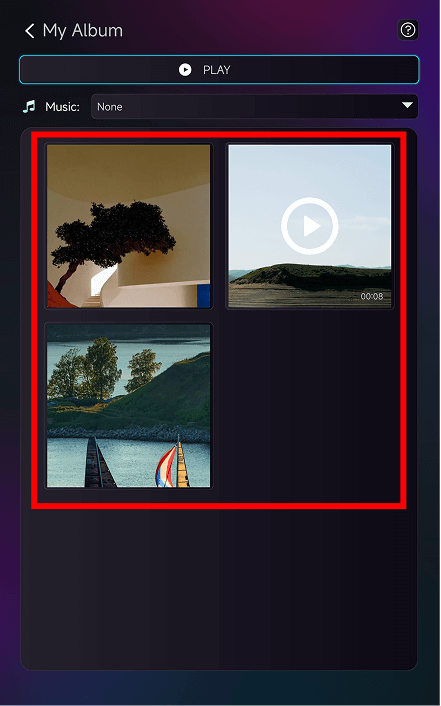
Toque em qualquer álbum para acessar a página de detalhes.
Toque em uma miniatura para ver uma foto em tela cheia ou para reproduzir um vídeo.
❹ Mais recursos
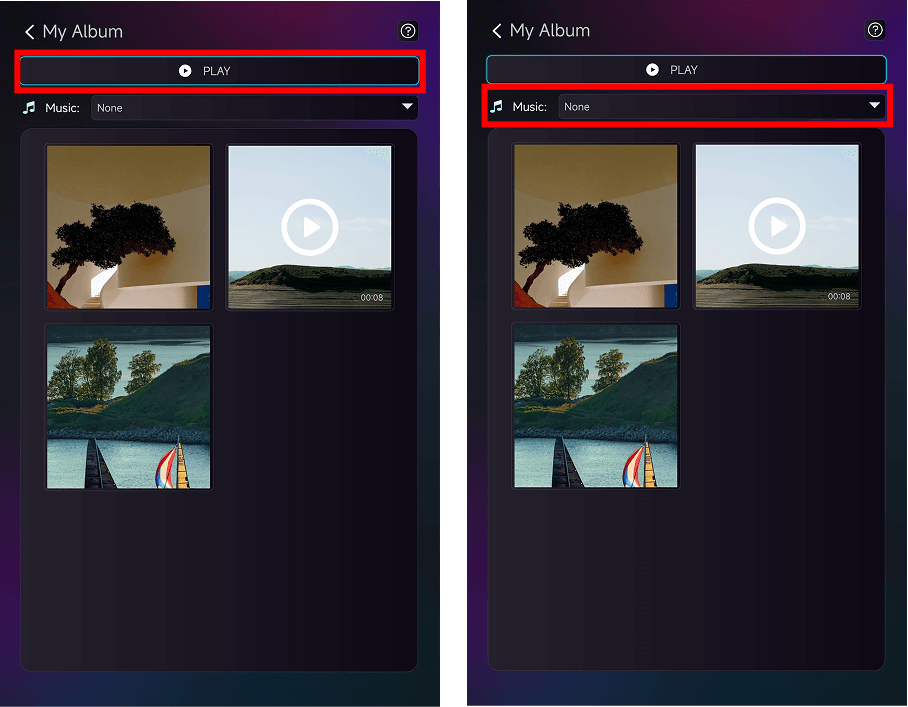
Interior Meu álbumvocê pode:
- Torneira Jogar na parte superior para iniciar uma apresentação de slides
- Escolha a música de fundo na seção Música menu suspenso
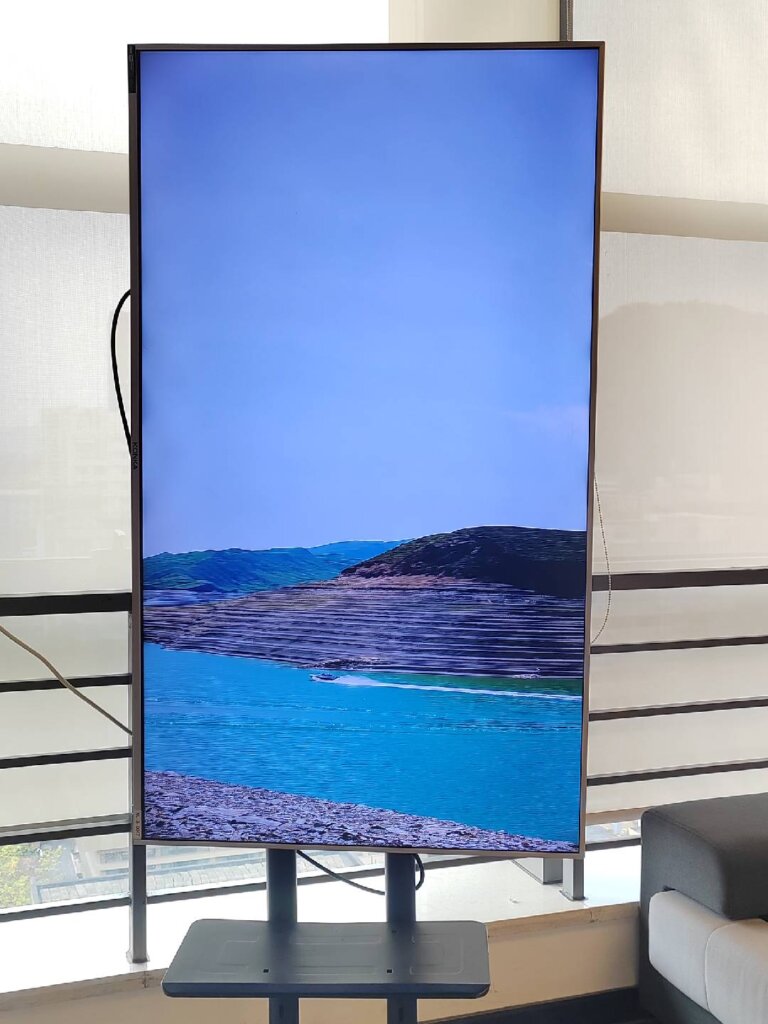
Você pode ver o efeito final da exibição em sua TV vertical assim!
2. Quando usá-lo
- Reuniões familiares - Mostre suas fotos de viagem em uma tela vertical grande
- Celebrações de feriados - Reproduza álbuns temáticos para criar o clima
- Festas de aniversário - Exiba memórias e destaque momentos especiais
- Reuniões de amigos - Assista novamente a vídeos divertidos em uma tela vertical grande
Com a visualização vertical otimizada, suas fotos e vídeos ficam mais vívidos e envolventes.
3. Como fazer upload de fotos e vídeos
Para obter um tutorial completo, consulte:
Atualização da tela vertical: Atualização do espelhamento vertical: Fotos e vídeos em álbuns também podem ser reproduzidos verticalmente!
Precisa de ajuda?
Se tiver algum problema, entre em contato com nossa equipe de suporte:
- Mais guias: Guia
- E-mail: 1001tvs@nero.com
- Site: www.1001tvs.com