
TV Auto-Accept Mirroring – No Popups
매번 화면 미러링 요청을 승인하기 위해 TV 리모컨을 들어야 한다면 금방 짜증이 날 수 있습니다.
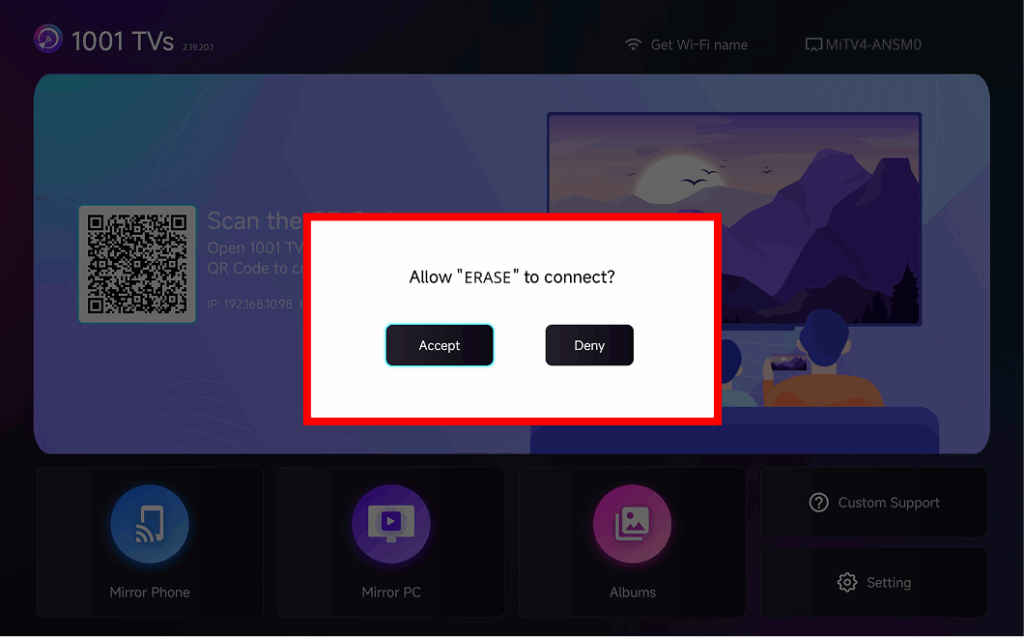
The latest version of 1001 TVs introduces 미러링 자동 수락 – seamless casting without any popups.
단계별 가이드
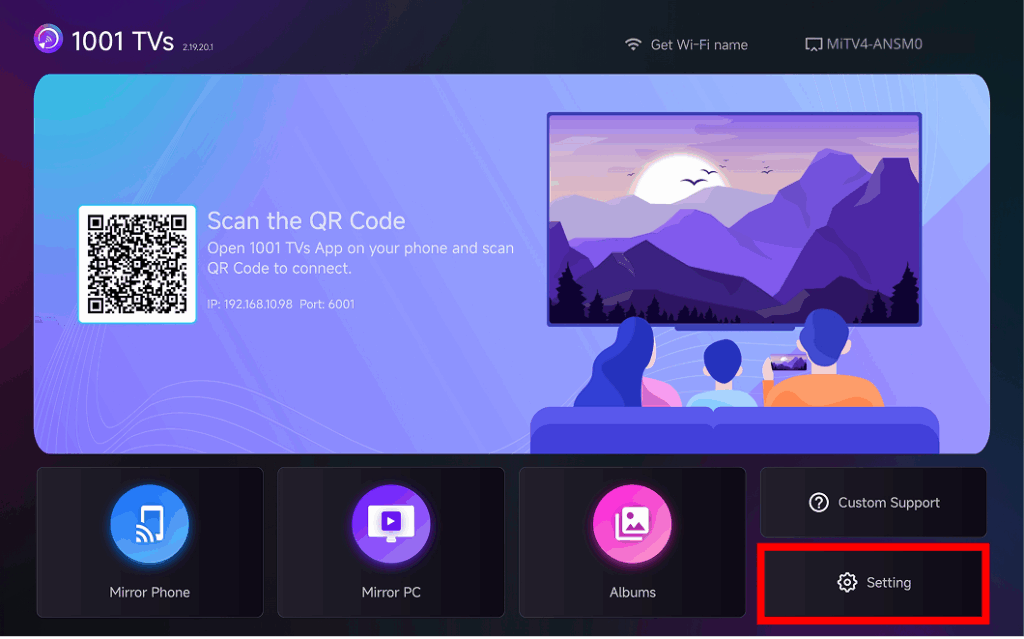
❶ TV 홈 화면의 오른쪽 하단으로 이동하여 다음을 선택합니다. 설정
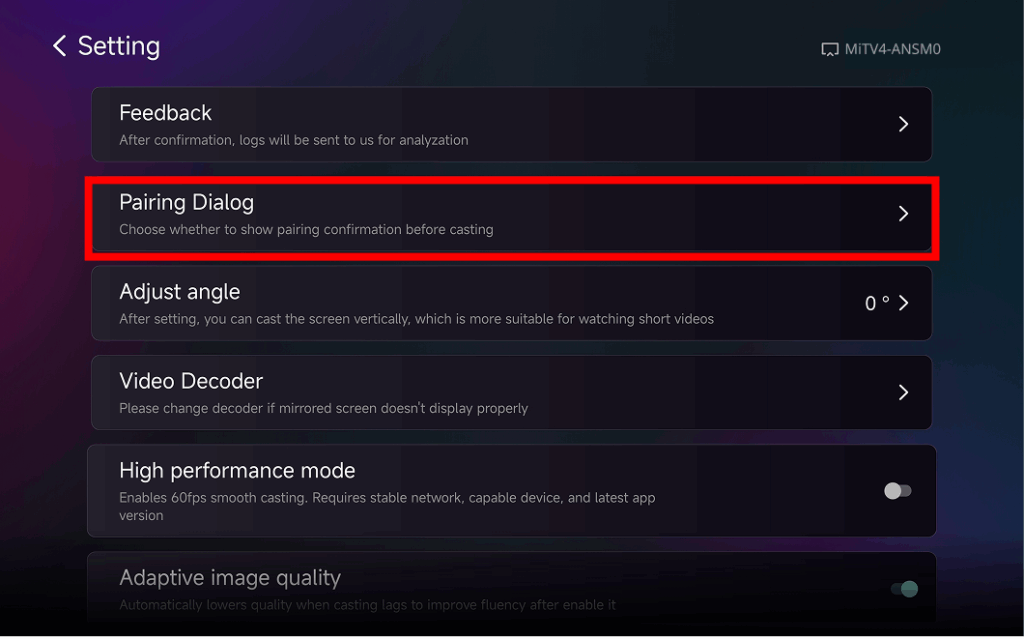
❷ 찾아서 탭 “페어링 대화 상자"
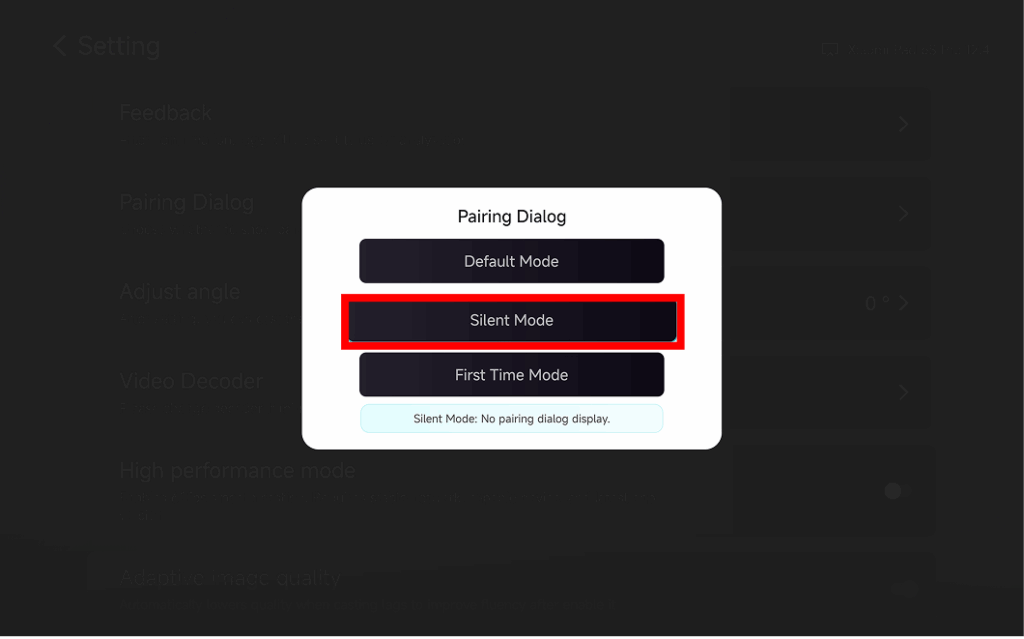
❸ Choose Your Preferred Mode
⭐ 기본 모드
A popup appears every time before casting.
⭐ 무음 모드
No popup appears – your TV automatically accepts all mirroring requests.
⭐ 처음 모드
A popup appears only for the first connection. After approval, all future requests are auto-accepted.
미러링 자동 수락을 사용하는 이유는 무엇인가요?
- Perfect for home, classrooms, stores, and digital signage.
- Stop searching for the remote – connect instantly.
- Instant screen mirroring from your phone, tablet, or PC without interruption.