
TV Flip Screen Mirroring Feature
The TV Flip Screen Mirroring feature allows mirrored content to be displayed in a flipped orientation on your TV. This is especially useful for scenarios such as live streaming, presentations, and teaching materials that require reversed viewing. The feature is easy to enable and works seamlessly during screen mirroring.
का उपयोग कैसे करें
1. खोलें 1टीपी1टी on your TV and go to सेटिंग्स.
2. Find Flip Screen Mirroring and turn it on.
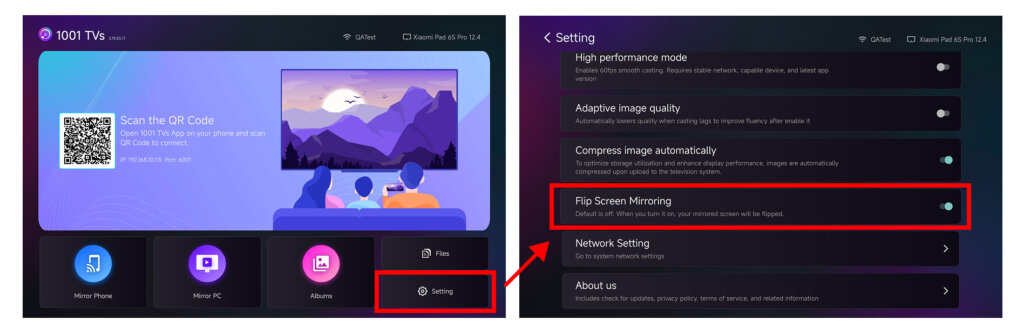
3. Make sure your device (phone, computer, or tablet) is properly connected to the TV via 1001 TVs.
4. Once screen mirroring is active, the content on the TV will appear in a flipped orientation.
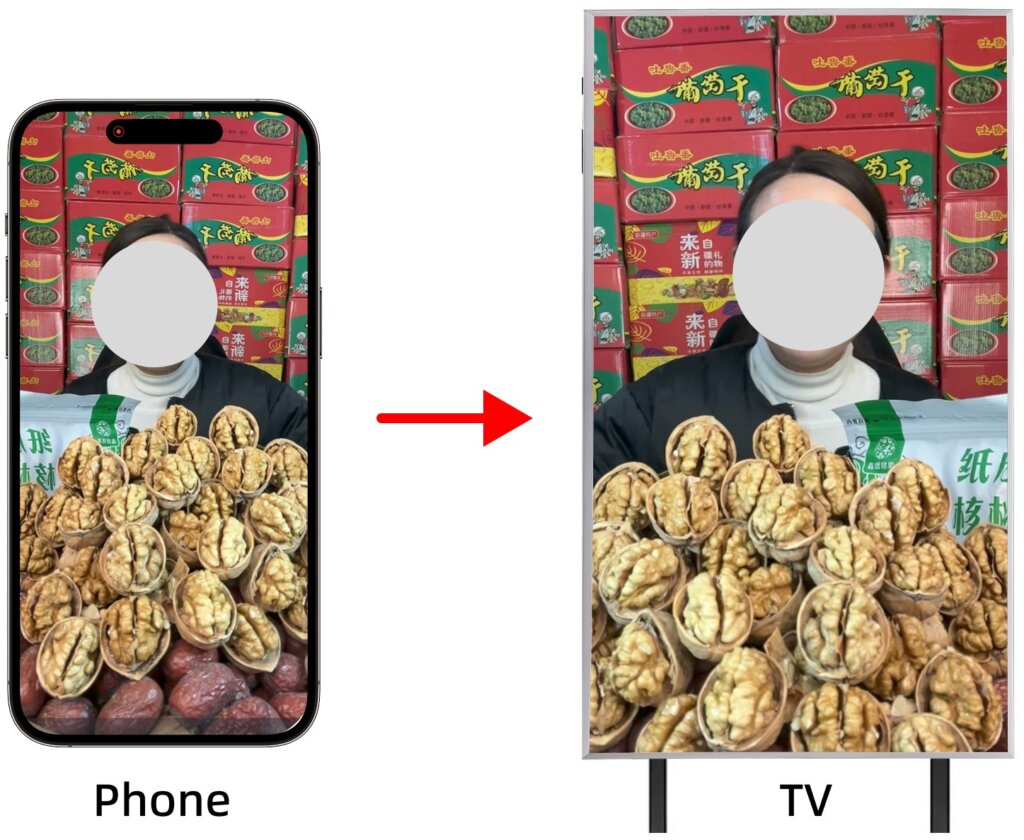
Supported Casting Mode
- स्क्रीन मिरर
नोट्स
1. This feature affects only the mirrored display on the TV and does not change the screen on your phone, computer, or tablet.
2.To disable flip screen mirroring, go to Settings → Flip Screen Mirroring and turn the option off.
3. For the best experience, ensure that the TV version of 1टीपी1टी is updated to the latest version.
मदद की ज़रूरत है?
यदि आपको कोई समस्या आती है, तो कृपया हमारी सहायता टीम से संपर्क करें:
- और भी गाइड: मार्गदर्शन
- ईमेल: 1001tvs@nero.com
- वेबसाइट: www.1001tvs.com