Guide de duplication d'écran pour les salons professionnels : optimiser vos démonstrations avec 1001 TVs
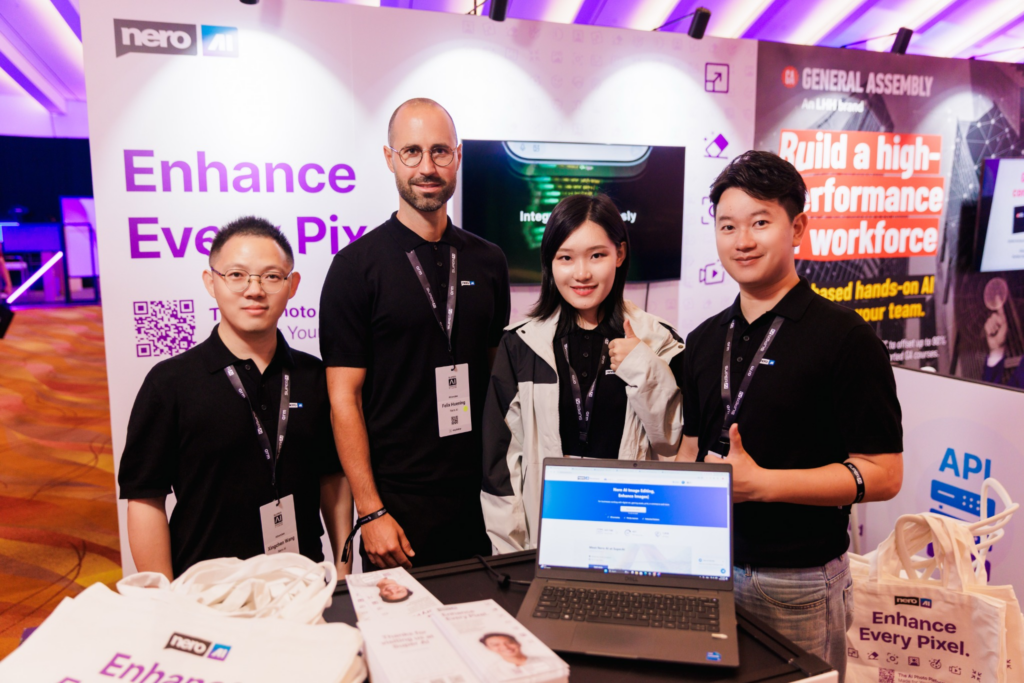
Le pire moment lors d'une démonstration avec la fonction de duplication d'écran ? Ce n'est pas une gamme de produits peu attrayante. Ce n'est pas non plus l'absence de brochures. C'est quand un prospect est prêt à assister à votre démonstration et que vous avez encore du mal à établir la connexion pour la duplication d'écran.
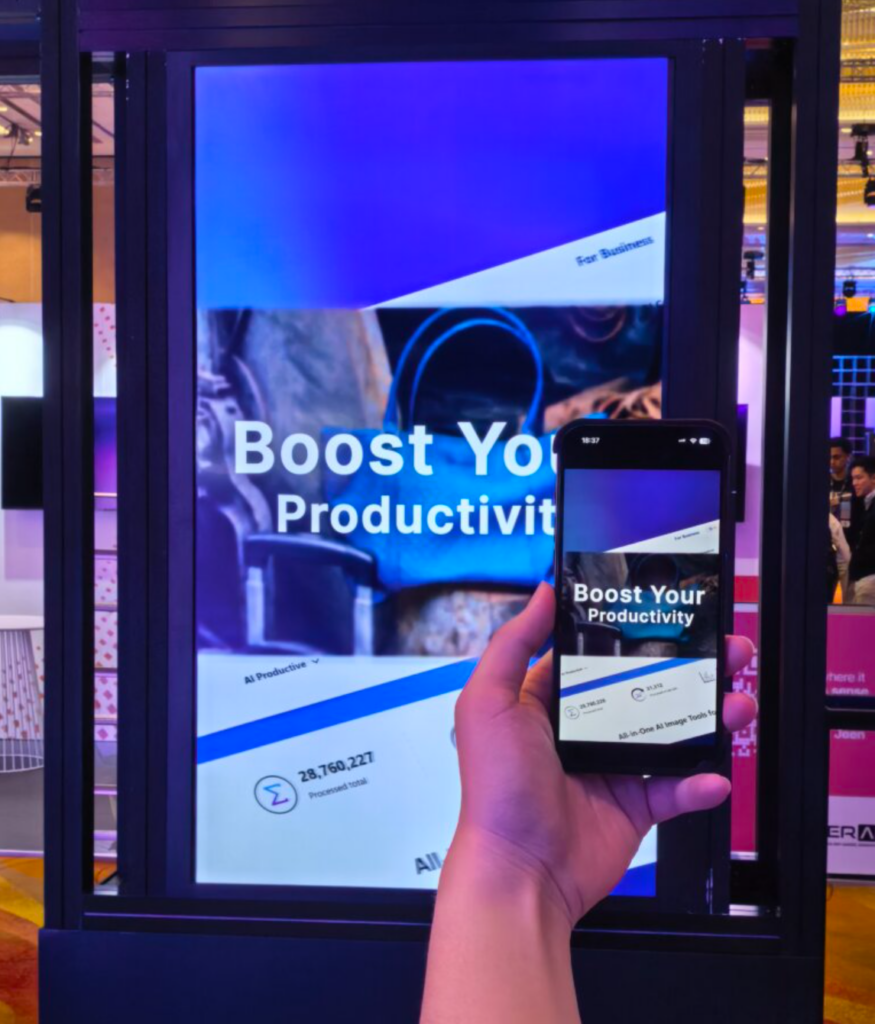
Lors de l'édition de cette année Salon SuperAI, nous présentons un autre produit développé par notre équipe — Nero AI — à des clients internationaux. Il permet le traitement d’images par IA, l’optimisation des médias et la création automatisée de contenu. Pour ce genre de produits, il ne suffit pas de distribuer une brochure et d’échanger des cartes de visite. Les clients veulent voir de vrais résultats. Ils veulent savoir comment cela fonctionne dans des situations concrètes.
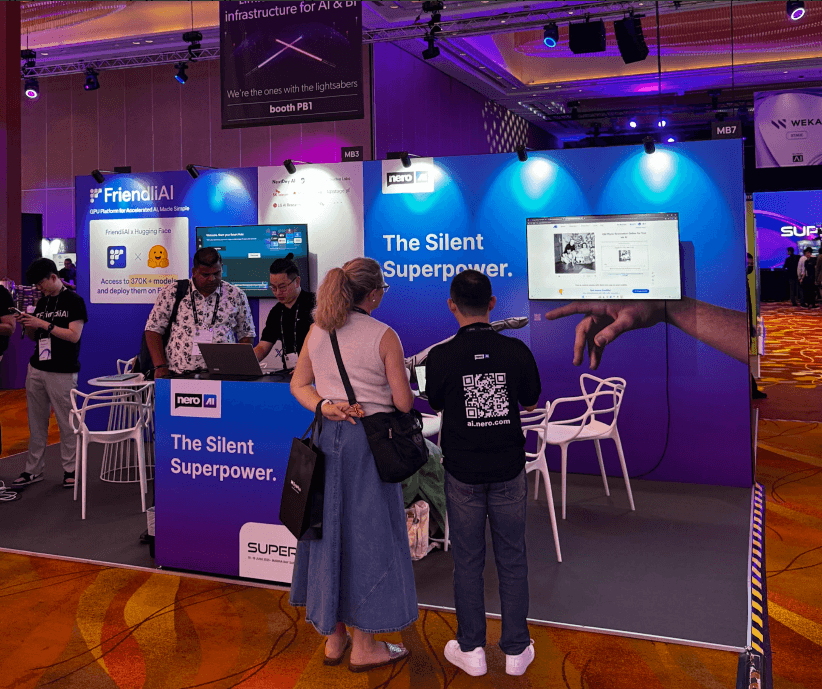
Dans les allées d'un salon, tout va très vite. Certains visiteurs passent devant votre stand sans s'arrêter. D'autres souhaitent avoir un aperçu rapide des fonctionnalités. D'autres encore veulent assister immédiatement à une démonstration. Si vous passez votre temps à chercher des câbles, à changer d'entrée ou à régler les paramètres de l'écran, vous rompez le fil de la conversation que vous venez tout juste d'entamer.
C'est pourquoi il est important de disposer d'un outil de duplication d'écran à la fois stable et flexible. 1001 TVs Il aide les équipes chargées des salons à connecter téléphones, ordinateurs, téléviseurs et projecteurs afin que les présentations, les démonstrations de produits, le partage de fichiers et les explications en direct se déroulent sans accroc. Que vous vous adressiez à des clients, à des partenaires ou à des visiteurs, un grand écran rend les informations plus claires et confère à la communication sur le stand un aspect plus professionnel.
Pourquoi les salons professionnels ont besoin d'une solution fiable de duplication d'écran
Grâce à la rapidité de la démonstration, la connexion de l'appareil ne vous ralentira pas
Lors des salons, les visiteurs ne s'attardent généralement pas longtemps sur un même stand. Le personnel ne dispose souvent que de 30 secondes à quelques minutes pour capter leur attention et leur présenter rapidement les points forts du produit.
Si un client a déjà manifesté son intérêt, mais que vous êtes encore en train de chercher des câbles, de changer de source d'entrée ou de régler la résolution, le rythme fluide de la conversation s'en trouve interrompu. Il se peut qu'il attende poliment, ou qu'il fasse simplement demi-tour pour se diriger vers le stand suivant.
Les produits complexes nécessitent de grands écrans pour être expliqués clairement
De nombreux produits présentés lors de salons ne peuvent pas être décrits en une seule phrase. Intelligence artificielle, SaaS, outils logiciels, matériel connecté ou solutions d’automatisation… les clients ne veulent pas se contenter d’une simple liste de fonctionnalités. Ils veulent voir comment cela fonctionne, quels problèmes cela résout et en quoi cela diffère de leur flux de travail actuel.
Par rapport aux affiches statiques ou aux explications orales, les démonstrations sur grand écran s’avèrent plus efficaces pour présenter des processus dans leur intégralité. Les outils d’IA peuvent illustrer le parcours complet, depuis les données d’entrée jusqu’aux résultats générés. Les produits d’analyse de données peuvent afficher des tableaux de bord et les évolutions en temps réel. Les outils d’automatisation peuvent montrer, étape par étape, comment les tâches s’exécutent. Le matériel connecté peut afficher simultanément l’état des appareils, les interfaces de contrôle ou les effets opérationnels.
La projection de ce contenu sur grand écran permet au personnel de mener les opérations tout en expliquant les étapes clés, ce qui aide les clients à suivre plus facilement le déroulement de la démonstration. Pour les passants, un contenu dynamique diffusé sur grand écran attire davantage l’attention que les affichages sur petit écran, ce qui augmente les chances qu’ils s’arrêtent et s’intéressent davantage.
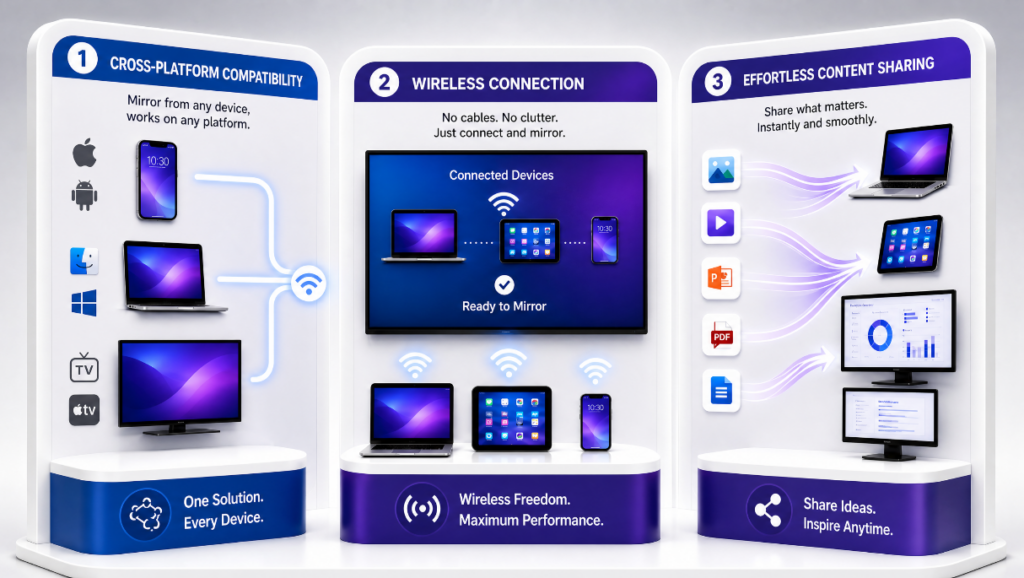
Les avantages de ’ 1001 TVs » dans le cadre de salons professionnels
Mise en miroir multiplateforme : téléphones, ordinateurs, téléviseurs et projecteurs, tous connectés
L'un des problèmes courants sur les sites d'exposition réside dans la diversité des appareils utilisés. Certains utilisent des iPhones, d'autres des appareils Android. Certains apportent des ordinateurs Windows, d'autres utilisent des Mac. Les supports d'affichage sur les stands peuvent être des téléviseurs, des projecteurs ou de grands écrans externes.
Si un outil ne prend en charge qu'un seul type d'appareil, son utilisation s'en trouve très limitée. 1001 TVs prend en charge les connexions multiplateformes, ce qui facilite le partage d'écran entre différents appareils. Pour les équipes chargées des démonstrations, cela signifie qu'il n'est pas nécessaire de préparer des solutions de démonstration distinctes pour chaque type d'appareil, ni de modifier le déroulement de la présentation à la volée en raison des différences entre les systèmes d'exploitation des appareils.
Le personnel peut utiliser des ordinateurs pour présenter des produits dans leur intégralité, se servir de téléphones pour montrer le fonctionnement des applications, puis recourir à un grand écran pour présenter l'ensemble de manière homogène aux clients. L'ensemble du processus gagne en souplesse et correspond mieux aux habitudes réelles des visiteurs lors des salons.
Mise en miroir sans fil : moins de câbles qui s'emmêlent, une installation plus épurée
L'espace disponible sur les stands est généralement très restreint. La surface de la table peut déjà être encombrée de brochures, de cartes de visite, d'échantillons, d'ordinateurs, de présentoirs et d'autres supports. Si vous y ajoutez une pile de câbles HDMI, d'adaptateurs et de cordons d'alimentation, cela donne très vite une impression de désordre.
La duplication d'écran sans fil réduit le recours aux câbles et permet un agencement plus épuré du stand. Le personnel n'a plus besoin de rester constamment à côté de l'écran et n'est plus limité dans ses mouvements par les câbles. Lors de la présentation des produits, les conseillers peuvent tenir un téléphone ou une tablette et se placer aux côtés du client pour faire la démonstration, ce qui rend la communication plus naturelle.
Pour les marques qui souhaitent préserver l'attrait visuel de leur stand, un espace d'exposition soigné et professionnel permet de donner aux clients une meilleure première impression du produit et de l'équipe.
Transfert de fichiers : partagez rapidement des images, des vidéos, des présentations et des supports d'exposition
La communication liée aux salons professionnels donne souvent lieu à des besoins immédiats. Un client peut souhaiter consulter une étude de cas spécifique. Un partenaire peut vouloir comprendre une solution en détail. Les médias peuvent avoir besoin d'images de produits ou de supports de démonstration. Si ces documents sont dispersés sur différents appareils, les recherches et les transferts sur place font perdre beaucoup de temps.
La fonction de transfert de fichiers ’ 1001 TVs » permet aux équipes de partager rapidement des images, des vidéos, des présentations et d'autres supports d'exposition. Lors des explications, le personnel peut ouvrir rapidement des vidéos de produits, des images d'études de cas ou des fichiers de solutions et les afficher sur grand écran. Pour la communication sur place, cette méthode s'avère plus convaincante qu'une simple présentation orale.
Comment configurer rapidement 1001 TVs avant le salon
Pour garantir une meilleure stabilité de la duplication d'écran sur place, n'attendez pas l'arrivée des clients pour commencer les tests. En configurant à l'avance les appareils, le réseau et le matériel d'affichage, vous éviterez de nombreux problèmes sur place.
Vous trouverez ci-dessous un processus de préparation adapté aux équipes participant à des salons.
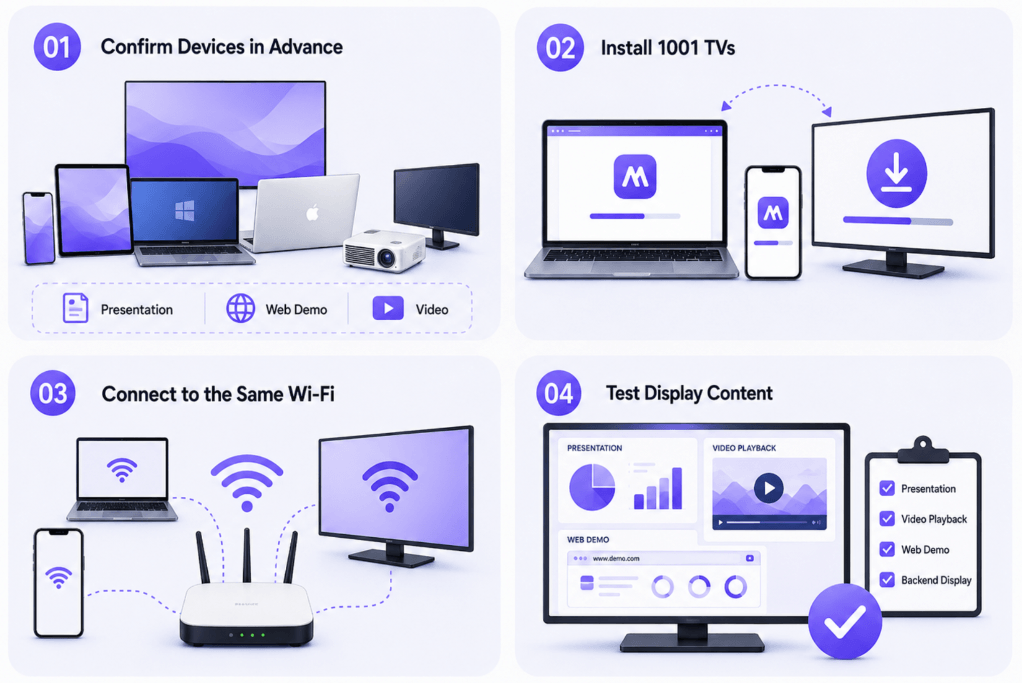
Étape 1 : Vérifier au préalable les appareils d'affichage et de réception
Avant le début de l'exposition, commencez par vérifier quels appareils seront utilisés sur place :
- Appareils d'affichage : téléphones, tablettes, ordinateurs Windows, Mac
- Périphériques de sortie : téléviseurs, projecteurs, écrans externes, écrans de conférence
- Contenu présenté : présentations, démos Web, supports vidéo, fonctionnement des applications, back-end des produits
Après avoir vérifié ces informations, déterminez quelle méthode de mise en miroir convient le mieux à chaque situation. Par exemple, la mise en miroir d'un ordinateur peut être utilisée pour les lancements de produits, tandis que la mise en miroir d'un téléphone peut convenir aux démonstrations d'applications.
Étape 2 : Installer 1001 TVs sur les terminaux émetteur et récepteur
Une fois les appareils identifiés, vous devez installer 1001 TVs à l'avance sur les appareils émetteurs et récepteurs. Ne remettez pas cette étape au jour du salon, car les réseaux sur place risquent d'être lents et le téléchargement du logiciel à la dernière minute peut facilement être entravé par les autorisations des appareils, les restrictions réseau ou le manque de temps.
Les équipes doivent terminer l'installation et effectuer un test complet avant le départ. Une fois arrivées sur le stand, il vous suffira de procéder à quelques réglages simples en fonction des écrans sur place et de l'environnement réseau.
Étape 3 : Vérifiez que les appareils sont connectés au même réseau Wi-Fi
Dans la plupart des cas de mise en miroir sans fil, l'émetteur et le récepteur doivent être connectés au même réseau Wi-Fi. Si le site de l'exposition dispose d'un réseau Wi-Fi public, testez au préalable la vitesse et la stabilité de la connexion.
Les réseaux publics des halls d'exposition comptent souvent de nombreux utilisateurs connectés et peuvent présenter des ralentissements, des saccades ou des déconnexions. Pour limiter ces risques, les équipes chargées des expositions peuvent prévoir des points d'accès autonomes ou des routeurs portables, permettant ainsi aux appareils de démonstration de se connecter à un environnement réseau plus facile à contrôler.
Étape 4 : Tester au préalable les présentations, les vidéos, les démos en ligne et les effets d'affichage du backend des produits
Avant l'exposition, veillez à effectuer une “ démonstration de simulation ”. Ne vous contentez pas de vérifier si la connexion fonctionne, mais assurez-vous également que les effets d'affichage sont adaptés.
La taille des polices utilisées dans les présentations est-elle lisible sur grand écran ? La lecture des vidéos se déroule-t-elle sans accroc ? Les démos Web se chargent-elles normalement ? Le backend du produit affiche-t-il des informations qui ne doivent pas être rendues publiques ? Si nécessaire, créez un compte spécialement dédié aux démos de présentation afin d'éviter que des données réelles ou des informations internes n'apparaissent sur le grand écran.
Cette étape peut paraître simple, mais elle permet d'éviter bien des situations délicates. Une fois sur le lieu de l'exposition, la stabilité et la fluidité priment sur l'improvisation.
Optimiser le fonctionnement de chaque écran de l'exposition
Pour les équipes chargées des salons professionnels, le grand écran du stand ne doit pas se limiter à servir de panneau de fond sur lequel défilent en boucle des vidéos promotionnelles. Il peut servir de vitrine pour des démonstrations de produits, d’outil complémentaire pour communiquer avec les clients et de premier point d’attraction pour inciter les visiteurs de passage à s’arrêter.
L'intérêt de ’ 1001 TVs » réside dans sa capacité à afficher plus rapidement et avec plus de souplesse sur grand écran des contenus provenant de différents appareils. Qu'il s'agisse de présenter les fonctionnalités d'un produit basé sur l'IA, de diffuser des vidéos de marque, d'expliquer des solutions ou d'afficher des documents pour en discuter avec des clients, une expérience de duplication d'écran plus fluide permet d'améliorer l'efficacité de la communication.
Chaque démonstration sur un salon professionnel est l'occasion d'aider les clients à mieux comprendre votre produit. En préparant à l'avance les branchements des appareils, l'affichage du contenu et les interactions sur place, vous disposez de plus de temps pour vous consacrer à l'essentiel : expliquer clairement la valeur ajoutée de votre produit, instaurer un climat de confiance et faciliter la poursuite de la collaboration.
Foire aux questions
À quels types de présentations en exposition le 1001 TVs est-il adapté ?
1001 TVs est adapté à divers contextes d'exposition, tels que les démonstrations de produits, les présentations, les démonstrations de fonctionnement d'applications, la lecture de vidéos, l'explication de cas clients, la présentation de solutions et les interactions sur site. Pour les produits nécessitant une présentation dynamique, comme l'IA, les logiciels, le SaaS, le matériel intelligent, les technologies éducatives et les outils multimédias, la duplication d'écran permet aux clients de mieux comprendre les fonctionnalités du produit de manière plus intuitive.
Peut-on quand même utiliser 1001 TVs s'il n'y a pas de connexion Wi-Fi stable sur le site du salon ?
Vous pouvez prévoir à l'avance des solutions de réseau de secours. Lorsque le Wi-Fi public du salon est instable, vous pouvez essayer d'utiliser des points d'accès mobiles, des routeurs portables ou mettre en place des méthodes de connexion plus stables en fonction des appareils utilisés. Il est recommandé d'effectuer des tests sur place avant le début du salon afin de vérifier que les appareils émetteurs et récepteurs peuvent se connecter normalement, ce qui évitera d'avoir à résoudre des problèmes techniques pendant les démonstrations proprement dites.
Peut-on utiliser 1001 TVs simultanément pour des démonstrations sur téléphone et sur ordinateur ?
Oui. 1001 TVs prend en charge les scénarios multi-appareils, ce qui permet d'afficher du contenu sur des téléphones, des ordinateurs, des tablettes et des écrans de grande taille. Les équipes chargées des présentations peuvent changer d'appareil en toute flexibilité en fonction du contenu de la démonstration : par exemple, elles peuvent utiliser des ordinateurs pour présenter des solutions complètes, des téléphones pour montrer le fonctionnement des applications et des tablettes pour visualiser des images ou des études de cas.
Quel matériel de diffusion d'écran faut-il prévoir avant le salon ?
Il est recommandé de préparer à l'avance les appareils émetteurs, les appareils récepteurs, une connexion réseau stable et des outils de connexion de secours. Les appareils émetteurs peuvent être des téléphones, des ordinateurs ou des tablettes. Les appareils récepteurs peuvent être des téléviseurs, des projecteurs ou des écrans de conférence. Parallèlement, il est recommandé d’installer 1001 TVs à l’avance, de préparer le matériel de démonstration, les comptes de test, les points d’accès mobiles, les adaptateurs et les appareils de secours afin de garantir une plus grande stabilité lors des démonstrations sur site.
Vous souhaitez profiter d'un partage d'écran illimité depuis votre ordinateur ?

En savoir plus
 Comment regarder la NBA à la télévision aux États-Unis
Pour regarder les matchs de la NBA sur votre téléviseur aux États-Unis, le plus simple est de prendre deux décisions dans l'ordre : tout d'abord, vérifiez quel service agréé diffuse...
Comment regarder la NBA à la télévision aux États-Unis
Pour regarder les matchs de la NBA sur votre téléviseur aux États-Unis, le plus simple est de prendre deux décisions dans l'ordre : tout d'abord, vérifiez quel service agréé diffuse...
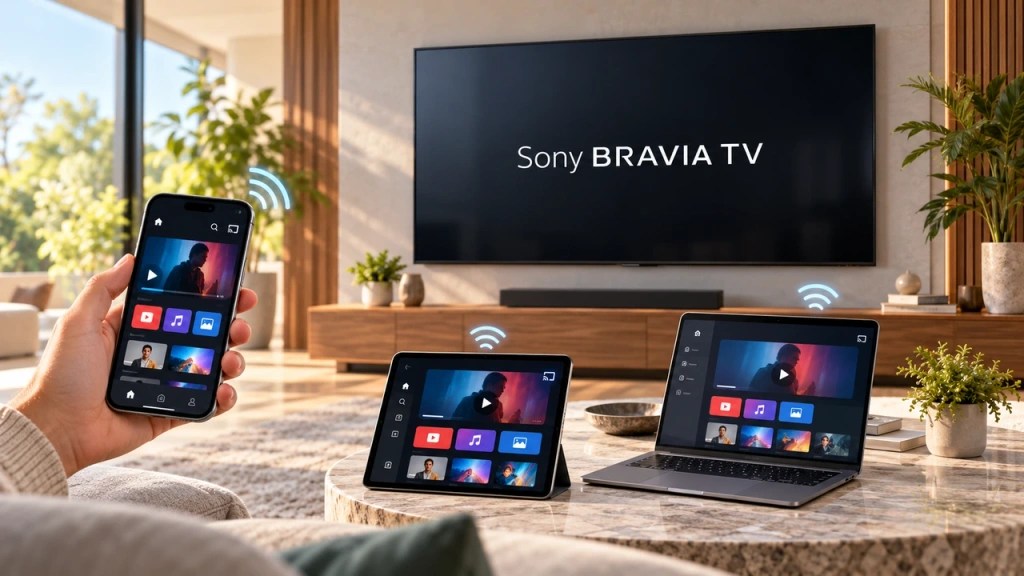 Comment diffuser l'écran sur un téléviseur Sony Bravia (Google TV)
Un téléviseur Sony Bravia Google TV n'utilise pas une seule méthode universelle de “ Screen Mirroring ” pour tous les téléphones et ordinateurs. Le choix approprié dépend à la fois...
Comment diffuser l'écran sur un téléviseur Sony Bravia (Google TV)
Un téléviseur Sony Bravia Google TV n'utilise pas une seule méthode universelle de “ Screen Mirroring ” pour tous les téléphones et ordinateurs. Le choix approprié dépend à la fois...

