
TV Auto-Accept Mirroring - Sin Popups
Si siempre tienes que coger el mando a distancia del televisor para aprobar cada solicitud de duplicación de pantalla, puede resultar molesto rápidamente.
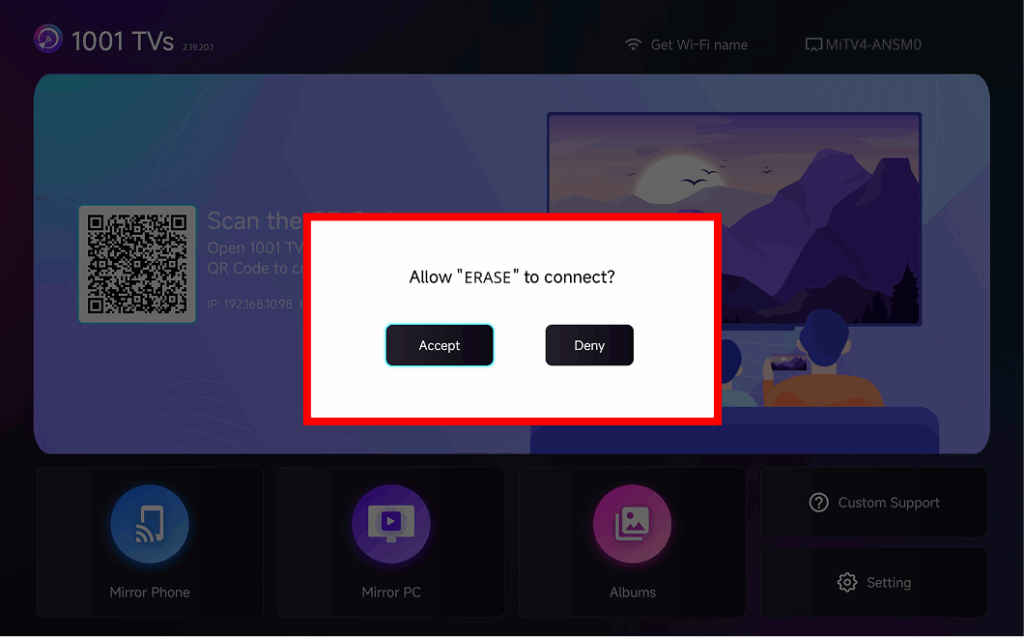
The latest version of 1001 TVs introduces Aceptación automática de la duplicación – seamless casting without any popups.
Guía paso a paso
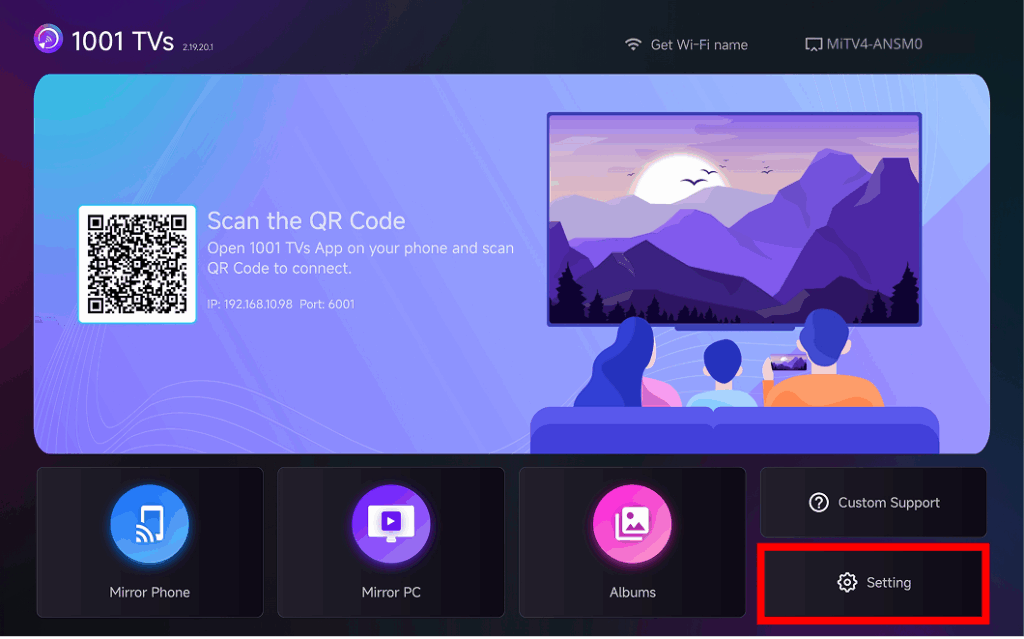
❶ Vaya a la esquina inferior derecha de la pantalla de inicio del televisor y seleccione Configuración
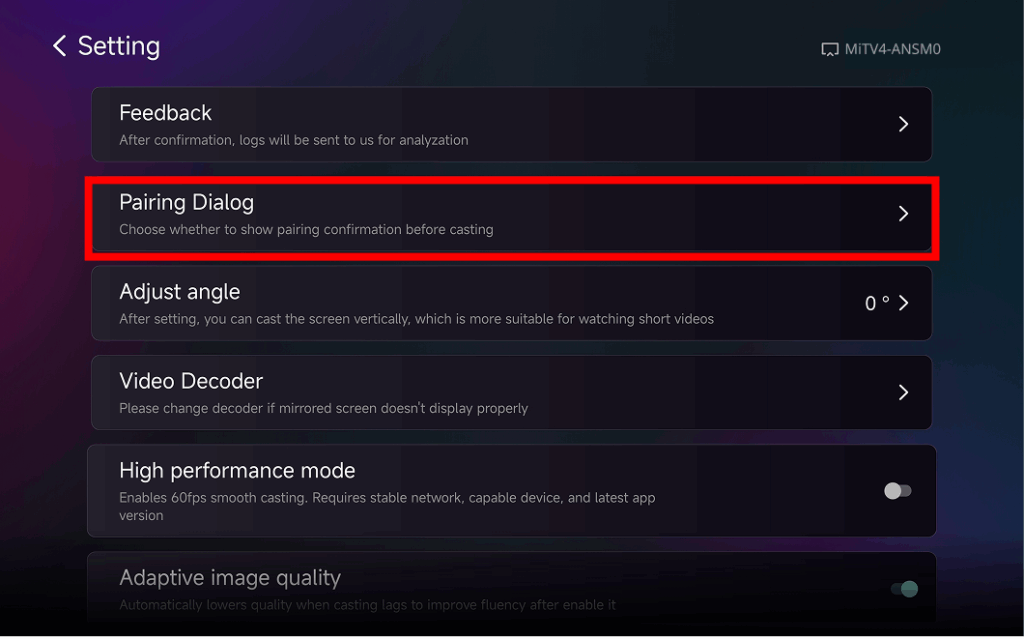
❷ Buscar y tocar “Diálogo de emparejamiento"
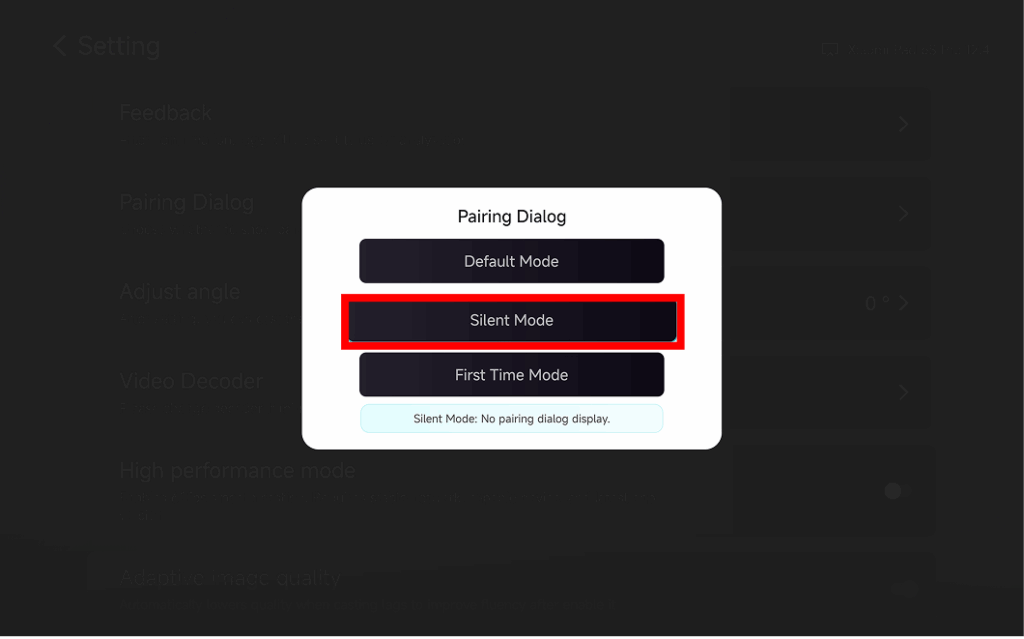
❸ Choose Your Preferred Mode
⭐ Modo por defecto
A popup appears every time before casting.
⭐ Modo silencioso
No popup appears – your TV automatically accepts all mirroring requests.
⭐ Primer modo
A popup appears only for the first connection. After approval, all future requests are auto-accepted.
¿Por qué utilizar la duplicación automática?
- Perfect for home, classrooms, stores, and digital signage.
- Stop searching for the remote – connect instantly.
- Instant screen mirroring from your phone, tablet, or PC without interruption.