
電視自動接受鏡像 - 無彈出窗口
如果您每次都要拿起電視遙控器來批准螢幕鏡像的請求,就會變得很煩。.
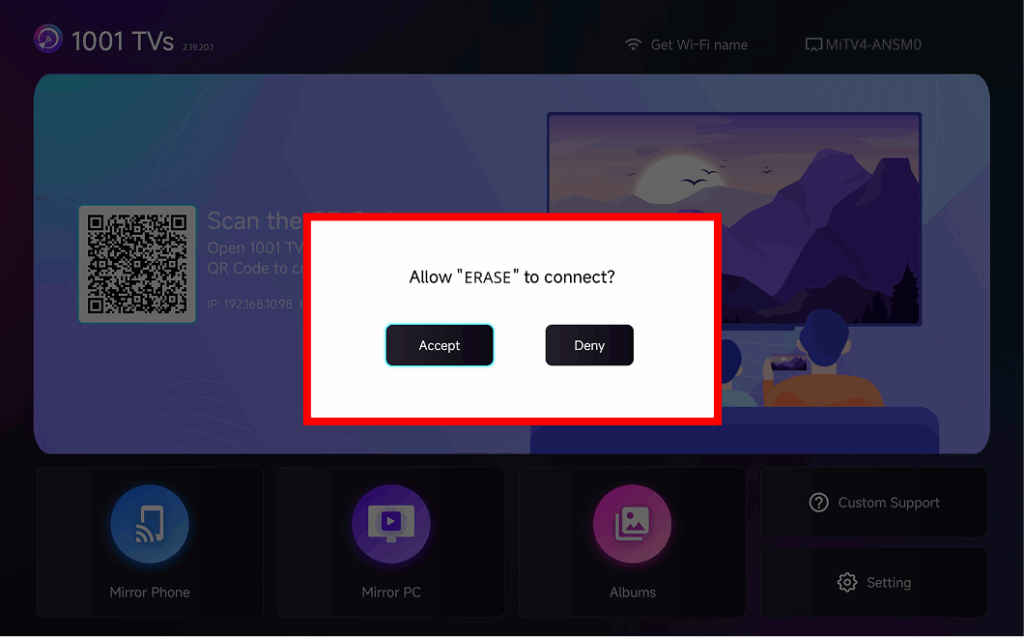
The latest version of 1001 TVs introduces 自動接受鏡像 – seamless casting without any popups.
逐步指南
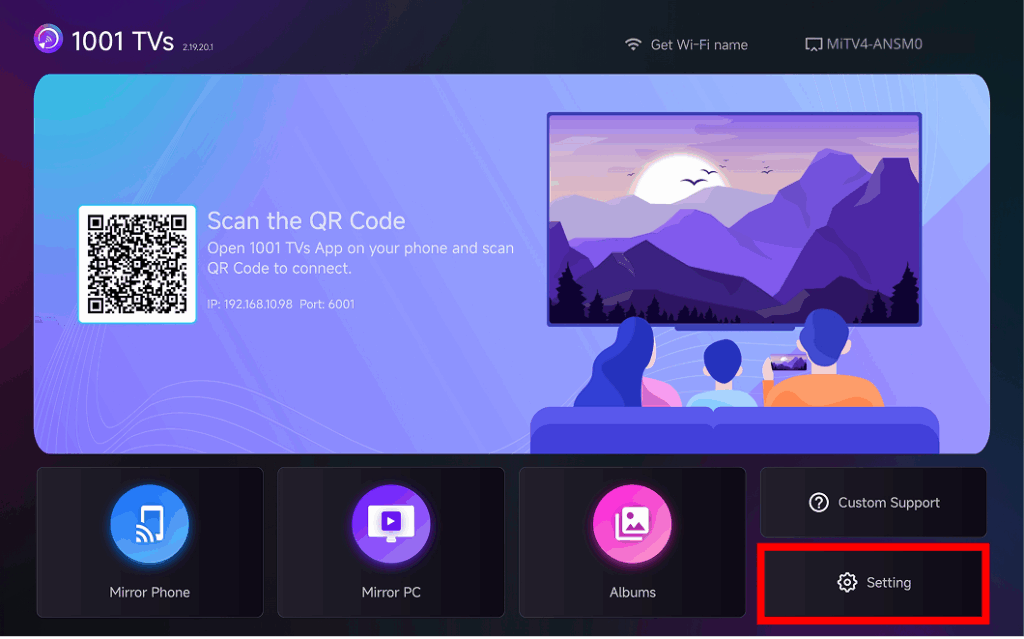
❶ 移至電視首頁畫面的右下角,然後選取 設定
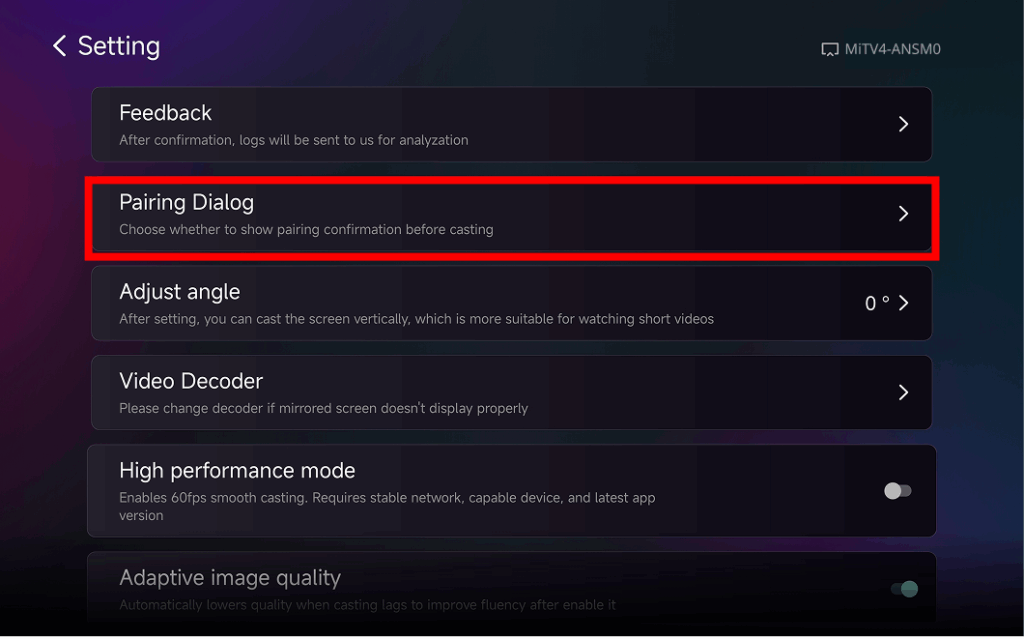
❷ 尋找和點選“配對對話框"
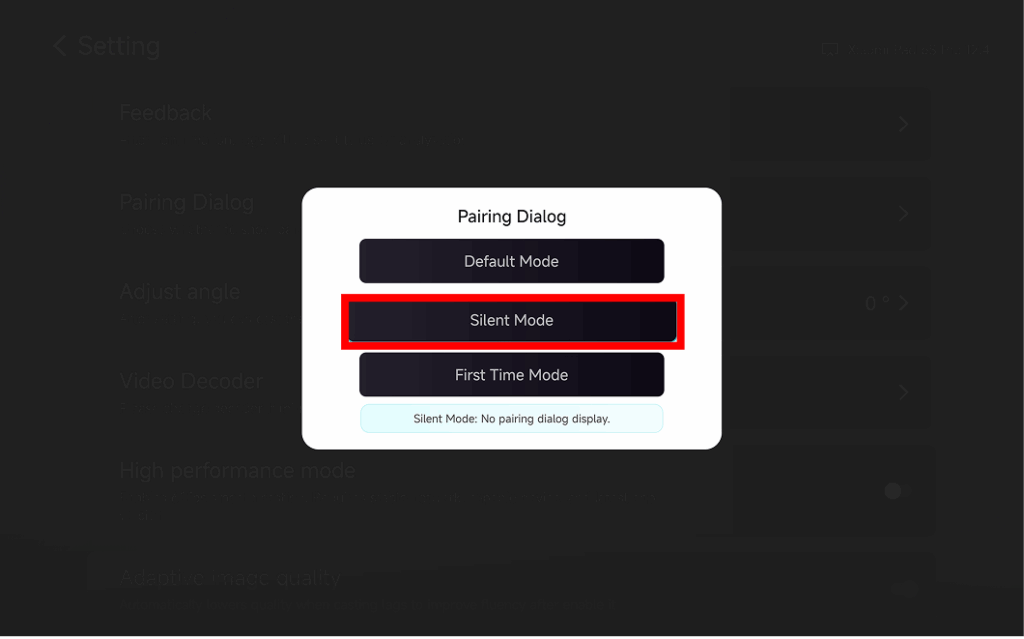
❸ Choose Your Preferred Mode
⭐ 預設模式
A popup appears every time before casting.
⭐ 靜音模式
No popup appears – your TV automatically accepts all mirroring requests.
⭐ 首次使用模式
A popup appears only for the first connection. After approval, all future requests are auto-accepted.
為什麼要使用自動接受鏡像?
- Perfect for home, classrooms, stores, and digital signage.
- Stop searching for the remote – connect instantly.
- Instant screen mirroring from your phone, tablet, or PC without interruption.