如何使用手機遙控 Android TV
想要控制 Android TV、串流視訊或瀏覽應用程式,而不需要尋找遙控器?
与 1001 TVs, 您可以在幾秒鐘內將智慧型手機變成功能完整的遙控器 - 不需要額外的硬體,也不需要複雜的設定。啟動 Netflix、YouTube 或其他串流應用程式 只需輕輕一按,就能立即將您喜愛的內容投射到大螢幕上。.
無論您的實體遙控器放錯地方、電池沒電了,或是您只是想要更方便的方式來操控您的娛樂設備,本指南都會告訴您如何將手機設定為遙控器,並逐步開始控制您的裝置。.
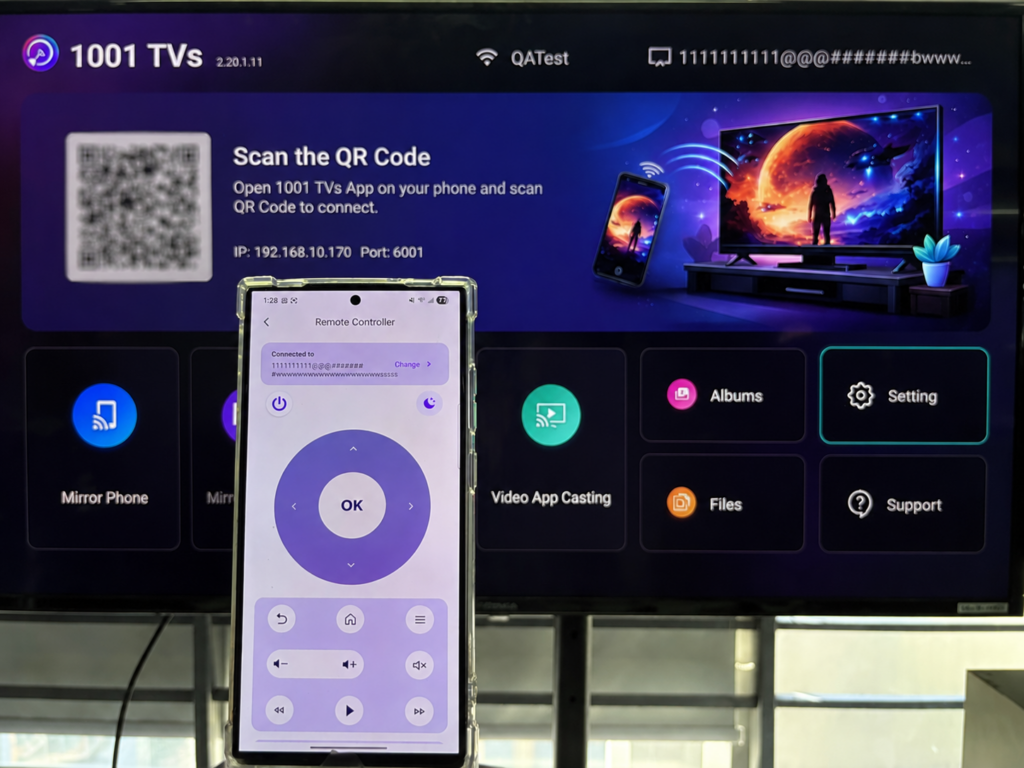
步驟 1.連線至相同的 Wi-Fi
確定您的手機和電視都連線至相同的 Wi-Fi 網路。.
若要獲得最佳效能,請使用 5 GHz Wi-Fi 網路 以減少延遲並提高穩定性。.
步驟 2.安裝並開啟 1001 TVs App
在手機上安裝並開啟 1001 TVs 應用程式。.
📱 iOS 應用程式: 从 App Store 下载
📱 Android 應用程式: 从 Google Play 下载
步驟 3.開始配對
敲击 遙控器 在手機上,然後輸入電視上顯示的配對碼。.
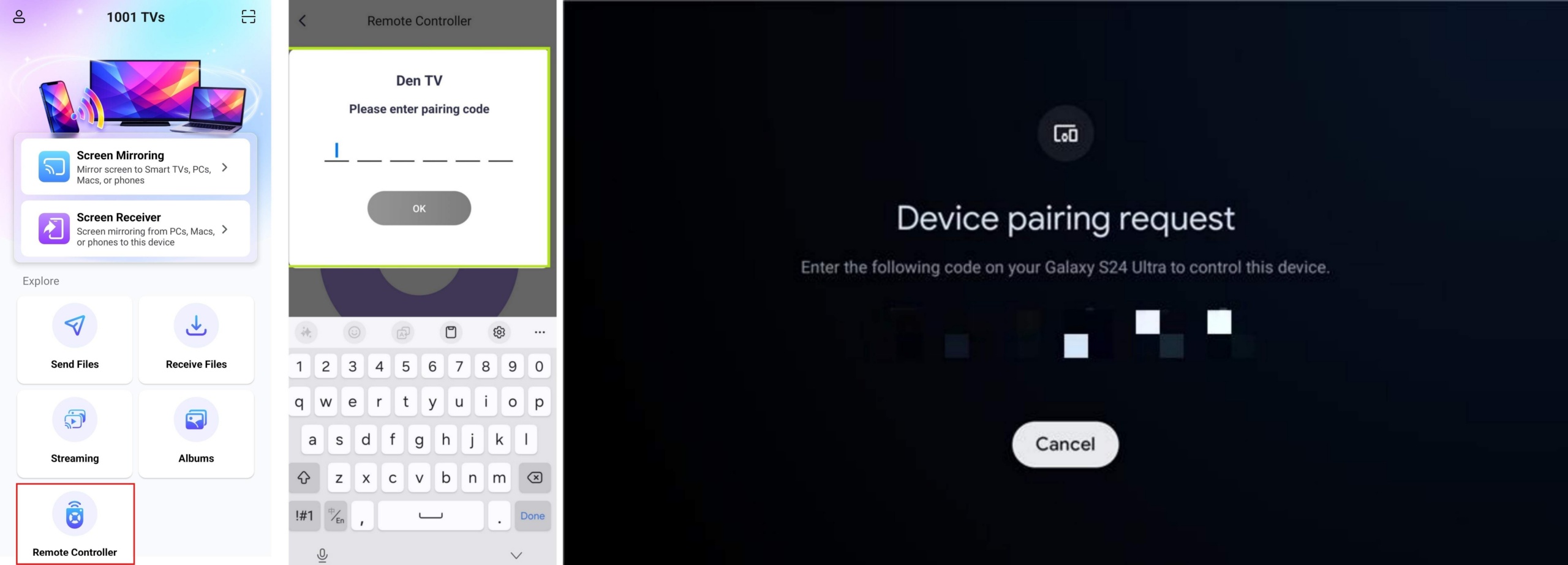
步驟 4.開始控制您的電視
一旦虛擬遙控器介面出現在手機上,您就可以控制電視了。.
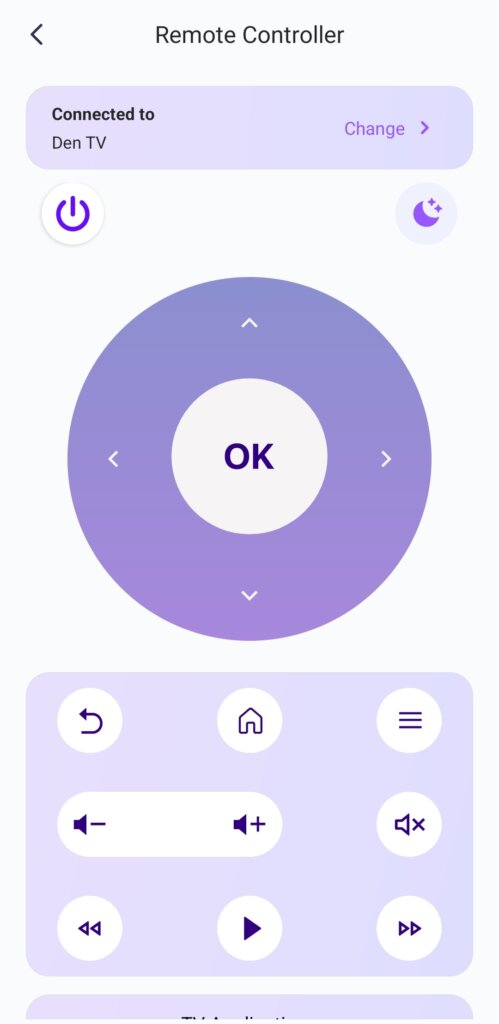
支援的控制項
⏻ 電源
🌙/☀ 夜間/日間模式
🔊 音量調高 / 調低
🏠 首頁
⬅️ 返回
⬆️⬇️⬅️➡️ 方向墊 (上 / 下 / 左 / 右)
⭕ 確定按鈕
小贴士 長按 確定按鈕 卸載 Android TV 上的應用程式。.
您一定會喜歡的進階功能
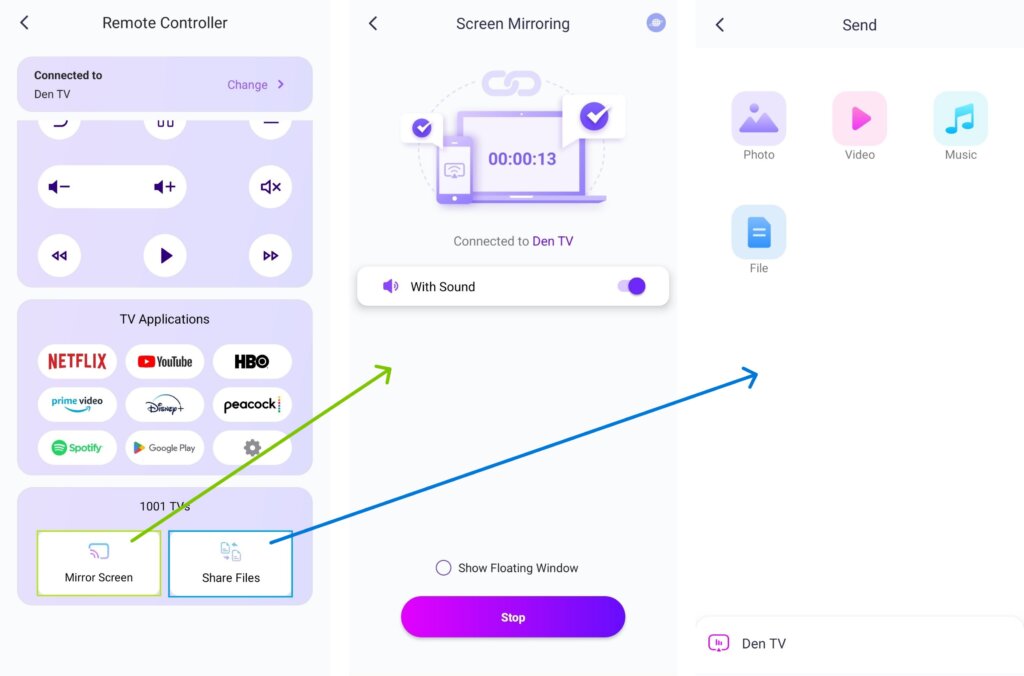
1) You can choose from the available 電視應用程式-例如,選擇 YouTube,然後選取 開始串流.
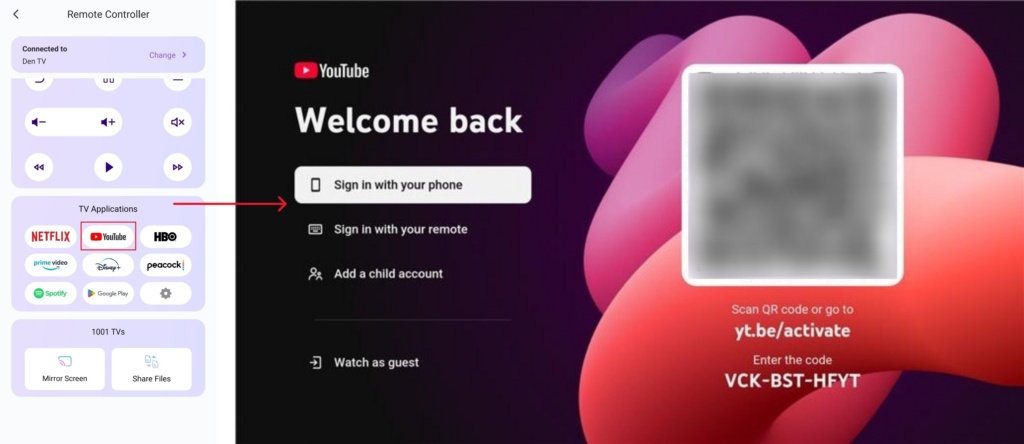
2) 只要在電視上安裝並開啟 1001 TVs,您就可以從遙控器螢幕上輕輕一按,即可鏡射螢幕或分享檔案。.
立即取得 1001 TVs!
📥 電視應用程式: 如何在電視上安裝 1001 TVs
📱 iOS 應用程式: 从 App Store 下载
📱 Android 應用程式: 从 Google Play 下载
