如何解決將手機畫面鏡像投射至電腦時顏色過淡的問題
最近,有部分使用者反映,將手機畫面鏡像投射至電腦後,畫面會明顯呈現灰濛濛且色彩淡薄的狀態。.
我們的調查顯示,這很可能是由於顯示卡的色域設定不匹配所導致。iOS 和 macOS 裝置通常會使用 全系列 (0–255),而傳統的 Windows 個人電腦和某些影片內容則通常設定為使用 有限範圍 (16–235)。因此,手機上顯示的純白色(#FFFFFF)在電腦上會被錯誤解讀,顯示為一種暗淡的灰白色。.
解決方法:
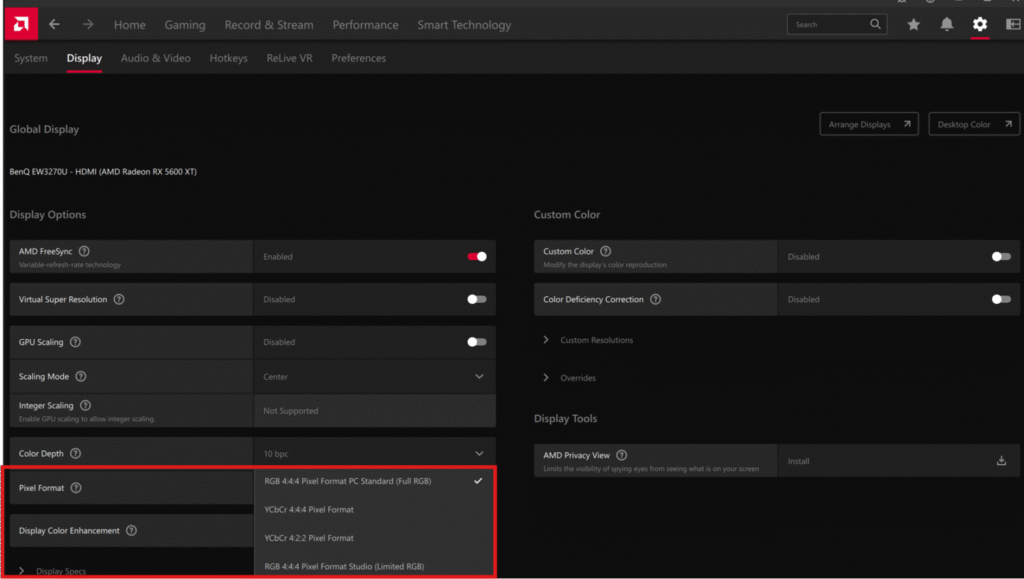
針對 AMD 顯示卡:
- 開啟 AMD Radeon Software 控制面板。.
- 前往 顯示器 tab.
- 請尋找 像素格式 選項,並將其變更為 “「RGB 4:4:4 像素格式 PC 標準(全 RGB)」”.
- 套用這些變更後,問題應該就能解決。.
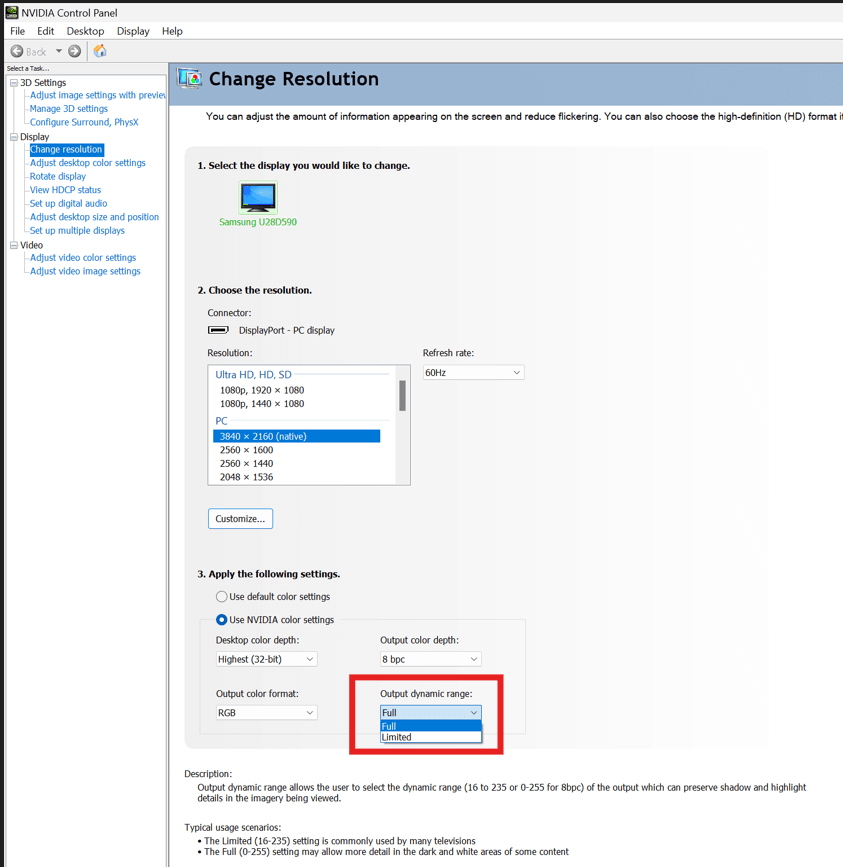
針對 NVIDIA 顯示卡:
- 開啟 NVIDIA 控制台。.
- 转到 顯示器 > 變更解析度.
- 找出 輸出動態範圍 選項,並將其變更為 完整.
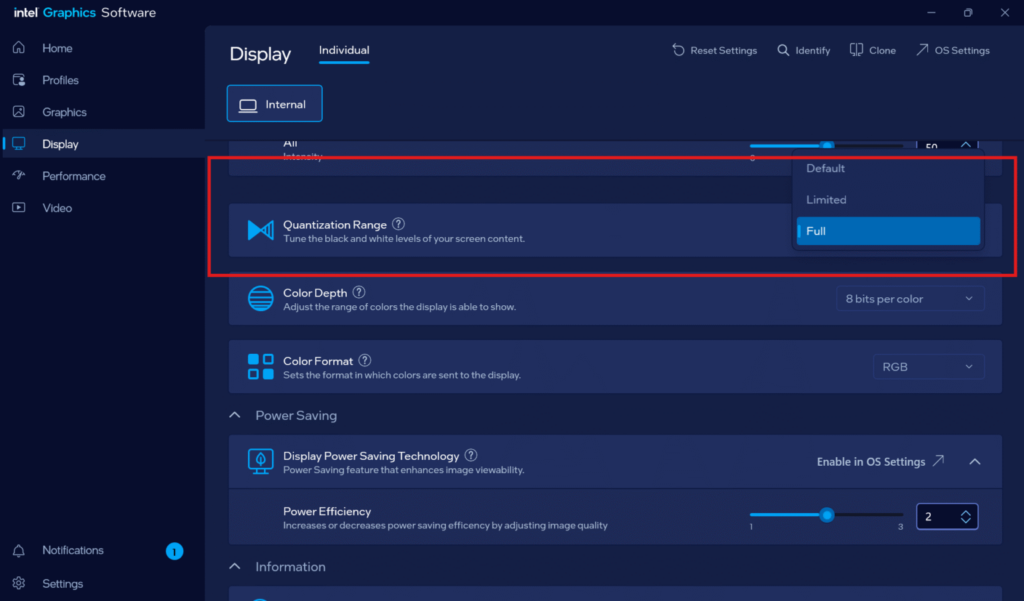
適用於 Intel 顯示卡:
- 開啟 Intel 顯示卡軟體。.
- 前往 顯示器 节。
- 找出 量化範圍 選項,並將其變更為 完整.

閱讀更多
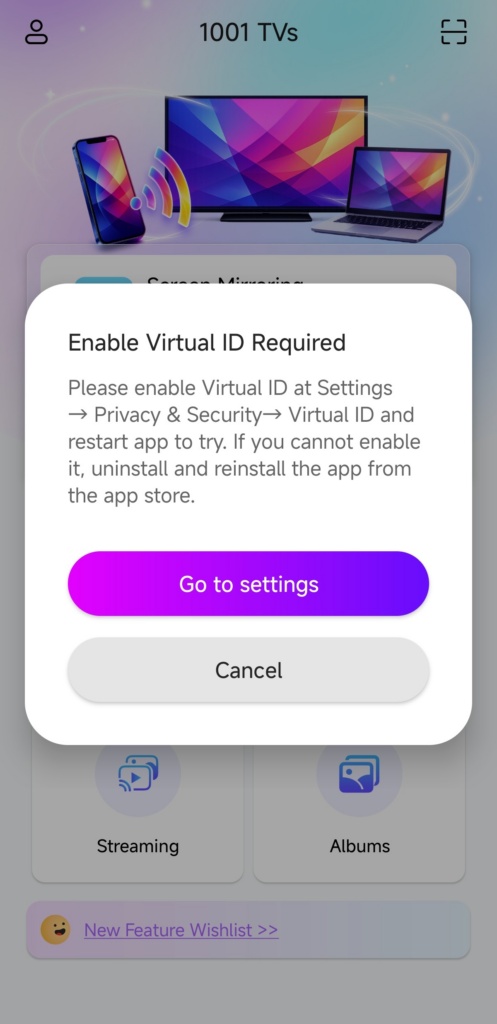 如何解決「需啟用虛擬 ID」彈出視窗的問題
If you're using a Xiaomi or Redmi phone or tablet, you might see a pop-up that says "Enable Virtual ID Required" when you launch...
如何解決「需啟用虛擬 ID」彈出視窗的問題
If you're using a Xiaomi or Redmi phone or tablet, you might see a pop-up that says "Enable Virtual ID Required" when you launch...
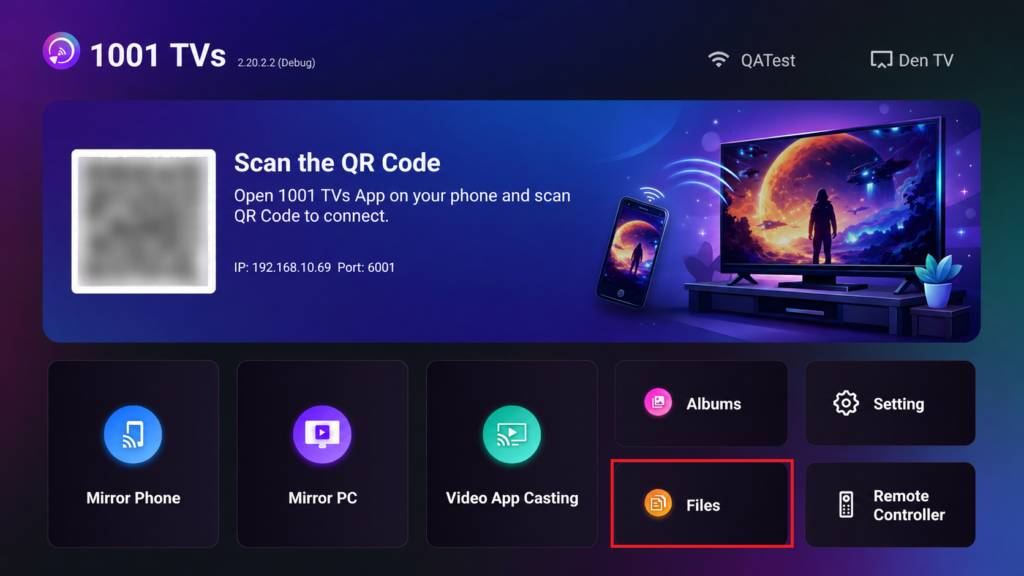 如何從手機傳送檔案到 Android/Apple TV?
With 1001 TVs, you can send files from your phone to your TV over the local network.No cloud uploads. No sign-ups. Fast and secure....
如何從手機傳送檔案到 Android/Apple TV?
With 1001 TVs, you can send files from your phone to your TV over the local network.No cloud uploads. No sign-ups. Fast and secure....

