هل يمكن بث محتوى Apple TV عبر Chromecast؟ كيفية بثه
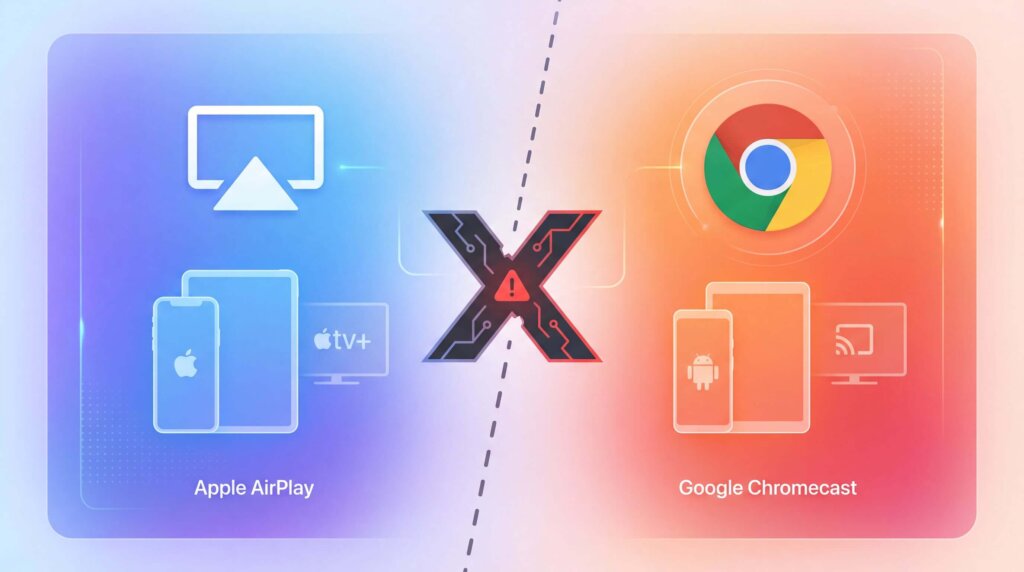
Yes, if you use Android. The Apple TV app for Android now has a Google Cast button, so you can send a video directly to a Chromecast or compatible Google Cast TV.
The answer is different on iPhone and iPad, where the Apple TV app still uses AirPlay instead of Google Cast. If you own a Chromecast with Google TV or Google TV Streamer, you can install Apple TV on the device and watch without casting from a phone.
Here’s the short version:
| إعداداتك | Best way | هل تعمل؟ |
| Android + Chromecast | Cast from the Apple TV app | نعم |
| Chromecast with Google TV | Install the Apple TV app | نعم |
| iPhone + Chromecast | No native Cast option | لا يوجد |
| Computer + Chromecast | Cast from Chrome | Usually |
Method 1: Cast Apple TV from Android
The Apple TV app for Android now supports Google Cast. Apple confirms this in its Android playback guide.
To start casting:
- Connect your Android device and Chromecast to the same Wi-Fi network.
- Open Apple TV and play a video.
- Tap the screen to show the playback controls.
- Tap the Cast button.
- Choose your Chromecast or Google Cast TV.
Your TV will play the video while the Android device works as the controller. Tap the Cast button again and choose “Stop Casting” when you’re finished.
This also works with older Chromecast models that support Google Cast. They cannot install Apple TV, but they can receive a cast from the Android app.
If you cannot find the Cast button, update Apple TV and start playing a video first. The button may not appear while you are simply browsing the app.
Method 2: Install Apple TV on Chromecast with Google TV
Chromecast with Google TV can run Apple TV directly. Google TV Streamer and many TVs with Google TV can do the same.
This is not casting: the Apple TV app runs on the streaming device, and you control it with the remote. Apple lists Google TV and Chromecast with Google TV among its supported platforms.
To install Apple TV:
- Open the Apps section on Google TV.
- Search for “Apple TV.”
- Install and open the official app.
- Sign in with your Apple Account.
- Choose something to watch.
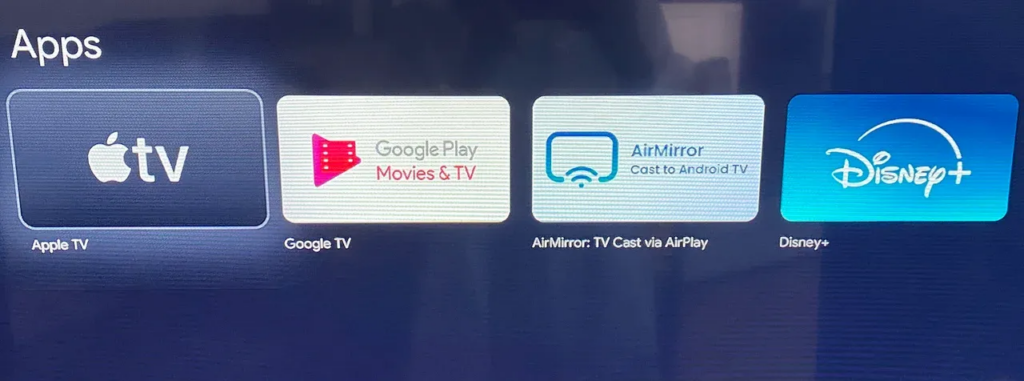
This is usually the best option if your Chromecast has Google TV. It does not rely on your phone, and playback continues even when the phone is elsewhere.
Older Chromecast and Chromecast Ultra devices do not have an app store. Use the Android or Chrome method instead.
Method 3: Cast Apple TV from Chrome
A computer gives you another way to use Apple TV with an older Chromecast. Apple supports watching at tv.apple.com in Chrome, and Chrome can cast a browser tab to Chromecast.
Follow these steps:
- Connect the computer and Chromecast to the same Wi-Fi network.
- Open Chrome and visit tv.apple.com.
- Sign in and start playing a video.
- Open Chrome’s menu.
- Select “Cast, save, and share,” then “Cast.”
- Choose your Chromecast.
- Set the source to “Cast tab” if prompted.
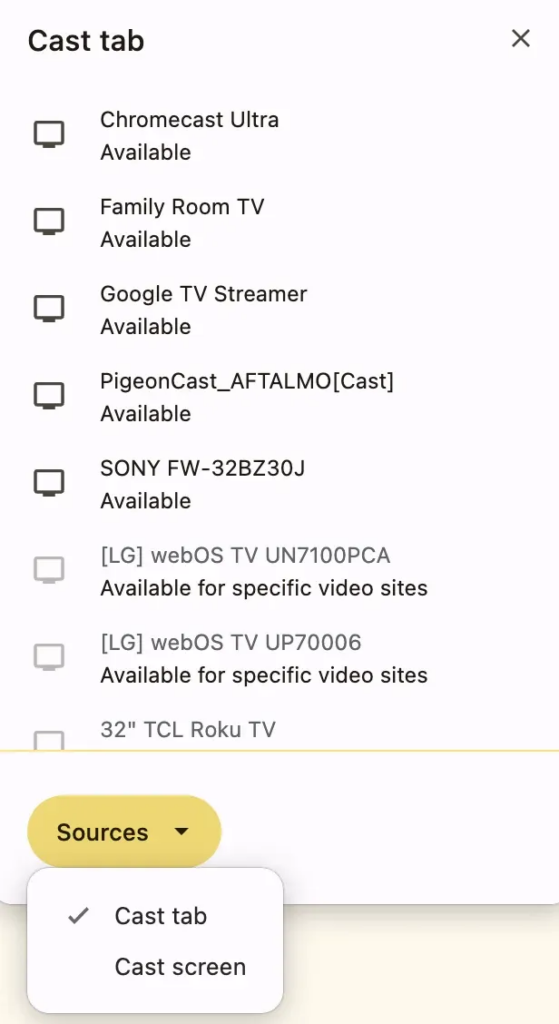
Google’s Chrome casting guide covers Chromecast, Chromecast Ultra, Google TV Streamer, and TVs with Google Cast. Apple separately confirms that its service works in Chrome through the Apple TV website.
Keep Chrome open while watching. If protected video does not play correctly, use the native Apple TV app or an HDMI connection instead.
Can you Chromecast Apple TV from an iPhone?
Not directly. The Apple TV app on iPhone and iPad does not currently include a Google Cast button.
Apple uses AirPlay for wireless playback on these devices. AirPlay works with Apple TV hardware and AirPlay-compatible smart TVs, but a standard Chromecast is not an AirPlay receiver.
Having a Chromecast with Google TV does not add a Cast button to the iPhone app. In that case, install Apple TV on the Chromecast itself and use its remote.
If your television supports AirPlay, you can stream to it from an iPhone:
- Connect the iPhone and TV to the same Wi-Fi network.
- Play a video in Apple TV.
- اضغط على زر AirPlay.
- Select your television.
See Apple’s AirPlay instructions for supported receivers and additional setup details.
Alternative: mirror your screen with 1001 TVs
1001 TVs is useful when you want to show photos, webpages, presentations, local files, or other apps on a larger screen. It can mirror a phone or computer to compatible Google TV and Android TV receivers.
Basic setup takes four steps:
- Install 1001 TVs on the sending device and compatible TV receiver.
- قم بتوصيل كلا الجهازين بشبكة Wi-Fi نفسها.
- Open Screen Mirroring and select the receiver.
- Approve the connection to begin mirroring.
Casting and mirroring are not quite the same. Casting sends a supported video to the TV, while mirroring copies everything visible on your screen. You can read more about the difference in our guide to media casting versus screen mirroring.
Apple TV uses DRM to protect its video. As a result, some titles may appear as a black screen during mirroring even when menus, webpages, and other content display normally. Native Apple TV playback or official Android casting is a better choice for protected video.
Apple TV won’t cast? Try these fixes
Most connection problems come down to the app version, network, or chosen playback method.
- No Cast button on Android: Update Apple TV, open a video, and tap the screen to reveal the playback controls.
- Chromecast not found: Check that both devices use the same Wi-Fi network. Temporarily disconnect any VPN and restart the receiver.
- Apple TV missing on Google TV: Update Google TV and search its app store. Availability can vary by device or region.
- Black screen from Chrome or mirroring: Switch to the native Apple TV app or connect the computer through HDMI.
- Poor picture quality: Native playback on Google TV is usually more stable than browser casting or full-screen mirroring.
Ad blockers can also interfere with Apple TV playback in a browser. Apple recommends turning them off if autoplay is not working.
Still not working? Use HDMI
HDMI is not a Chromecast method, but it is a useful fallback for an unreliable Wi-Fi connection or a black screen.
Connect a Mac or Windows computer to the television with an HDMI cable or suitable adapter, switch the TV to that input, and open Apple TV. Some USB-C phones and tablets also support video output, although compatibility depends on the device.
الأسئلة الشائعة
Does the Apple TV app support Chromecast?
The Android version does. Play a video, tap the Cast button, and select your Chromecast or Google Cast TV. The Apple TV app on iPhone and iPad does not currently provide the same option.
Can I Chromecast Apple TV from Android?
Yes. The Android app now supports Google Cast, including compatible older Chromecast models.
Can I Chromecast Apple TV from my iPhone?
Not through the Apple TV app. Use AirPlay with a compatible TV, install Apple TV directly on Chromecast with Google TV, or try another suitable connection.
Can I watch Apple TV on an older Chromecast?
Yes, if you cast from the Apple TV Android app. You can also cast tv.apple.com from Chrome on a computer. Older Chromecast devices cannot install Apple TV themselves.
Is Apple TV available on Chromecast with Google TV?
Yes. Search for Apple TV in the Apps section, install it, and sign in with your Apple Account.
Why does mirroring Apple TV show a black screen?
Apple TV protects its video with DRM, which may block screen mirroring. Use official Android casting, the native Google TV app, or HDMI instead.
ما هي الطريقة التي ينبغي عليك استخدامها؟
Android users should cast directly from the Apple TV app. It is the quickest route and works with both newer Google Cast devices and compatible older Chromecast models.
For Chromecast with Google TV or Google TV Streamer, install Apple TV and watch through the native app. Computer users can cast the Apple TV website from Chrome.
On iPhone and iPad, the Apple TV app still does not cast natively to Chromecast. Use AirPlay where available or run Apple TV directly on the Google TV device.