Mac: 1001 TVs DMG Screen Recording Permission Enabled but Still Prompting?
“Why does 1001 TVs keep asking for Screen Recording permission when it’s already turned on in my Mac settings?”
If you previously installed the App Store version of 1001 TVs and have now downloaded the DMG version, your Mac might be holding onto the old permission record. Because macOS gets confused by the two different app versions, it keeps blocking the new DMG version even if the toggle looks like it’s turned on.
Here is how to fix it.
Step 1: Open the settings window
Open 1001 TVs and click “Send” > “Enable Access”.
(Note: Depending on your macOS version, you will be directed to System Settings > Privacy & Security > Screen Recording on macOS 14 and earlier, or Screen & System Audio Recording on macOS 14 and later.)

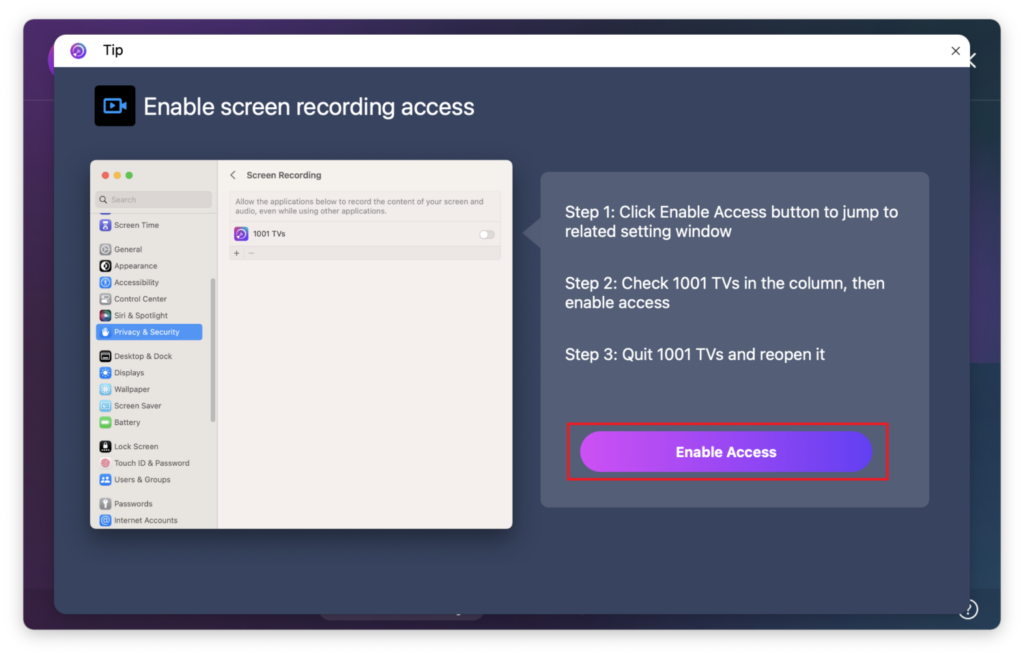
Step 2: Fix the permission based on the list
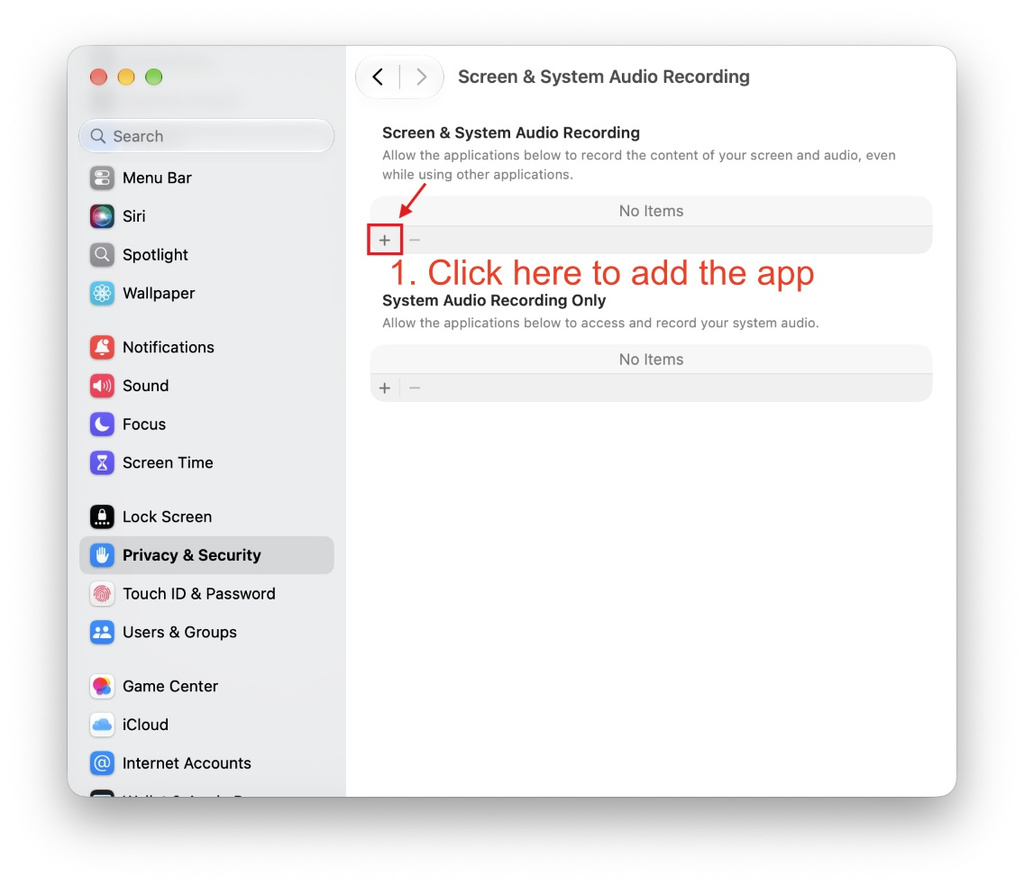
If 1001 TVs is NOT in the permissions list:
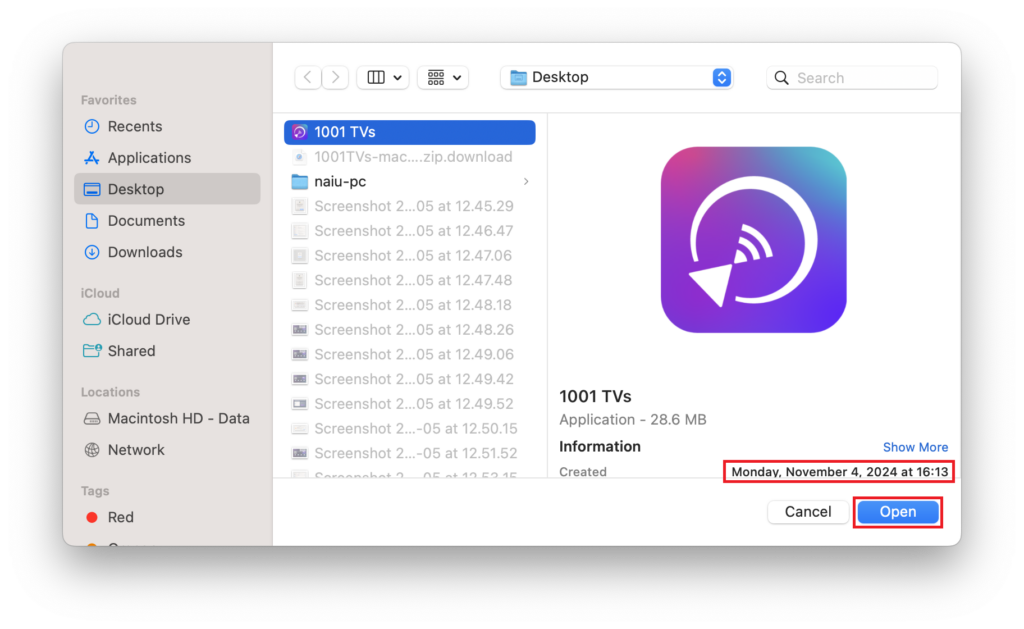
1. انقر فوق “+” (plus) icon to manually add the newly installed 1001 TVs app. (Ensure you select the correct path)
2. Quit and reopen the 1001 TVs app. This usually resolves the issue.
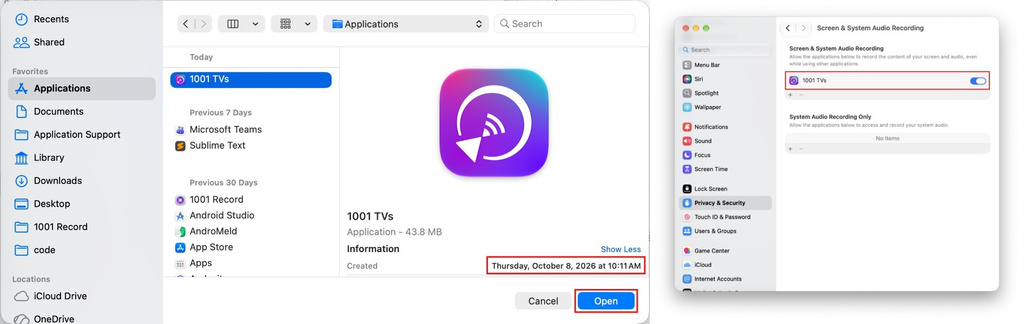
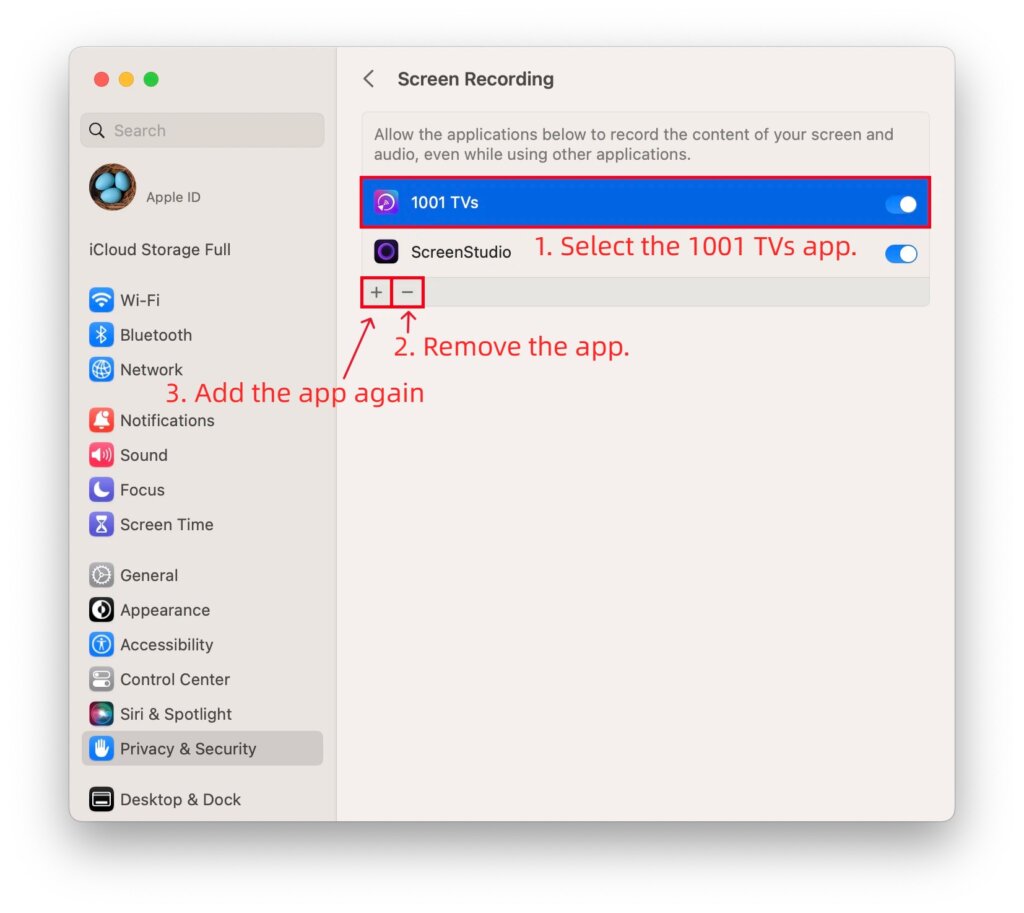
If 1001 TVs IS in the list and already ON (but it still doesn’t work):
1. Select 1001 TVs and click the “–” (minus) icon to remove it.
2. Close the System Settings window completely, and reopen it. (This forces macOS to refresh the permission cache).
3. Click the “+” (plus) icon to add the newly installed 1001 TVs app مرة أخرى.
4. Quit and reopen the 1001 TVs app.
Step 3: Still not working?
1. Go to the settings list, select 1001 TVs, and click the “–” (minus) icon to remove it.
2. Restart your Mac.
3. After your Mac turns back on, open the newly installed 1001 TVs app, click “+” to add it again, turn on the switch, and restart the app.
هل تحتاج إلى مساعدة؟
If you encounter any issues, please feel free to contact our support team at 1001tvs@nero.com

اقرأ المزيد
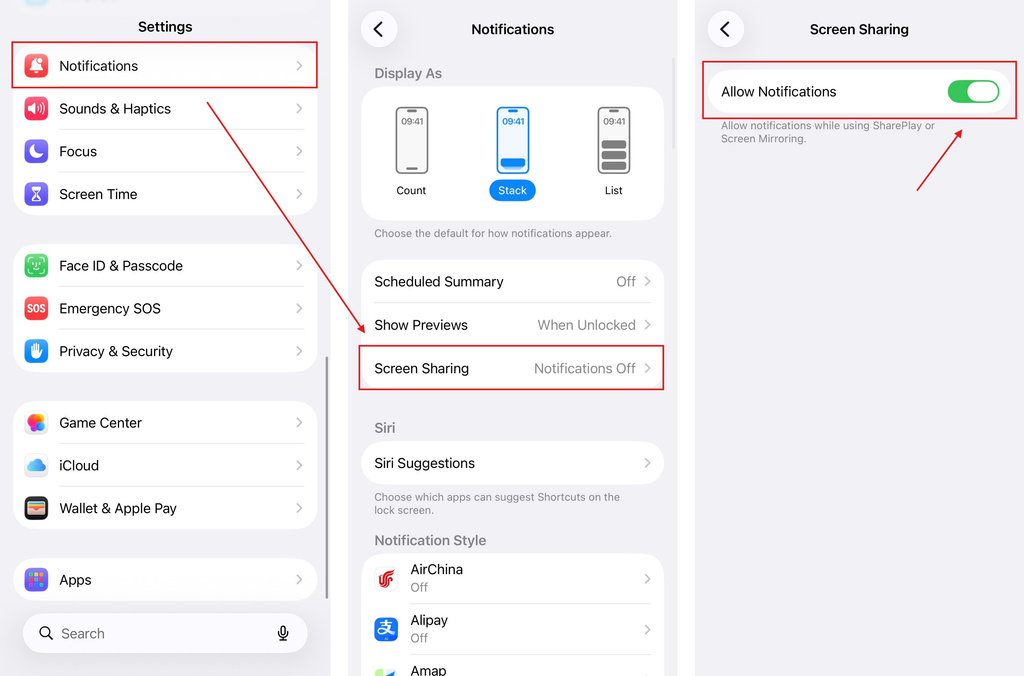 iOS: كيفية إصلاح مشكلة فقدان إشعارات التطبيقات أثناء عرض الشاشة
لماذا لا تظهر الإشعارات؟ عند عرض شاشة جهاز iPhone الخاص بك، قد لا تظهر الإشعارات الواردة من التطبيقات الأخرى على الشاشة المعروضة. وقد يحدث ذلك...
iOS: كيفية إصلاح مشكلة فقدان إشعارات التطبيقات أثناء عرض الشاشة
لماذا لا تظهر الإشعارات؟ عند عرض شاشة جهاز iPhone الخاص بك، قد لا تظهر الإشعارات الواردة من التطبيقات الأخرى على الشاشة المعروضة. وقد يحدث ذلك...
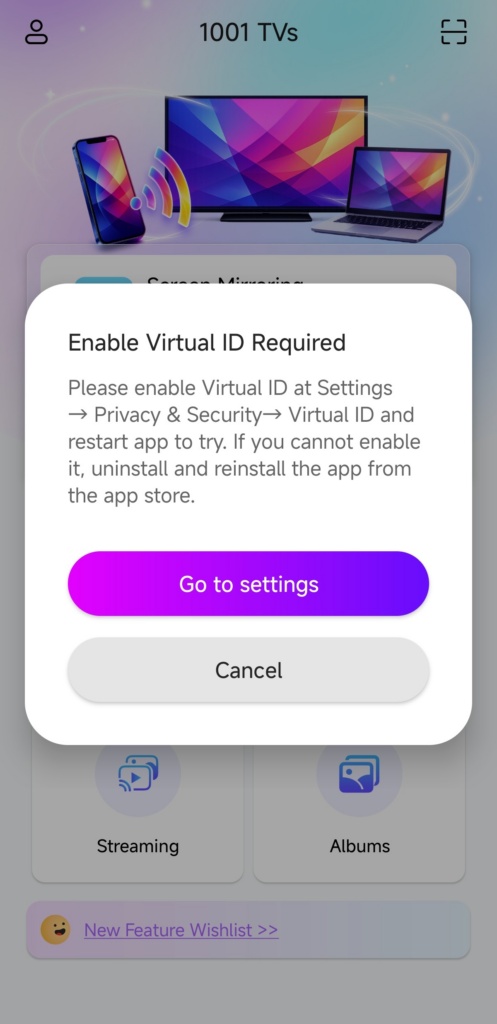 كيفية إصلاح النافذة المنبثقة التي تطالب بـ «تمكين المعرّف الافتراضي»
إذا كنت تستخدم هاتفًا أو جهازًا لوحيًّا من طراز Xiaomi أو Redmi، فقد تظهر لك نافذة منبثقة تقول "يلزم تمكين المعرّف الافتراضي" عند تشغيل...
كيفية إصلاح النافذة المنبثقة التي تطالب بـ «تمكين المعرّف الافتراضي»
إذا كنت تستخدم هاتفًا أو جهازًا لوحيًّا من طراز Xiaomi أو Redmi، فقد تظهر لك نافذة منبثقة تقول "يلزم تمكين المعرّف الافتراضي" عند تشغيل...

