
[Android] How to Send Files From Android Phone to PC, Mac, and TV
1001 TVs makes it easy to wirelessly transfer files from your Android phone to a PC, Mac, or TV — no cables, no hassle. Whether you’re sharing photos, videos, music, or documents, the process is fast, simple, and secure. Here’s how to get started.
1. الاتصال بنفس شبكة Wi-Fi:
تأكد من اتصال كلا الجهازين بشبكة Wi-Fi نفسها.
(يوصى باستخدام اتصال Wi-Fi بنطاق 5G للحصول على أفضل أداء).
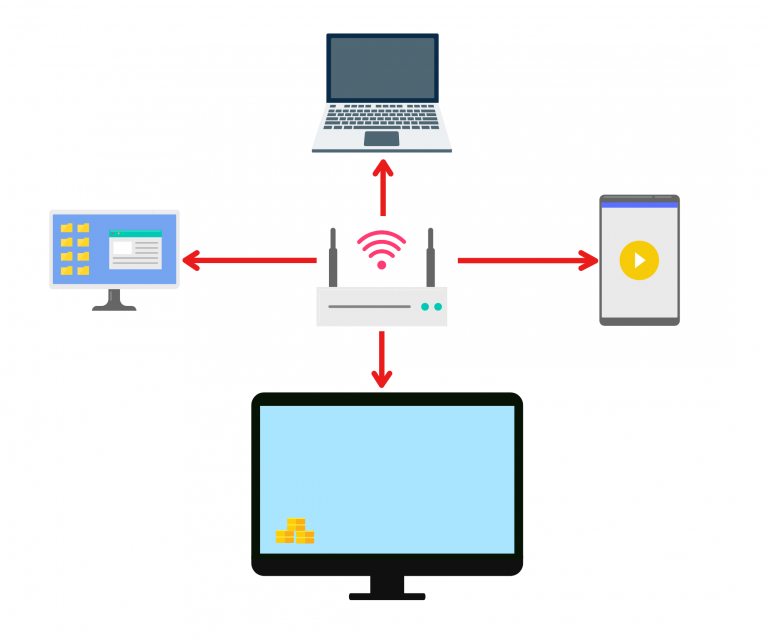
2. Install and Open 1001 TVs on both devices
📥 تطبيق الكمبيوتر الشخصي: تنزيل من Microsoft Store
للاطلاع على الخطوات التفصيلية، ارجع إلى دليل تثبيت الكمبيوتر الشخصي.
📥 تطبيق Mac: تنزيل من متجر التطبيقات
📥 تطبيق تلفزيوني: كيفية تثبيت 1001 TVs على التلفزيون الخاص بك
📱 تطبيق أندرويد: تنزيل من جوجل بلاي
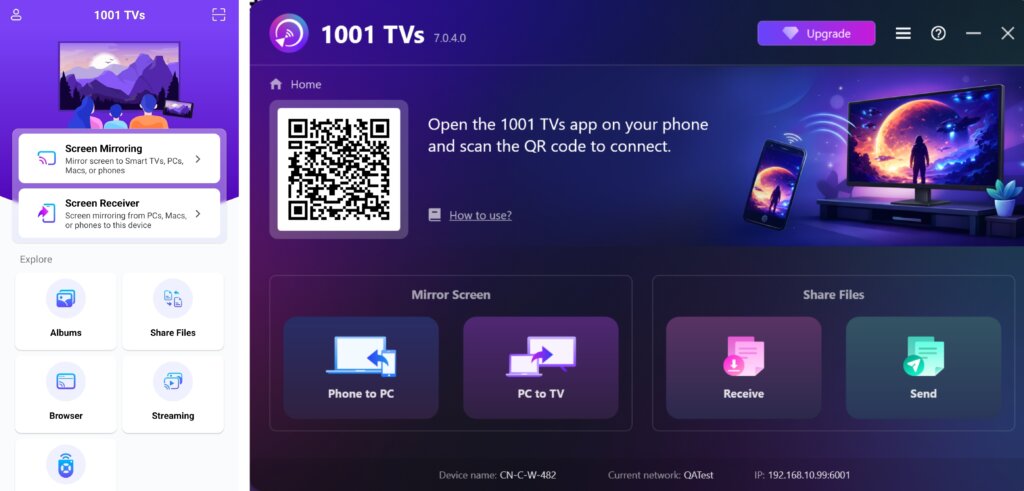
3. Start Pairing
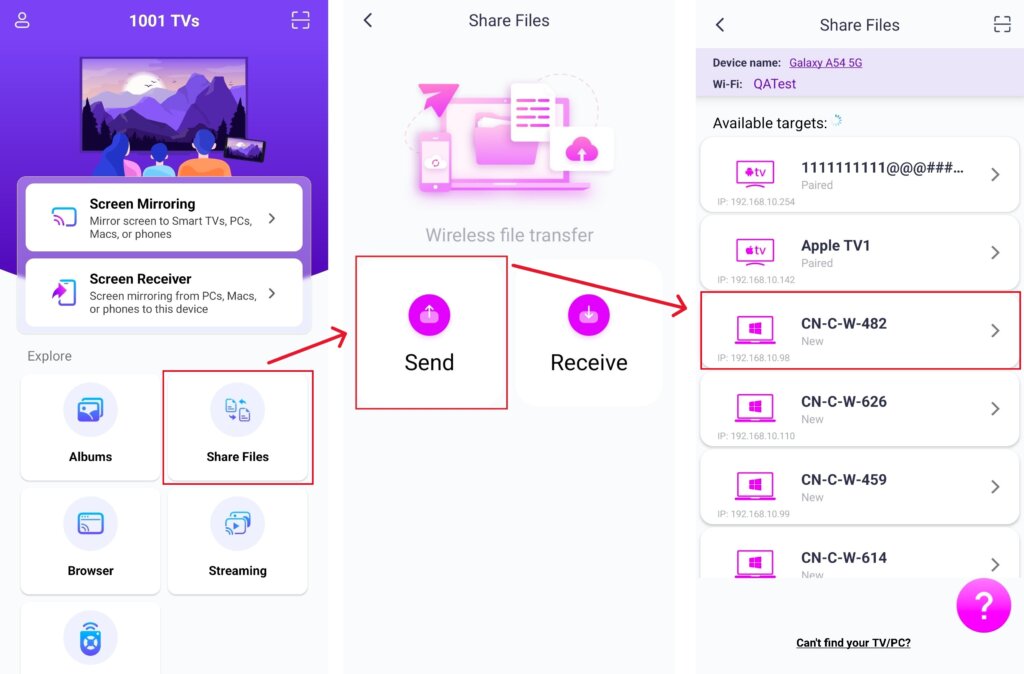
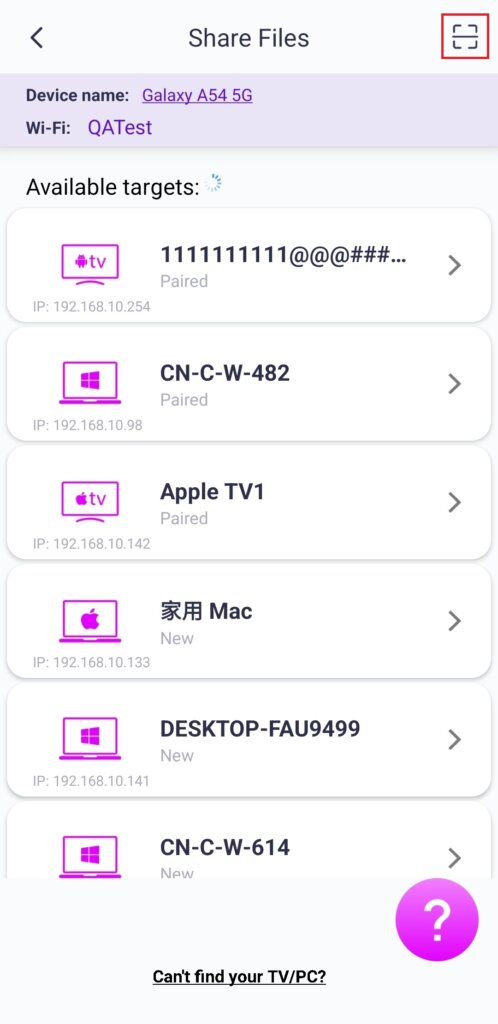
الإطلاق 1001 TVs على هاتفك وانقر على مشاركة الملفات > إرسال.
Select your target device from the list (e.g., your PC/Mac/TV).
Note: The target device must be online to receive files. If it appears offline, please check your network connection. You can still view files already received on your PC/Mac/TV at any time.
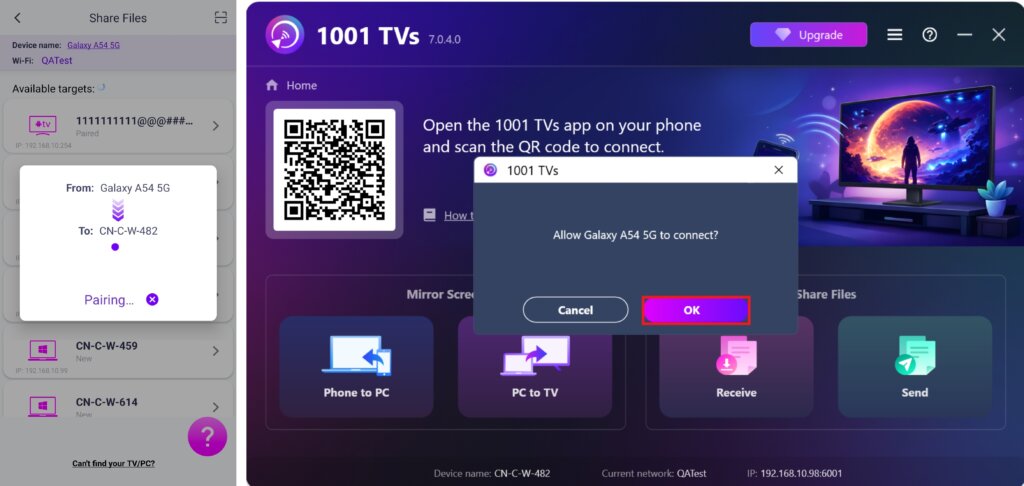
On your receiving device, confirm the pairing.
6. لا يمكنك العثور على الجهاز المستهدف؟ حاول الاقتران عن طريق مسح الرمز
إذا كان جهازك لا يظهر في القائمة، يمكنك امسح رمز الاستجابة السريعة ضوئيًا displayed on your Mac/PC/TV screen for quick pairing.
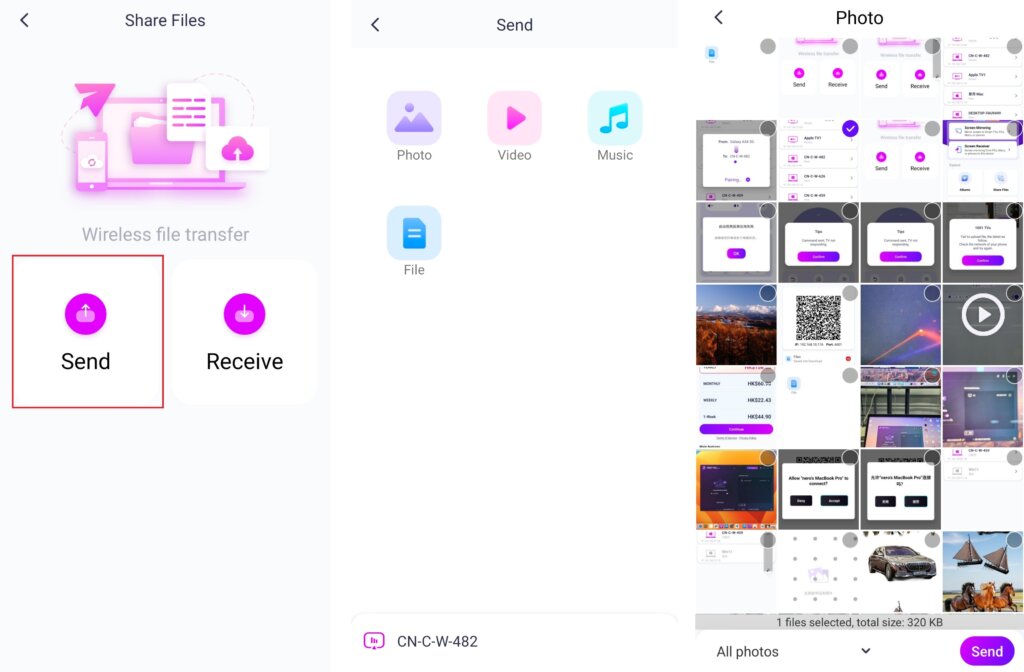
4. Select files to send
على هاتفك، انقر على إرسال and choose the files you want to send.
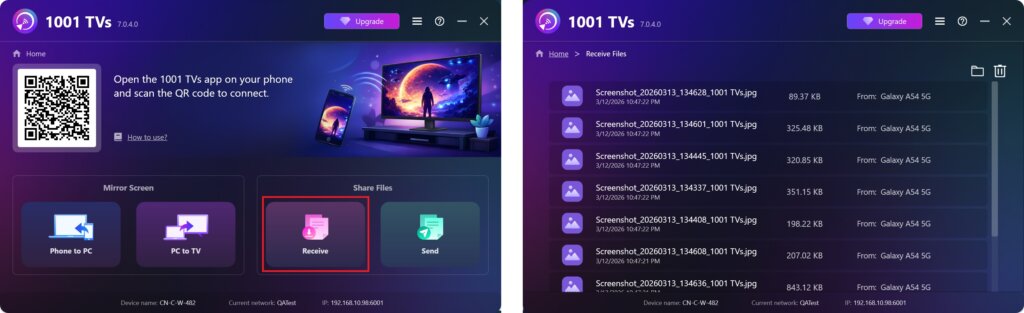
5. Received Files – Where to Find
1) For PC/Mac
انقر فوق Receive on your PC/Mac to see all incoming files.
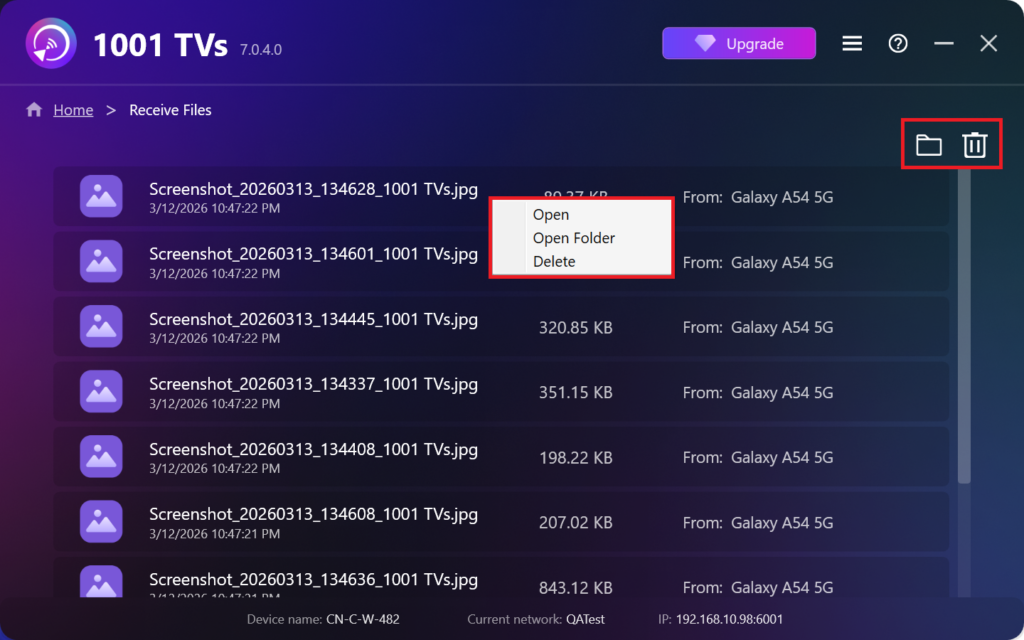
- Open View the received files – انقر فوق أو right-click وحدد "Open Folder” to to view all files from that specific device (e.g., iPhone 12123).
- Locate them in Finder (Mac) or File Explorer (Windows) – Click the folder icon in the top‑right to access all device folders.
- Delete options – Right‑click a file and select “Delete” to remove it individually, or click the trash icon in the top‑right to delete all received files at once.
2) For TV
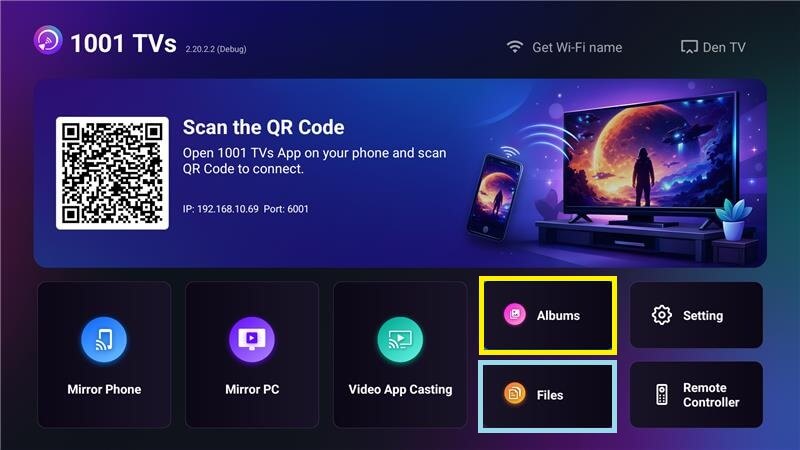
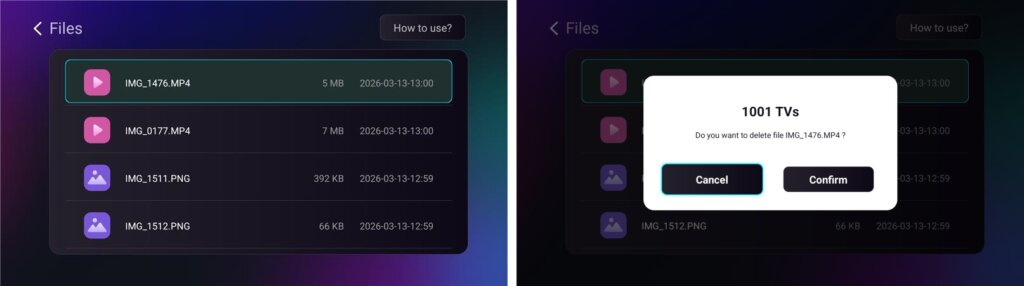
- انتقل إلى الملفات, you can see the received files and long-press the file to delete it.
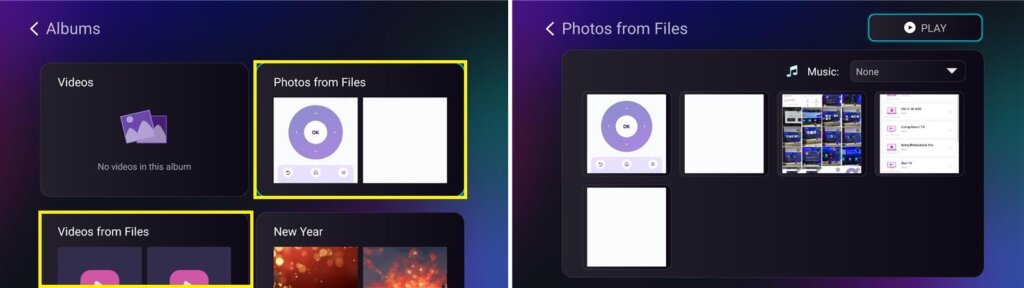
- انتقل إلى Albums > Photos/Videos from Files, where you can view received photos and videos, long‑press to delete, or play them as a slideshow.
مع 1001 TVsيمكنك الاستمتاع بـ عمليات نقل الملفات اللاسلكية عالية السرعة بين أجهزتك في أي وقت وفي أي مكان! 🚀
احصل على 1001 TVs الآن
📥 تطبيق الكمبيوتر الشخصي: تنزيل من Microsoft Store
للاطلاع على الخطوات التفصيلية، ارجع إلى دليل تثبيت الكمبيوتر الشخصي.
📥 تطبيق Mac: تنزيل من متجر التطبيقات
📥 تطبيق تلفزيوني: كيفية تثبيت 1001 TVs على التلفزيون الخاص بك
📱 تطبيق أندرويد: تنزيل من جوجل بلاي