
[ٹیبلٹ iOS] آئی پیڈ براؤزر (کروم) میں اسکرین کا عکس کیسے لگائیں
1.اسی وائی فائی کو مربوط کریں۔:
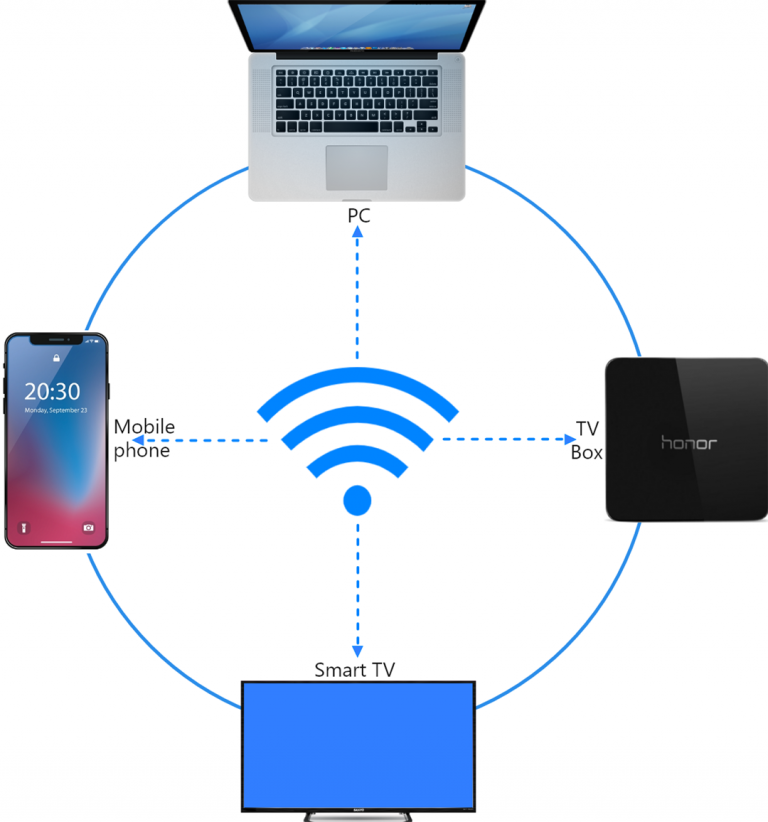
یقینی بنائیں کہ آپ کا فون اور آئی پیڈ دونوں ایک ہی Wi-Fi نیٹ ورک سے جڑے ہوئے ہیں۔ (بہترین کارکردگی کے لیے 5G بینڈ وائی فائی کنکشن کی سفارش کی جاتی ہے۔)
2. 1001 TVs انسٹال اور کھولیں۔
اپنے فون کی اسکرین کو براؤزر میں عکس بند کرنے کے لیے، آپ کو بس اس کی ضرورت ہے۔ 1001 TVs آپ کے فون پر ایپ۔.
📱 iOS ورژن: ایپ اسٹور سے ڈاؤن لوڈ کریں۔
📱 اینڈرائیڈ ورژن: گوگل پلے سے ڈاؤن لوڈ کریں۔
3. سکرین مررنگ
اینڈرائیڈ کے لیے:
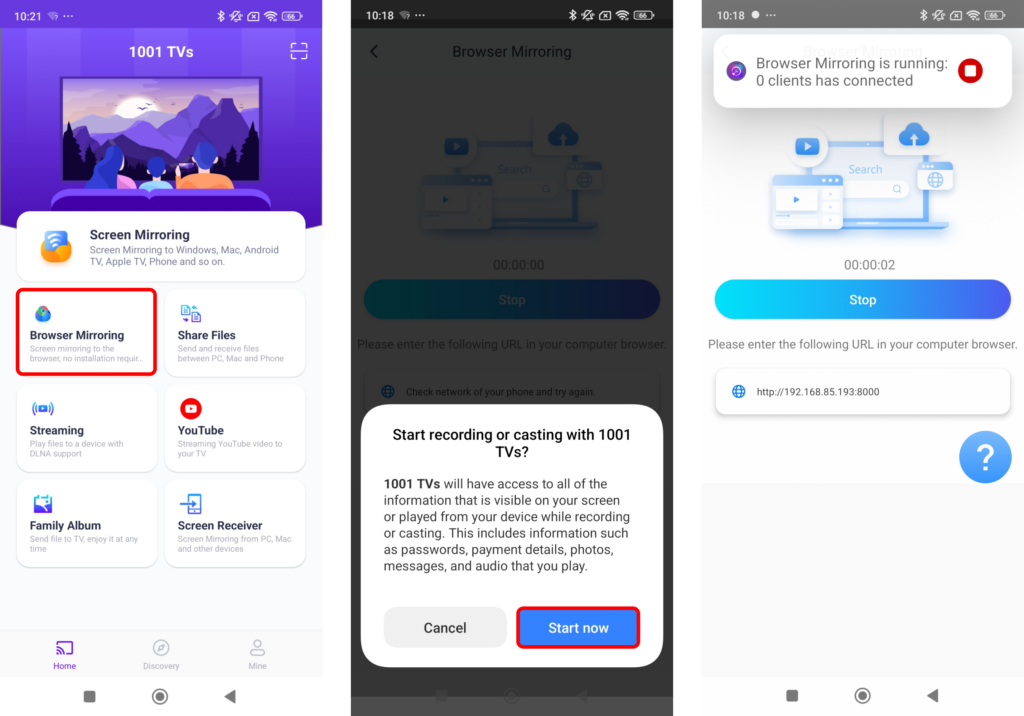
ٹیپ کریں "“براؤزر کی عکس بندی”ہوم پیج پر۔ مطلوبہ اجازتوں کی اجازت دیں۔.
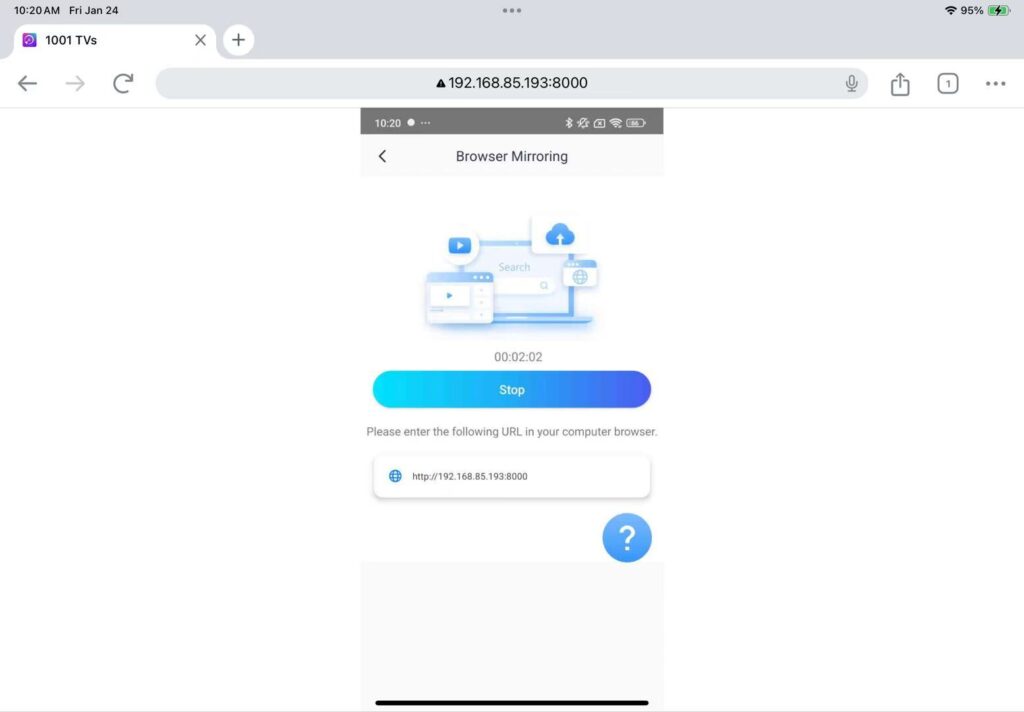
اسکرین کو عکس بند کرنے کے لیے اپنے ویب براؤزر میں دکھایا گیا URL درج کریں (کروم کی سفارش کی جاتی ہے)۔.
نوٹ: یہ موڈ بغیر آواز کے صرف اسکرین مررنگ کو سپورٹ کرتا ہے۔.
iOS کے لیے:
ٹیپ کریں "“براؤزر میروr" اور ان کے درمیان انتخاب کریں۔ بنیادی وضع (کوئی آواز نہیں) یا پرو موڈ (آواز کے ساتھ)۔.
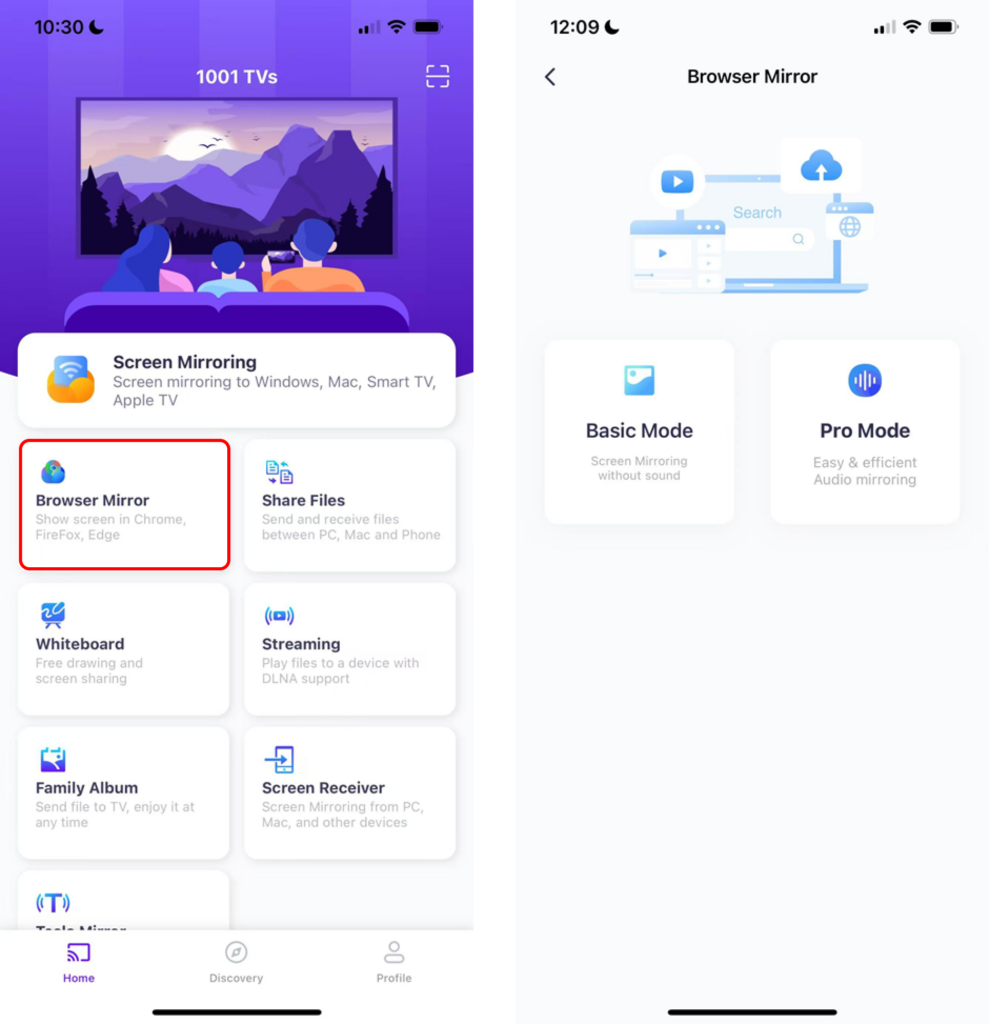
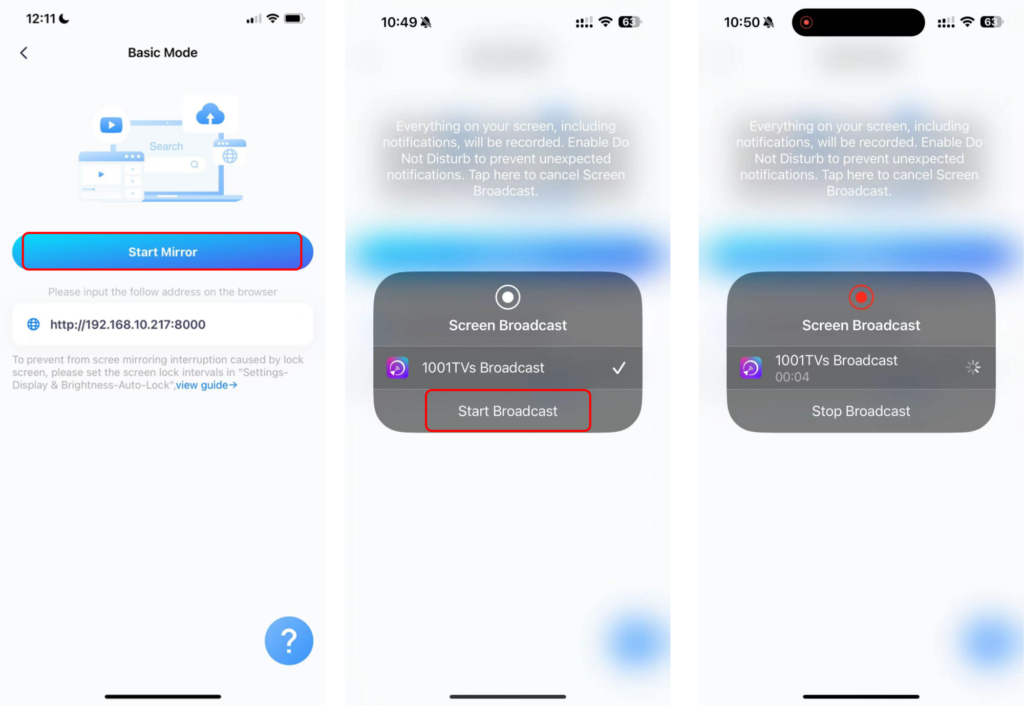
بنیادی وضع:
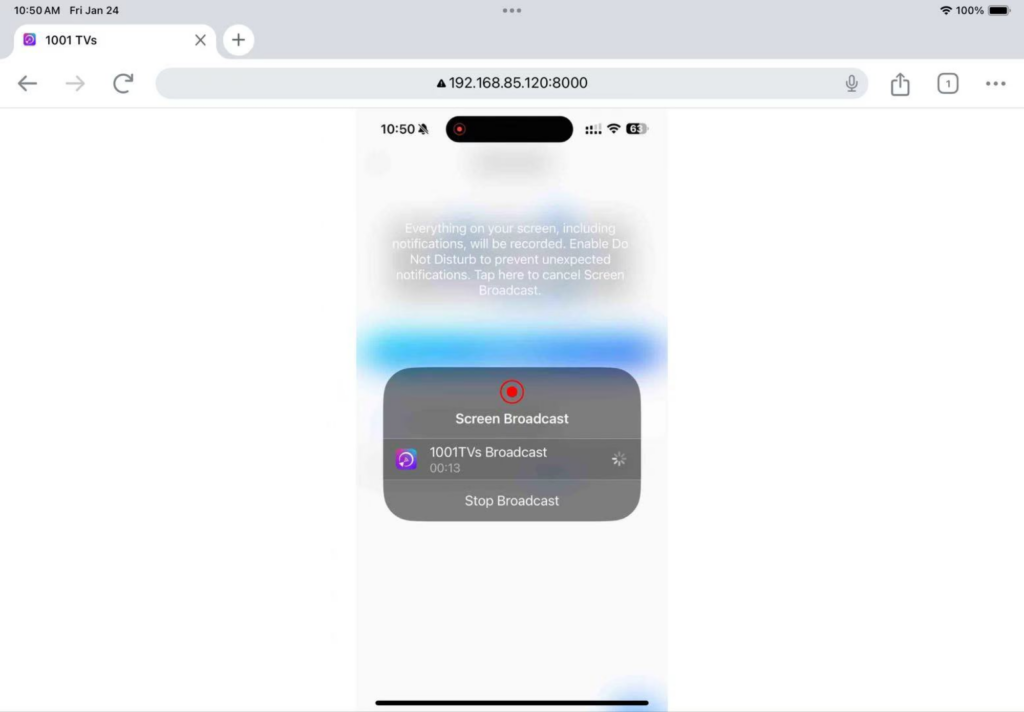
· براؤزر میں اپنے فون پر دکھائے گئے IP ایڈریس کو درج کریں۔.
· ٹیپ کریں "“آئینہ شروع کریں۔”" ➜ "“نشریات شروع کریں۔”3 سیکنڈ کے الٹی گنتی کے بعد، آپ کی سکرین براؤزر پر ظاہر ہوگی۔.
پرو موڈ:
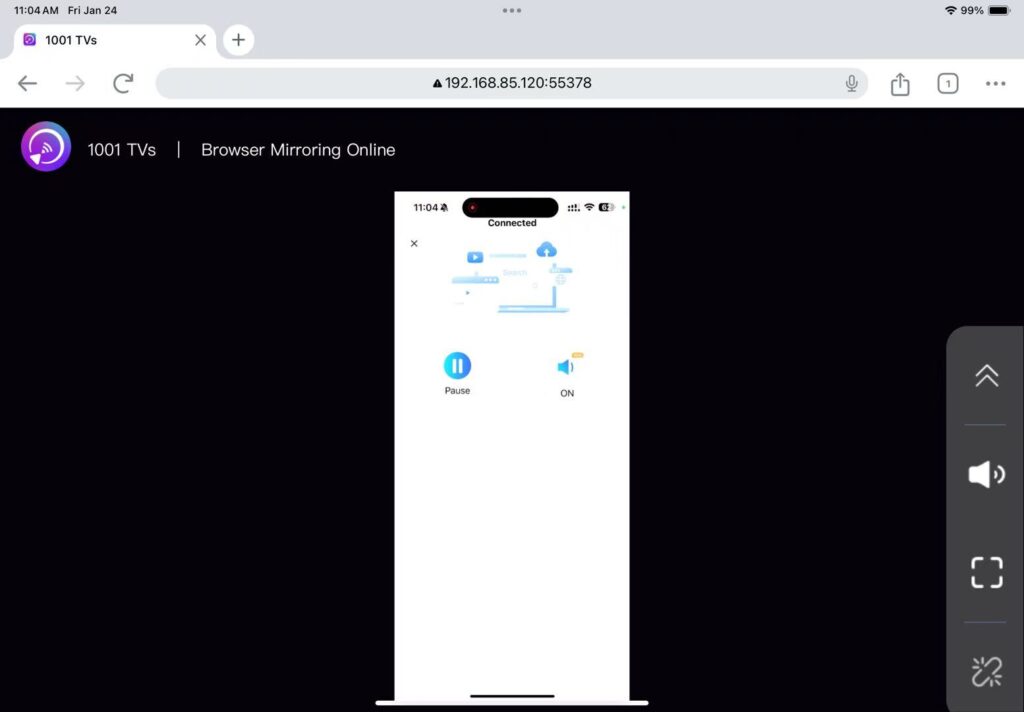
· براؤزر میں اپنے فون پر دکھائے گئے یو آر ایل کو درج کریں (کروم کی سفارش کی جاتی ہے)۔.
· "اسکین" کو تھپتھپائیں اور براؤزر کے صفحہ پر دکھائے گئے QR کوڈ کو اسکین کرنے کے لیے اپنا فون استعمال کریں۔.
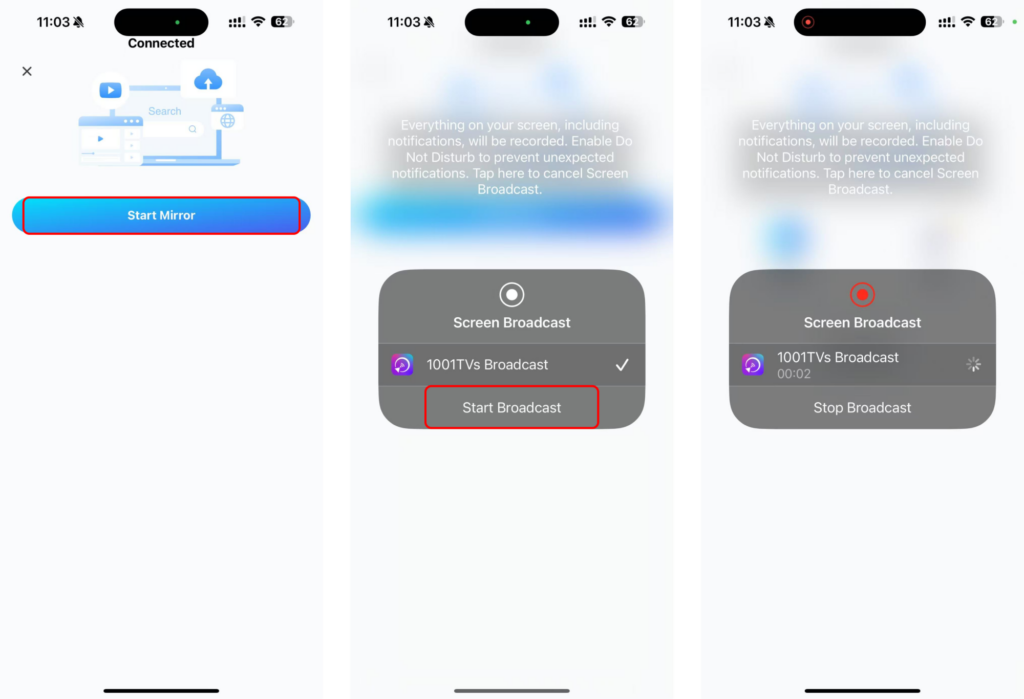
· ایک بار منسلک ہونے کے بعد، "پر ٹیپ کریں“میرو شروع کریں۔r" ➜ "”نشریات شروع کریں۔”
ایڈوانسڈ موڈ میں آڈیو کو فعال کرنے کے لیے:
· اپنے فون پر آواز کو آن کریں۔.
· کلک کریں "“جی ہاں”آواز بجانا شروع کرنے کے لیے براؤزر کے صفحے پر۔.
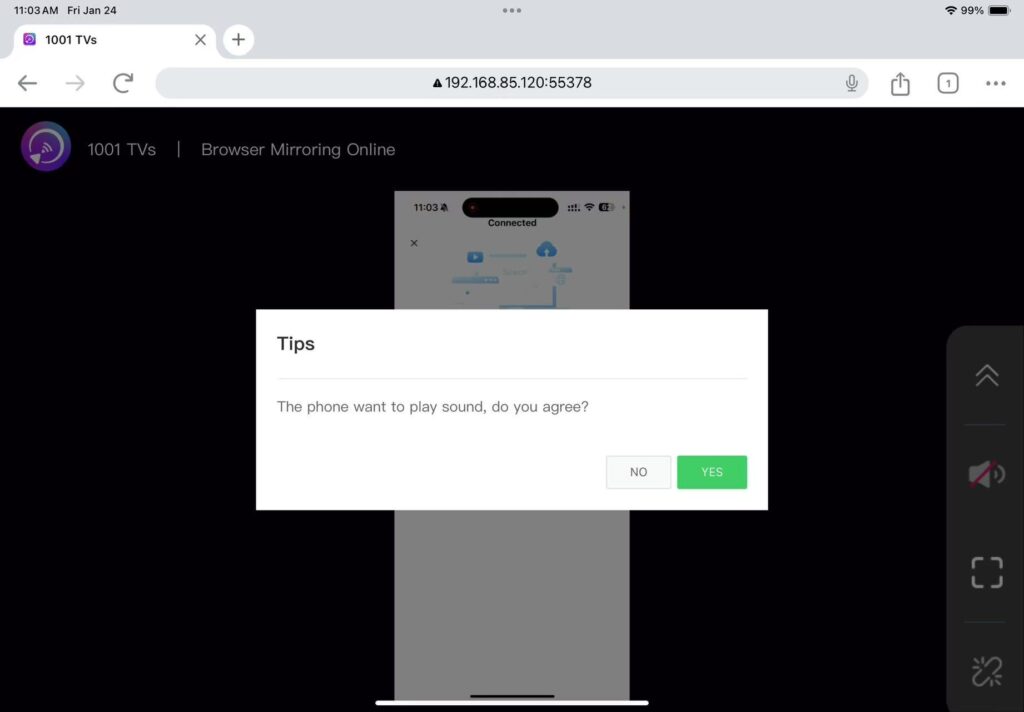
بس! آپ اپنے براؤزر سے، آڈیو کے ساتھ یا اس کے بغیر، ہموار اسکرین مررنگ سے لطف اندوز ہونے کے لیے تیار ہیں۔.
1001 TVs ابھی ڈاؤن لوڈ کریں۔
📱 iOS ورژن: ایپ اسٹور سے ڈاؤن لوڈ کریں۔
📱 اینڈرائیڈ ورژن: گوگل پلے سے ڈاؤن لوڈ کریں۔