
USB를 통해 iPhone을 Mac에 미러링하는 방법
이제 iOS 기기용 유선 화면 미러링 기능을 사용할 수 있습니다! 케이블을 사용해 iPhone 또는 iPad를 Mac에 연결하기만 하면 됩니다.
아이폰이나 아이패드에 1001 TVs를 다운로드할 필요가 없습니다!
1. MacBook에 1001 TVs 설치 및 열기
📥 Mac 앱: App Store에서 다운로드
클릭 “휴대폰에서 Mac으로“.
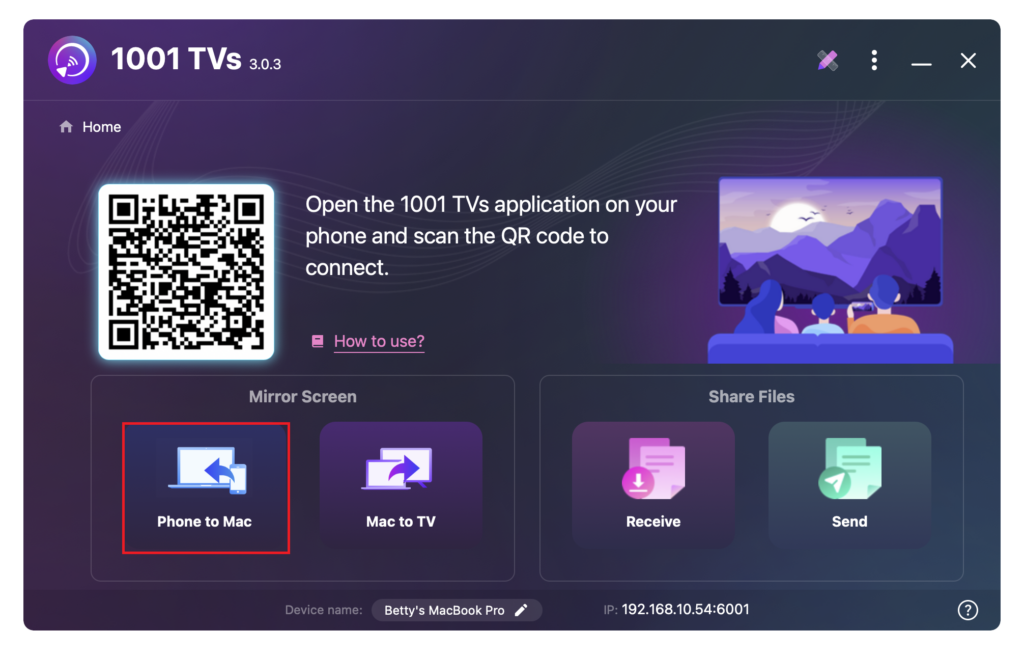
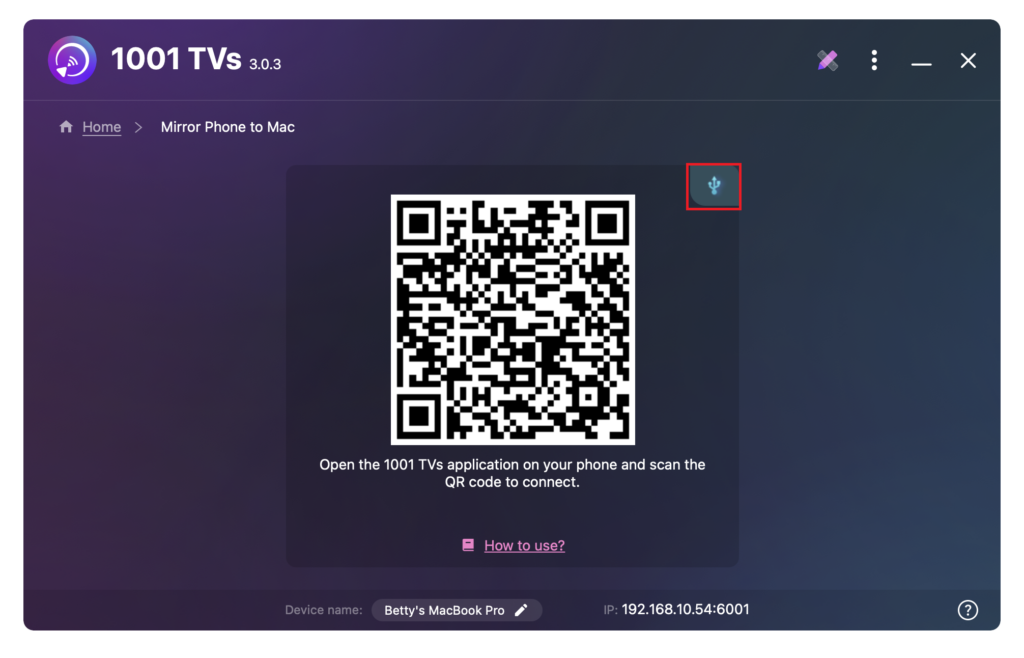
케이블 아이콘을 탭합니다.
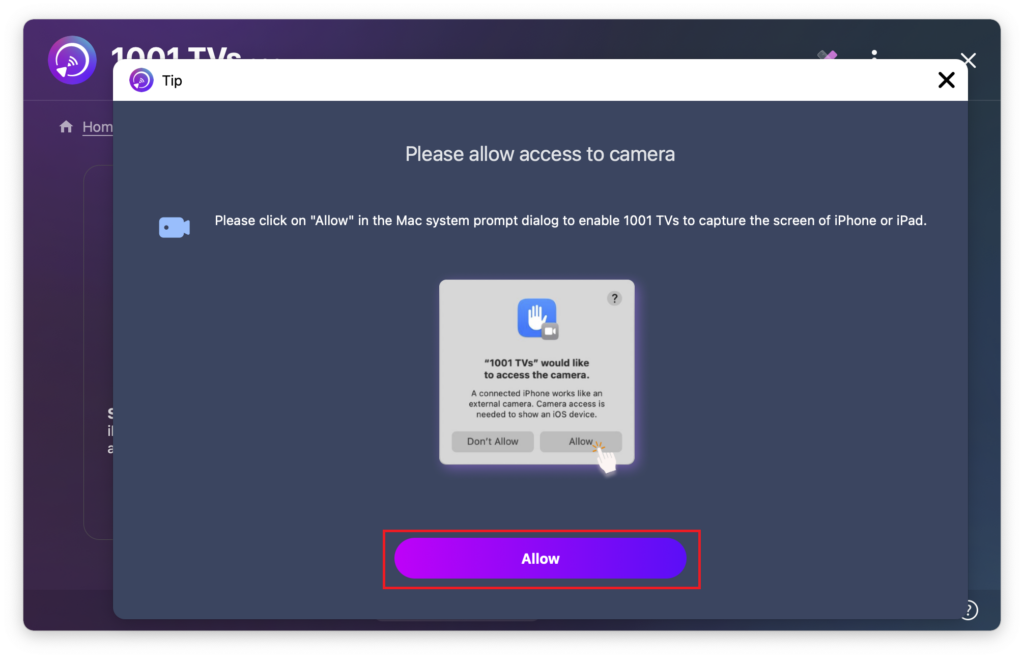
권한 팝업이 나타나면 “허용”를 클릭하여 액세스 권한을 부여하고 정상적인 사용을 보장합니다.
다음 화면이 나타납니다.
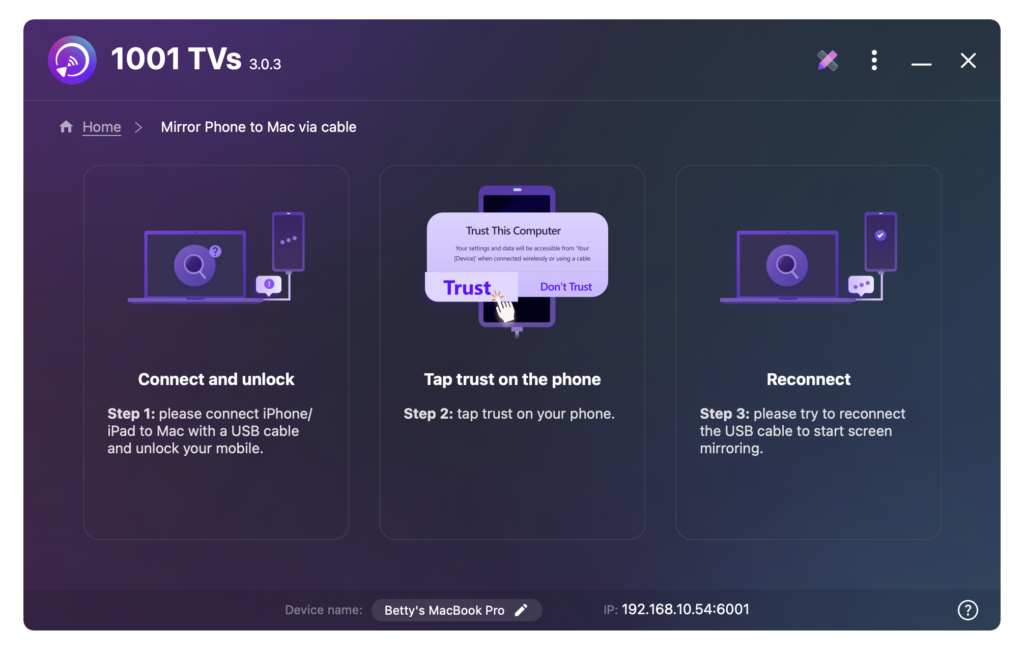
2. 케이블을 통해 iPhone/iPad를 Mac에 연결하기
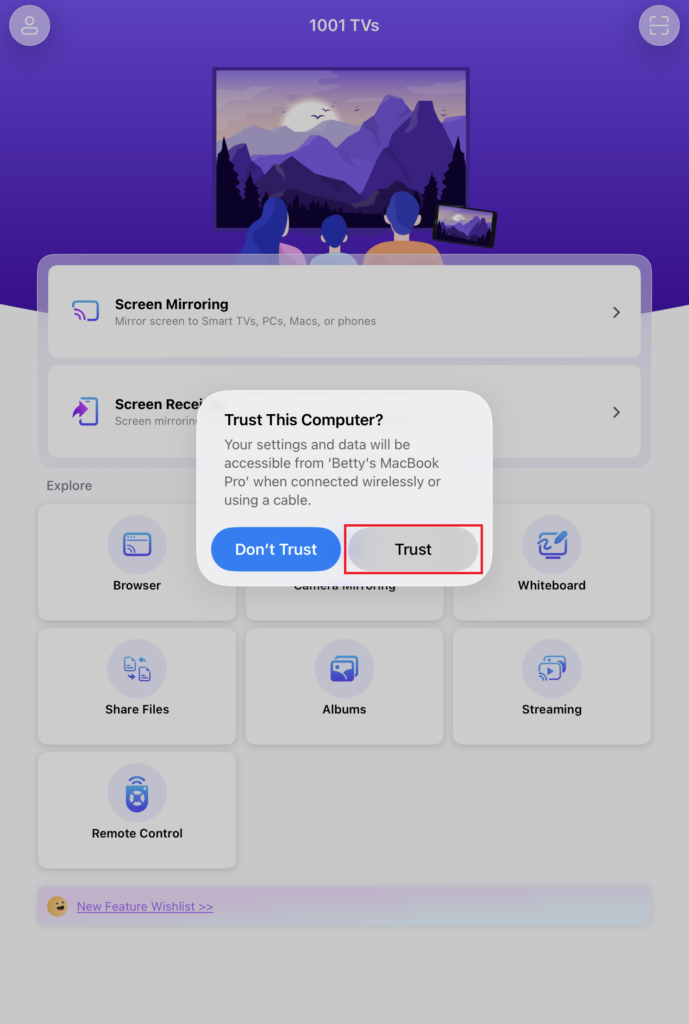
아이폰/아이패드에 권한 프롬프트가 나타납니다. "신뢰" 를 사용하여 적절한 기능을 사용할 수 있습니다.
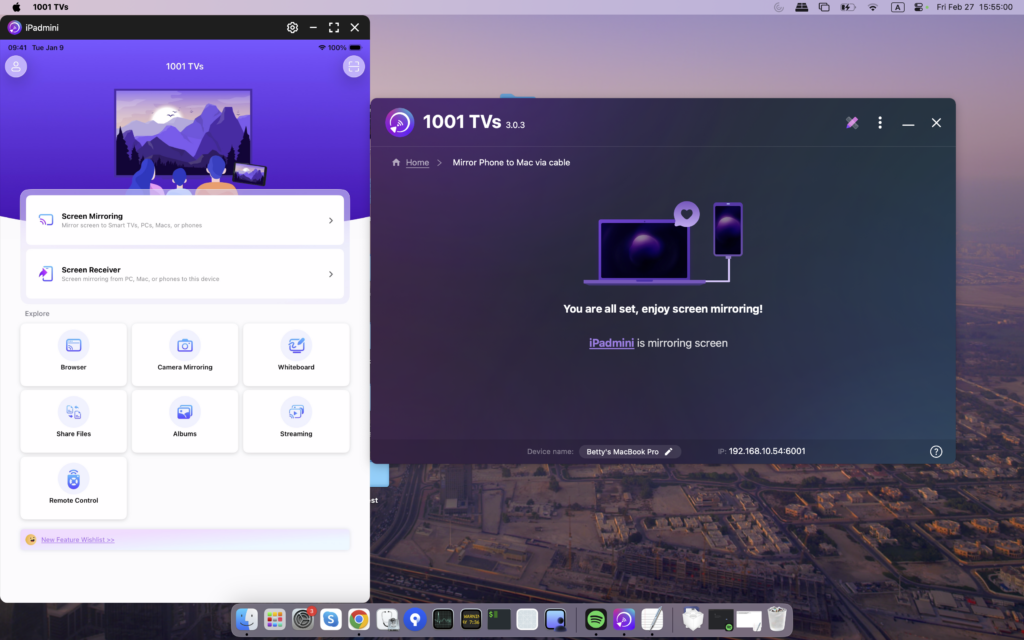
디바이스 다시 연결. 성공하면 아래와 같이 인터페이스가 나타납니다.
3. 언제든지 미러링 닫기 및 다시 열기
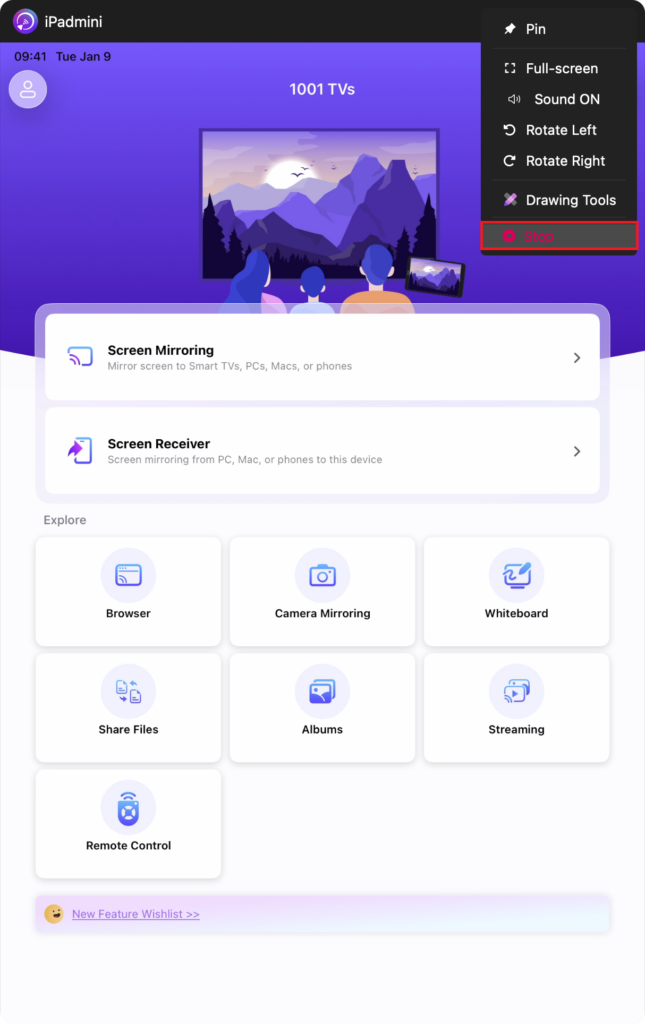
Notes:
화면 미러링 로딩 중 - 이 시간 동안에는 중단을 방지하기 위해 데이터 케이블을 연결하거나 분리하지 마세요.
미러링 실패 또는 “신호 없음” 메시지와 같은 문제가 발생하면 다음 해결 방법을 시도해 보세요:
- 데이터 케이블을 다시 연결합니다.
- MacBook에서 1001 TVs를 재시동합니다.
- MacBook을 재시동합니다.
지금 1001 TVs 받기!
📥 Mac 앱: App Store에서 다운로드