iOS: स्क्रीन मिररिंग के दौरान गायब ऐप सूचनाओं को कैसे ठीक करें
सूचनाएं क्यों नहीं दिख रही हैं
जब आप अपने iPhone की स्क्रीन को मिरर करते हैं, तो अन्य ऐप्स के नोटिफिकेशन मिरर की गई स्क्रीन पर दिखाई नहीं दे सकते।.
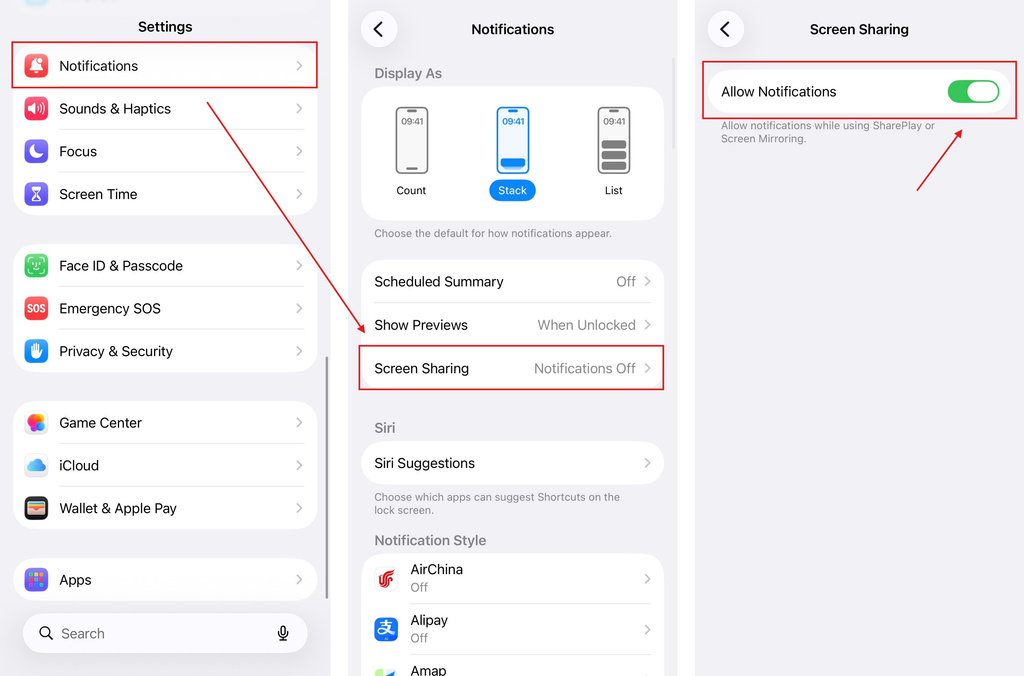
यह तब हो सकता है जब आपके iPhone सेटिंग्स में नोटिफिकेशन शेयरिंग अक्षम हो। स्क्रीन मिररिंग के दौरान नोटिफिकेशन की अनुमति देने के लिए नीचे दिए गए चरणों का पालन करें।.
ट्यूटोरियल
जाओ सेटिंग्स > सूचनाएं > स्क्रीन साझाकरण, फिर चालू करें सूचनाओं की अनुमति दें.
हो गया
एक बार सक्षम हो जाने पर, जब आप अपने iPhone की स्क्रीन मिरर कर रहे हों, तो अन्य ऐप्स से सूचनाएं दिखाई दे सकती हैं।.
यदि सूचनाएं अभी भी नहीं मिल रही हैं, तो सुनिश्चित करें कि जिन ऐप्स से आप अलर्ट प्राप्त करना चाहते हैं, उनके लिए सूचनाएं सक्षम हैं।.

और पढ़ें
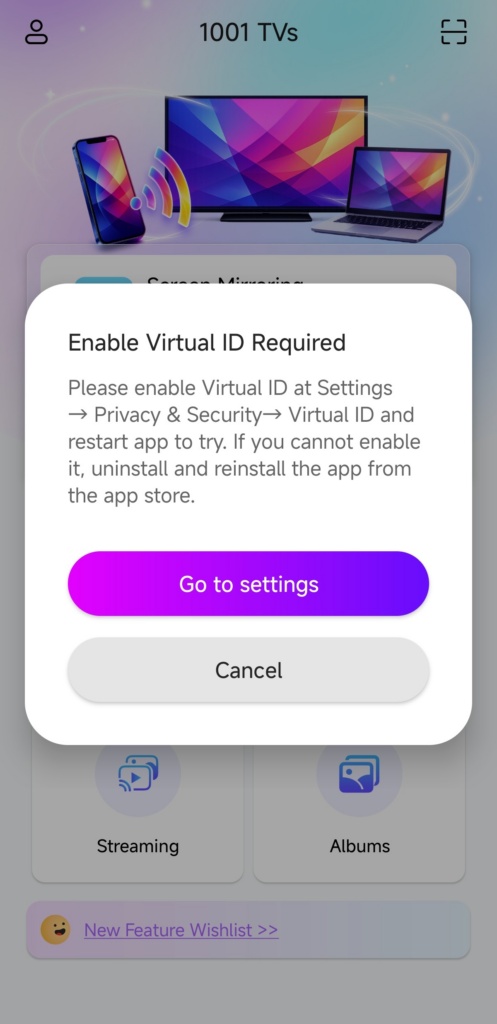 इनेबल वर्चुअल आईडी रिक्वायर्ड पॉप-अप को कैसे ठीक करें
यदि आप Xiaomi या Redmi फोन या टैबलेट का उपयोग कर रहे हैं, तो जब आप लॉन्च करते हैं तो आपको एक पॉप-अप दिखाई दे सकता है जिसमें लिखा होता है "वर्चुअल आईडी सक्षम करना आवश्यक है"…
इनेबल वर्चुअल आईडी रिक्वायर्ड पॉप-अप को कैसे ठीक करें
यदि आप Xiaomi या Redmi फोन या टैबलेट का उपयोग कर रहे हैं, तो जब आप लॉन्च करते हैं तो आपको एक पॉप-अप दिखाई दे सकता है जिसमें लिखा होता है "वर्चुअल आईडी सक्षम करना आवश्यक है"…
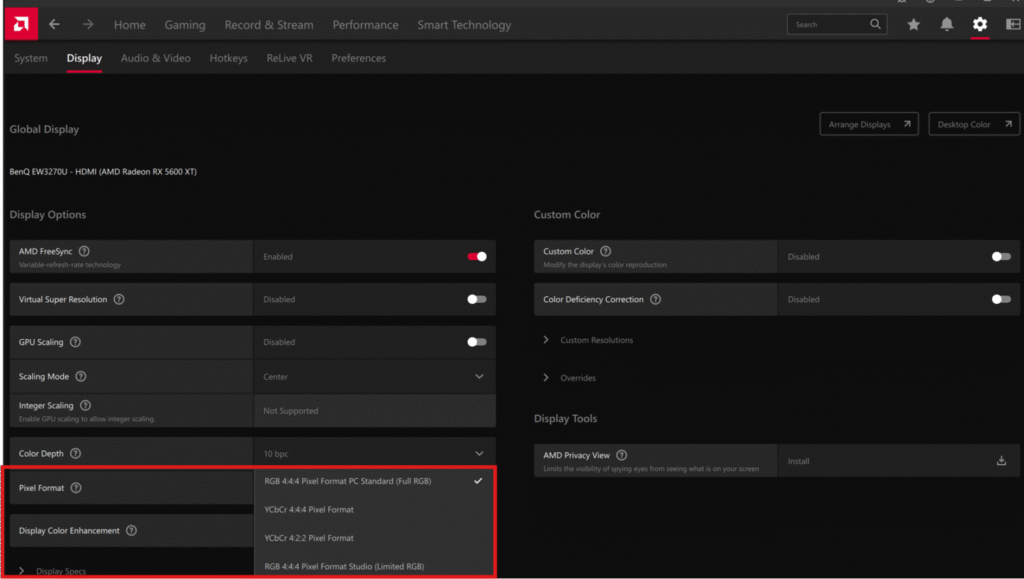 फोन को पीसी पर मिरर करते समय फीके रंगों को कैसे ठीक करें
हाल ही में, कुछ उपयोगकर्ताओं ने रिपोर्ट किया है कि अपने फोन की स्क्रीन को पीसी पर मिरर करने के बाद, छवि स्पष्ट रूप से धूसर और फीकी दिखाई देती है। हमारी जांच…
फोन को पीसी पर मिरर करते समय फीके रंगों को कैसे ठीक करें
हाल ही में, कुछ उपयोगकर्ताओं ने रिपोर्ट किया है कि अपने फोन की स्क्रीन को पीसी पर मिरर करने के बाद, छवि स्पष्ट रूप से धूसर और फीकी दिखाई देती है। हमारी जांच…

